Check out the conversation on Apple, Spotify and YouTube.
Brought to you by:
Maven: Get 15% off Marily’s AI PM Bootcamp witah code AAKASHxMAVEN
Jira Product Discovery: Move discovery and roadmapping out of spreadsheets
Vanta: Automate compliance across 35+ frameworks
Product Faculty: Get $500 off the AI PM Certification with code AAKASH25
Marily Nika and I filmed my 7th most popular episode a year ago.
She broke down how to become an AI PM, because she’s done it. She is an AI PM at Google with 11 years of experience.
Today, she’s back with a completely new episode. She’s dropping every AI tool she uses daily as an AI PM.
Not theory. Not hype. The actual 6 tools she uses multiple times every single day, live with demos:
If you want access to my AI tool stack - Dovetail, Arize, Linear, Descript, Reforge Build, DeepSky, Relay.app, Magic Patterns, and Mobbin - for free, grab Aakash’s bundle.
Are you searching for a PM job? Join me + 29 others for an intensive 12-week experience to master getting a PM job.
Newsletter Deep Dive
I’ve made today’s newsletter guide completely free.
Today’s guide covers:
Marily’s 6 Tool AI PM Stack
Google AI Studio for Prototyping
Opal for Mini Apps
Notebook LM for Domain Expertise
Perplexity for Reddit Research
ChatGPT for Your Voice
Fireflies and Getting Tools at Work
Marily’s 18-Month AI PM Roadmap
AI PM Interview Red Flags
1. Marily’s 6 Tool AI PM Stack
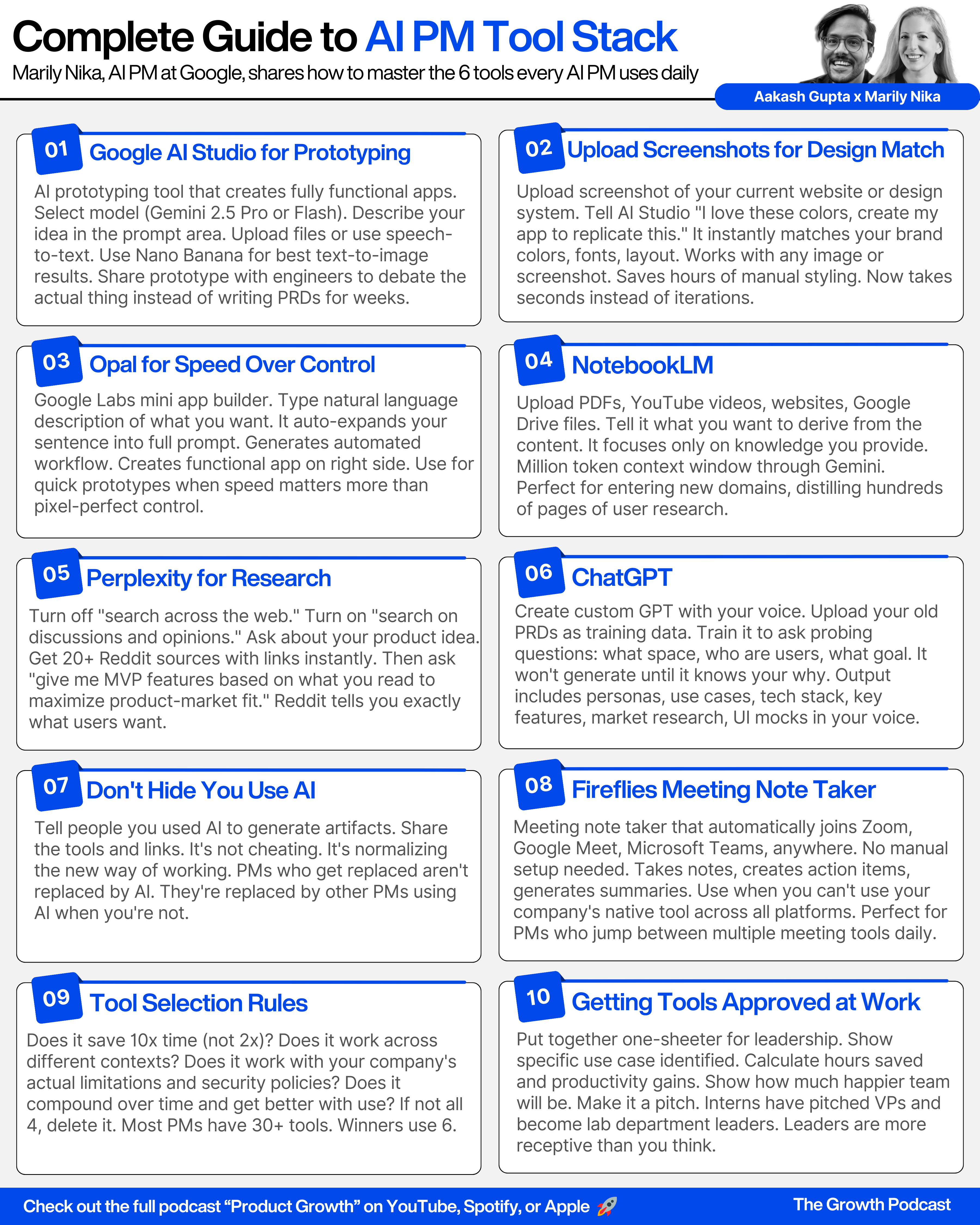
Most PMs are tool hopping with dozens of apps. Marily has distilled it down to 6 tools she uses several times every single day:
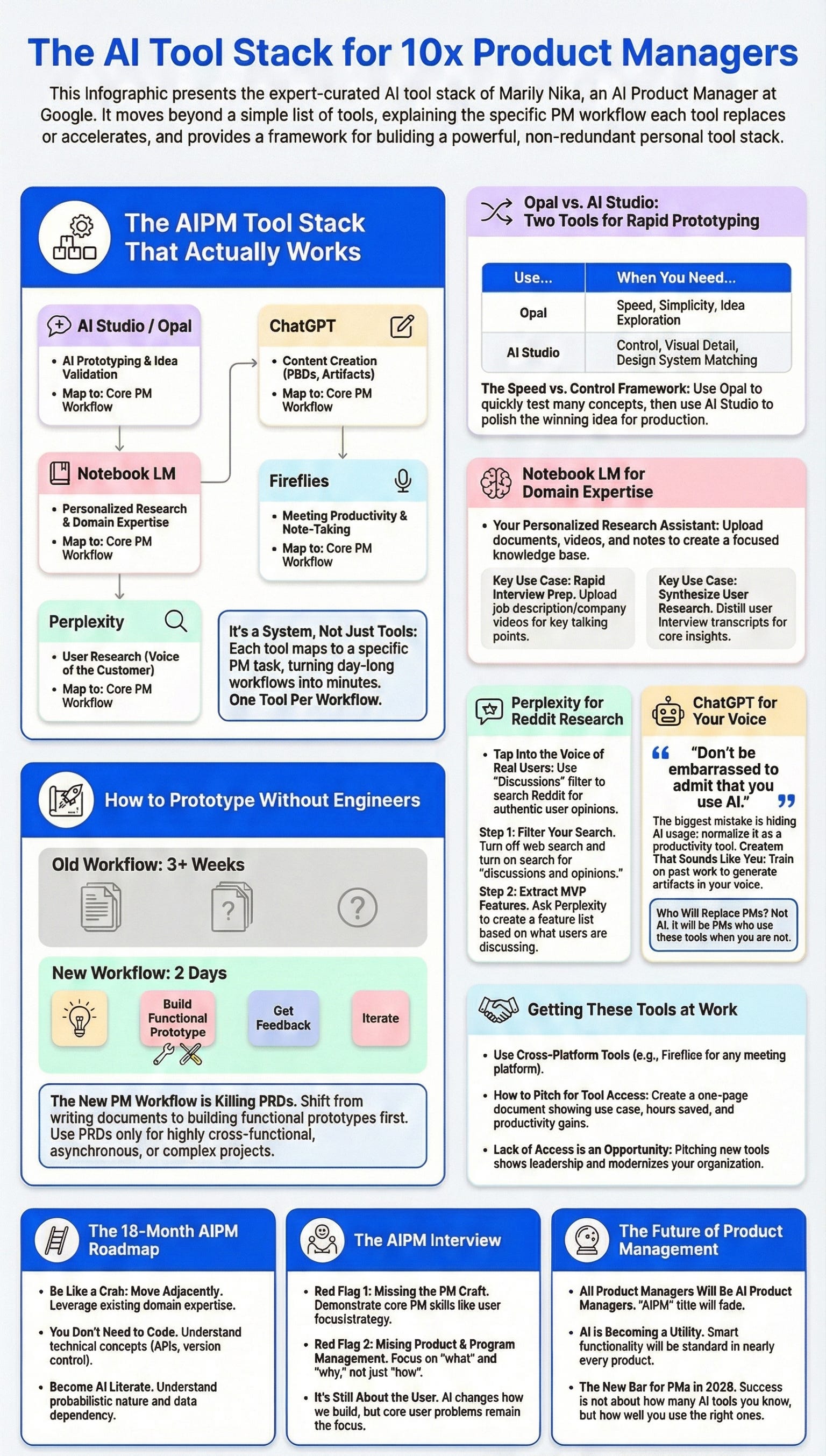
Google AI Studio - AI prototyping. Under 10 minutes, you have a fully functional app.
Opal - Mini apps that you type in using English. Under 10 minutes, you have a fully functional little app.
Notebook LM - Your personalized research assistant. Load up content you care about and learn things about specific topics.
Perplexity - Search only through social (Reddit) to get the voice of the people.
ChatGPT - Custom GPTs that know your voice after years of training them.
Fireflies - Meeting note taker that joins everywhere (Zoom, Google Meet, anywhere).
One thing most people don’t know about for Google is that AI prototyping use case. That’s where we’re starting.
Tool 1 - Google AI Studio for Prototyping
In legacy orgs, PMs are still writing PRDs for weeks before building anything. Marily prototypes first in under 10 minutes.
Google AI Studio lets you build AI prototyping where under 10 minutes you have a fully functional app. It makes tweaking the idea you have in your mind super quick.
The New PM Workflow
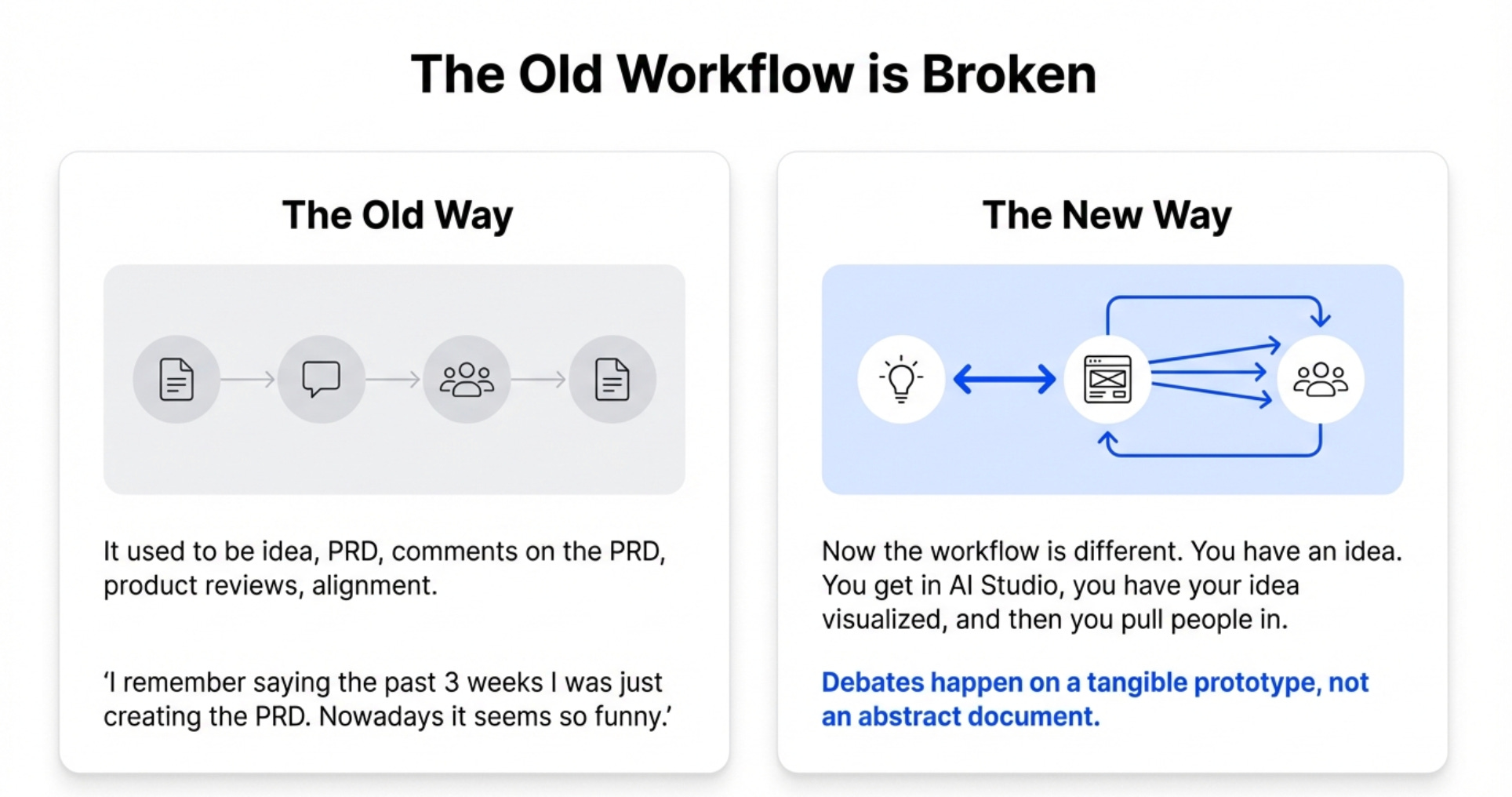
It used to be idea, PRD, comments on the PRD, product reviews, alignment. Now the workflow is different.
You have an idea. You don’t need to reach out to anyone yet. You don’t need to write a PRD. You get in AI Studio, you have your idea visualized, and then you pull people in.
Marily prototypes and then brings her scientists and engineers in. She shows them what she’s thinking. The functionality. The end behavior.
They debate on the actual prototype. That saves so much time. That makes the work so much more fun.
The Live Demo We Built
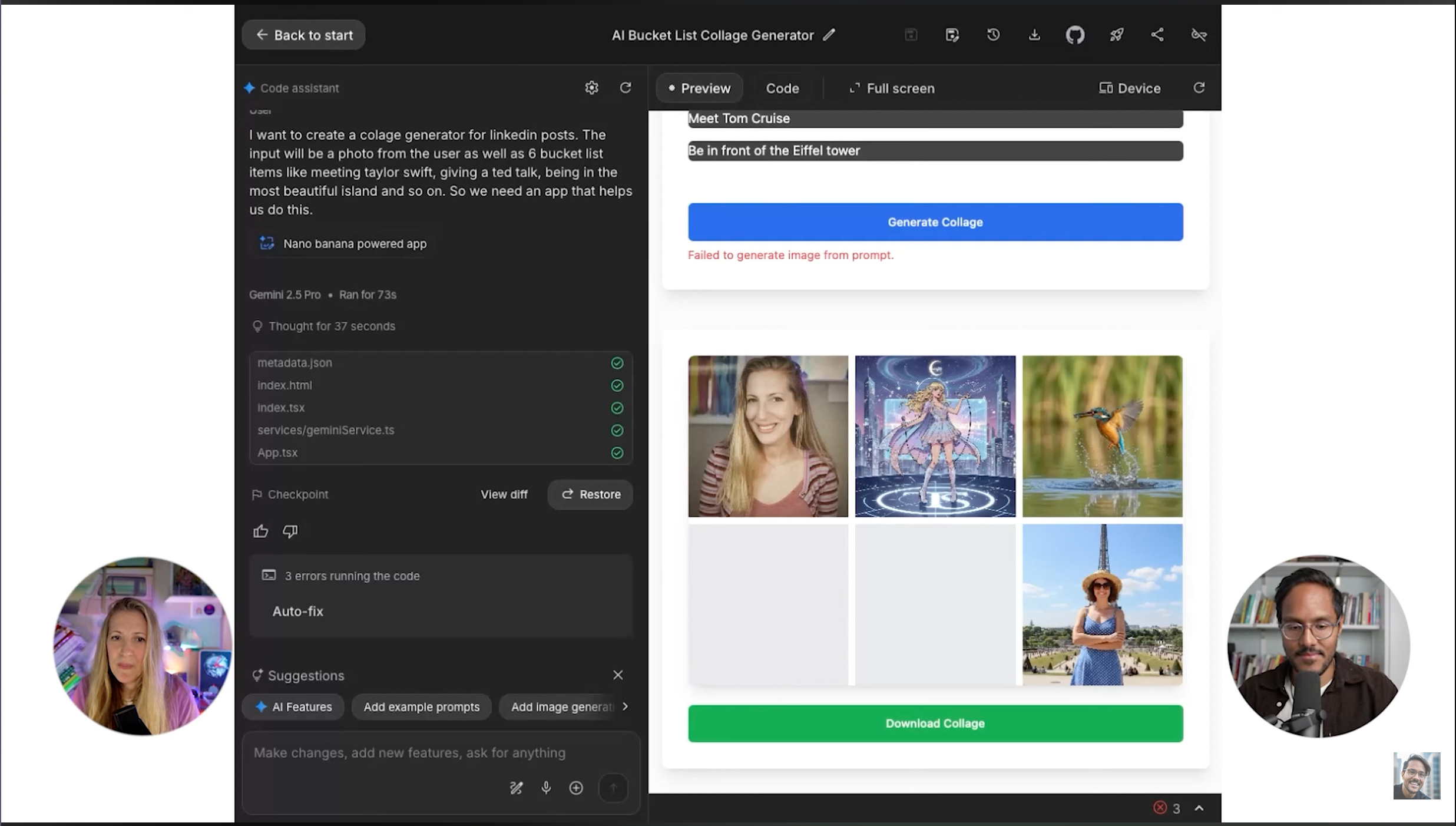
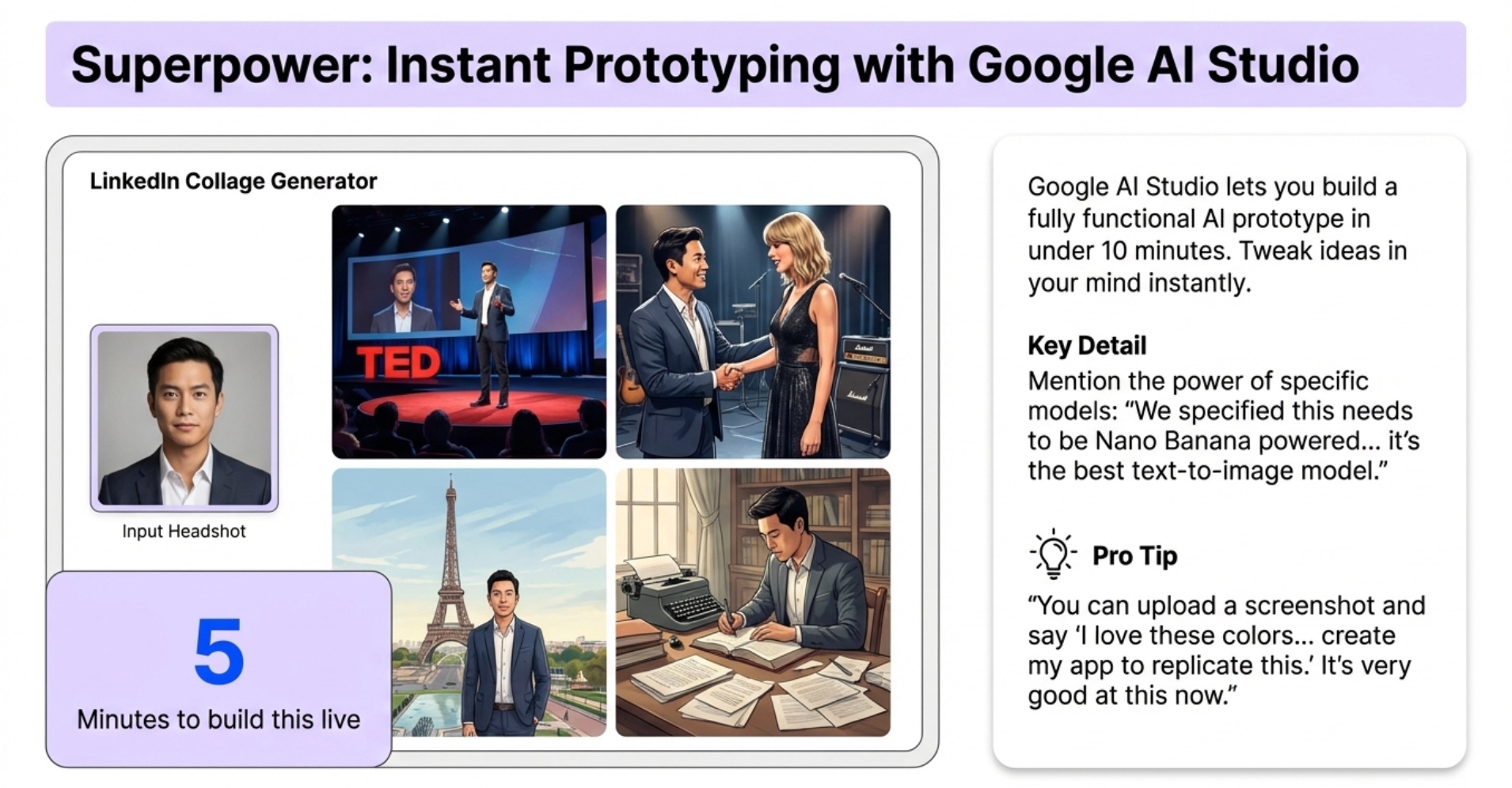
In the live demo, we built a LinkedIn collage generator together.
The input is a photo from you. Plus 6 bucket list items like meeting Taylor Swift, giving a TED Talk, going to the Eiffel Tower.
Marily specified this needs to be Nano Banana powered because she knew the input was gonna be a photo and the output was gonna be a collage of photos.
Why use AI Studio? One thing. Nano Banana is the best text-to-image model. It’s just so good.
We built it in 5 minutes. It’s quite a simple app. But it’s just so powerful.
When AI Studio Beats PRDs
Now if it’s something super complex, documentation still really matters. Especially if it’s highly cross-functional. Especially if people from all over the world are gonna work on this across different time zones.
But it’s not as crucial as it used to be.
PRDs are needed for super complex stuff. They’re kind of deprecated for startups. The gap between what you see in a startup and mid to big tech is widening now.
Getting It to Match Your Design
One thing everybody asks is how do I get it to use my design system?
You can upload an image, a screenshot, and say I love these colors, I love this website, create my app to replicate this.
In the beginning it would take a long time. But nowadays it’s just very good at this.
Tool 2 - Opal for Mini Apps
The second tool is Opal. This is an experiment from Google Labs for AI mini apps.
Instead of going on a playground to try out different models, you literally type in using English and see a mini app emerge.
How Opal Works
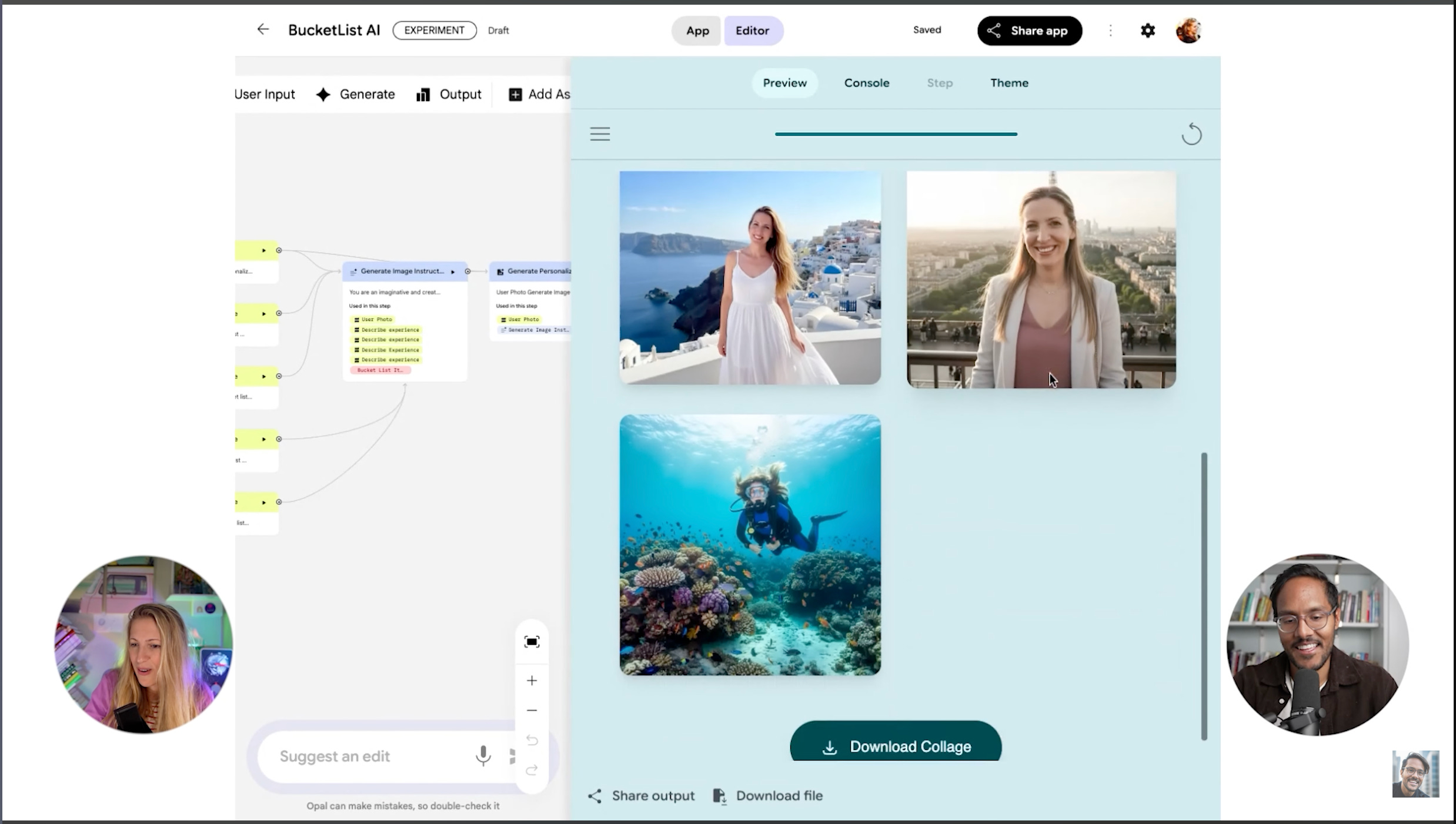
The UI has a place where you add your natural language. Marily just loves typing.
In the live demo, we created the exact same use case. Given a photo of yourself, generate a collage of 4 photos with different bucket list scenarios.
You hit this and you wait. You see the automated workflow getting populated. You can edit it, or on the right side you can just use the app.
How Opal Expands Your Prompt
For Marily’s one sentence, it got expanded into a massive prompt. You can see the whole thing which says you’re an imaginative, highly skilled image prompt generator.
The output is gonna be a responsive HTML webpage that displays a collage of four images.
When to Use AI Studio vs Opal
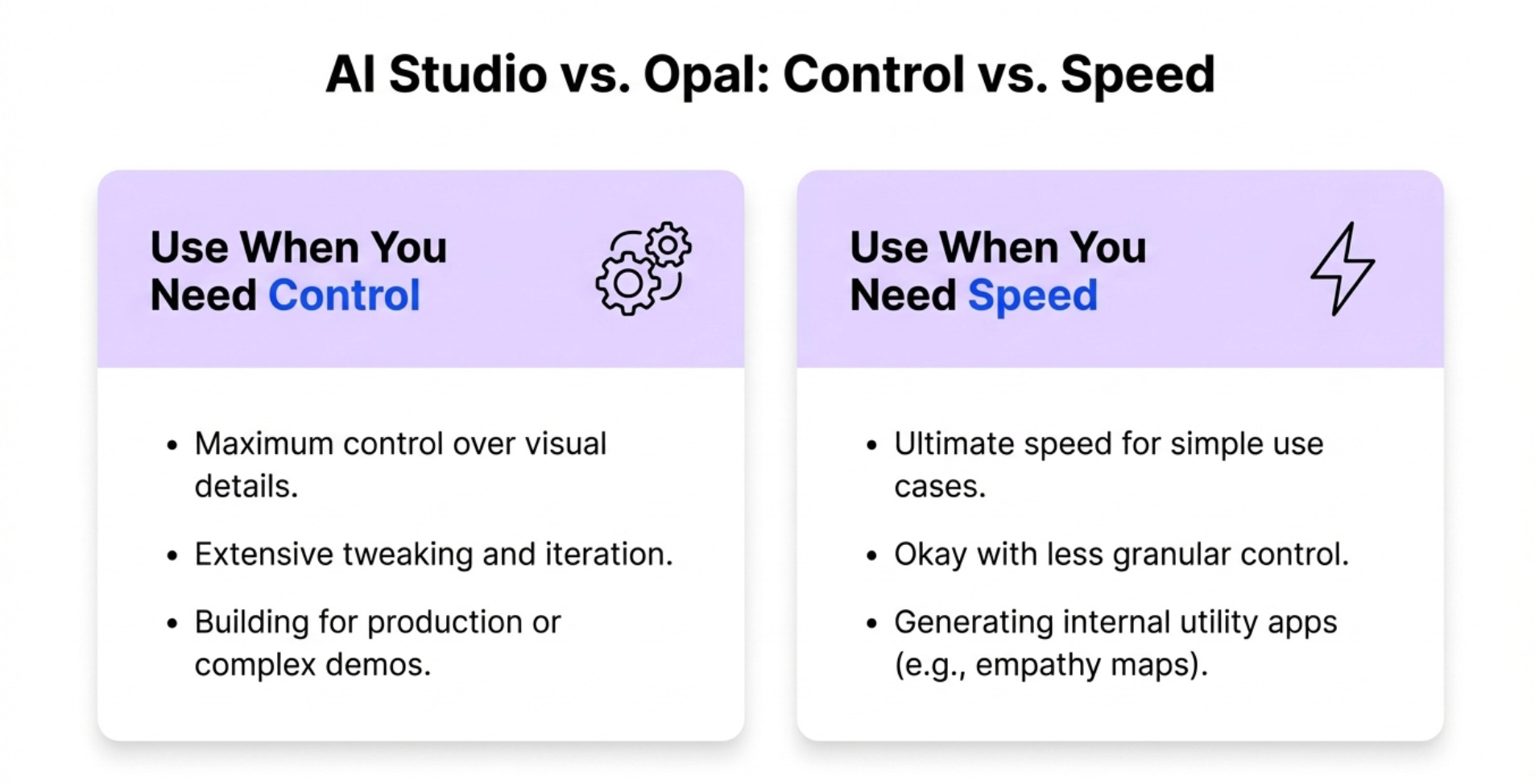
Use AI Studio when you want maximum control. When you need to tweak visual details extensively. When you’re building something for production.
Use Opal when you want speed. When you have simpler use cases. When you’re okay with less control.
The key insight is this. You can create an empathy map in Opal. Just type empathy map. You have it ready. You just type in the use case and who the user segment is. Boom, ready to go.
Tool 3 - NotebookLM for Domain Expertise
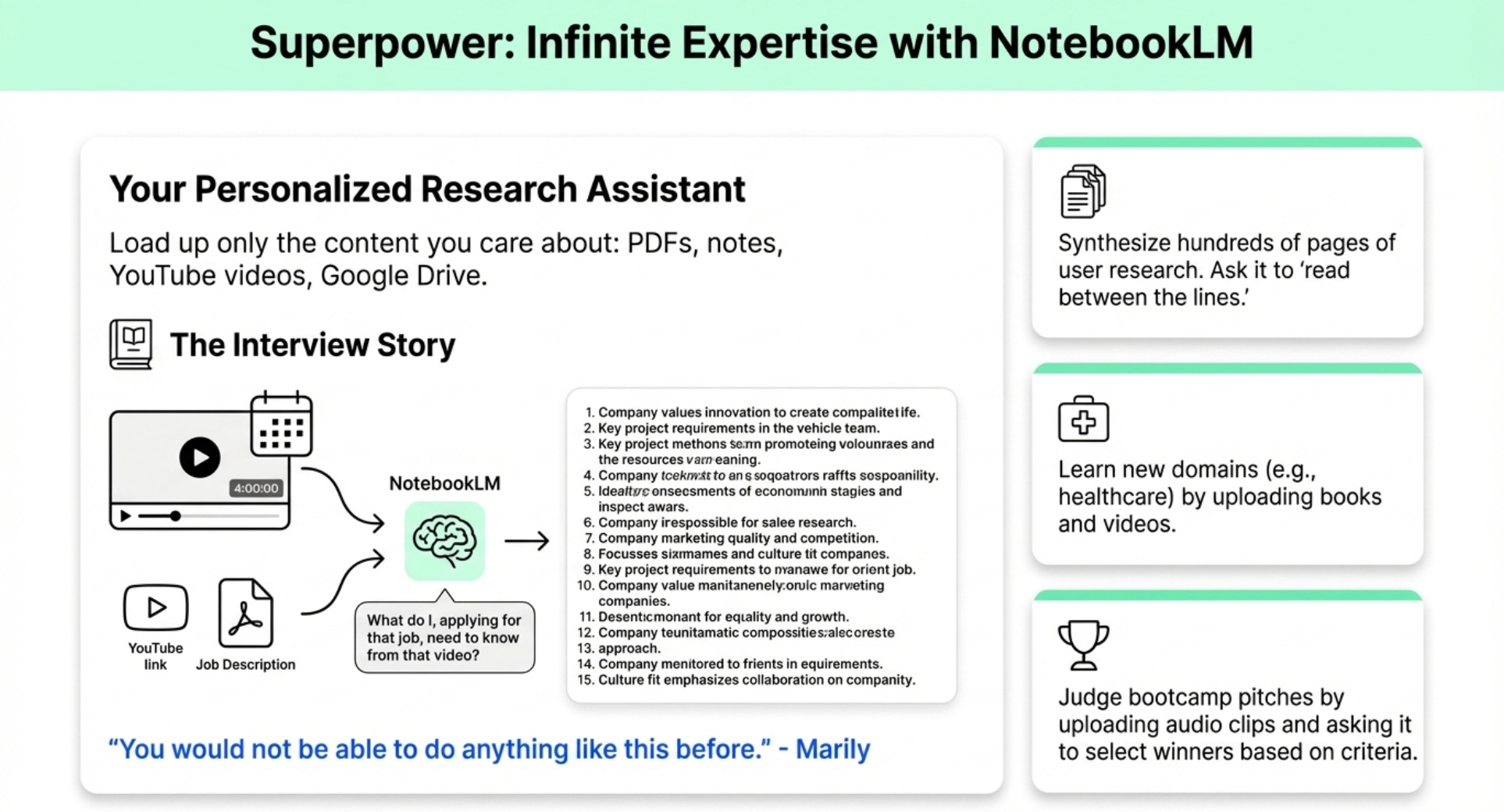
This is the one tool every PM should be using but most aren’t. It’s Marily’s superpower for learning new domains fast.
Notebook LM is your personalized research assistant. You load up only the content you care about. PDFs, handwritten notes, YouTube videos, websites, a Google Drive.
The Interview Prep Story
Marily had an interview for a company. They sent her a 4-hour YouTube video of investor relations presentations by the leads.
It was 4 hours. Her interview was the next day.
She uploaded the job description to Notebook LM. She added the YouTube link of the investor relations meeting. She asked what do I applying for that job need to know from that video?
It gave her 15 points. She memorized them all. Then she went to the interview the next day and referenced specific announcements from the video.
She crushed it purely because of this tool.
Marily on this:
“You would not be able to do anything like this before.”
The Bootcamp Judge Demo
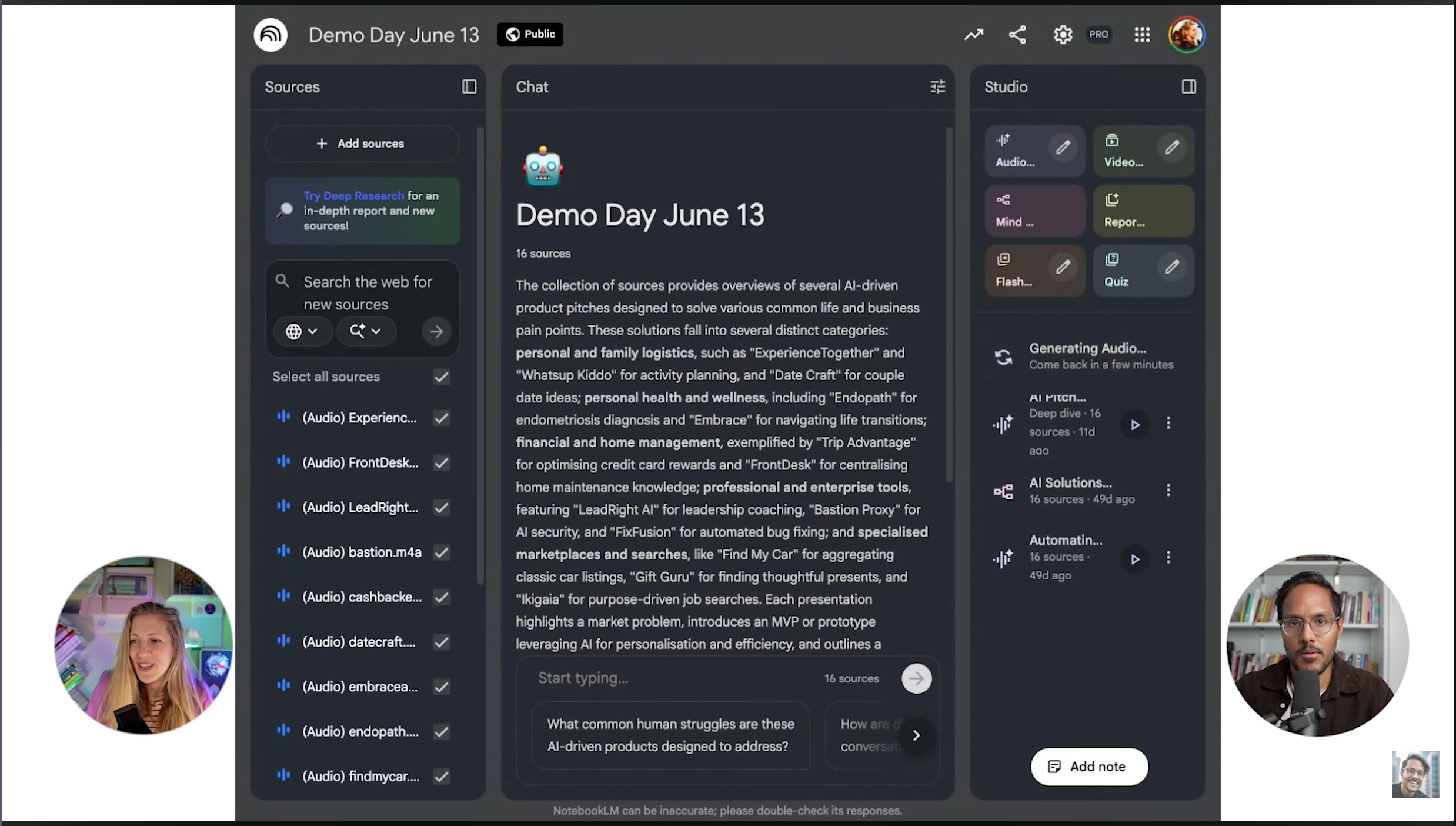
Marily runs an AI PM bootcamp with 150 people. At the end they all pitch their products.
She records every pitch. She has audio clips of all of them.
She uploads the audio clips to Notebook LM. Then she goes to audio overview and says you are judges of Marily Nika AI PM Bootcamp and here are all the pitches. You need to select the top two based on creativity, impact, and simply better storytelling.
It takes a few minutes to generate. Then she plays it at demo day and they hear who the winner is from the AI judges.
What’s fascinating is it’s 100% correlated to what the VCs will pick and what AI picks.
When PMs Should Actually Use This
If you wanna build a product for a domain you’ve never touched before. Let’s say you’re getting into a healthcare product. You upload books around medicine, videos.
There are so many free resources on YouTube but it’s just so overwhelming to figure out what to study. So you load everything up.
Sometimes Marily doesn’t really filter what she loads up. But then she tells it here’s what I want you to derive from this content. If this content is not relevant to me building a product, just ignore it.
She does it a lot for new domains where she needs to build products.
She does it a lot after hundreds of pages worth of user research. User interviews and she says what do people think, like really think about my product? What should I really improve? Can you read between the lines of what people are saying?
A lot of user interviews are 2-hour clips per user. Imagine that after 200 users.
This helps you distill content and it’s such a superpower that PMs need.
Want to learn from Marily directly? Get 15% off her AI PM Bootcamp with code AAKASHxMAVEN.
Tool 4 - Perplexity for Reddit Research
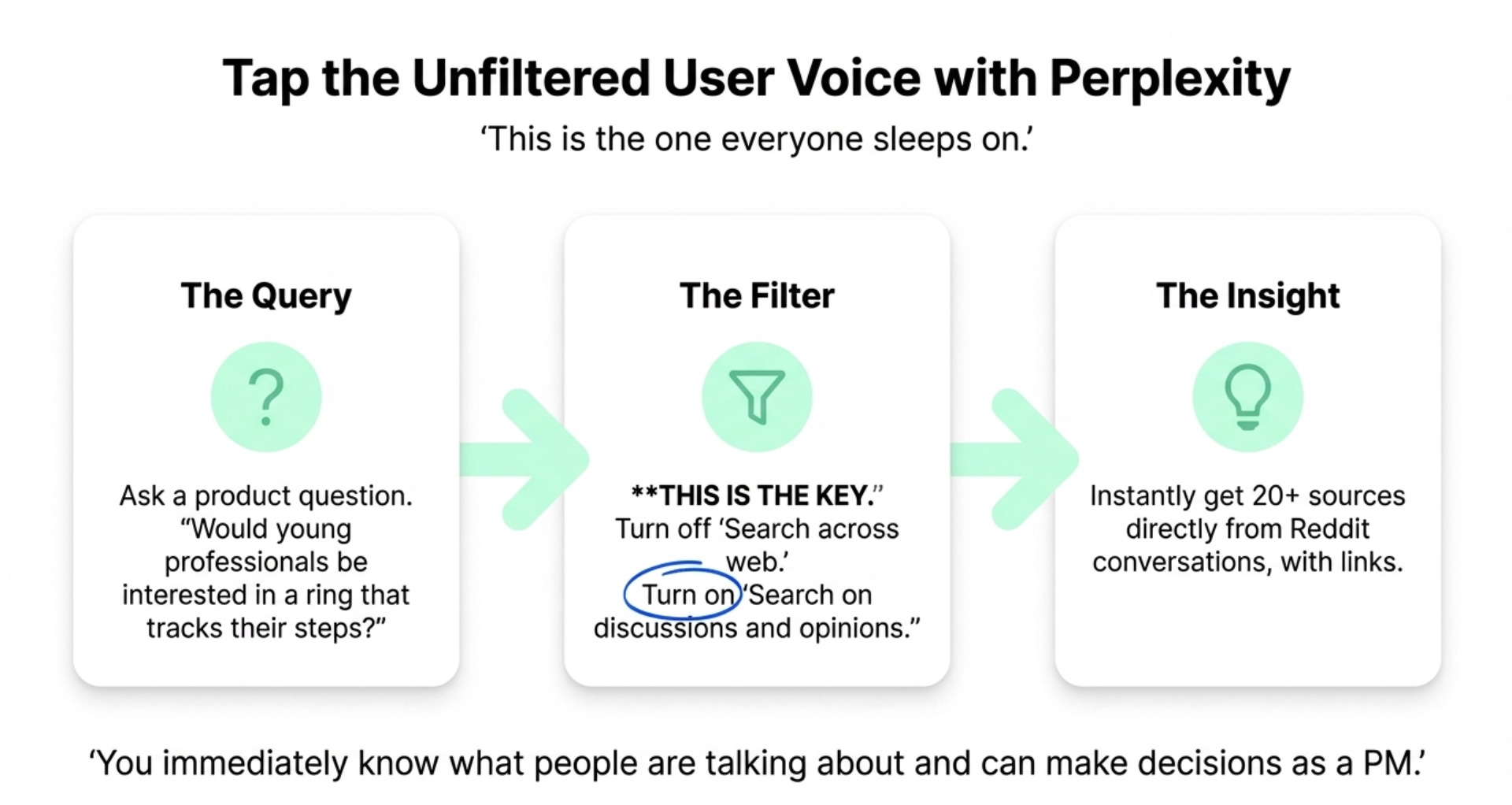
This is the one everyone sleeps on. Perplexity has this little filter that changes everything for user research.
Marily turns off search across the web. She turns on search on discussions and opinions.
This searches only through Reddit.
The Workflow
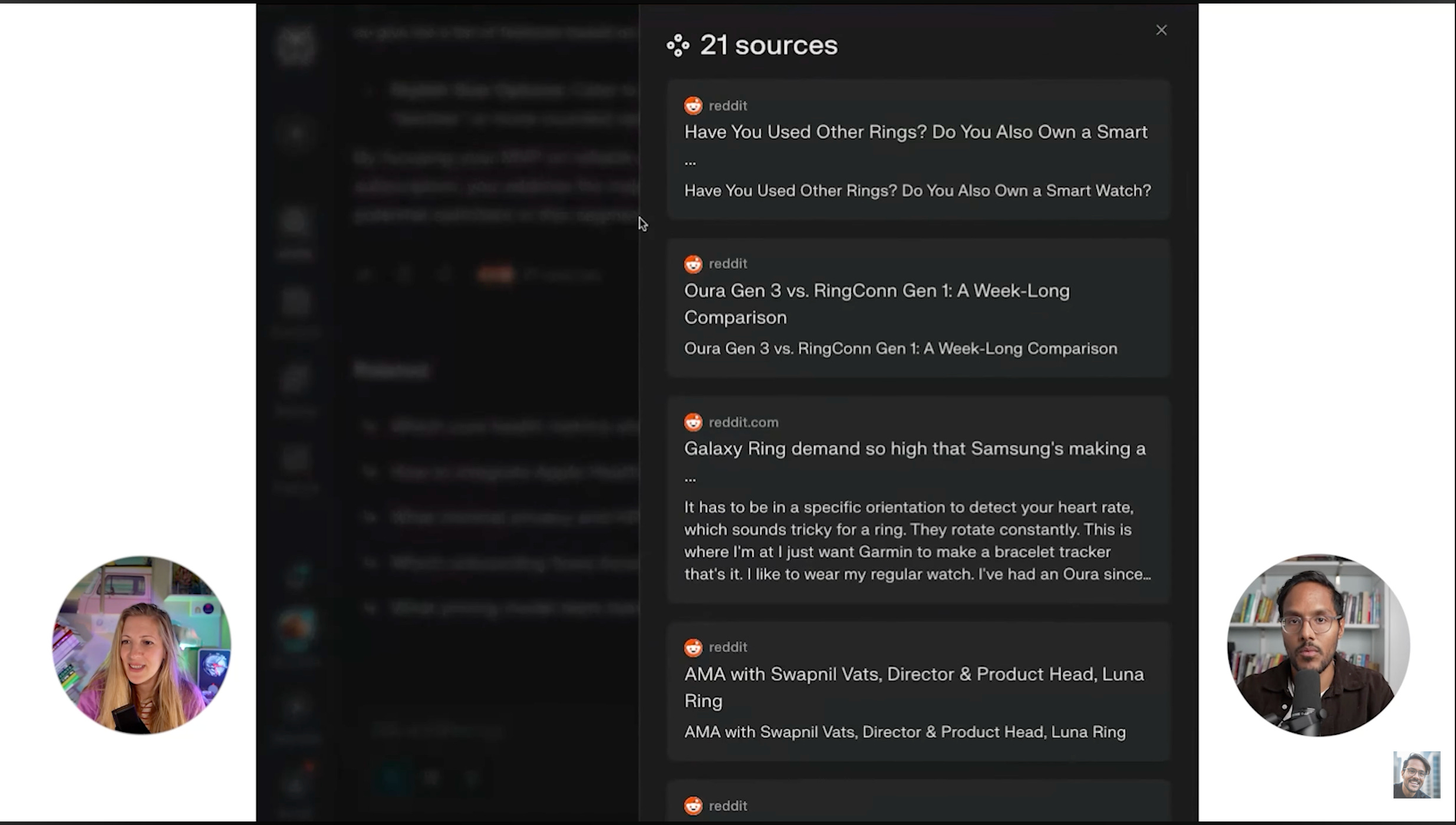
She asks would young professionals be interested in a ring that tracks their steps?
You immediately see what people are talking about on Reddit. At least 20 sources and you have the link.
You do this and you immediately know what people are talking about and you can make decisions as a PM.
The Next Level Move
Marily takes things one step further. She says give me a list of features based on what you read that I need to incorporate in my MVP to maximize the chances of me finding product-market fit.
Now you know what the entirety of Reddit is interested in.
As a result you have your MVP core features. Accurate step tracking, all-day comfort, battery life. It’s just phenomenal.
This is pretty differentiated for Perplexity. You can get deep to understand what users are saying on sites like Reddit.
Tool 5 - ChatGPT for Your Voice
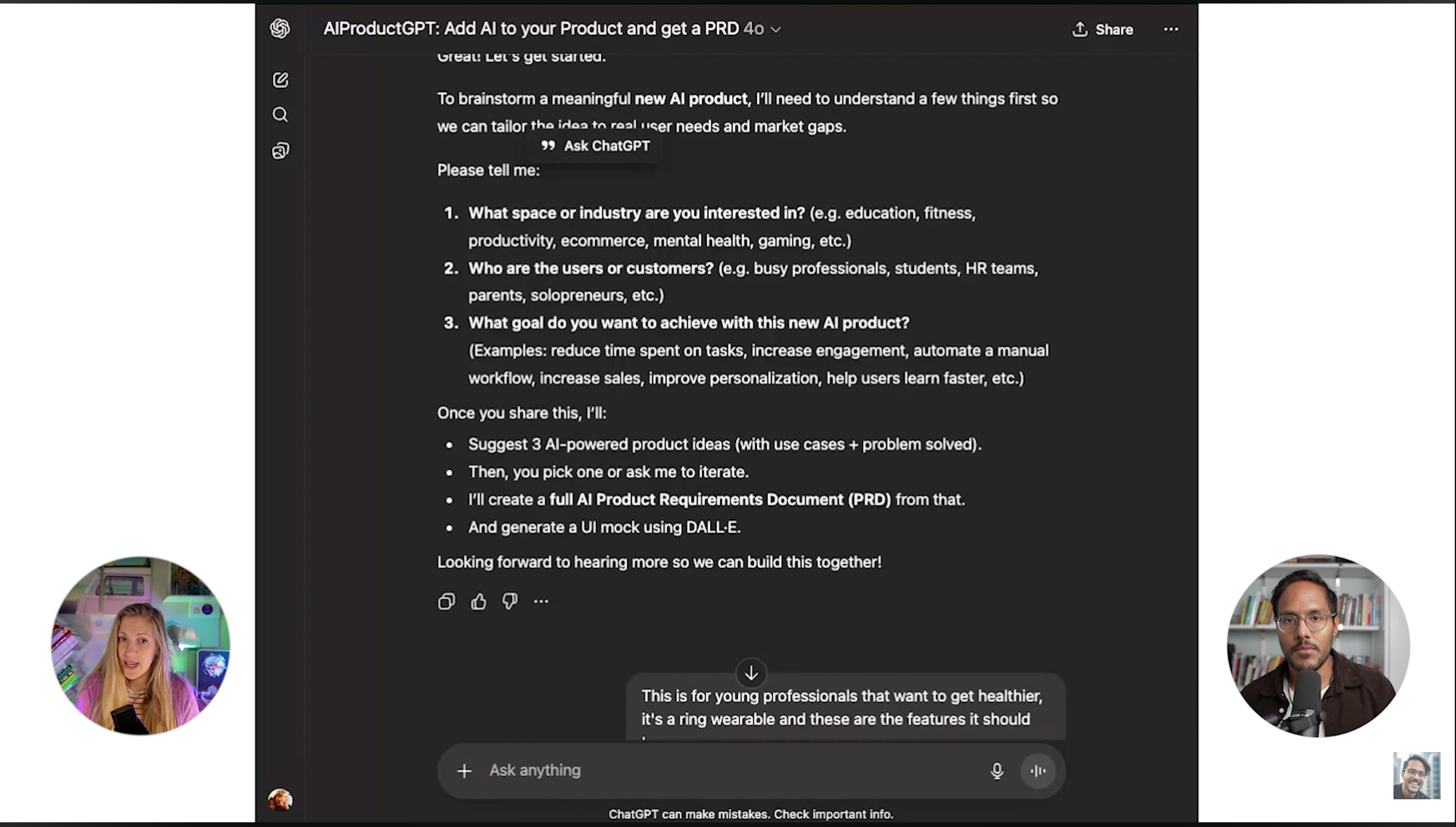
Marily uses ChatGPT because she has a PRD generator GPT that has her voice. It literally speaks like her.
She’s trained it to either enhance her current product with AI or to brainstorm a new product. She’s been using this so often.
Over 10,000 people that have been using it, and you can try it too:
How the PRD Generator Works
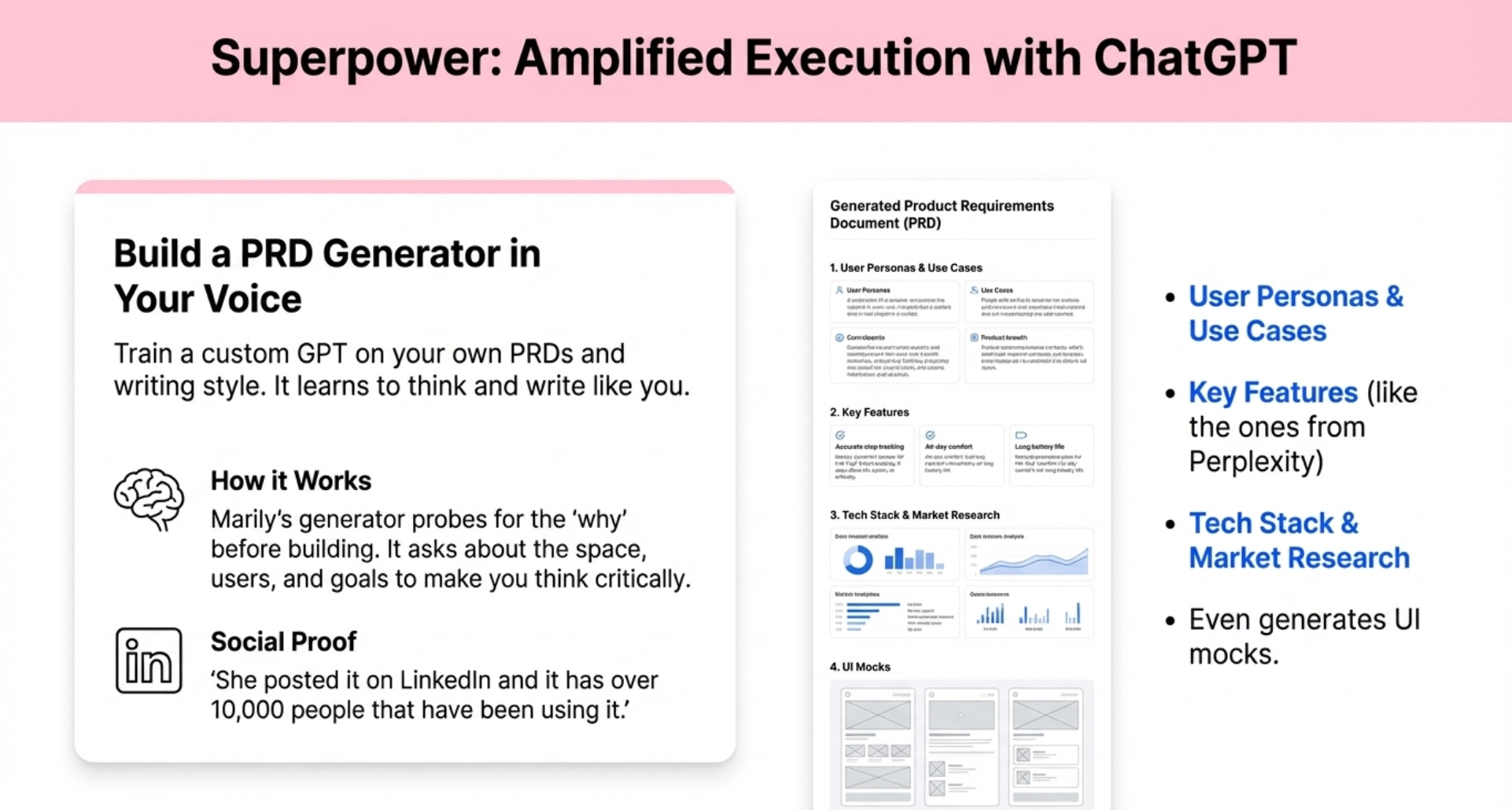
We used Perplexity to get a list of features for a fitness ring. Then we copied that and went to her PRD generator.
Marily has trained this to ask and really probe for questions. What space are you interested in? Who are the users? What goal do you wanna achieve?
It makes you really think. It won’t build unless it knows your why.
Then it confirms understanding and generates the full PRD with her voice, user personas, use cases, tech stack, key features, market research. It even generates UI mocks.
The Controversial Truth About AI at Work
Some people are saying you shouldn’t use AI for PRDs because it leads to too much slop. Writing is thinking.
Marily’s response. She’s overtrained this to really have the most important things and to sound like her. She even uploaded a bunch of her PRDs that she could share externally.
But even if you compare the worst generated PRD with nothing, the worst generated PRD is still gonna be an amazing starting point.
Then she said something that I think is the biggest takeaway from our entire conversation.
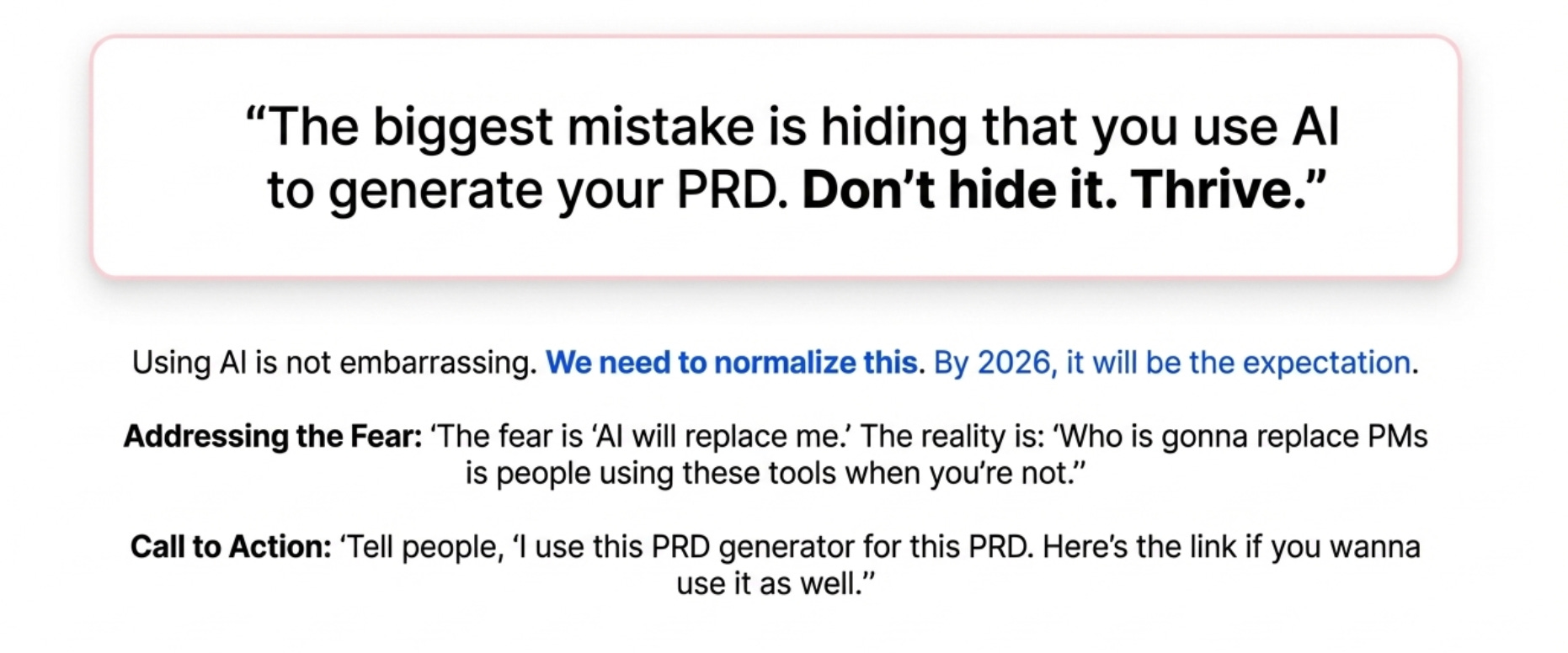
If you want one takeaway from this podcast, here it is. Don’t be embarrassed to admit that you use AI.
There’s so many people that share PRDs with Marily and feel bad if she can tell AI was used.
The biggest mistake is hiding that you use AI to generate your PRD. Don’t hide it. Thrive.
Tell people I use this PRD generator for this PRD. Here’s the link if you wanna use it as well.
It’s not embarrassing to use AI at work. We need to normalize this. It’s the end of 2025.
Why People Are Scared
The reason people are scared is they feel like isn’t the PRD what they hired me for? Is the AI gonna replace me if AI can write a PRD?
Marily’s answer. Who is gonna replace PMs is people using these tools when you’re not.
Marily remembers 3 years ago saying the past 3 weeks I was just creating the PRD. Nowadays it seems so funny that she spent 3 weeks on the PRD with back and forths and comments.
Now she’ll have Gemini take notes from a product review. She’ll share her PRD with it. At the end of the product review it will have adjusted and changed her PRD and ask for permission.
She’s kind of done in two days.
The way we work is changing and it’s evolving and it’s a wonderful time to be a PM.
Master your PRD skills with Marily’s AI Product Sense course. Get 15% off with code AAKASHxMAVEN.
Tool 6 - Fireflies and Getting Tools at Work
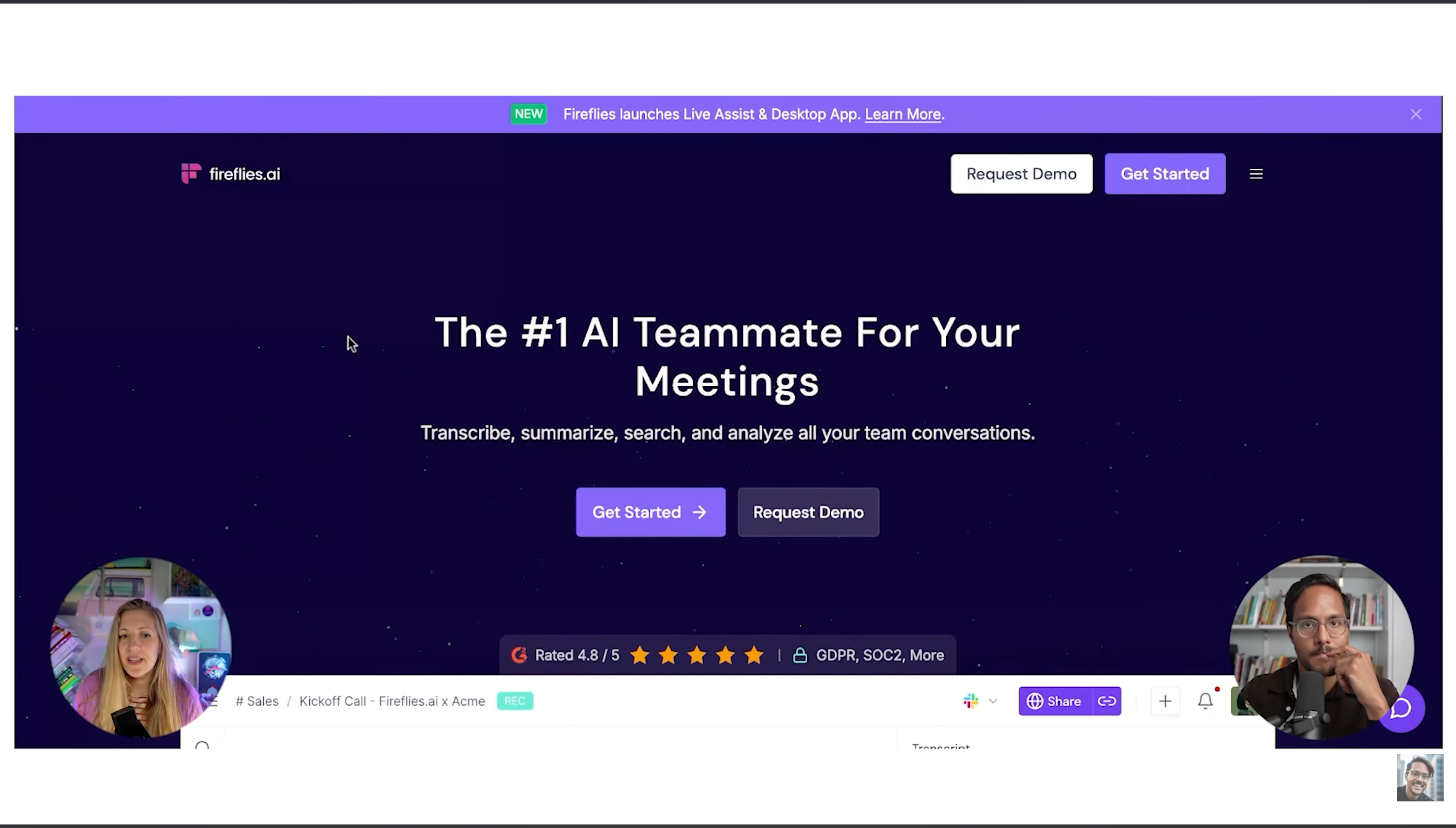
Marily uses Fireflies for what she does outside Google. Whenever she has a meeting, anything on her personal calendar, she can’t use one consistent app.
But Fireflies joins everything. It will join you in Zoom, it will join on Google Meets, it will be with you everywhere.
Why Fireflies Over Others
Because PMs hassle a lot and use a lot of different meeting tools. If you’re on Zoom or if you’re on Google Meets or anywhere, it’s just gonna join in on its own.
Marily’s favorite note taker is Gemini for Google Meet. But you can’t bring Gemini on Zoom. She does end up having a lot of Zoom calls because of her academy work.
She uses a combination of Gemini when she has Google Meet and then Fireflies when she doesn’t.
How to Get These Tools at Work
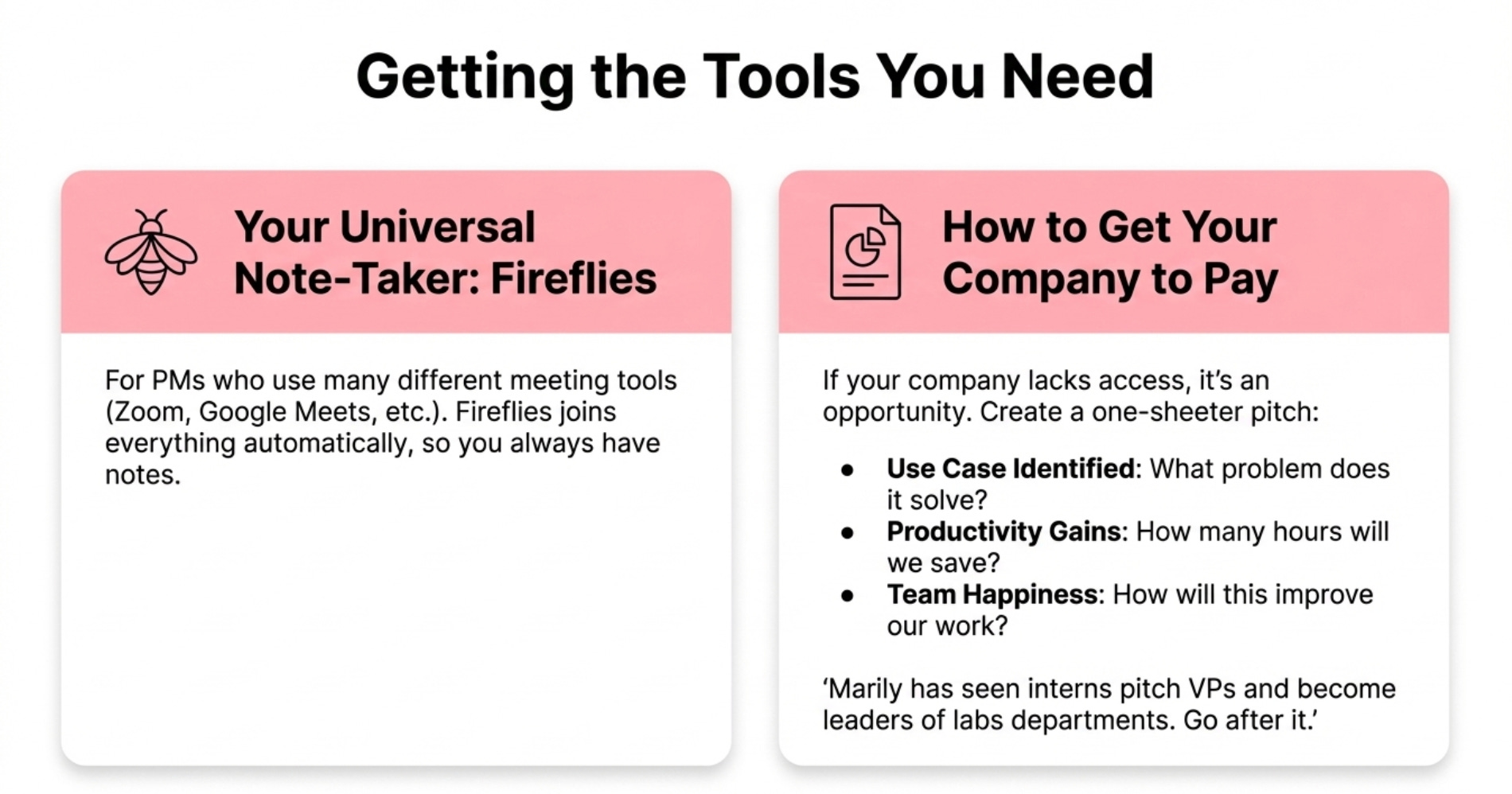
If you don’t have access to these tools, how do you go to your leadership, your IT, your CEO, and get more access?
If there’s no access, you have such an amazing opportunity to put together a one-sheeter and say hey, it’s really time to modernize as an org.
Here’s the use case identified. Here’s why we’ve become so much more productive. Here’s how many hours we’re gonna save. Here’s how much happier we are gonna get.
Make it a pitch and position it.
Marily has literally seen interns going to VPs, making pitches, and then becoming kind of the leaders of a specific labs department.
It’s an opportunity if that happens. Don’t think of it like oh God, my company is so traditional.
Just go after it, pitch it, and you’d be surprised by how receptive and open leaders are nowadays.
2. Marily’s 18-Month AI PM Roadmap
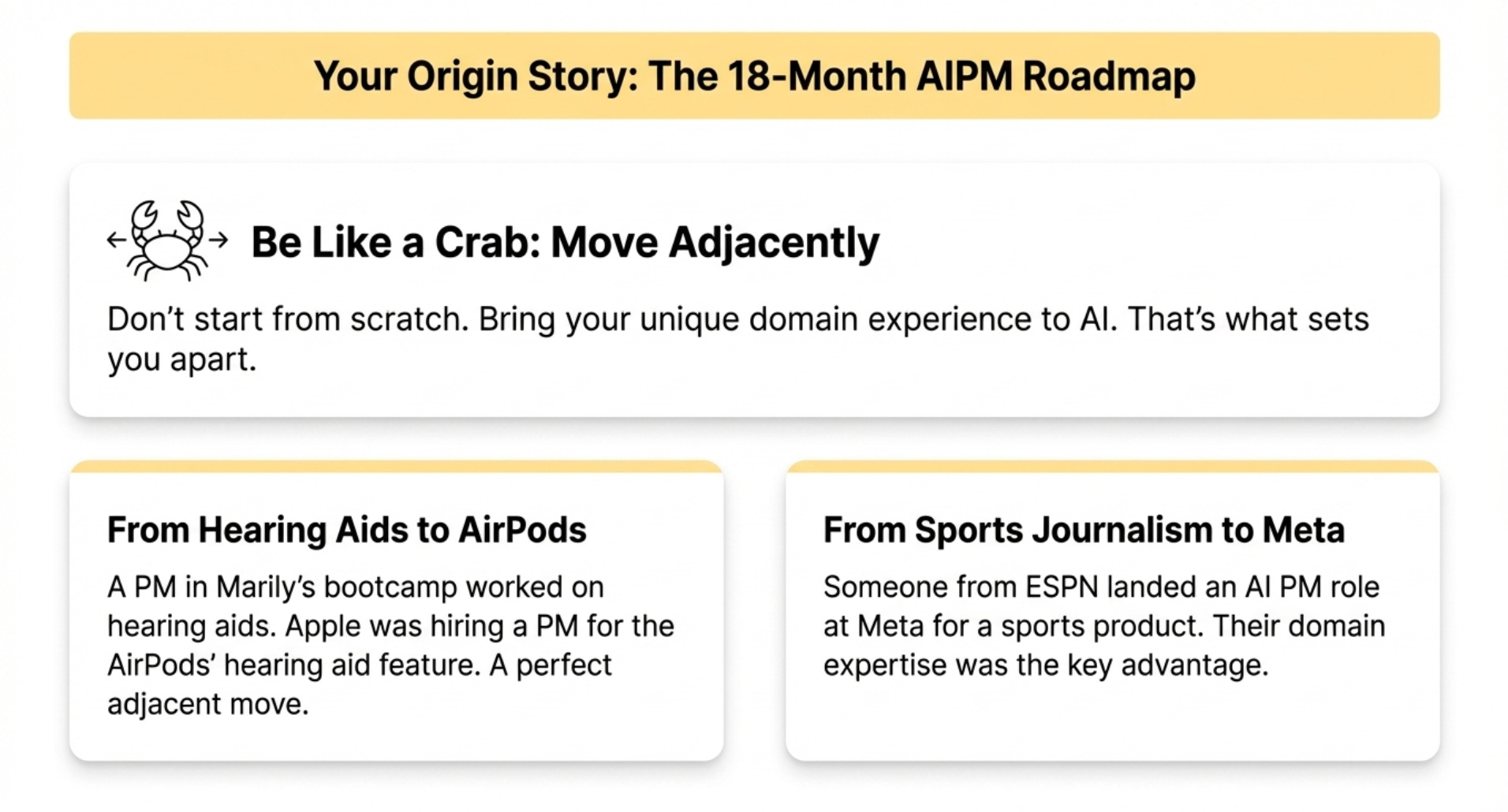
If somebody wants to become an AI product manager, what’s the 18-month roadmap to landing an AI PM job at a company like Google?
Be Like a Crab
Marily tells PMs they need to be like crabs. That means you need to move adjacent to what you’ve been doing.
Here’s an example. Someone in her bootcamp was working for hearing aids. He was telling her he always wanted to be a PM but couldn’t find an angle.
She said just be a crab and bring what you have. He said I don’t have anything. I was in a completely different domain.
They went to the Apple Careers website. Apple was literally looking for a PM for AirPods for the hearing aid feature the AirPods now have.
He was shocked. He would have never looked there.
We need to be open-minded. We really need to bring in the previous experience we have because that’s gonna set us apart.
Another Example
Someone reached out. Meta had some role in sports, in product management and AI. He used to work for ESPN in sports journalism.
Marily said don’t come into that interview being afraid that you’re not good enough of a PM.
Come into that interview saying I have the expertise needed, the rest I’ll be able to figure it out as long as I show potential.
Bring your previous experience.
What You Need to Know
If you really wanna become a PM in 2026, Marily thinks the best thing you can do is just become AI literate.
My newsletter has so much content about AI. Marily’s newsletter has so much content about AI. Just understand the unique intricacies that AI brings.
Understand how dependent we are on data. Understand the probabilistic nature of AI. It’s all these little things that really pay off.
There’s so many people that would not apply because they don’t think they’re qualified enough. But that AI PM role is still getting shaped. Some people hiring for AI PMs don’t really know what they’re hiring for yet.
You wanna be a part of the conversation. Please apply. Please get AI literate. You have all the resources out there for free.
Should You Learn to Code?
Aspiring AI PMs should learn what goes behind coding. They should understand what version control is. They should understand why there are different languages.
They should understand what an IDE is, what an API is. How to productionize and why productionizing is so challenging.
But you don’t need to learn to code per se anymore. Which Marily never thought she would be saying.
3. AI PM Interview Red Flags
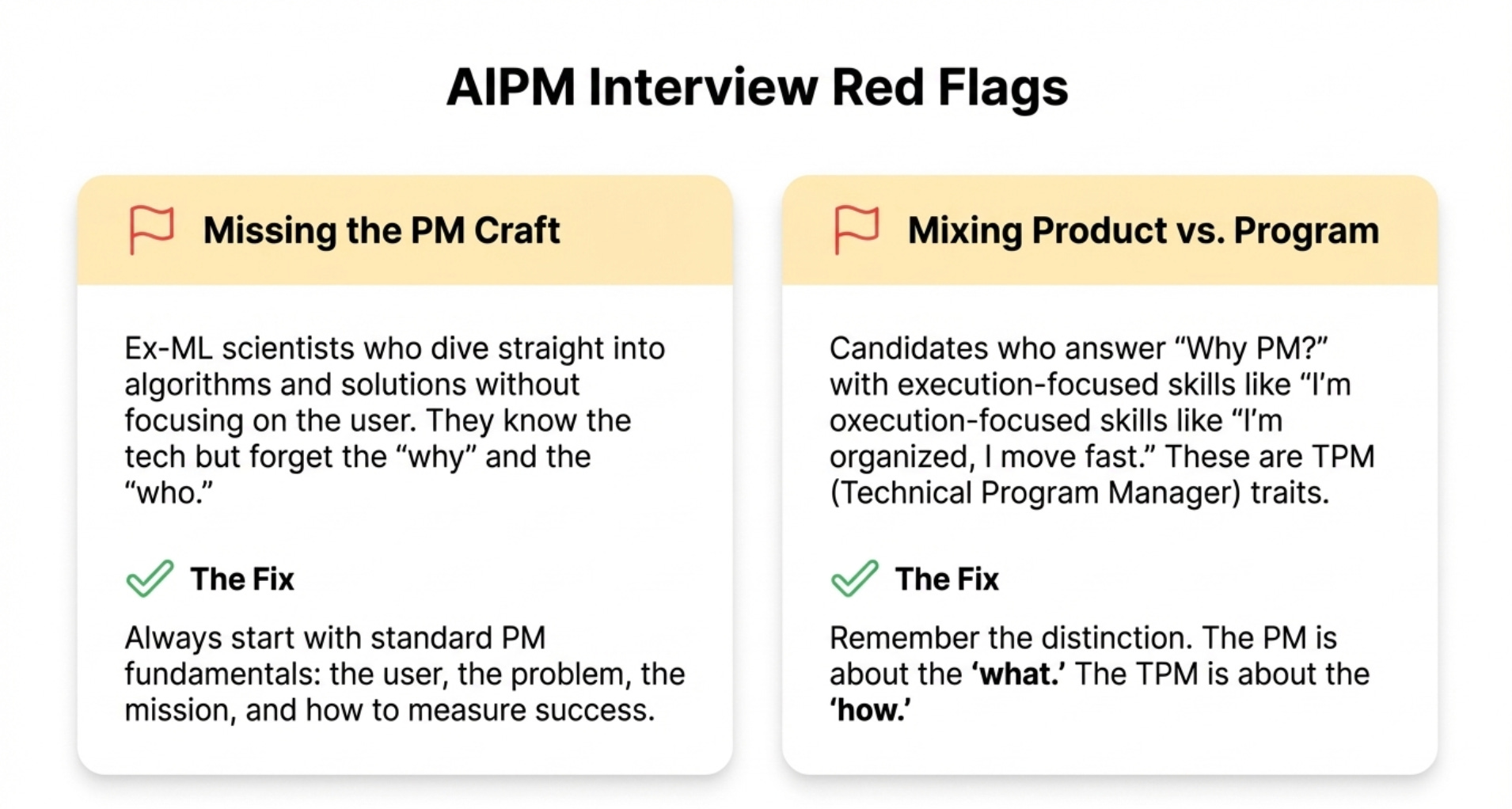
Marily has probably been on both sides of the table for these AI PM interviews for years now. What are the biggest red flags?
Red Flag 1 - Missing the PM Craft
Number one, you see ex-machine learning scientists coming in for the AI PM role and they say I’ve done AI, now I’m gonna do the product.
But they still really need to nail the PM craft. It’s still a product we’re talking about. It’s still about the users.
Use cases don’t change. But the way we go about fulfilling these use cases actually changes with AI.
A red flag Marily sees is someone coming in saying I know AI well, here’s what it is. Product, let’s all sit together, create roadmaps.
But she says wait, we really need to represent the user here. It’s all about the why. It’s all about the mission.
When you ask how would you build a smart shoe, you don’t want people to dive right into the solution. They may be amazing at using the different trade-offs and algorithms.
But they really need to hear the standard PM stuff. The why, the who, how to measure success.
Red Flag 2 - Mixing Product and Program
Another red flag, and Marily is surprised this still comes up, is people still mix up product and program.
She interviewed someone a few months ago. She said why do you wanna be a PM in AI?
They said I execute well, I’m very organized, I move fast. All these things are not product specific. These things can be TPM specifics or program management specifics.
Marily feels the PM is all about the what. The TPM is all about the how.
There were some companies that called program management product management. Microsoft used to do this. It finally changed.
But there’s still a lot of education that we need to do for PM, let alone AI PM in the mix.
Why All PMs Will Be AI PMs
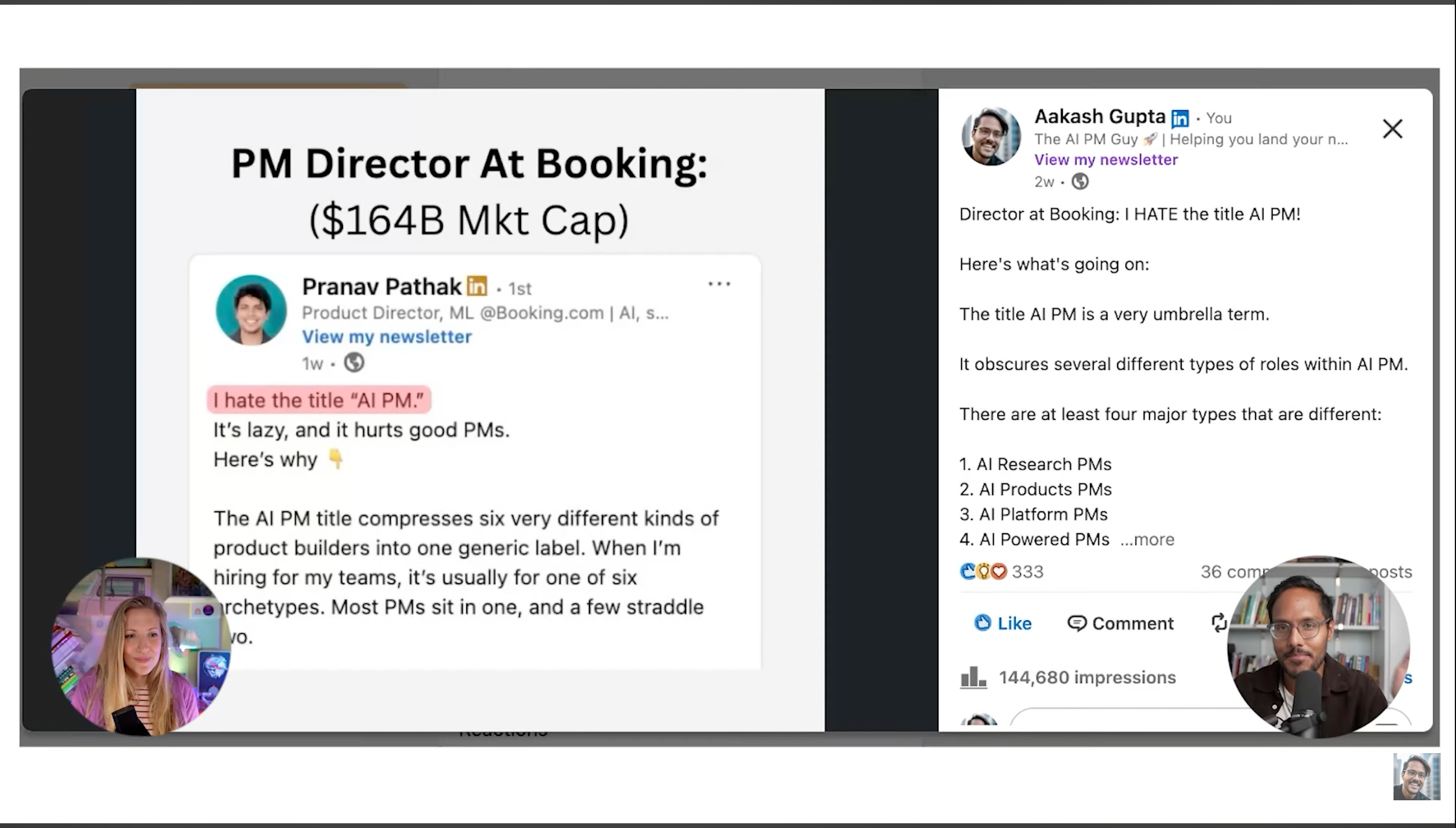
There is this director at Booking.com who said he hates the term AI PM. He said there’s so many categories of AI PM under it.
Marily was doing this before it was cool. She thinks it was 2018 that she said AI PM and people said what does that mean?
Now we’re at the point where we do have many subcategories of AI PM. All the subcategories in 2 or 3 years will blur. We’re gonna come back to that main AI PM persona.
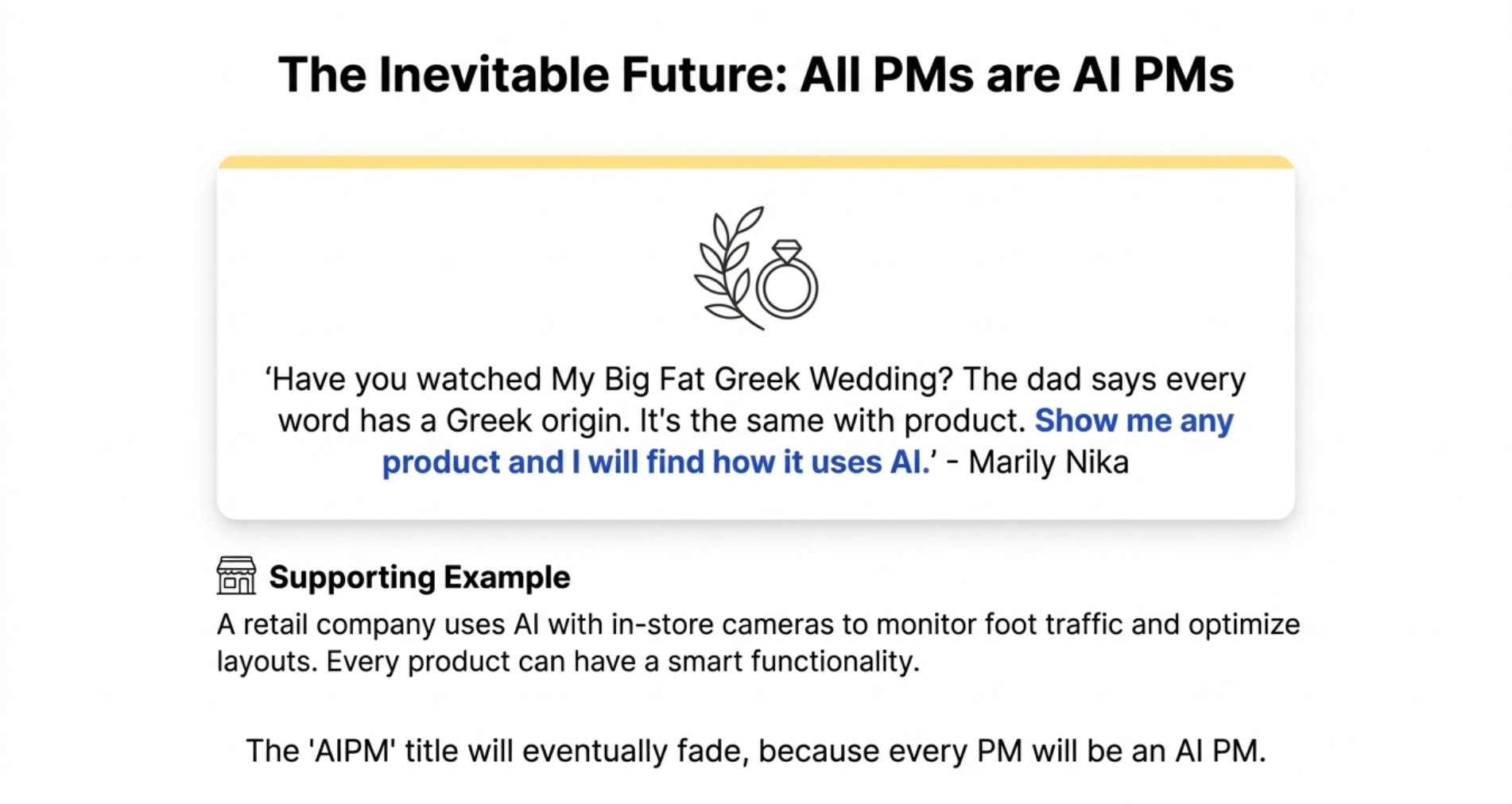
Long story short, it’s like saying you’re in product. All product managers will be AI product managers in the future.
The AI PM role is gonna be blurred into just PM. Because PM is gonna have an AI element in it.
For now it’s good because it shows you have the ability to understand the underlying AI tech. Maybe that you’re working with models.
But in the future we’re all gonna be product managers working on AI.
Why? Because some people push back. They say 90% of PMs aren’t AI PMs. They’re not working on AI features or AI companies. They’re not gonna become AI PMs.
Because essentially no matter what feature you’re gonna be using, it’s gonna have some smart functionality.
Have you watched My Big Fat Greek Wedding? You know how the dad says show me any word, every single word has a Greek origin.
It’s the same with Marily. Show her any product and she will find how it uses AI.
She did a private training for a big retail company. The first thing she asked is why do you need an AI PM training? They said because we have cameras and we can monitor people walking in and which areas in the store they go to so that we can have insights and maximize what’s gonna be more likely to get sold.
Show Marily any product and she will tell you how AI can be added to this product.
Where to Find Marily
Related Content
Newsletters
Podcasts
PS. Please subscribe on YouTube and follow on Apple & Spotify. It helps!