Check out the conversation on Apple, Spotify and YouTube.

Brought to you by Linear: Plan and build products like the best.
Today’s Episode
We have a super special episode because it’s with an annual paid subscriber of this newsletter for years!
Rachel Wolan is the amazing CPO of $4B Webflow.
And in today’s episode, she very generously gives a masterclass on AI and product leadership.
Both how to be a productive AI leader, and how to ship AI-native features at scale.
You don’t want to miss Rachel’s walk through of her agentic Chief of Staff live, or the brutal lessons from launching Webflow’s AI app generator.
Your Newsletter Subscriber Bonus
For subscribers, each episode I also write up a newsletter version of the podcast. Thank you for having me in your inbox.
Today’s guide covers:
Building Your Agentic Chief of Staff
How to Set Up Your Product Org for AI-Native Work
Shipping AI-Native Features: The Webflow Playbook
It’s both sides of the AI product leadership equation:
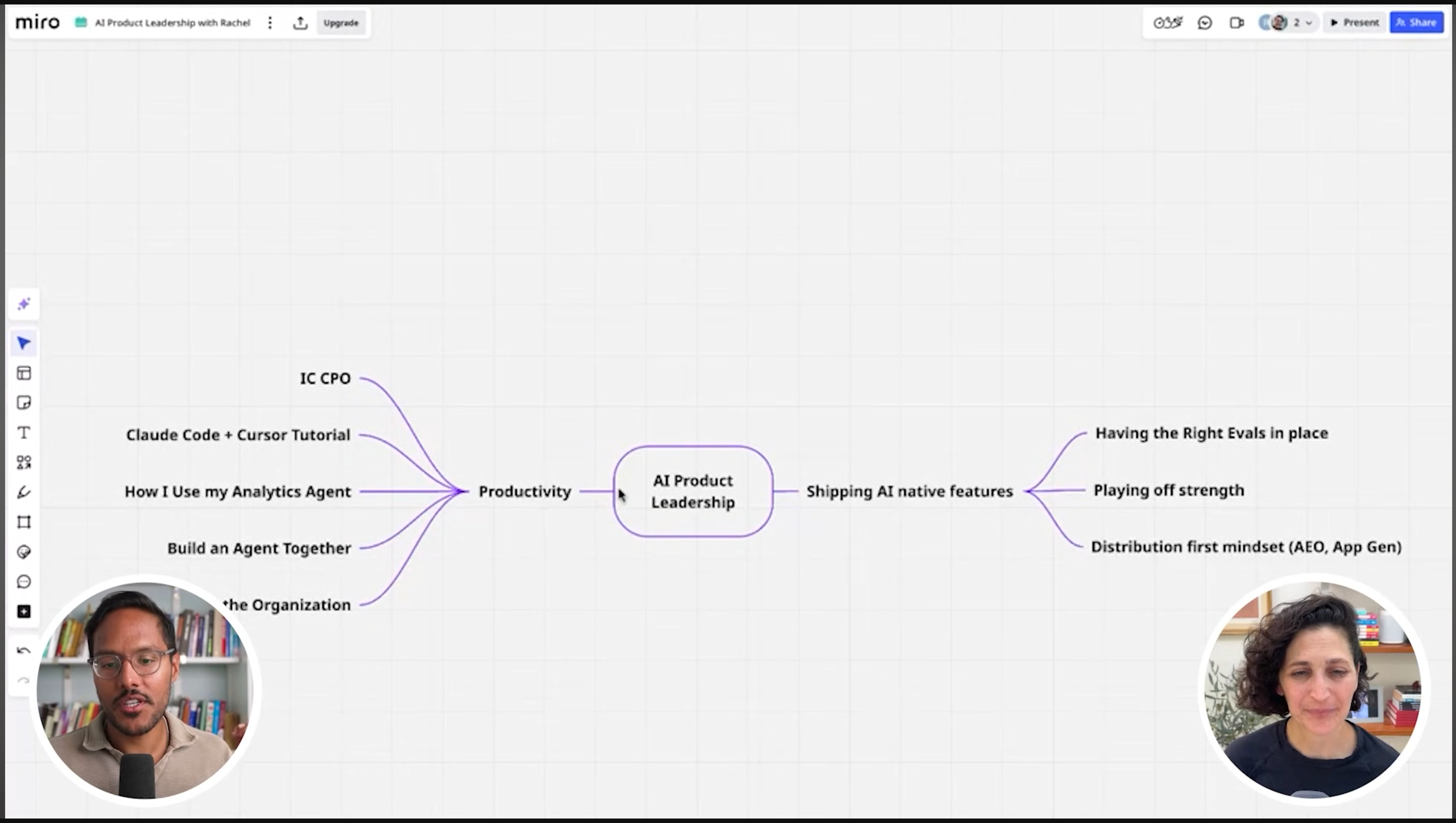
1. Building Your Agentic Chief of Staff
You’re doing it wrong if you’re still waiting on others for answers.
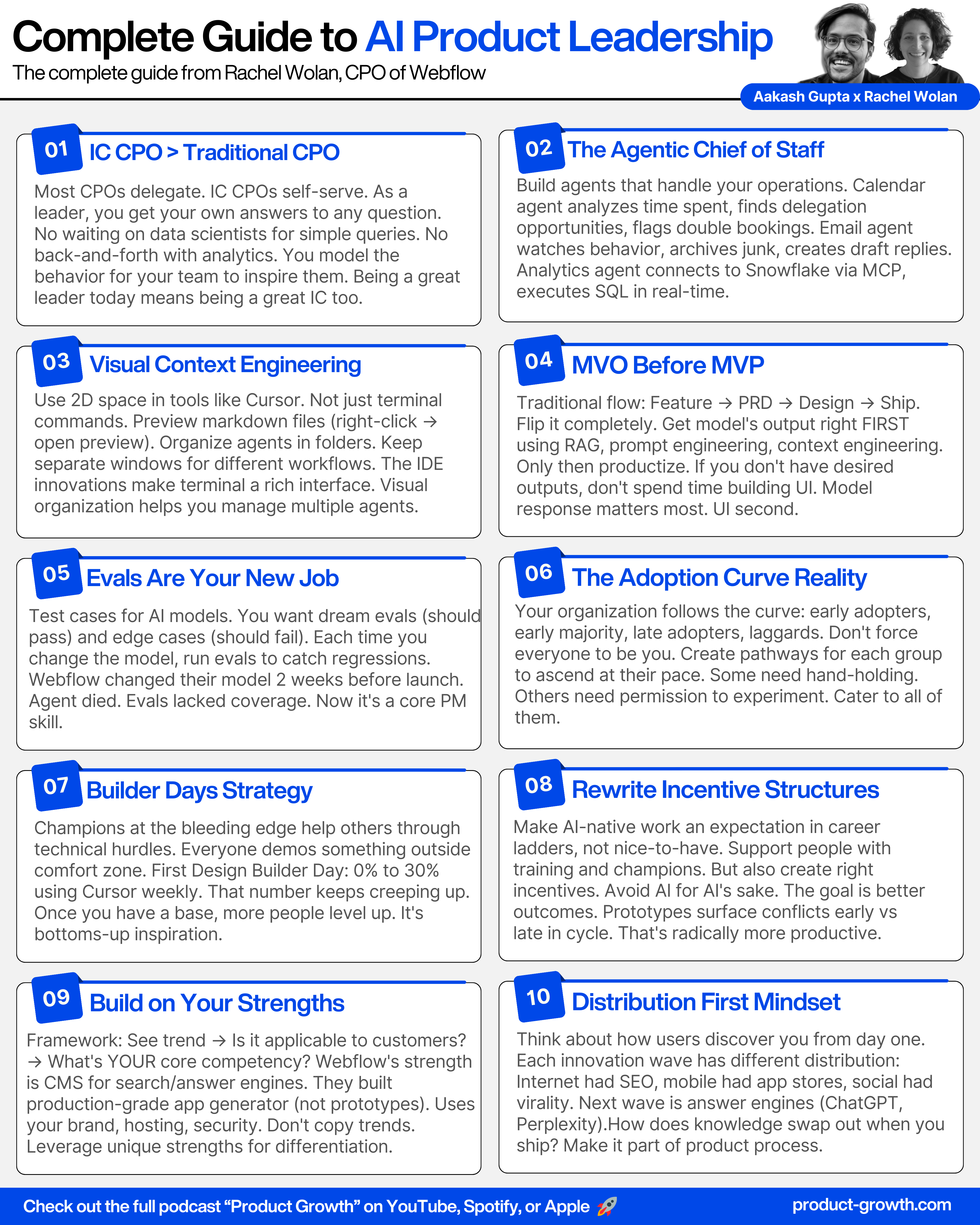
1a. Be an ‘IC CPO’
Rachel endeavors to be an IC CPO, which is to say: “As a leader, you are able to get your own answers to practically any question.”
What that requires:
Your data needs to be in shape where anyone can self-serve answers
Your team needs the right tools
You model the behavior (not to copy, but to inspire)
Show your team it’s OK to experiment. Sometimes it works, sometimes it doesn’t. That’s part of building today.
1b. The Calendar Agent That Runs Her Week
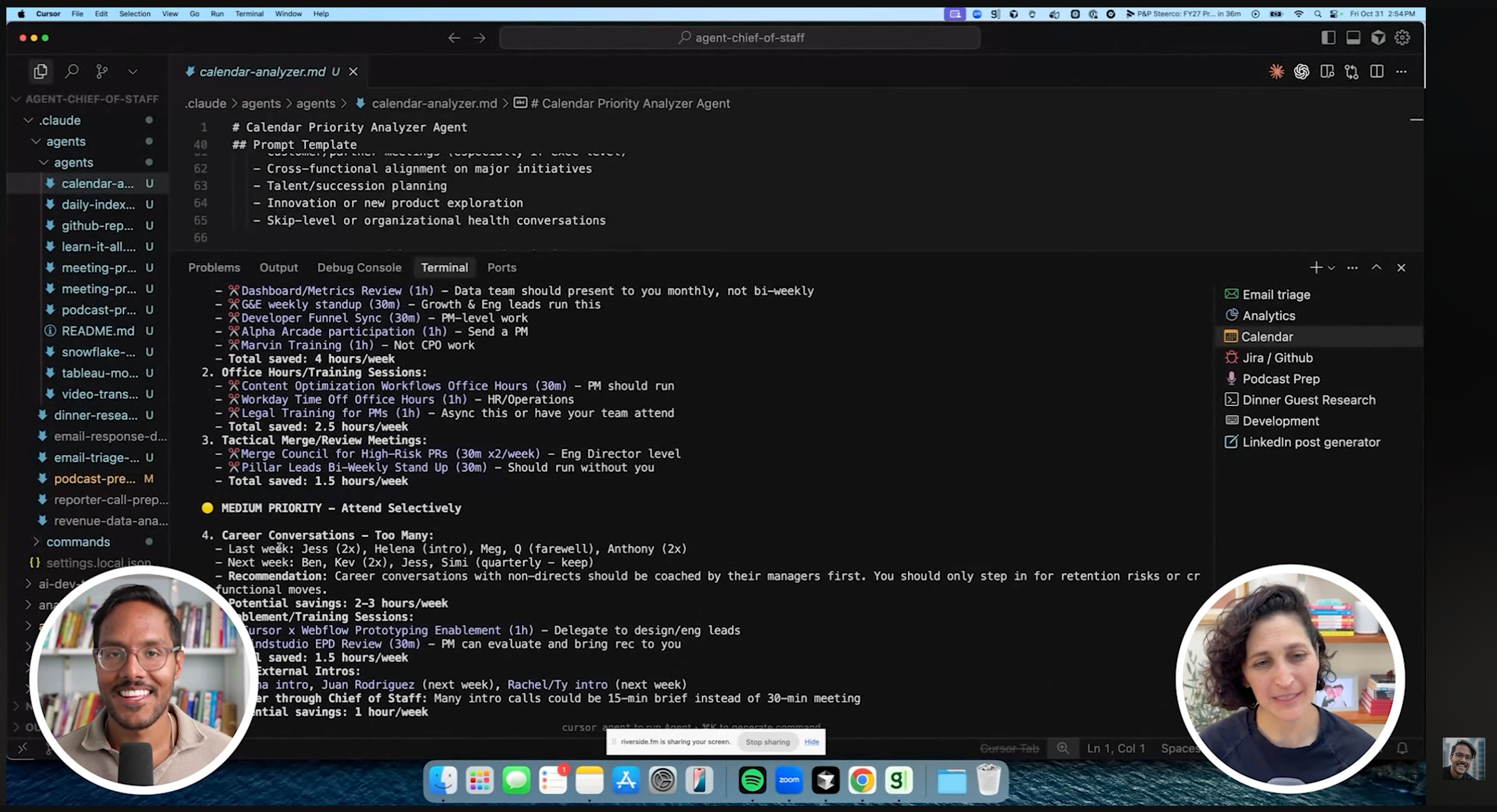
Rachel built her “agentic chief of staff.” A combination of Claude Code agents and an app she uses daily.
The calendar agent was generated by Claude. She runs it weekly with one simple prompt: “Analyze my calendar for the last two weeks. How did I spend my time? Where could I have been more effective at delegating?”
What the agent returns:
Delegation opportunities
Red flags (double bookings, context switching)
Recommendations for what to cut next week
She gives this output to her EA at the beginning of the week. This is just from running the agent with one line of input.
1c. Email Triage + Analytics Agent
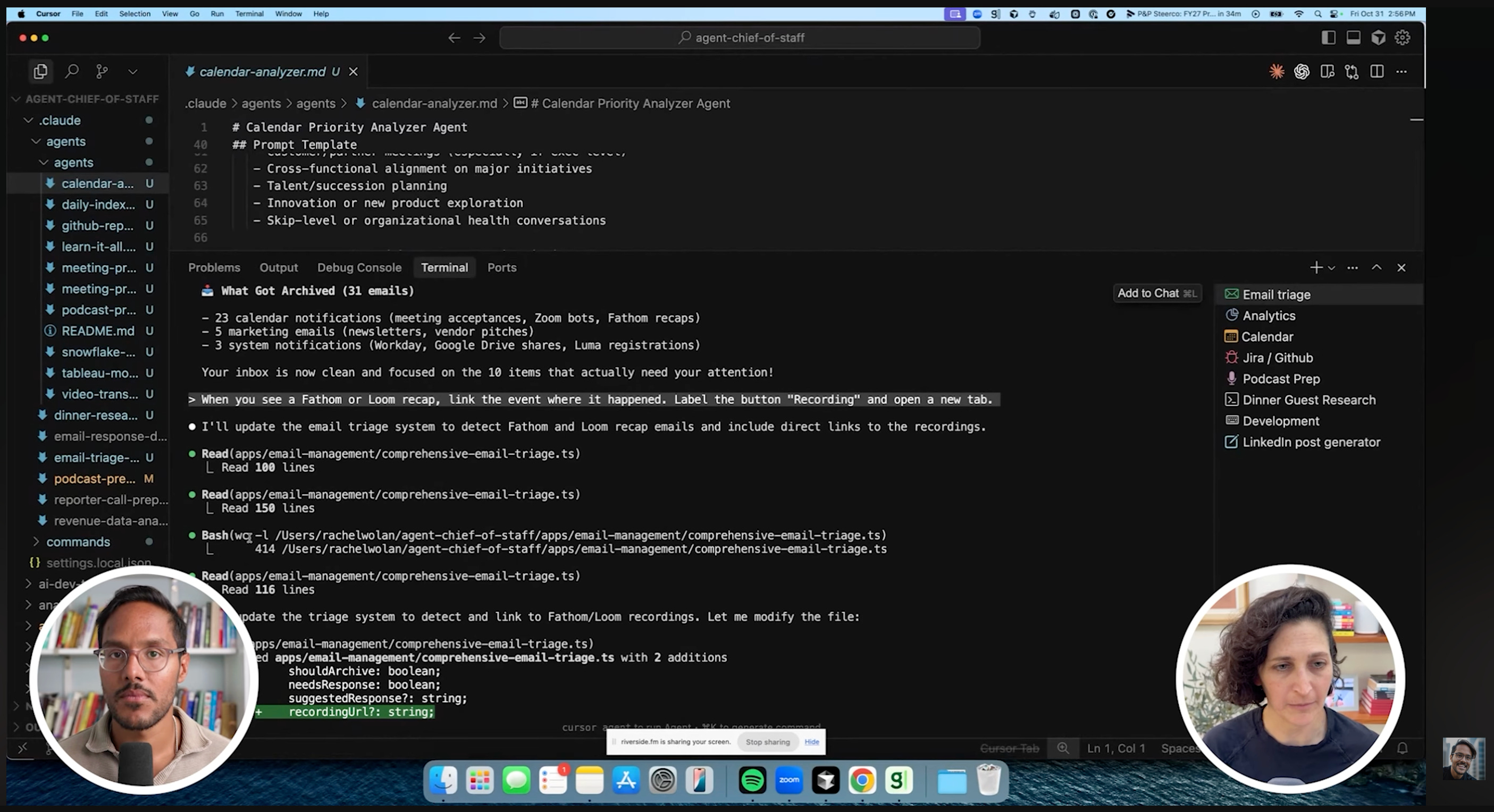
The Email Agent:
It has complete access to Rachel’s inbox. It runs triage, getting rid of junk first (calendar notifications, marketing, system messages). Then it pins important messages and creates draft replies.
The critical part: It’s watching behavior. If an email sits there too long, it notices. One morning it caught a meeting missing a link.
Rachel’s rule: The agent recommends archiving 40 emails. She reviews and says yes or no. No autonomous sending.
The Analytics Agent:
This is Rachel’s favorite. She connected Claude Code to Snowflake via MCP servers. Now she asks natural language questions and gets SQL queries executed in real-time.
Example: “How many sites does Shirts.com have in its workspace?”
Claude writes the query, authenticates with her SSO, and returns the answer. It’s like having a data scientist in her pocket.
The setup: MCP servers for Snowflake and Tableau (not officially supported repos, she just fed them to Claude Code). Uses her SSO credentials. All done locally through work Anthropic accounts.
2. How to Set Up Your Product Org for AI-Native Work
You’ve seen the workflows. Now how do you get your entire team to work this way?
2a. Accept the Adoption Curve
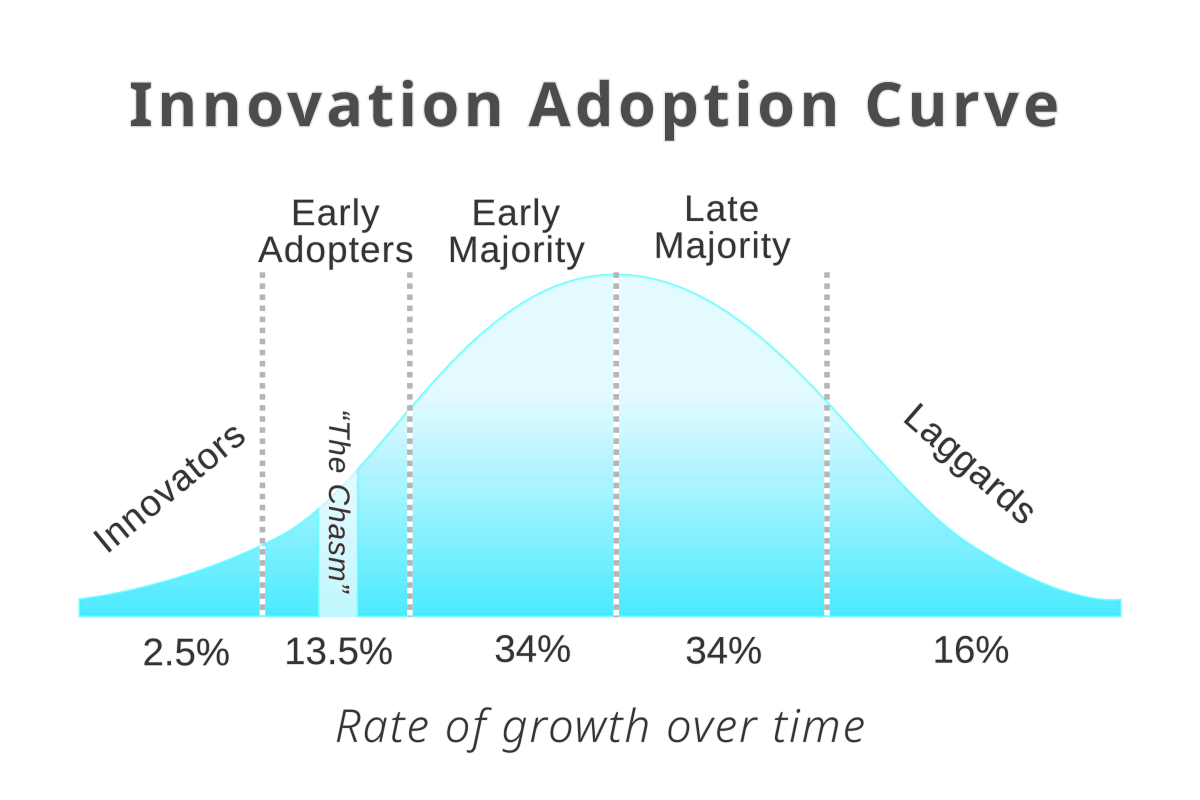
Rachel’s first principle: Your organization is going to be like every other adoption curve.
You’ll have:
Early adopters
Early majority
Late adopters
Laggards
You need to cater to all of them so they can ascend the ladder themselves.
That creates a dynamic where the team spends time investing in what that prototype experience is like. They’ve shifted away from PRDs in a lot of cases. Maybe it’s a more evolving document now.
2b. Builder Days and Champions
I love how Webflow scaled adoption of AI.
Step 1: Give everyone access
Claude Code licenses
MCP access to Snowflake and Tableau
Figma Make (easier tool to learn)
Cursor access with their design system repo
Step 2: Run Builder Days
Champions on the team who are at the bleeding edge help walk people through getting over technical hurdles.
The rule: Everyone has to demo something. It can be in any tool, but you have to go outside your comfort zone.
Results from the first Builder Day in design: They went from nobody using Cursor to 30% of the team using Cursor weekly. That number keeps creeping up.
Next: A second Builder Day for product, design, and insights.
This is about having champions who are bottoms-up showing things off, while also saying here are the behavior changes we expect.
2c. Rewrite Your Career Ladder
Webflow is rewriting their career ladder to incorporate this as an expectation.
You want people supported, but you also want to create the right incentives. And you want to make sure you’re thinking through: Are you just inserting AI for AI’s sake? At the end of the day, you want a better outcome.
Rachel’s example: A designer put together a prototype for their answer engine optimization workflow (AEO is the new SEO). A director of design said, “I was in a design review where somebody else had a prototype that looked a lot like what you’re building. I want you two to go harmonize your prototypes.”
It’s easier to do now than being so far down the product development lifecycle when you realize two workflows don’t work together.
Prototypes surface conflicts early.
3. Shipping AI-Native Features: The Webflow Playbook
Being productive with AI is one thing. Shipping AI-native products to millions of users is another.
3a. MVO Before MVP
Most teams build like this: Feature idea, write PRD, design, give to engineering, ship, promote.
Rachel flips it.
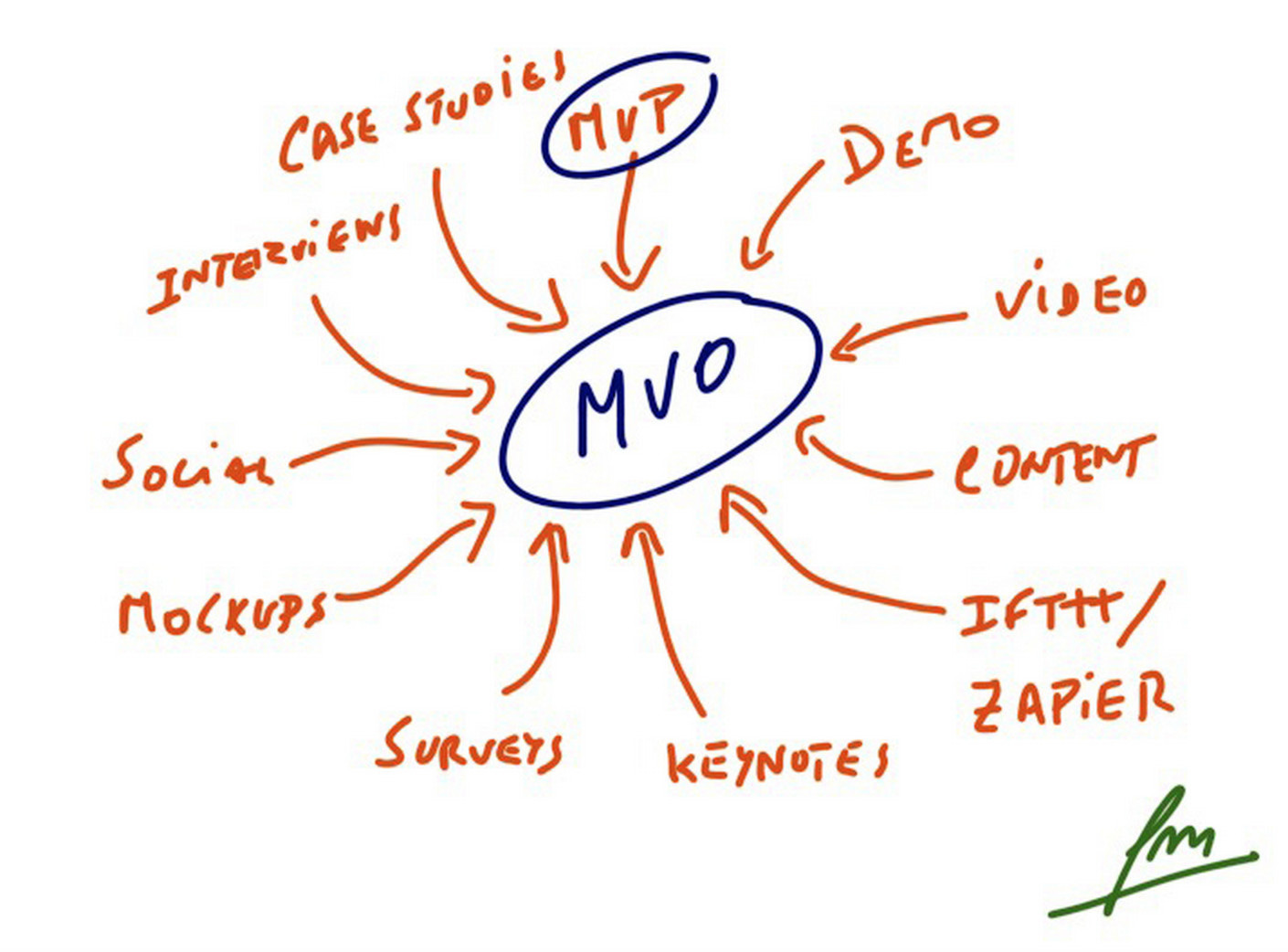
Her framework: MVO (Minimal Viable Output) before MVP. (Similar to Kuse CEO Xiankun Wu).
Before you productize anything, get the model’s output right first. Use all the techniques (RAG, prompt engineering, context engineering) to get stable, correct responses. Only then do you build the feature.
Rachel’s rule: “If you don’t have desired outputs, you don’t really need to spend any time to productize the AI feature.”
Wrong order: UI first, then realize the model doesn’t work.
Right order: Model first, product second.
3b. Evals Are Now Part of Your Job
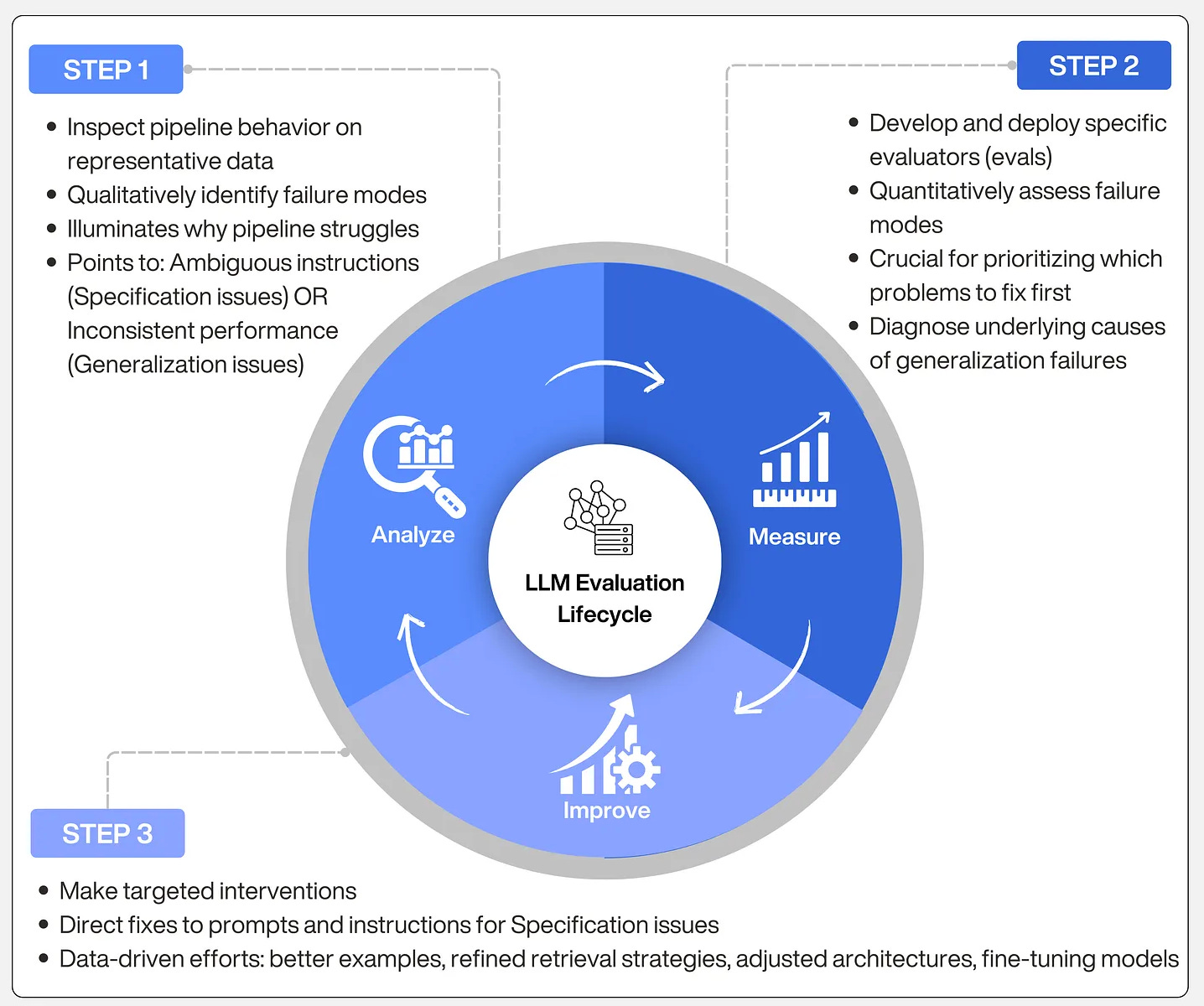
Rachel shared a brutal story. Webflow’s AI app generator (a code-gen product that creates production-grade apps using your design system and CMS) was two weeks from launch.
Rachel was patient zero, testing it for this podcast. The agent kept dying.
They finally realized: They’d changed the underlying model. And their evals didn’t have enough coverage to catch it.
3c. Build on Your Strengths
Rachel’s framework for deciding which AI features to build:
Question 1: If you see a trend in market, is it applicable to your customers?
Question 2: What’s your core competency?
For Webflow, their strength is helping customers bring visitors to their front door. Their CMS gets rendered for search engines and answer engines (ChatGPT, Perplexity, etc.).
They saw that people don’t want an app generated off to the side by Lovable or Vero. That’s more like a prototype. People want production apps.
Webflow focused on native integration with everything else. Production grade hosting. Security capabilities built into Webflow cloud.
I loved how Rachel is pushing forward AI at Webflow. Check out the transcript for more:
Where to Find Rachel Wolan
Related Content
Newsletters:
PS. Please subscribe on YouTube and follow on Apple & Spotify. It helps!