Check out the conversation on Apple, Spotify, and YouTube.
Brought to you by:
Superhuman - The fastest email experience ever. Get 1-month free with my link
Land PM Job - My 12-week AI PM + Job Search Course
Vanta - Automate your compliance. Close deals faster
Product Faculty - Get $550 off their AI PM Certification, code AAKASH550C7
Bolt.new - Ship AI-powered products 10x faster
Today’s episode
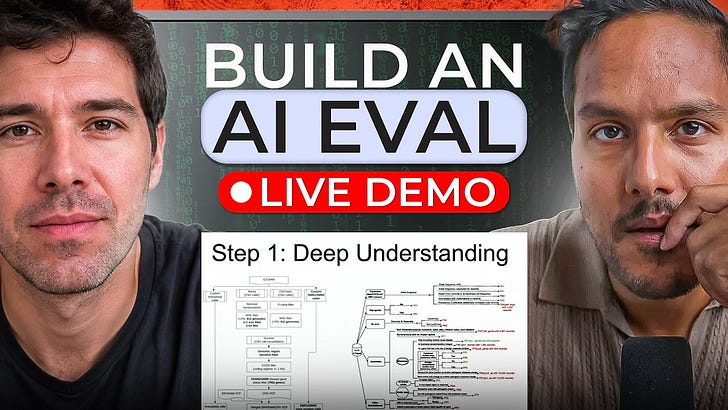
If you’re building in Claude Code, you should learn how to build evals in… Claude Code.
There are two major evals platforms in the market today. We’ve already had the CEO and founder of one on, Ankur Goyal of Braintrust.
Today we return with the other major platform, Arize. And we have on the CPO and founder, Aparna Dhinakaran.
Many of the smartest AI teams are running their evals on Arize - Uber, Booking.com, Pepsi... I even offer Arize in my bundle. So now we bring you the guide to using it.
This episode builds upon the basics I taught with Hamel Husain, Shreya Shankar, and Ankit Shukla. It even includes a segment that, if a candidate did it in an interview, Aparna said she would hire them on the spot:
If you want access to my AI tool stack - Dovetail, Arize, Linear, Descript, Reforge Build, Relay.app, Magic Patterns, Speechify, Bolt.new and Mobbin - become an annual subscriber ($150), and grab Aakash’s bundle.
If you want access to my AI PM customizations - PM OS, Job Search OS, and Prompt Library - become a founding subscriber ($250).
Newsletter Deep Dive
I’ve put together the complete guide for running evals in Claude Code.
Evals don’t have to take forever and be hard
Step-by-step, how to run Claude Code evals
How to build a self improving loop
The new PM operating system
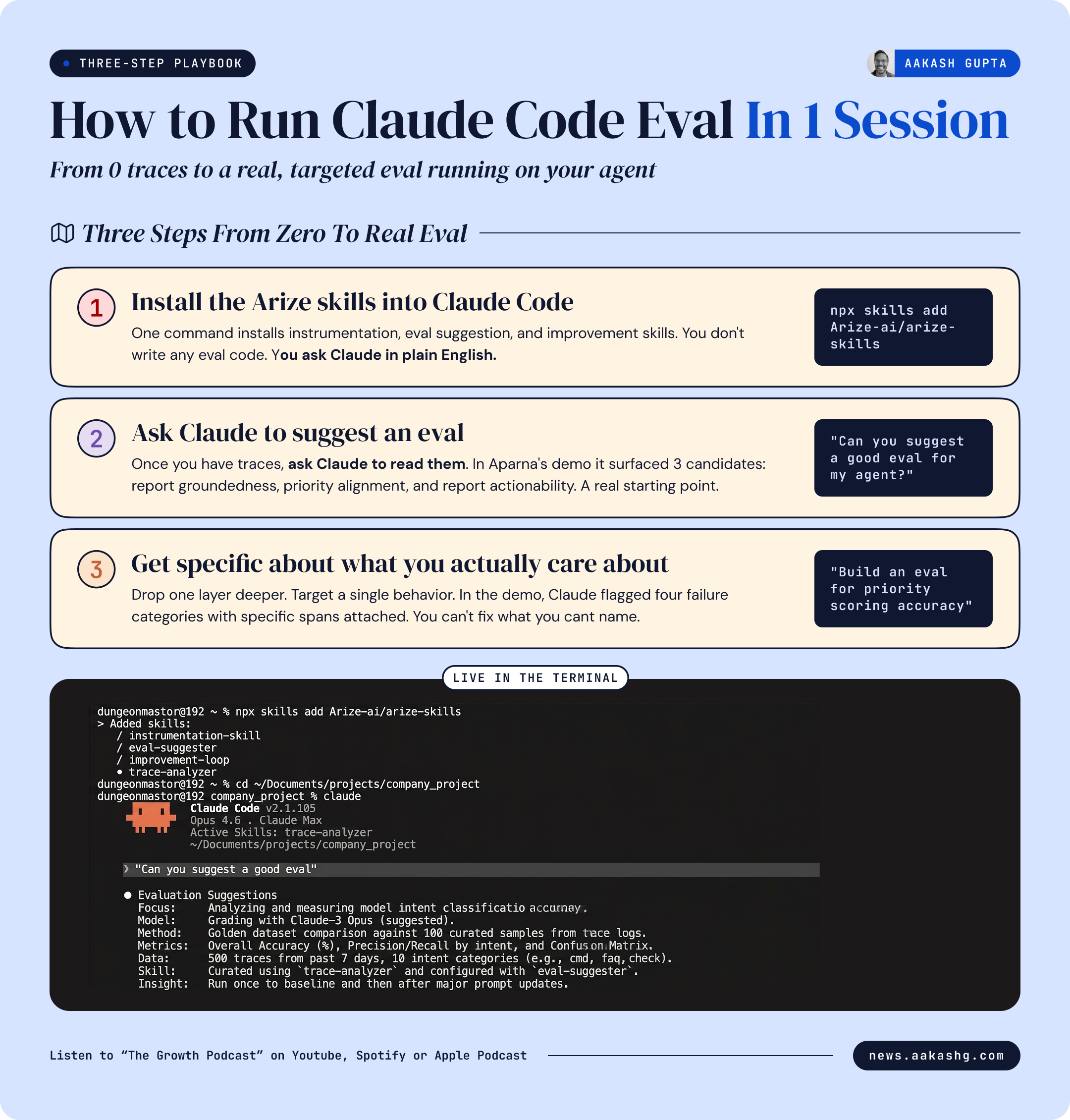
Save this. A 3-step playbook on how to run Claude Code evals with exact commands.
1. Evals don’t have to take forever and be hard
In the past, I’ve taught you the ways of Hamel Husain and Shreya Shankar who said that you need to look at the traces yourself, categorize them yourself.
In practice, what this means is a lot of PMs skip evals because it takes too long.
That’s a mistake. You can actually use Claude Code to do all those steps.
Here is what changed.
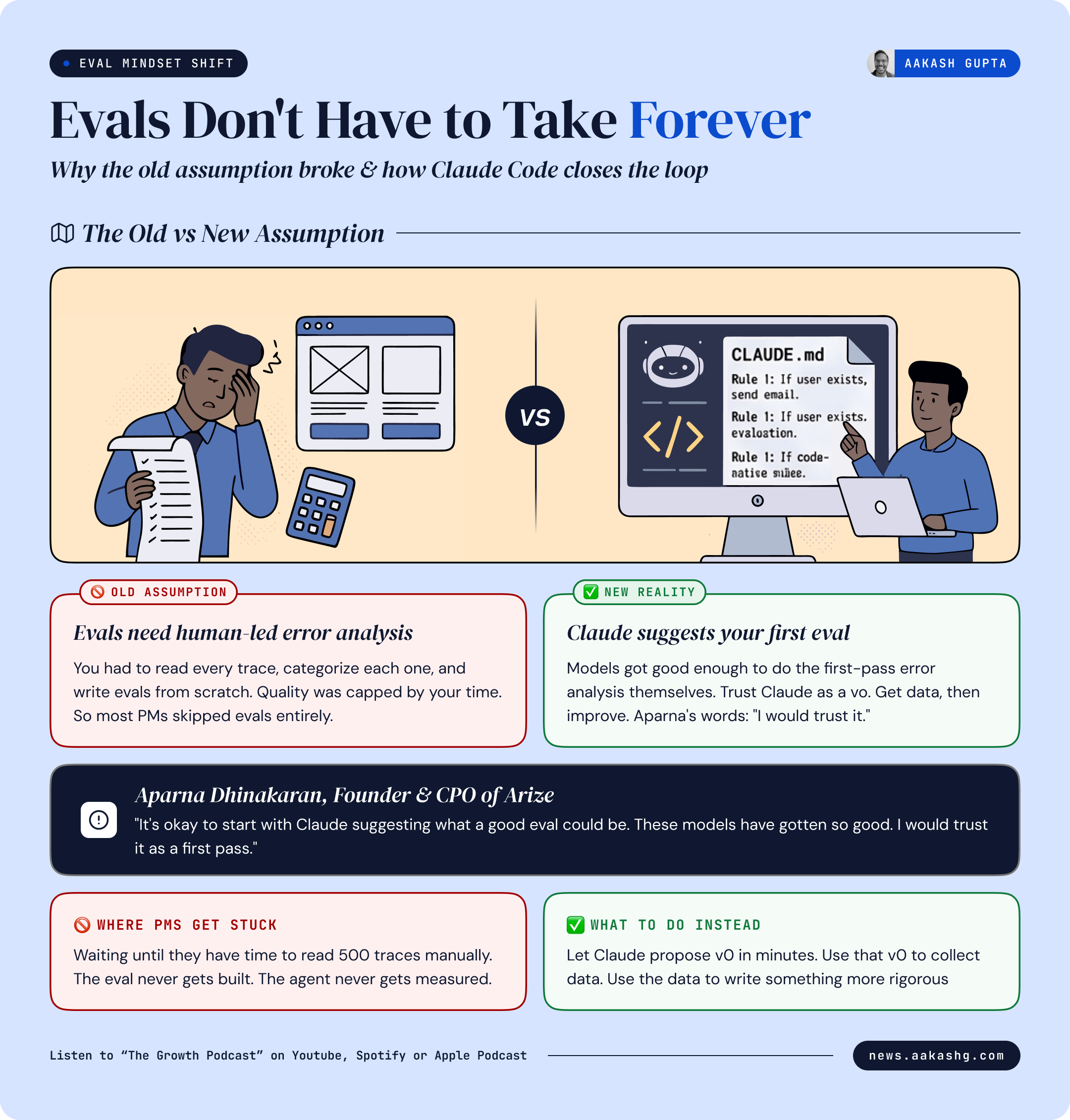
The old assumption - Evals need human-led error analysis
The old model assumed you had to be the one reading every trace. You needed to understand what went wrong before you could write an eval that tests for it. That meant the eval quality was capped by how much time you had.
That assumption made sense when models were weaker. It does not hold the same way anymore.
The new reality - Claude can suggest your first eval
When I asked Aparna, she said:
“I think it’s okay to start with Claude suggesting what a good suggestion of an eval could be. These models have gotten so good. Having it go through and look at your answers and suggest, that probably is something you should flag and look at. I would trust it. I would trust it as a first pass.”
This is not about replacing rigorous eval work. Hamel and Shreya’s methods still produce the most calibrated evals over time. But you do not need to start there. Claude gives you a working v0 in minutes. That v0 gets you data. That data gets you something to actually improve.
Aparna demoed “vibe based evals” using Claude Code. Here’s how it works.
2. Step-by-step, how to run Claude Code evals
You have an agent running. It is producing output. You have no idea if that output is accurate or just confident looking.
Here is exactly how to change that in one session.
Step 1 - Install the Arize skills into Claude Code
Open Claude Code. Run one command:
npx skills add Arize-ai/arize-skills
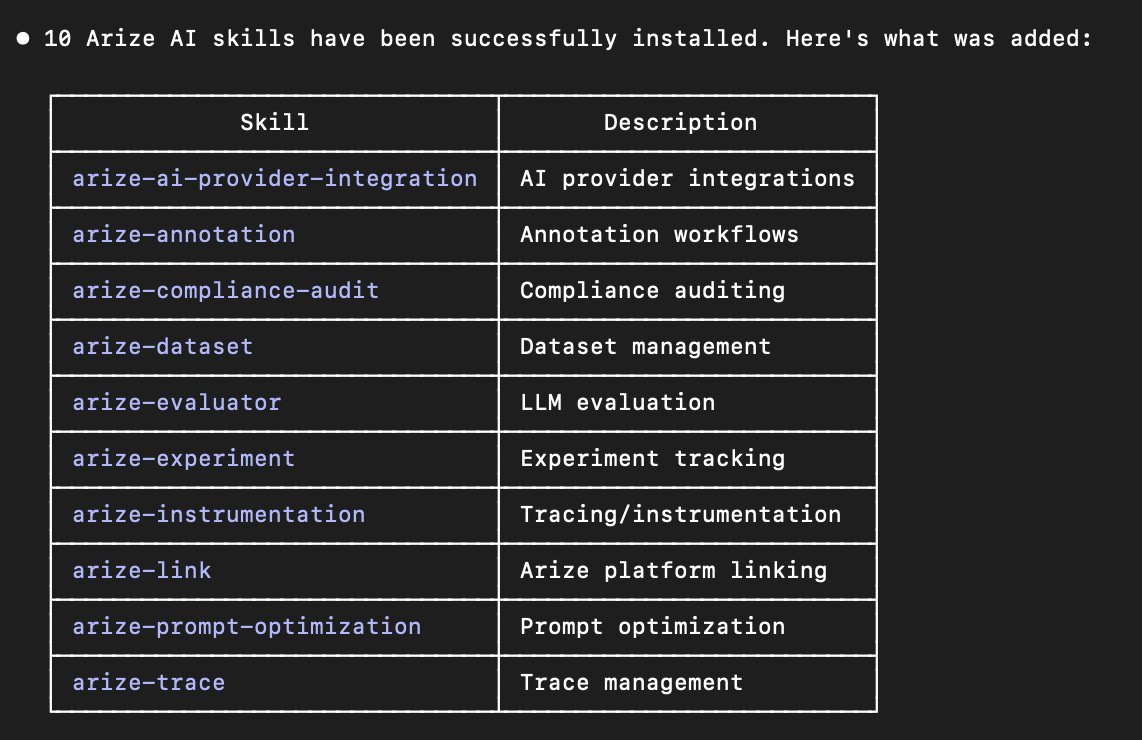
Claude Code now has access to instrumentation, eval suggestion, and improvement skills, you do not need to write any eval code yourself. You just ask Claude Code in plain English what you want. It calls the right skill for the job automatically.
The instrumentation skill is the first one you need. It looks at your codebase, identifies every LLM call and tool call, and wires them to Arize for tracing.
Step 2 - Ask Claude to suggest an eval
Once you have traces, ask:
Can you suggest a good eval for my agent?
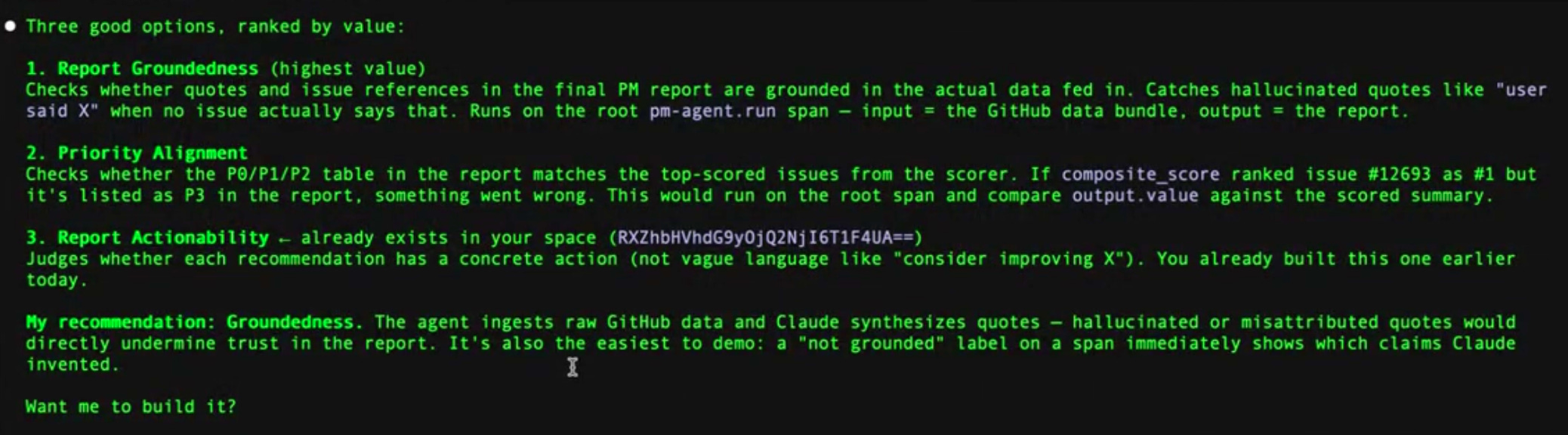
Claude looks across your traces and returns candidates. In Aparna’s live demo it surfaced three:
Report groundedness. Do the issues cited in the final PM report actually exist in the source data?
Priority alignment. Does the P0/P1 ranking in the report match the highest-scored issues?
Report actionability. Is the output something a PM can act on the same day?
Good starting point. But these are output level evals. You want to go one layer deeper.
Step 3 - Get specific about what you actually care about
Ask something more targeted:
Can you help me build an eval to evaluate if each issue’s priority is actually scored correctly?
Claude runs this across your spans. In the demo it flagged four failure categories: bug priority scoring, feature request scoring, legacy scoring system conflicts, and low priority edge cases.
Now you have something real. Specific categories of failure, with specific spans attached. That is what you need to improve the agent systematically.
You cannot fix what you cannot name. The eval names it for you.
3. How to build a self improvement loop
Your eval is running. It is flagging failures. The natural next question is: now what?
Most PMs stop at the eval. They have the signal. They do not build the system that acts on it. That is the difference between a PM who runs evals and a PM who has a self-improving agent.
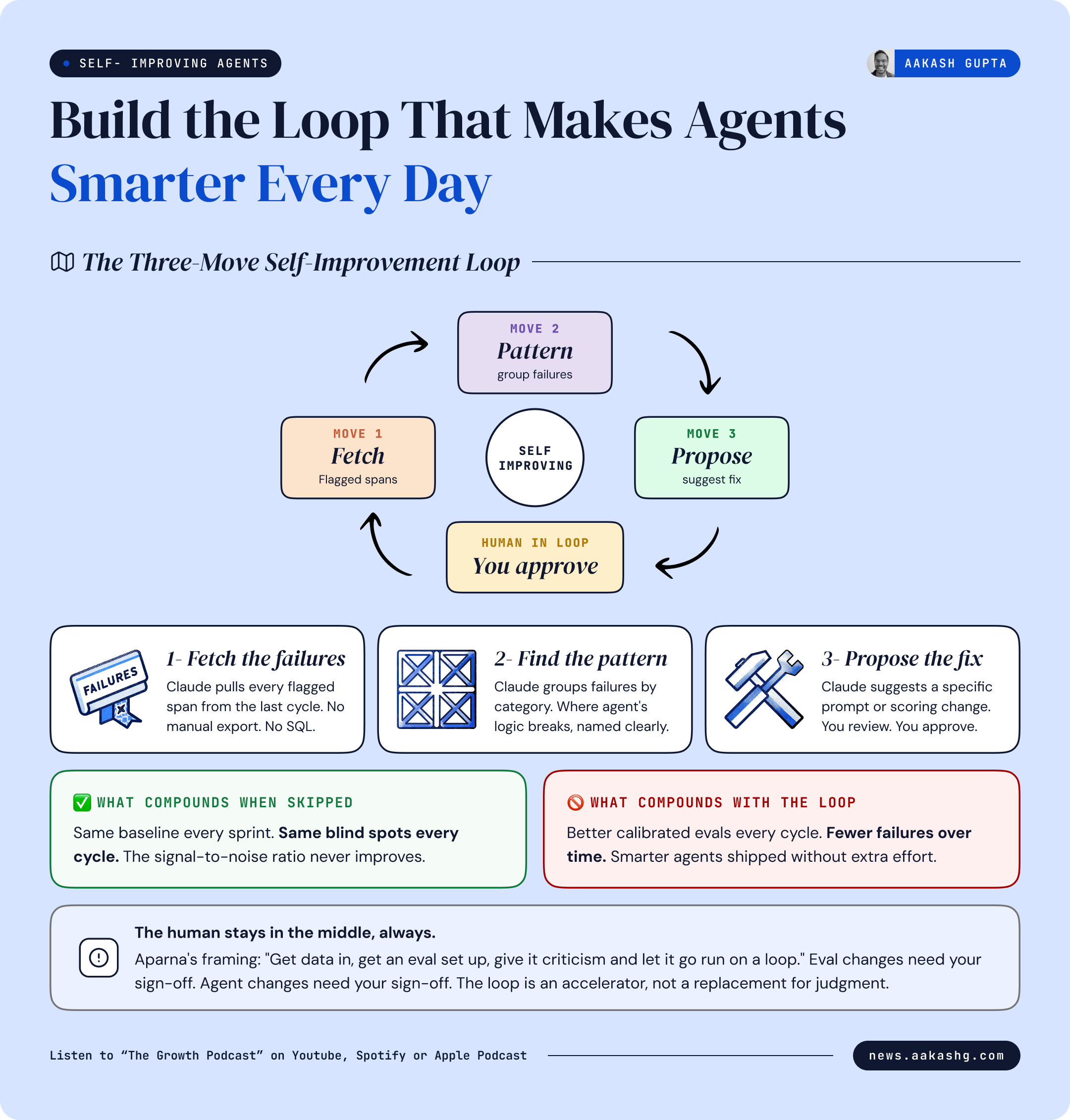
The loop - three moves, on a schedule
The loop is not complicated. It is three moves that run automatically on a cadence you set.
Move 1 - Fetch everything the eval flagged as wrong. Claude pulls every span from the last cycle where the priority accuracy eval fired.
Move 2 - Find the pattern. Claude groups those failures by category. Bugs being underweighted. Long feature requests getting inflated scores. Edge cases involving third party integrations always landing wrong. The categories tell you where the agent’s logic is broken.
Move 3 - Propose a fix. Claude suggests a specific prompt change or scoring adjustment that would address the most common failure category. A concrete edit you can review and approve.
To set this on a schedule, ask Claude:
Can you run this in a loop using the Claude loop skill?
Claude spins up the equivalent of a cron job. Every day, or every week, your choice, the loop runs. It fetches failures, groups them, proposes a fix, and waits for you.
The human stays in the middle, always
This is the part that gets skipped in the excitement of automation. The loop is an accelerator. It is not a replacement for your judgment.
Eval changes need your sign-off before they run. Agent changes need your sign-off before they ship. The loop proposes. You approve. That is the design.
Aparna put it cleanly:
“Get data in, get an eval set up, give it criticism and let it go run on a loop.”
The criticism is still yours. The speed is Claude’s.
What compounds and what does not
The teams that build this loop are getting smarter with every cycle. Each round of failures produces better calibrated evals. Better evals produce more accurate agents. More accurate agents produce fewer failures. The signal to noise ratio improves over time.
The teams that skip the loop keep starting from the same baseline every sprint.
4. The new PM operating system
Step back from the mechanics for a second.
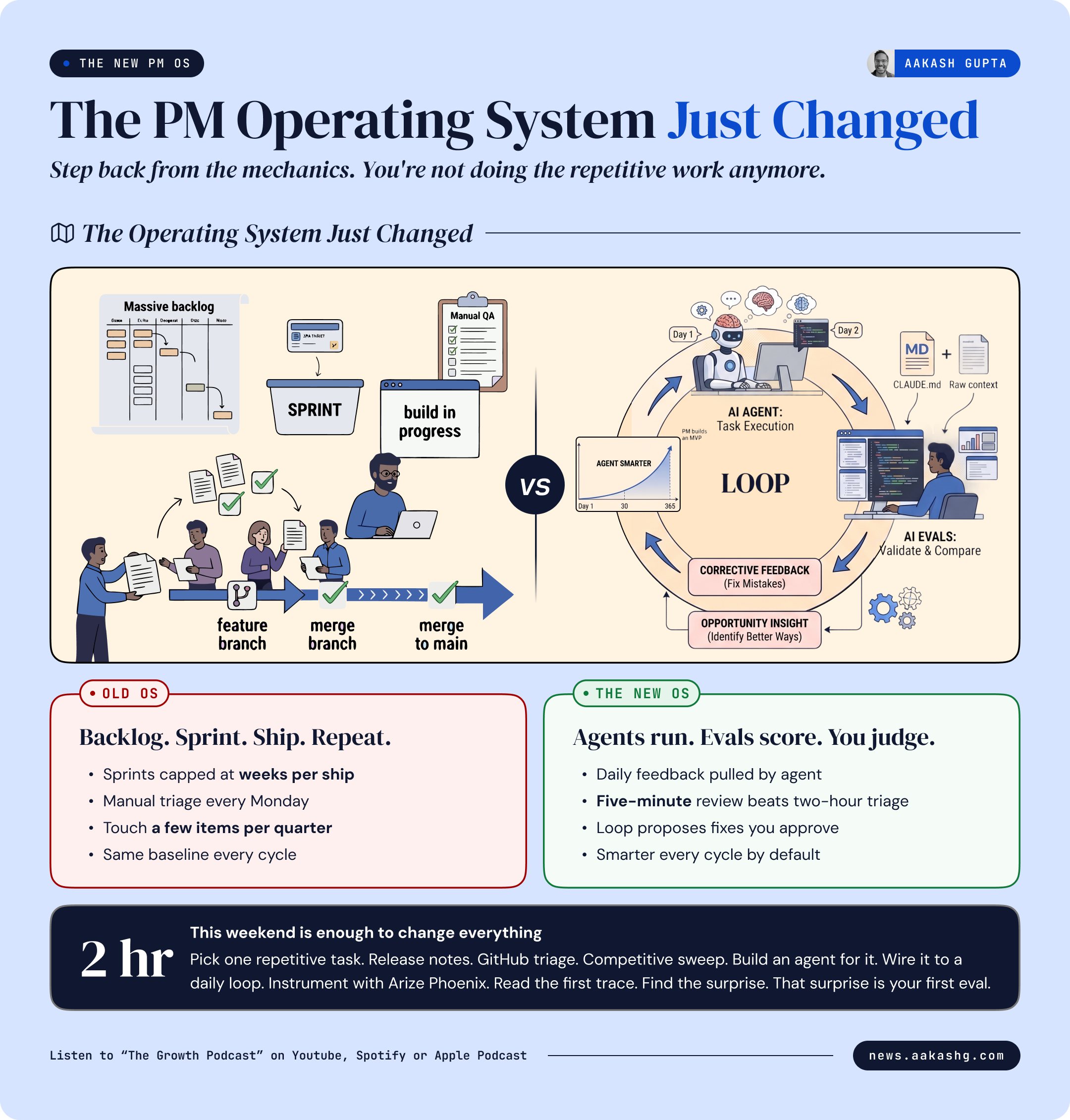
What you just learned is not a new feature to add to your existing workflow. It is a different operating system for how you do the job.
What the old operating system looked like
Monday morning. Open Linear. Read 40 new issues. Mentally rank them. Write a summary for standup. Two hours gone before you have typed a single Slack message.
Thursday. Pull up Gong. Watch three customer calls. Try to find the pattern. Write a themes doc that gets skimmed in a meeting and never opened again.
That cycle has a ceiling. There are only so many issues you can read. Only so many calls you can watch. Only so many sprints in a quarter.
What the new operating system looks like
The new operating system runs differently. Your agent already ran overnight. It pulled the latest issues, scored them by severity, recency, and reaction count, and wrote the PM report. It is sitting in your repo when you open your laptop.
Your job is a five-minute scan. Do you agree with the priorities? When you disagree, that disagreement is your next eval.
As Aparna said:
“If you are doing things the same way you were doing them last year, you have not caught up yet.”
That’s it for today. If you have any doubts, Aparna demoed the full process in the episode. Run the simple commands shared above. Watch Claude Code vibe it.
See you in the next episode.
Where to find Aparna Dhinakaran
Related content
Podcasts:
Newsletters:
PS. Please subscribe on YouTube and follow on Apple & Spotify. It helps!