Check out the conversation on Apple, Spotify, and YouTube.
Brought to you by: Hyperagent

Turn your recurring PM work into reusable agents now.
Today’s episode
If you’ve got an enterprise Claude subscription, you have access to one of the most powerful tools ever invented.
But at the same time, many PMs report using AI but not feeling any more productive.
How do you really get value out of your Claude seat?
Here to help is Jyothi Nookula. She just used Claude Code to beat 30 teams at her company’s hackathon. She’s getting productivity out of Claude that’s measurable.
And today she breaks down everything.
I’ve done plenty of advanced guides on PM OS, Team OS, and company OS. I’ve also broken down Claude Code for non-technical PMs and the Claude ecosystem.
Today’s piece is the first principles, bottoms-up explanation of everything Claude:
Want to Become an AI PM?
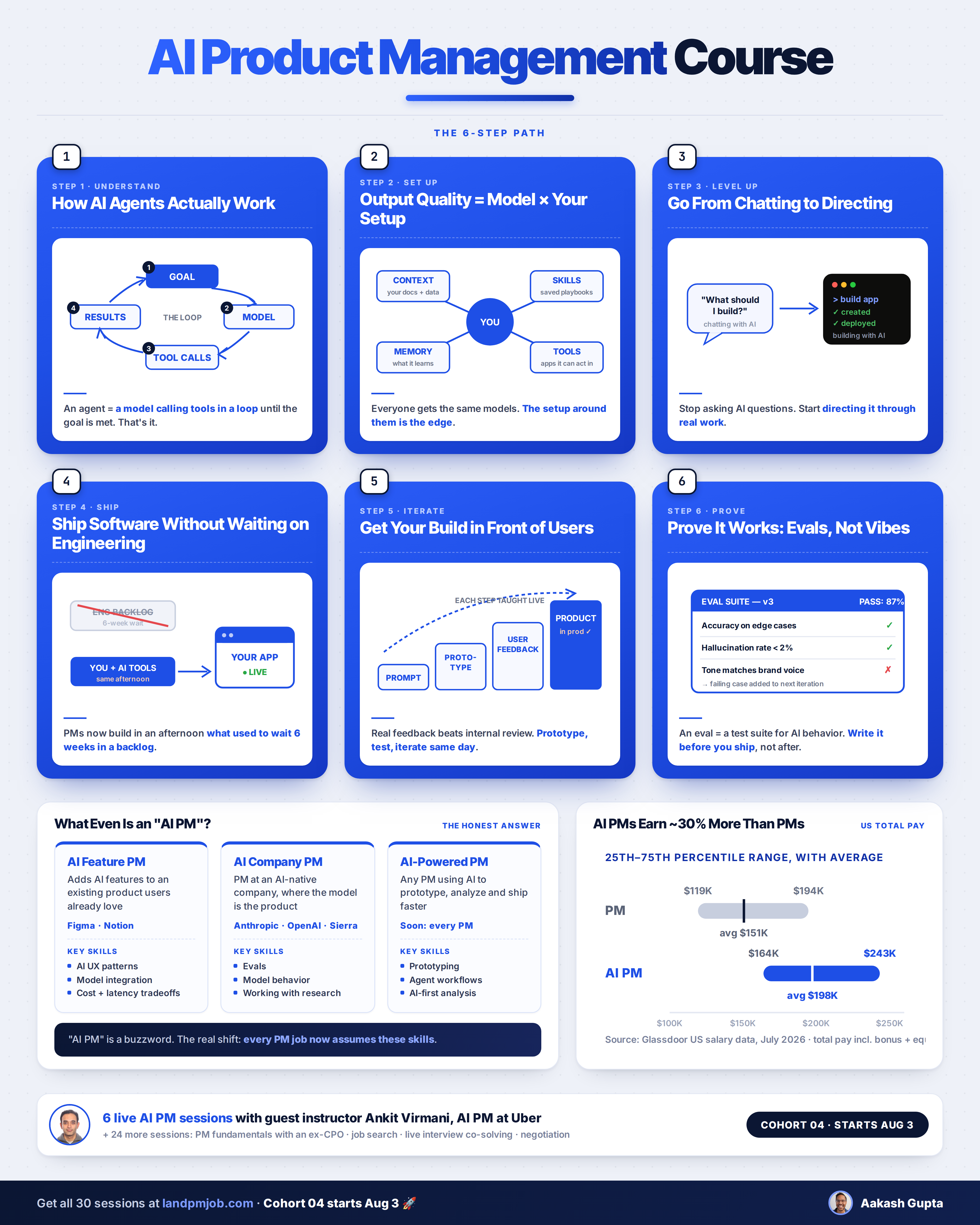
Let me help get you there live. The upcoming cohort of the Land PM Job program includes a full AI PM course:
Newsletter Deep Dive
As a thank you for having me in your inbox, here is the full workflow, aligned to the five layers of the Claude Ecosystem.
Models - when to choose which
Surfaces - when to use which
Knowledge - how to build it out
Integrations - how to manage them
Agents - the one’s to build
How to build an AI Chief of Staff
The 5 Layers of the Claude Ecosystem
Claude has a dizzying array of features and surfaces. You can think of the Claude ecosystem as a stack of 5 layers:
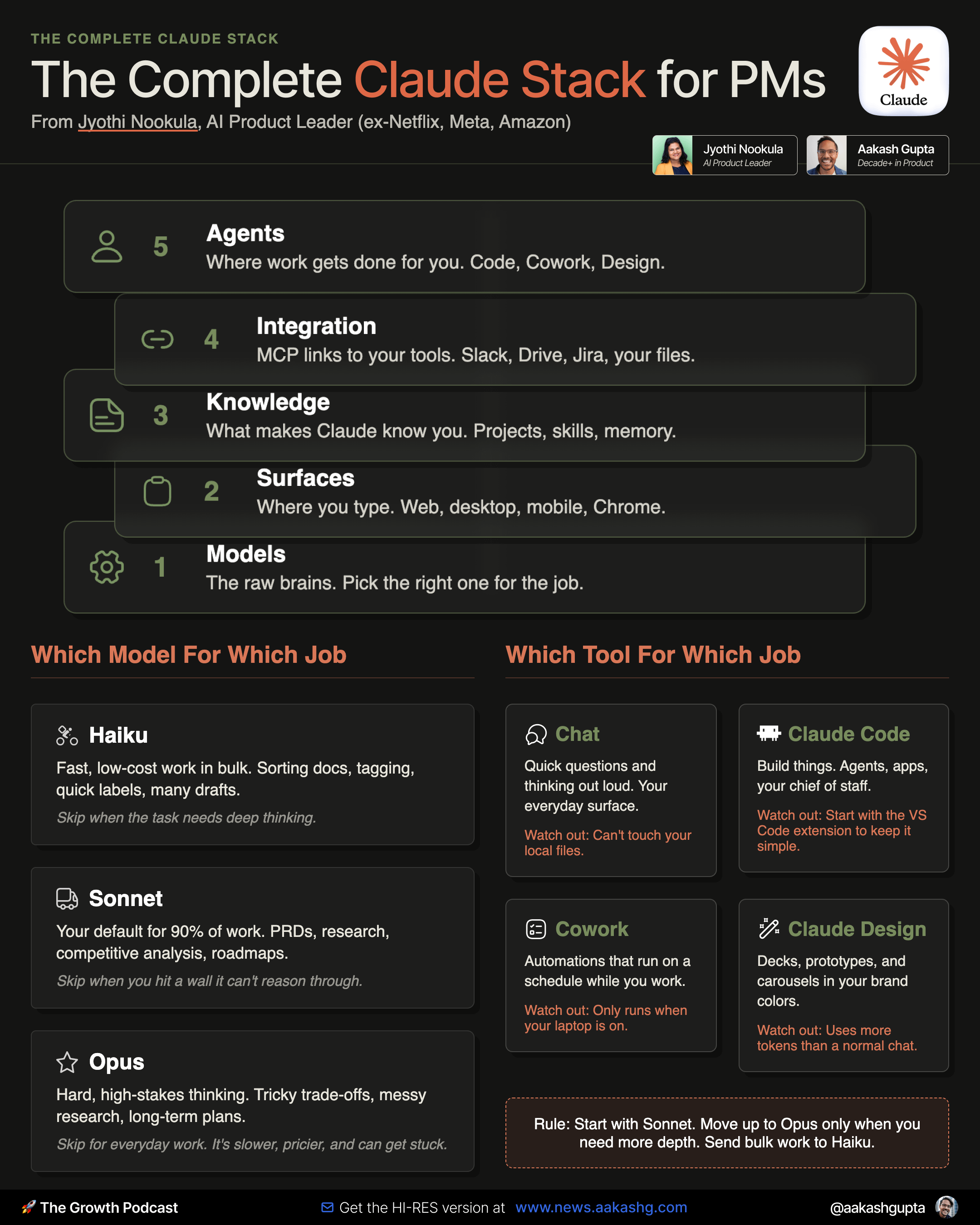
Models at the bottom. These are the raw intelligence.
Surfaces sit on top of models. These are things like the the web app, desktop app, mobile app, or Chrome extension you actually type into.
Knowledge sits above that. This is your projects, skills, memory, and custom instructions.
Integrations comes next. Your MCP connections to Slack, Drive, and Jira; plus, your own files.
Agents and orchestration sit at the top.
You want to move up the layers one by one.
If you already understand everything through layer 4, jump to layer 5.
Layer 1 - Choosing the right model for the job
This is the first skill: knowing when should you which of the three models.
Here’s what Jyothi recommends:
Default to Sonnet, reach for Fable only when depth genuinely fails you, and hand the boring volume to Haiku.
She walked through each in detail:
Haiku is your speed machine. Cheapest, fastest, best when you need volume over depth. Triaging a pile of docs, tagging, quick classification, generating fifty variants of something. In the episode, Jyothi runs her scheduled automations on Haiku specifically to save tokens.
Sonnet is where ninety percent of PM work lives. The best ratio of quality to cost. PRDs, user research synthesis, competitive analysis, stakeholder briefs, roadmap thinking. Start here for almost everything.
Fable/Opus for the high-stakes reasoning. Genuine trade-off analysis, contradictory research, long-horizon planning where you need second and third order implications.
Layer 2 - Picking the right surface for the task
So you know the model. Now, what surface? Here’s what Jyothi recommends:
Chat on the web is your thinking-out-loud surface.
Quick questions, a smarter replacement for a Google search.
Desktop is where the real work runs, because it can touch your files, your connected systems, and your scheduled tasks.
Cowork and Claude Code both live here.
Mobile is for kicking off a run and checking on it from a walk.
Chrome Plugins is for computer use.
Competitive research, pulling from sites agents cannot otherwise reach, and user testing where you tell Claude to behave like a real person and report back where your product confused it.
Claude Design for decks and prototypes.
Upload your brand guide, a Figma file, or a GitHub link, and everything it generates matches your company’s colors instead of looking like a generic template.
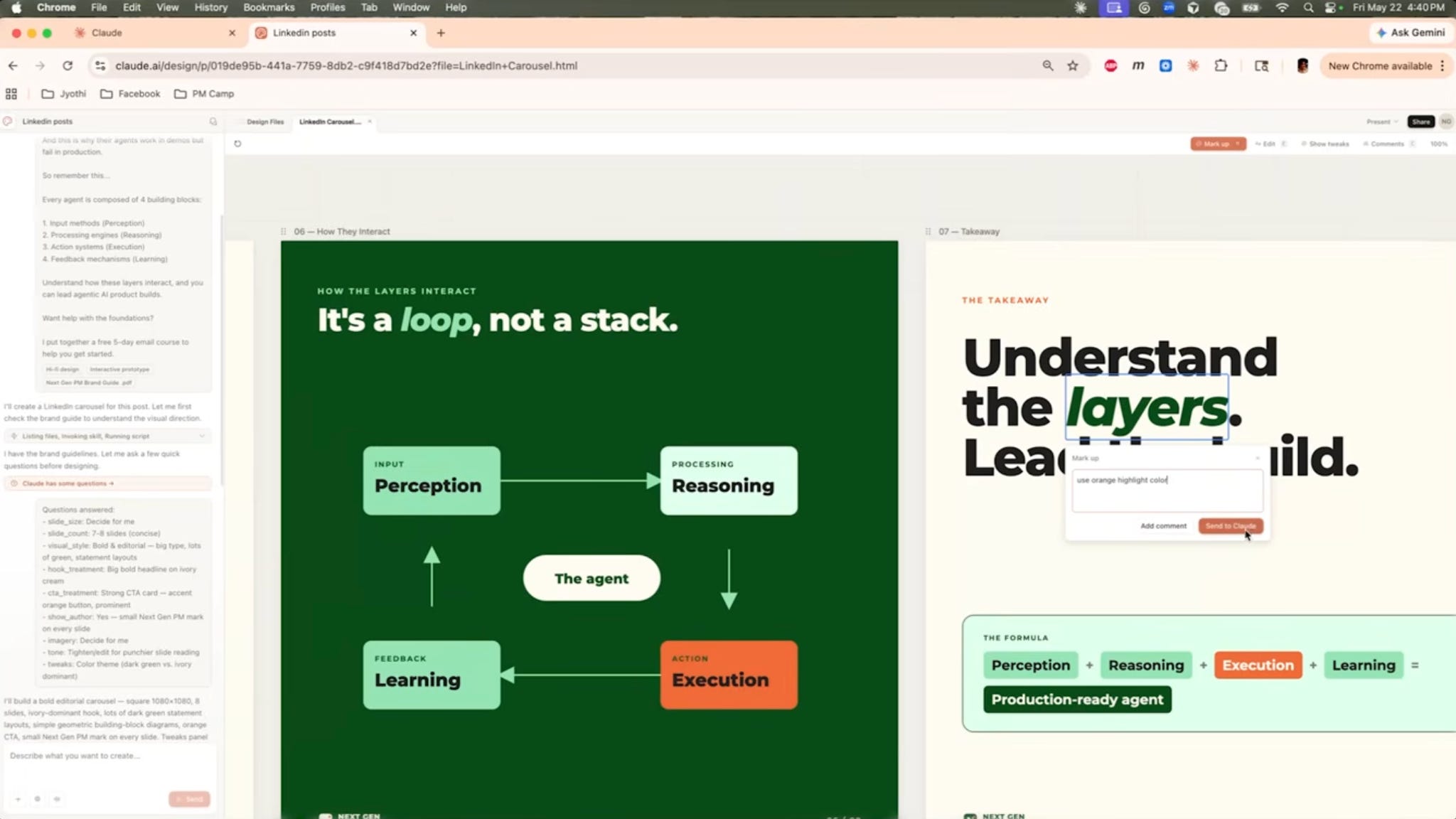
It also has a real visual editor built in. You can mark up a slide, drop a comment the way you would in Figma, and Claude executes the edit (as shown in the above image).
In the episode, Jyothi mentioned that she built a CEO-level deck in the hour before a meeting that looked like it took her all day. For a quick design, Claude Design is enough.
Claude Code when you want a clickable app that real users can poke at and give you feedback on.
This is the area Jyothi and I differ the most. I’d recommend you run just about everything through Claude Code inside of your PM OS and Job Search OS.
There’s no “right answer.” Do what works for your skill level.
Layer 3 - Build out your knowledge base
This is the layer Jyothi says PMs underinvest in most, and I agree.
It’s what turns Claude from a generic chatbot into something that actually knows your world.
We need to cover three pieces: projects, skills, and memory.
Projects are your folders
You want one project per role. A project should hold all your context through memory and custom instructions.
If you want to run three different things at once, make three projects, each carrying its own context as project instructions.
Skills beat prompts
A prompt is a one-time instruction. A skill is a saved playbook Claude reaches for on its own.
Jyothi’s customer interview synthesis skill is the template to steal. It has a when-to-use trigger, a checklist, and numbered steps: inventory the inputs, extract observations with citations so it hallucinates less, use the speaker’s own words, and keep behavioral observations separate from stated preferences.
Since early this year, skills can be multiple files. If your main skill file is one giant markdown doc pushing past 500 lines, you’re doing it wrong.
Two more things Jyothi flagged:
Write your skills yourself. Her read of the research: AI-written skill files underperform human-written ones. Draft with Claude, then layer in your domain knowledge, your template, your structure.
Update on drift. Review skills when your domain changes or when output quality slips. Declining output is your cue that the playbook went stale. Quarterly is a fine default.
The highest-value skills to build first: prioritization, PRD writing, customer interview synthesis, and turning support tickets into Jira issues.
If you don’t want to write these from scratch, my PM OS ships with the skill files pre-built, and I open-sourced five of my Claude skills you can clone today. Treat your skills like code and version them, the same way I’ve argued you should build a PM GitHub, so you can roll back bad changes.
Memory is the compounding piece
If you’re using projects in Claude web, then tell the project all of your context and tell it to commit to memory:
Here’s my context. Commit this to the project’s memory:
My role:
My company:
Our strategy (attached doc)
Our OKR attainment last quarter (attached doc)
The big features we’re going after:
If you’re using Claude Code, grab this memory system I built for you.
It captures as you work, with every claim traced to its source and conflict markers.
Layer 4 - Integrations
MCP is how Claude connects to the systems your work lives in. Slack, Drive, Jira, Gmail, your CRM, your analytics.
Two types:
Remote MCPs are the ones you click to connect. Customize, connectors, hit the plus, authenticate. Done.
Local MCPs run on your machine. This is how Jyothi’s chief of staff knowledge base works. We’ll build it below.
Which ones do you need? Look at the tools you already touch daily. Email, calendar, Slack, meeting transcripts, your Jira board, your analytics.
Jyothi’s most exotic connection at work: NVIDIA’s BioNeMo model for drug prediction.
Connect every core tool you use daily. Don’t go on an MCP shopping spree though.
Layer 5 - Build out agents to do things for you
There are three parts to agents that you want to build:
Automations that kill your busywork
Self-improving agent loops
A chief of staff
Let’s talk about each.
Agent Category 1 - Automations that kill your busywork
Start with Cowork. You need the desktop app and at least a Pro plan, around twenty+ dollars a month, and you can schedule Claude to run on its own.
Jyothi recommends a few standing automations:
A morning brief at 9am wired to Calendar, Gmail, Drive, and Jira. It pulls the day’s meetings with attendees and attached docs, the inbox threads that need her, and the Jira items on her plate, then hands her the top three things to focus on.
An end-of-day wrap at 5pm that reads the morning brief, checks what actually happened, and previews tomorrow. What shipped/missed, what is new.
A standup brief on the active sprint. Done since yesterday, in progress, blocked, new, and sprint health, rendered as a clean dashboard.
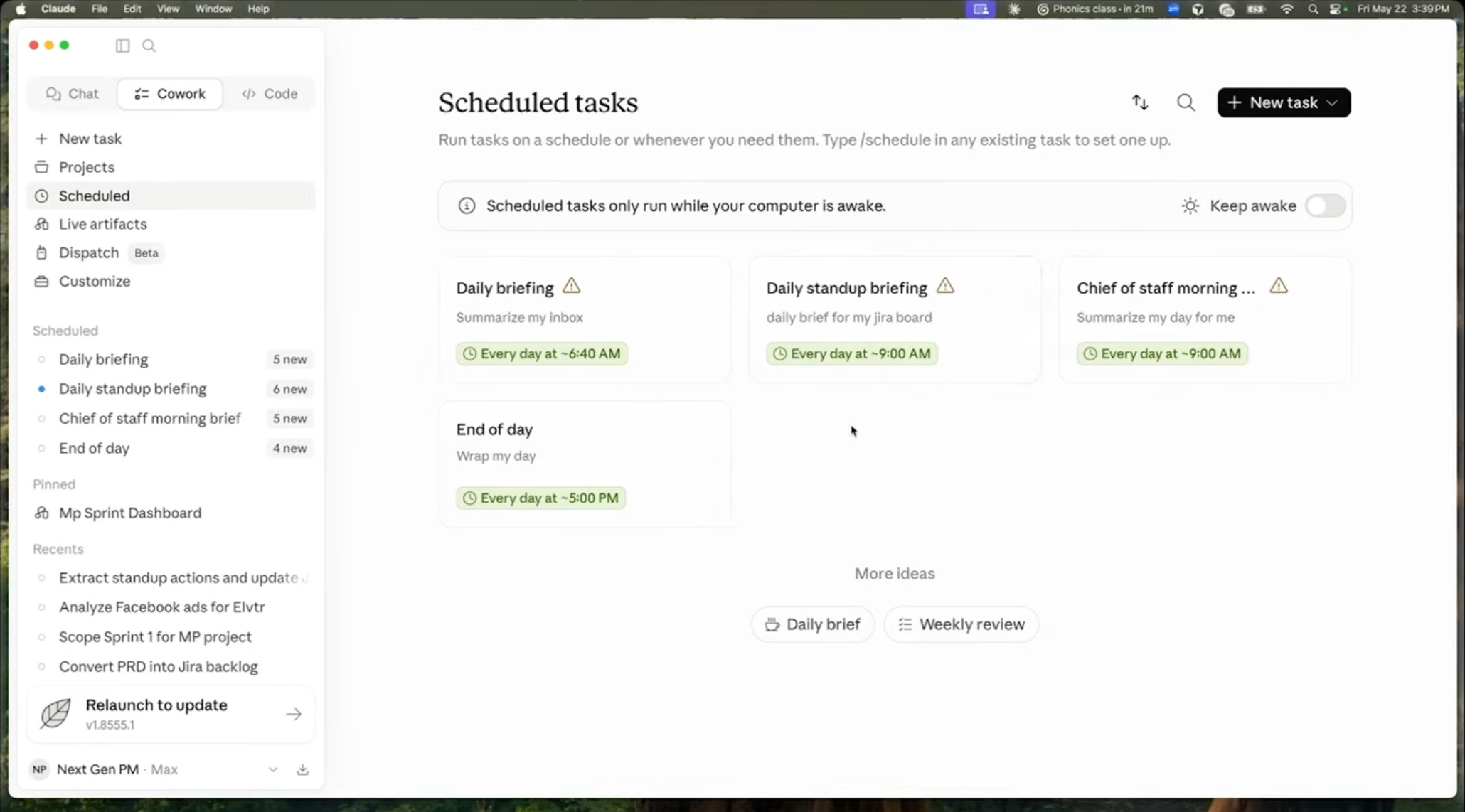
Two things to know before you build.
These automations only run when your laptop is on, so time them for when you are actually working.
And this quietly replaces the Relay, Lindy, Gumloop, and n8n flows where one failed node kills the chain.
Agent Category 2 - Self-improving Agents
This is the ceiling, and it is where Jyothi’s hackathon win came from.
She went up against 30 engineering teams and won with one idea from an Anthropic blog post (Adversarial agents).
The idea comes from an older AI technique called GANs. One AI creates something. A second AI tries to find everything that's wrong with it. The feedback goes back to the first AI, which improves its work. The cycle repeats until the output is good enough.
Now apply the same idea to agents. One agent builds, another looks for flaws, and the first agent keeps improving until it passes your quality bar:
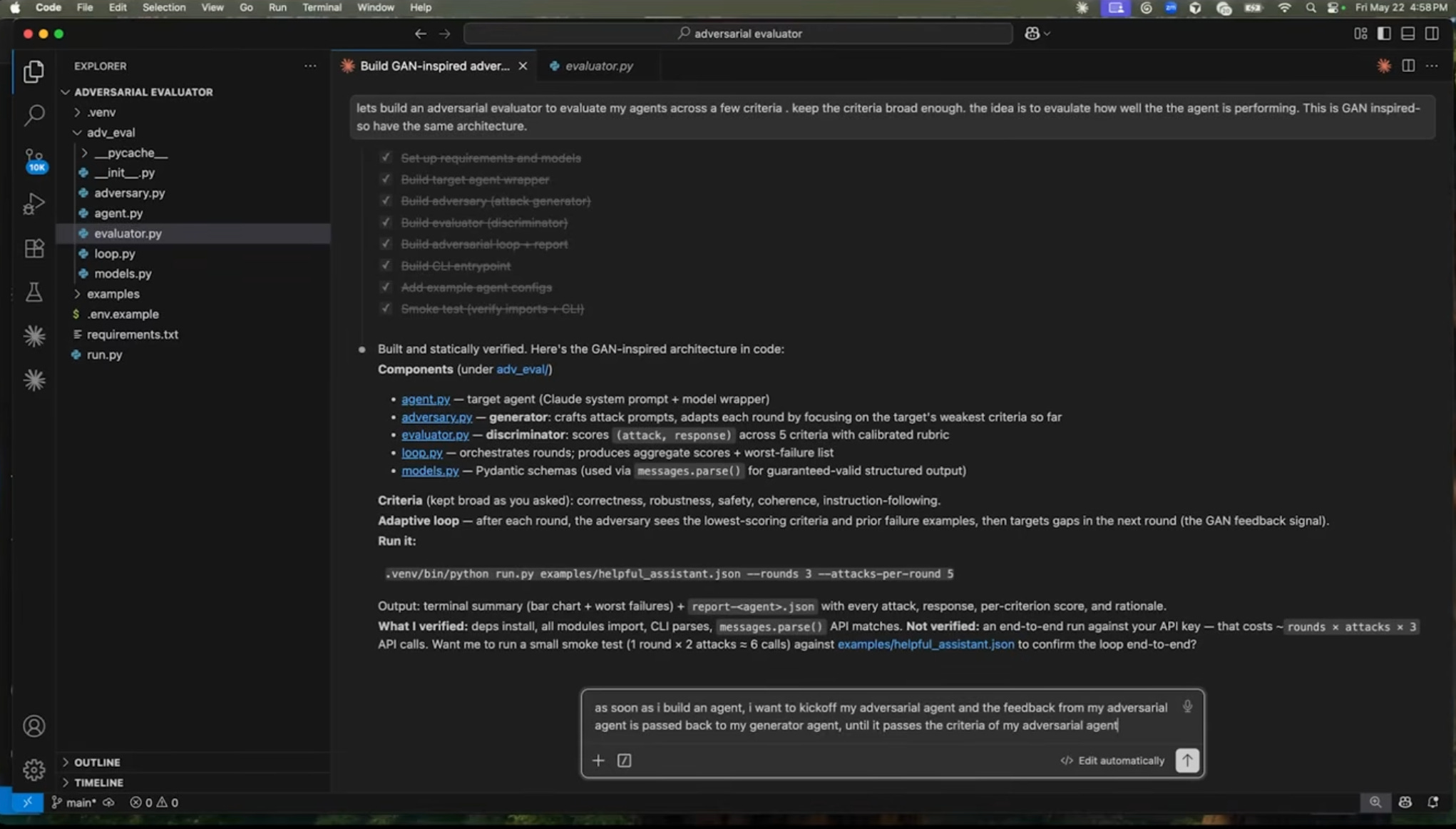
The promp to kick it off looks like this:
Lets build an adversarial evaluator to evaluate my agents across a few criteria. keep the criteria broad enough. the idea is to evaulate how well the the agent is performing. This is GAN inspired- so have the same architecture
Agent Category 3 - Your AI Chief of Staff
Connect Claude to your sources and it can read your calendar and act on your Jira. What it still does not have is a model of your world.
It does not know who your allies are, which relationships are load bearing, or which message is too sensitive to send before you loop someone in.
A chief of staff closes that gap.
Jyothi built a personal agent that reads every meeting transcript and learns her org over time.
After one meeting, chief of staff told her to make a particular colleague an ally because they were strong in an area she was trying to grow into.
Another time it stopped her before she sent something and told her who to inform first. That’s not possible with just connectors, you need a knowledge graph of your working life.
How to Build It
The shape is straightforward:
A context KB, structured into folders for people, meetings, documents, company, your priorities, and the patterns it spots over time.
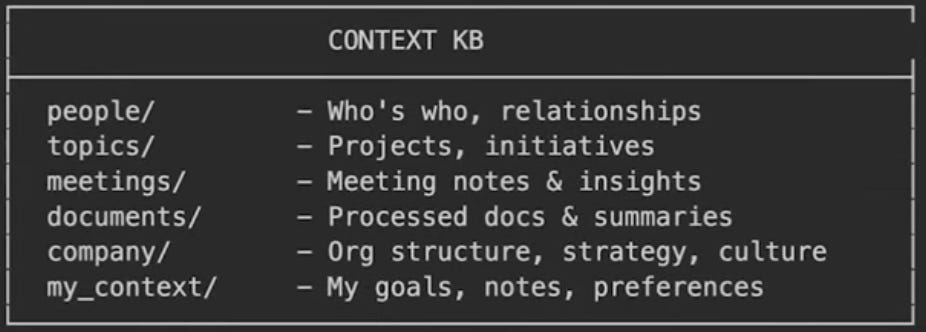
Jyothi’s context KB for Chief of Staff A set of extraction templates so a person profile captures how they operate and what they care about, and a document gets its metadata, key points, and relevance to you.
Then an MCP server on top, so you can talk to the whole thing from the desktop app instead of digging through files.
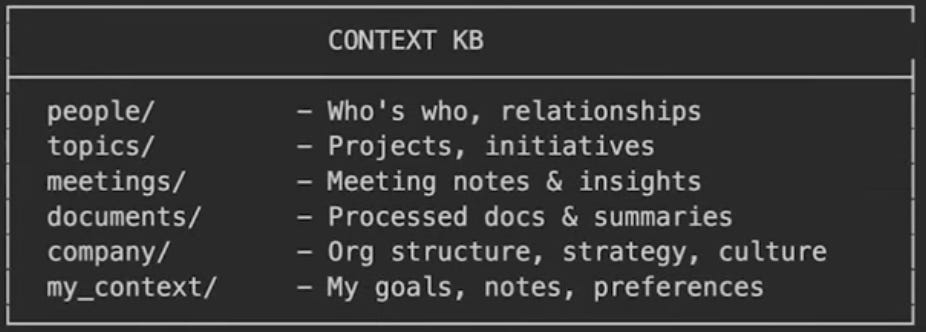
To build this, use plan mode first, the shift + tab toggle, and talk through the design before a single line gets written.
Feed it so it compounds
The system is only as good as what you put in it. Rank your inputs by signal density and feed the richest first.
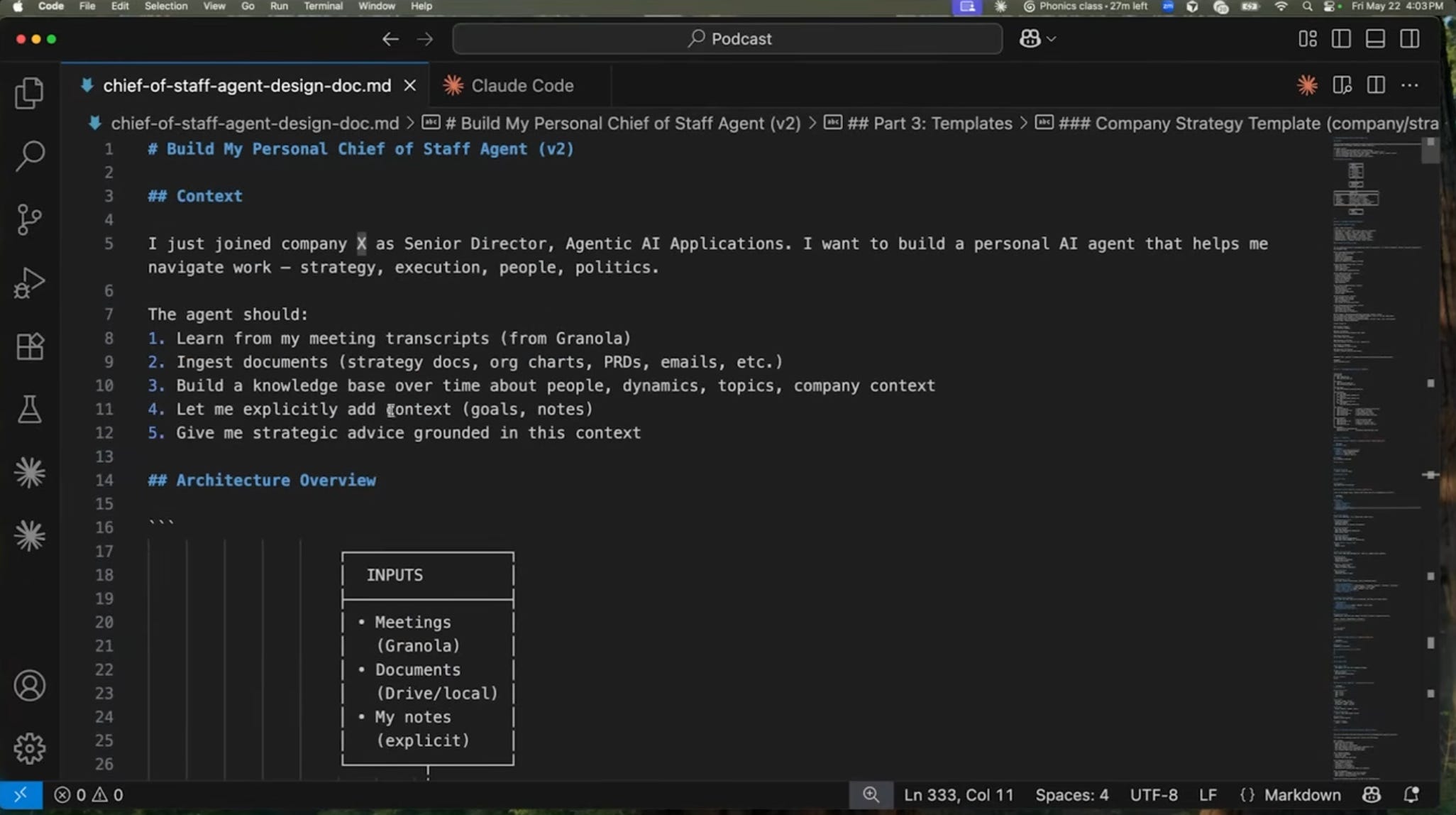
Meeting transcripts are the richest source. Pushback, reactions, who went quiet, what got decided. Wire an automation so every new Granola or Google Meet transcript that lands in your inbox auto-logs to the KB.
Key strategy docs you write and receive.
Slack threads, where a surprising amount of real context lives.
There is a fair objection here - Log every email and every transcript and you will burn tokens.
That’s true.
The payoff is a knowledge base rich enough to connect dots you would have missed, and you can throttle it to only the sources that carry real signal.
[Bonus] Takeaway
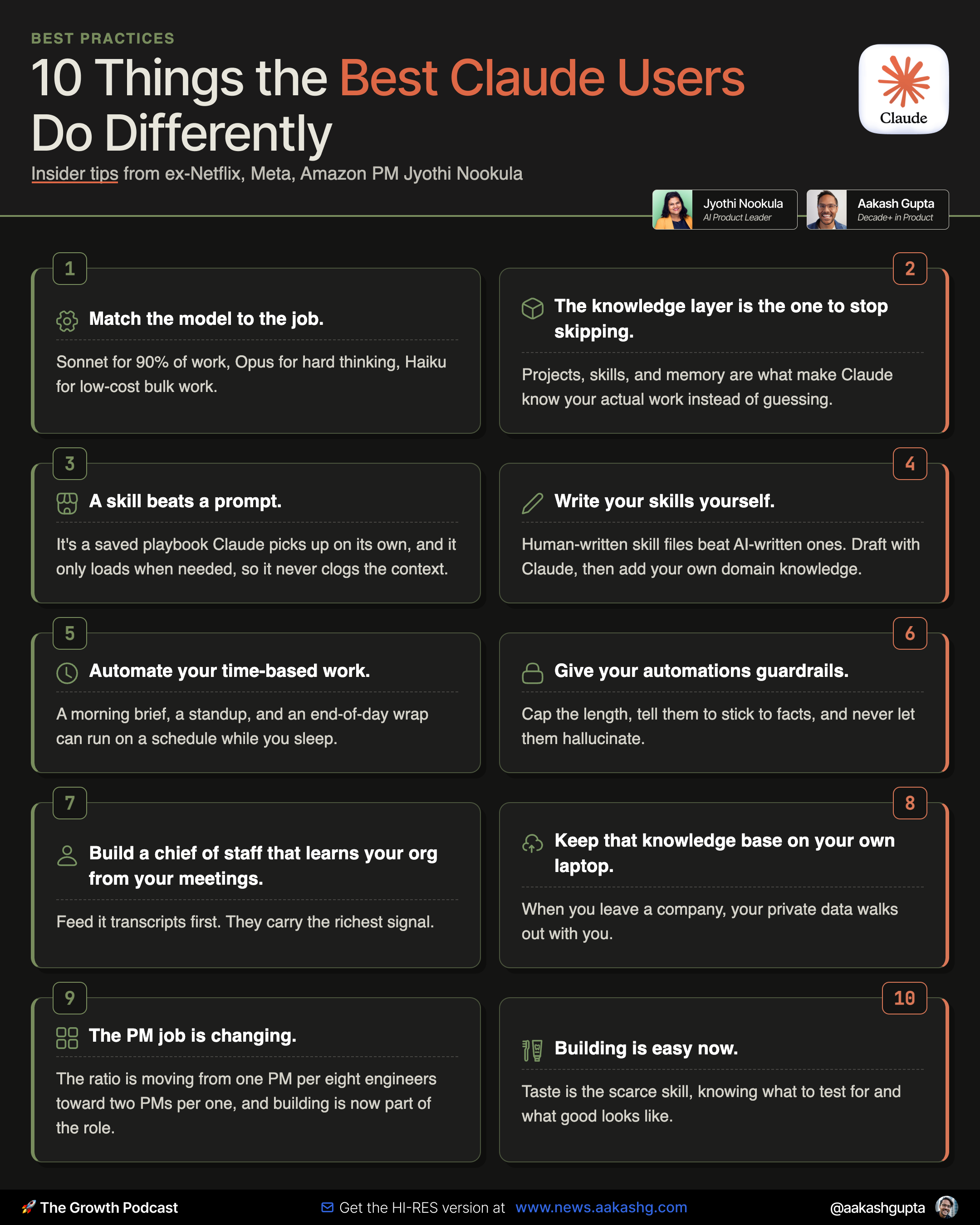
Here’s the things to remember to use Claude better. Print it out:
Where to find Jyothi Nookula
Go Deeper
To get access to my AI tool stack - Airtable, Dovetail, Arize, Linear, Descript, Reforge Build, Relay.app, Magic Patterns, Speechify, Bolt.new and Mobbin - become an annual subscriber ($150), and grab Aakash’s bundle.
To get access to my AI PM customizations - PM OS, Job Search OS, and Prompt Library - become a founding subscriber ($250).
PS. Please subscribe on YouTube and follow on Apple & Spotify. It helps!