
Every AI we use - from ChatGPT to Claude Code and OpenClaw - has the same defect:
It feels like it has amnesia.
The session that wrote you a great PRD yesterday remembers none of it today. The pricing test that you ran last quarter is long forgotten.
Today’s models have real intelligence. But the memory is a sieve.
Plenty of people have noticed. A few have shipped solutions. The two loudest are Garry Tan’s GBrain and Andrej Karpathy’s Second Brain, both of which I’ve covered for you.
Over the past month, I put both Gbrain and Second Brain to the test on my PM OS and Job Search OS. What I learned is: neither is truly the right fit.
So I built it for you.
Not only that - I decided to build you memory for whatever harness you use. So, that’s what you’re getting today: three files to give your agent memory, covering any source:
If you run Hermes or OpenClaw → Memory that models GBrain’s ambient approach
If you do intentional research sessions → Memory that models Karpathy’s brain
If you run Claude Code → Memory that takes the best of both
Today’s Post
This isn’t your typical newsletter post. It’s a highly tested product drop + research writeup:
Why I needed to build these
My memory layer for Hermes + Open Claw
My Karpathy second brain memory layer setup
🔒 The memory layer I use for Claude Code operating systems
🔒 What I learned building these, how to do it yourself, and where I land
1. Why I needed to build these
I live in my PM-OS and Job Search OS in Claude Code. Neither fits perfectly with GBrain or Second Brain.
Start with GBrain.
First, it wants Telegram, but I live in my OS-es, in Claude Code at my desk. Routing every message to a different chat app just doesn’t make sense. Second, the setup doesn’t fit well on top of Claude Code. I tried for days. First, the install failed in a bunch of ways, so I needed to do workarounds. Then, it didn’t play well with my context library. When I finally worked that out, it cited invented numbers as if they were true.
Now let’s talk Karpathy’s second brain.
It needs you to stop and curate, so as live operating memory it goes stale fast. It doesn’t scale either: the single-index approach starts straining around a hundred sources. And there’s no lifecycle, so bets and commitments blur, with nothing marking “this is a hypothesis, that’s a decision.”
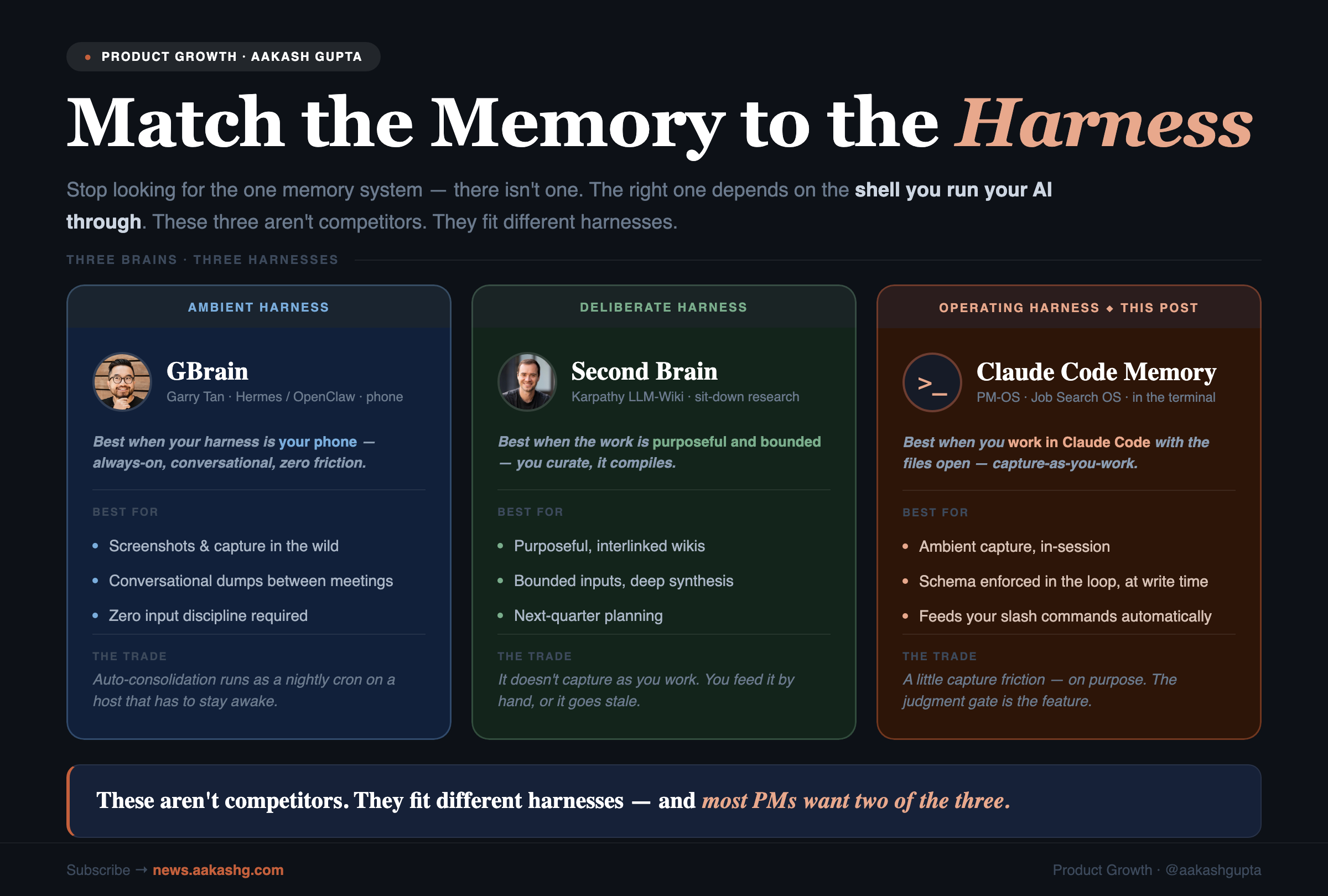
Both tools are great at what they were built for, but neither fits a typical PM setup.
That’s where today’s post comes in.
2. My memory layer for Hermes + Open Claw
I’ve written about Hermes and OpenClaw. Both are really cool harnesses for PMs.
Garry Tan, CEO of Y Combinator, built GBrain on top of either. It captures what you say to an always-on phone agent and consolidates it overnight. It shines on:
Screenshots and on-the-go capture. You see a competitor’s pricing page in the wild, screenshot it, send it to the bot. By morning it’s a page in your brain, cross-referenced. No tool that lives on your laptop catches that moment, because you weren’t at your laptop.
Conversational dumps between meetings. The 90 seconds of “here’s what just happened with Acme” that you’d never sit down and type.
GBrain’s best idea is the ambient capture. If you want to steal that idea without the whole Gbrain setup, I took that and packaged it into a recipe you can run on the OS you already have:
Point your agent - Hermes, OpenClaw, or Claude Code - at add-gbrain-ambient-memory-to-any-agent.md and say “follow this.”
Here’s me doing it in Telegram with Hermes:
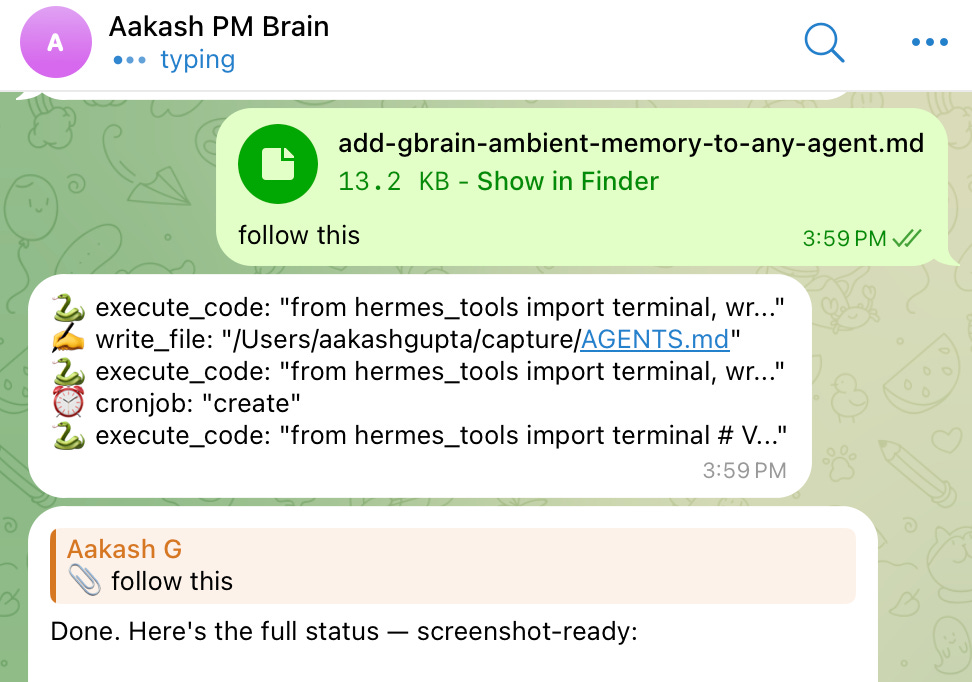
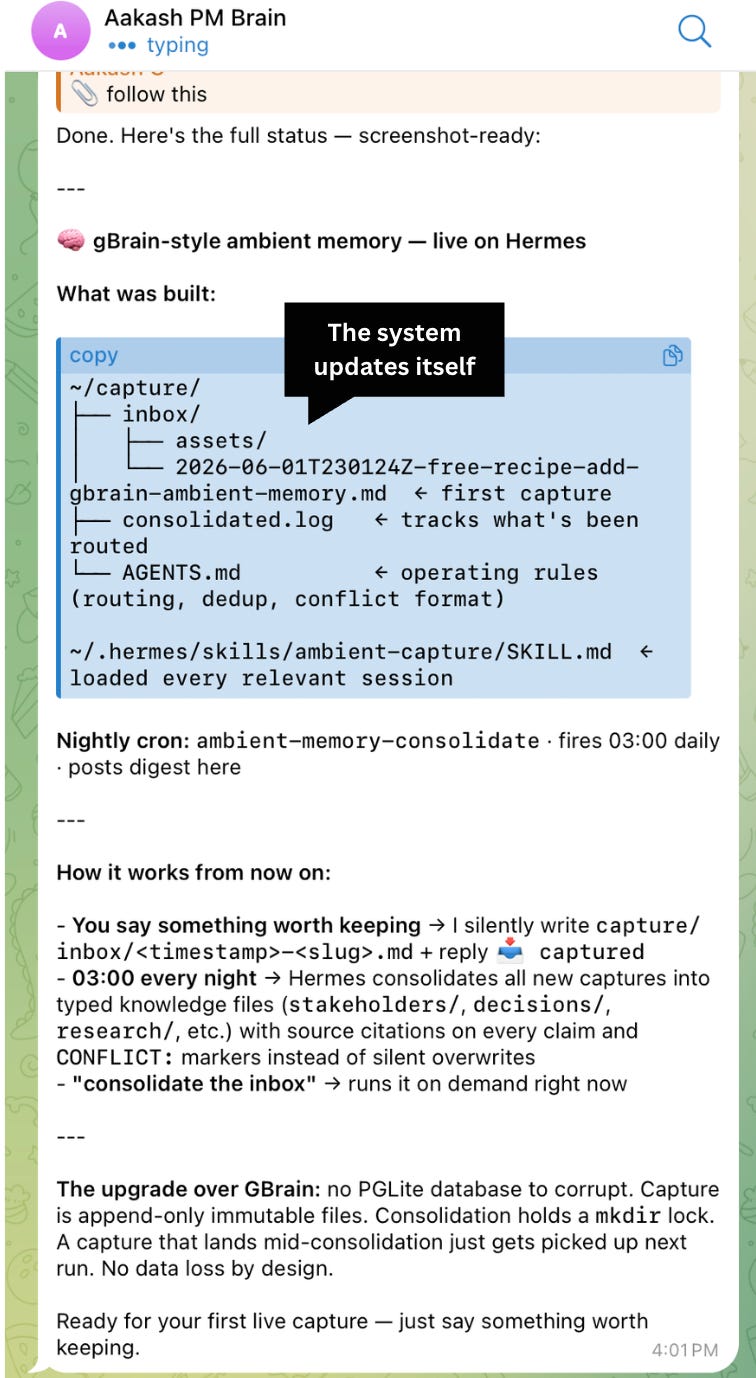
Here’s what you get: an append-only capture inbox, dumps filed automatically as you talk, and a consolidation pass that routes each one into your real knowledge files with a source on every claim and a CONFLICT: marker instead of a silent overwrite. Plain markdown, no phone, no database.
3. My Karpathy second brain memory layer setup
Karpathy’s LLM Wiki pattern is the opposite philosophy of GBrain, and it’s excellent at what it does. You curate sources into a folder, the model compiles them into an interlinked wiki, and you query against compiled knowledge instead of re-deriving from raw docs every time.
It shines for deliberate, bounded work.
The clearest example is next-quarter planning, built from a selected set of inputs. Five competitor teardowns, last quarter’s interviews, the strategy doc. Deliberate inputs, deep synthesis, a wiki you’ll read like a document. The curation is the value.
The trade is you feed it by hand. It doesn’t capture as you work, and it isn’t trying to.
I packaged this one too.
Point your Claude Code agent at add-a-karpathy-wiki-to-your-os.md and say “follow this.”
Here’s me doing it in Claude Code:
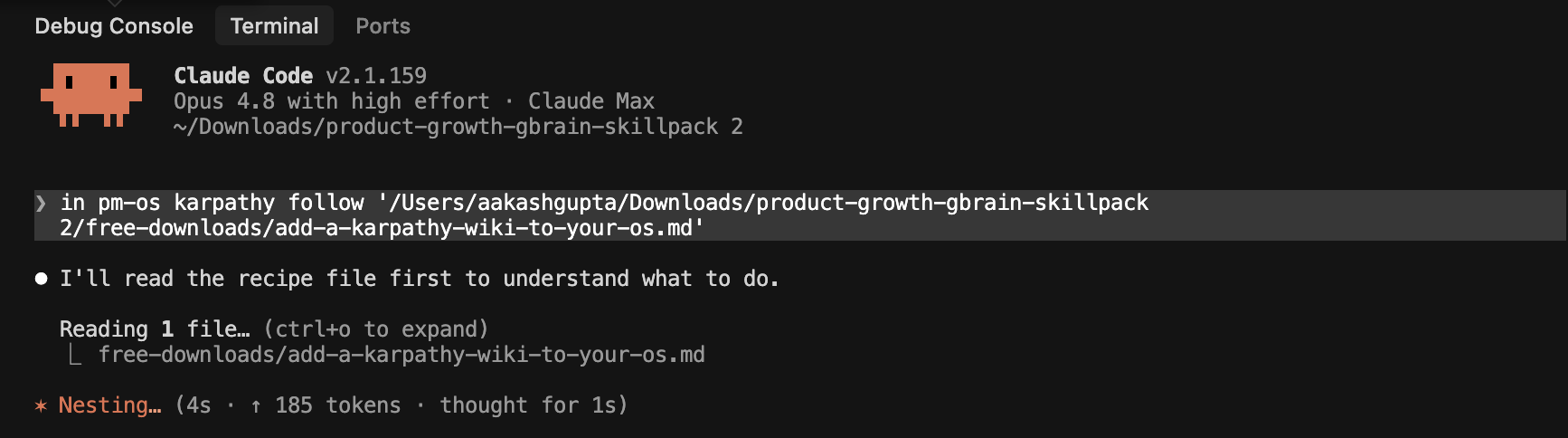
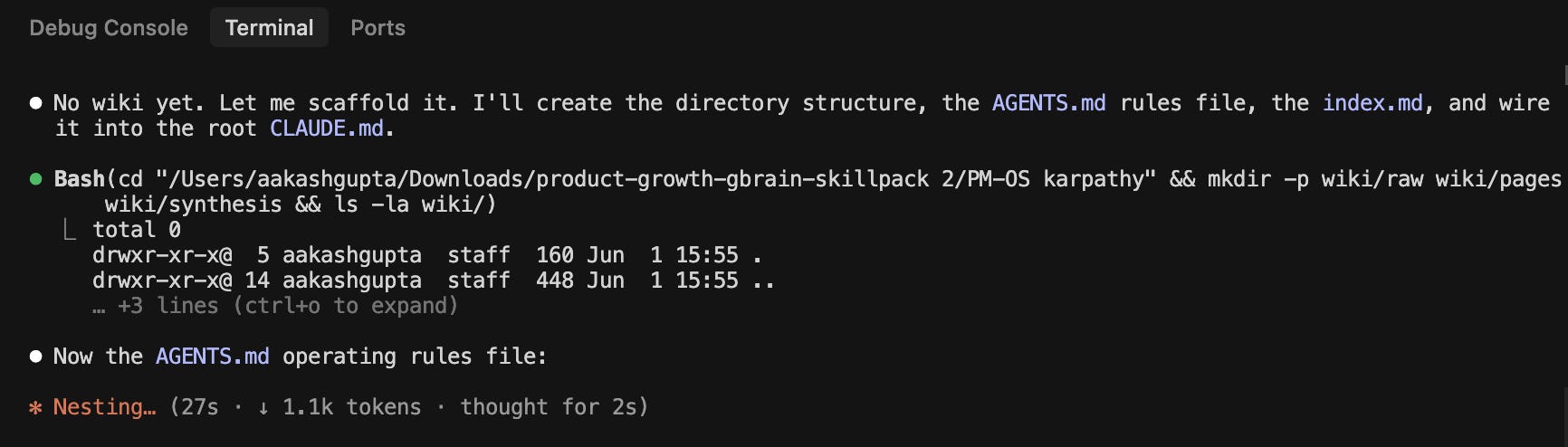
It scaffolds and builds the whole wiki pretty fast:
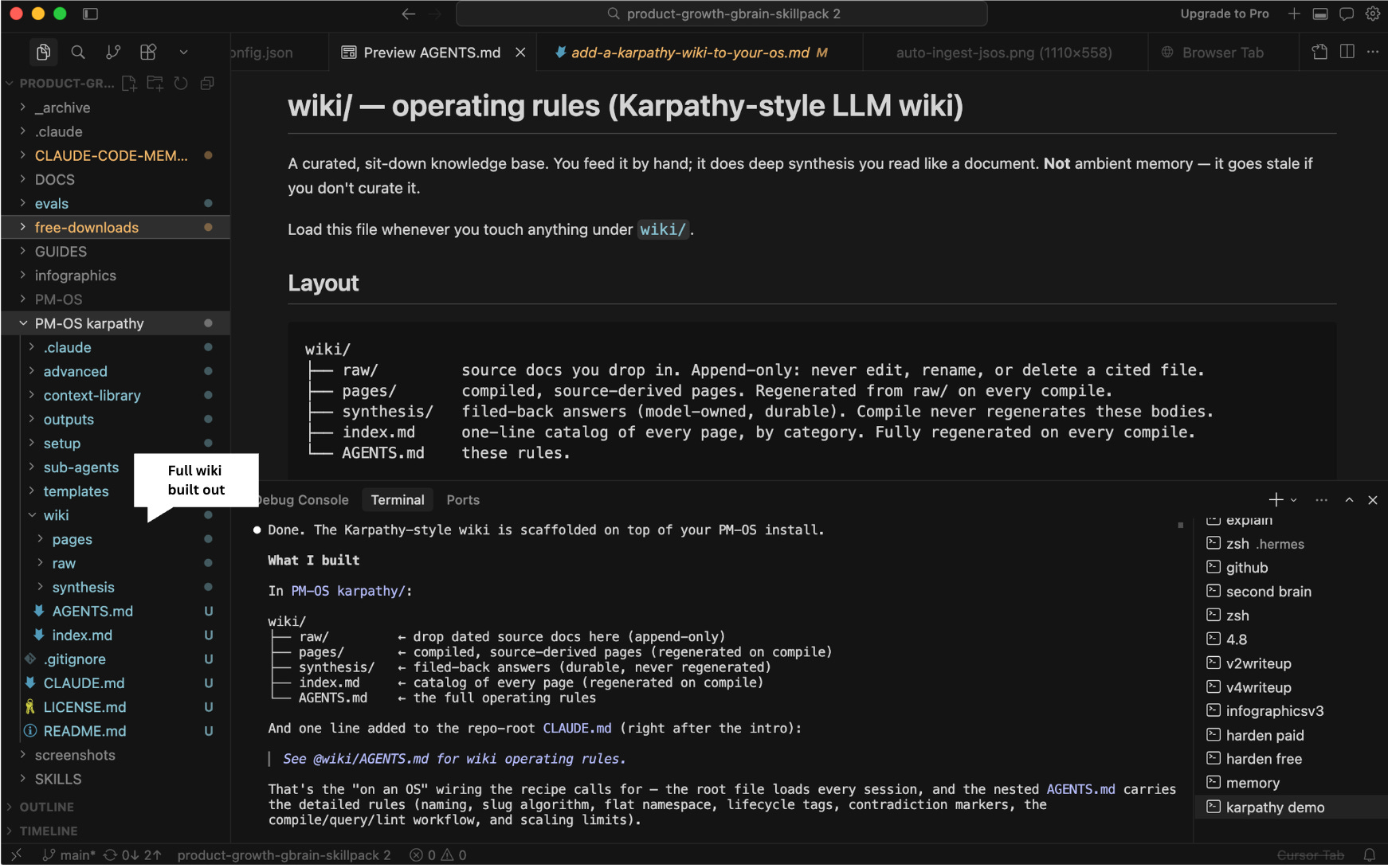
As a result, here’s what you get:
You drop dated sources into raw/, and it compiles interlinked wiki pages with a citation on every claim, a fully regenerated index, [!CONFLICT] markers when sources disagree, and a lint pass that catches dead links and orphans. The compile is idempotent, so re-running it is safe.
4. Combining Both for Claude Code → My Ideal Memory Setup
I wanted to build a system that:
Took the ambient concept of Gbrain and the intentional concept of Karpathy
Worked well with Claude Code OS’s
I went looking around and didn’t find anything, so I built it myself last week, and have spent the intervening 5 days testing and improving it.
🔒 The rest of this post is for paid subscribers.
Below the line: the full Claude Code Memory System product.
It has one-command install, ambient capture that needs no command, two hooks that make it enforce itself, and the worked example of an input compounding into the right place.
It’s a downloadable layer that drops onto PM OS, Job Search OS, or any Claude Code project.
Plus: my thoughts on building these memory systems and what’s next.