
I’ve been testing a lot of AI tools lately.
Some are overhyped. Some solve problems nobody has. And some genuinely change how you work.
Voice AI falls into that last category.
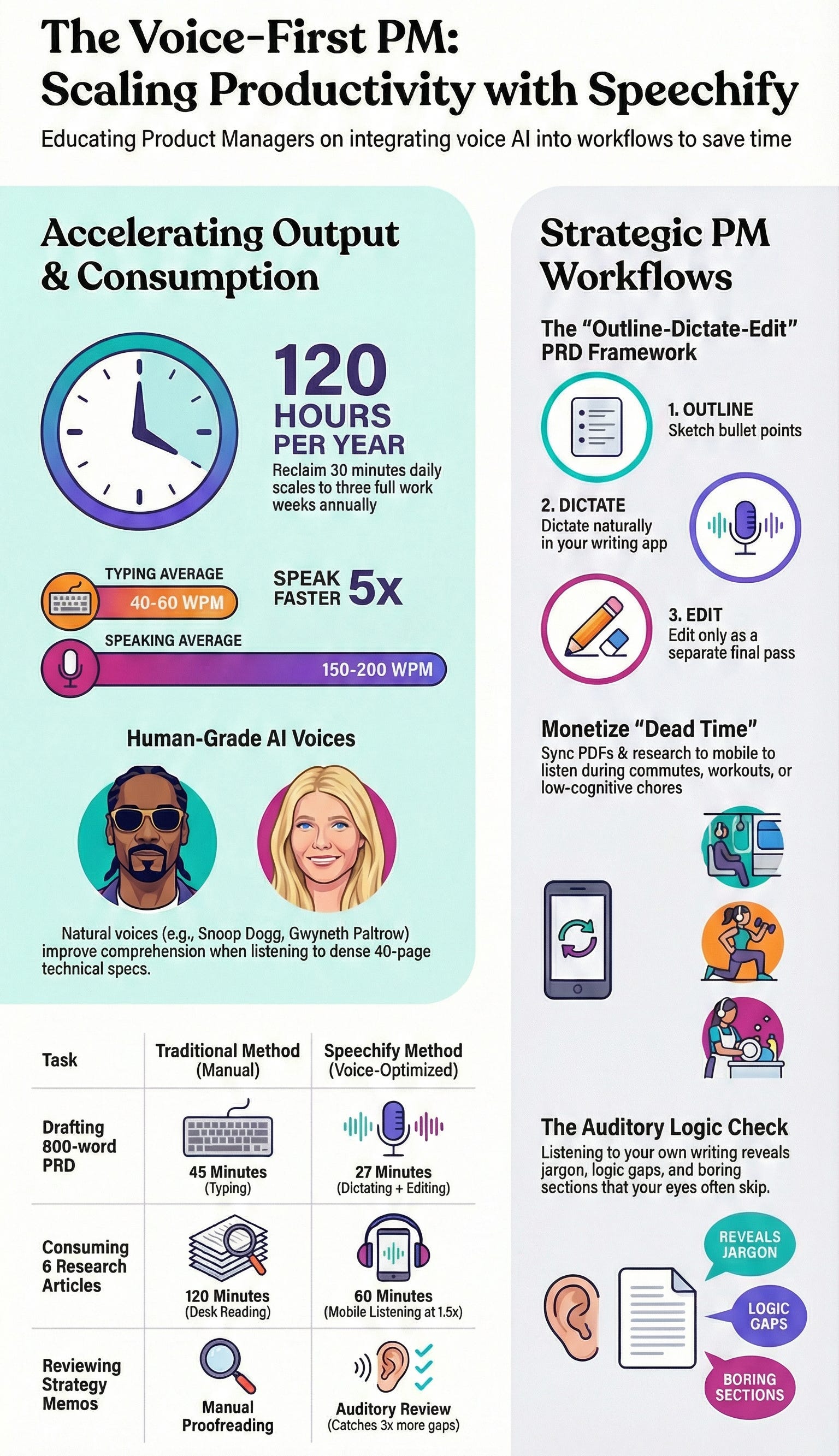
My goal with Aakash’s Bundle is to give you all the AI tools you need to succeed at your job.
So I’m excited to announce that I’ve added a great voice AI to Aakash’s Bundle - Speechify.
For the past few months, I’ve been using it:
Dictating emails while walking to meetings
Listening to PRDs during my morning routine
Converting research docs into audio for my commute
And it’s been a game changer. Now you can have access too:
Today’s Post
Today’s deep dive is the complete guide on using Voice AI as a PM (including several ways you probably hadn’t thought of):
Why Voice AI is changing PM
How Speechify Compares to Other Tools
The Top 6 Use Cases of Voice AI for Product Managers
The Math on Time + Money Saved Using Voice AI
The Mistakes PMs Make With Voice AI Tools
My Setup (If You Want To Copy It)
How to Get Bundle Access
1. Why Voice AI Is Changing PM
Product management is moving toward voice interfaces. Because it’s faster.
The best PMs I know are already doing this:
Dictating product memos during walks
Listening to user research while commuting
Asking AI assistants questions instead of typing queries
Using voice to capture ideas the moment they happen
The ones who aren’t? They’re still typing everything and blocking hours for reading.
That’s a mistake. When you can dictate your thoughts as fast as you think them, and listen to information at 2x speed during previously wasted time, your productivity curve changes.
The PMs who adopt this early will compound that advantage over months and years.
2. Why Speechify Is Different (And Why I Replaced Wispr Flow With It)
I was a heavy Wispr Flow user.
Dictation tool. Fast. Clean. Purpose-built for typing with your voice.
But Speechify does everything Wispr Flow does - and then keeps going.
It’s not just dictation. Speechify does:
Voice typing (like Wispr Flow)
Read-aloud for any content (docs, PDFs, websites, books)
AI voice assistant that actually works across platforms
Speed control for listening (0.8x to 2.5x)
AI-generated podcasts from your documents
Scan-and-listen for physical documents
And it works everywhere. Desktop, mobile, browser extension. Your content syncs across devices. Start listening on your laptop, continue on your phone.
How does Speechify differ from ChatGPT and Claude?
Speechify isn’t just replacing Wispr Flow. They’re going after ChatGPT and Gemini.
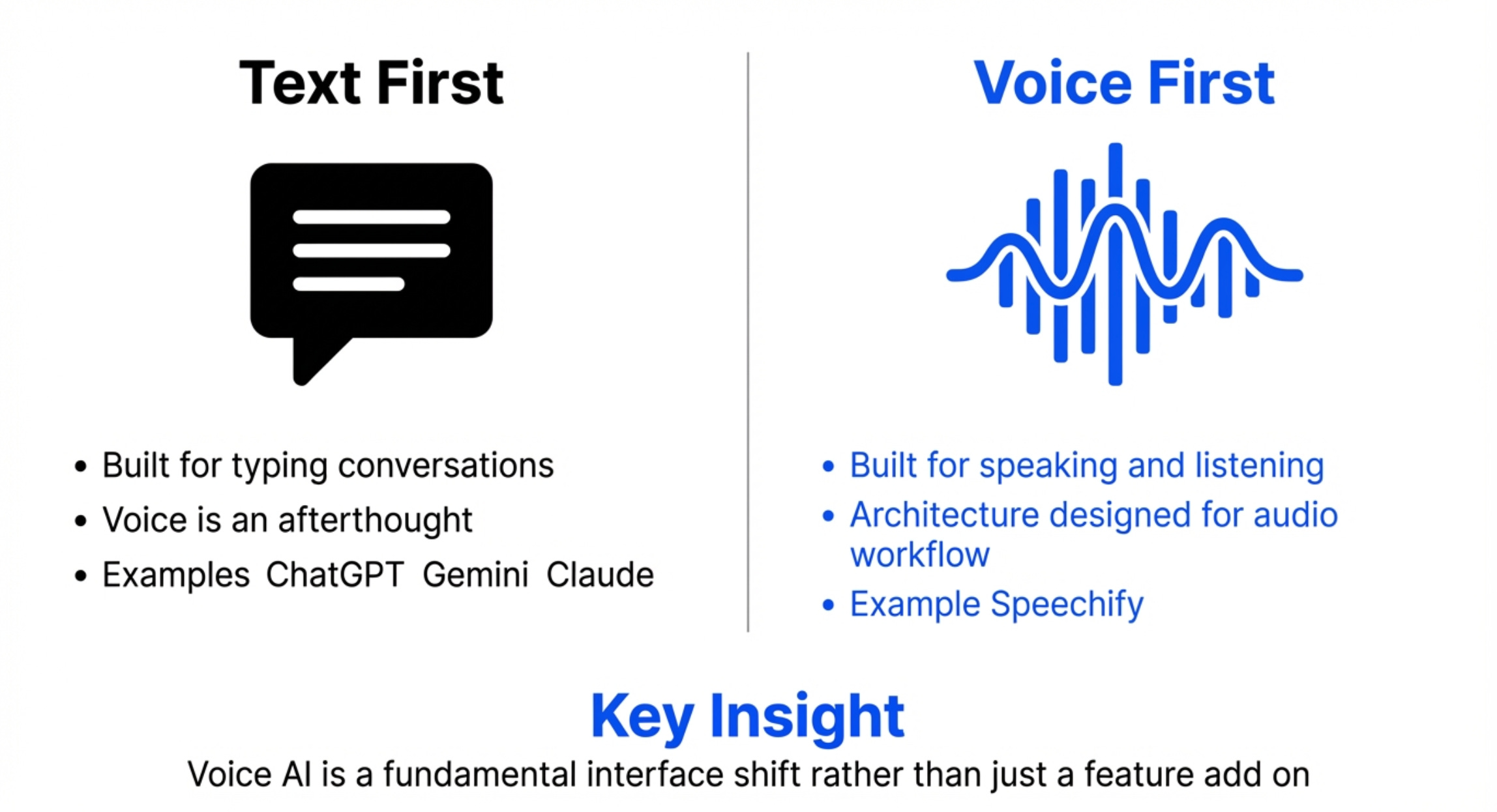
These companies face the innovator’s dilemma. Their brand is text. Their UX is text. Voice is an add-on feature, not the core experience.
I chatted with Speechify’s Chief Business Officer Rohan Pavuluri for today’s piece. Here’s what he said:
We’re specifically counter-positioning against ChatGPT and Gemini by building a full voice AI platform that bundles everything. Dictation, read-aloud, AI podcasts, meeting notes, voice assistant - all the things you’d cobble together from Wispr Flow, NotebookLM, Otter, and ChatGPT Voice Mode.
One product. One subscription. Voice-first.
That positioning matters for PMs because our work happens everywhere - walking between meetings, commuting, working out.
We need AI that works in motion, not just at a desk with a keyboard.
3. The Top 6 Use Cases of Voice AI for Product Managers
Most people treat voice AI tools like novelties instead of integrating them into their actual workflow.
Here’s at least 6 uses cases for Speechify as a PM.
Use Case 1 - Writing PRDs 5x Faster With Voice Typing
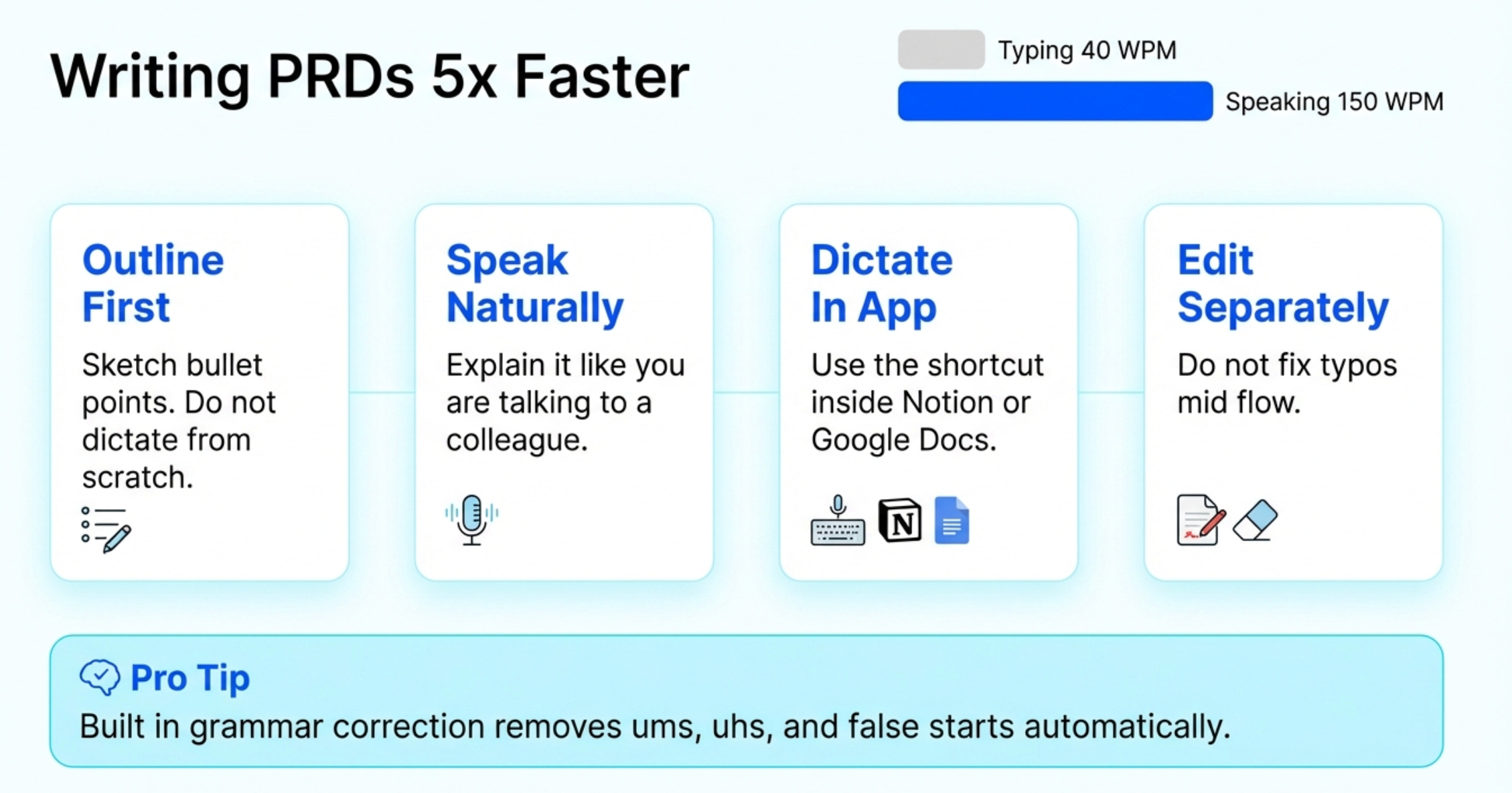
The average PM types 40-60 words per minute.
You can speak 150-200 words per minute.
The math is simple. Dictation is faster.
But here’s what most people get wrong: they try to dictate perfect prose. That’s not how this works.
How to actually do this:
Outline first, then dictate. Don’t try to dictate a PRD from scratch. Sketch your sections in bullet points first. Then dictate section by section.
Use natural speech, then clean up. Speak like you’re explaining the feature to a colleague. “So basically, the user lands on the dashboard and they need to see their top three priorities, right? We’re thinking a card-based layout, each card shows the project name, due date, and assigned PM.”
Dictate in your writing app, not in Speechify. Use Speechify’s voice typing feature inside Notion, Google Docs, or wherever you write. Ctrl+Shift+Space (or your custom shortcut) activates it.
Edit as a separate pass. Speak for 10-15 minutes. Then stop dictating and edit. Don’t try to fix typos mid-flow - it kills your momentum.
Real example from my workflow:
I dictated the “Problem Statement” and “Proposed Solution” sections of a recent PRD while walking between buildings. Took me 12 minutes to get 800 words down. Then I dropped that into my PRD prompt from my prompt library. Finally, I spent another 15 minutes editing at my desk.
Total time: 30 minutes for a PRD that used to take me more like 2.5 hours.
The quality? Honestly better.
Pro tip: Speechify has grammar correction built in. It fixes “um,” “uh,” and filler words automatically. It also removes false starts. If you say “the user will - actually, scratch that - when the user lands on the page,” it cleans that up.
Use Case 2 - Consuming Research and Competitor Analysis While Doing Other Things
As a product manager, you read a lot.
User research reports. Competitor tear-downs. Market research. Industry analyses. That essay everyone on LinkedIn is sharing about AI agents.
Most of this reading happens at your desk when you could be doing higher-leverage work.
Here’s the shift: turn reading time into listening time, and do it during activities that don’t require your full cognitive load.
How to actually do this:
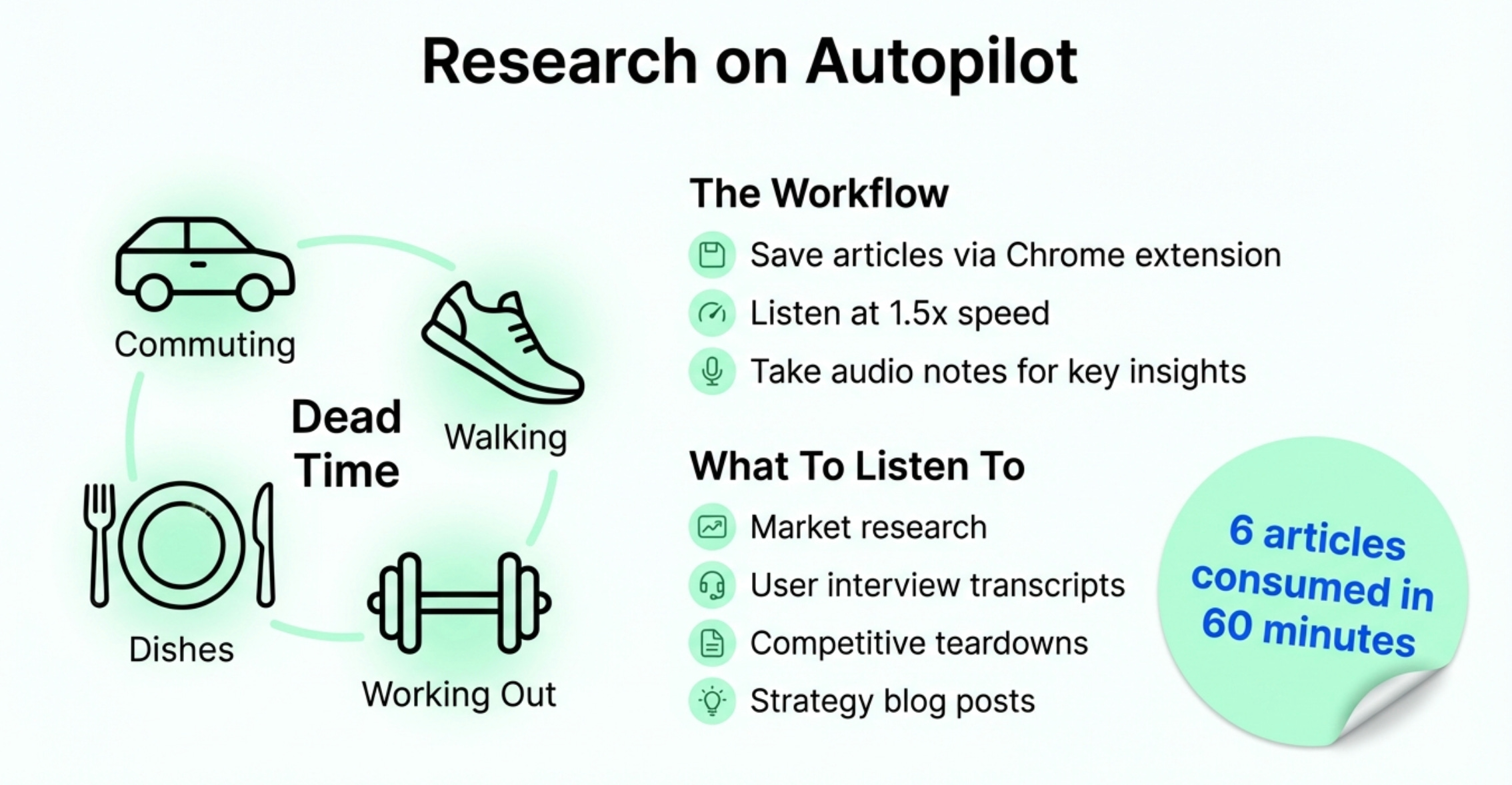
Save articles and PDFs to Speechify. Use the Chrome extension to save web articles with one click. Upload PDFs directly. Everything syncs to your phone.
Listen during low-cognitive-load activities. Commuting. Walking. Doing dishes. Working out. Cooking. These are perfect listening contexts.
Speed it up. Start at 1.2x. Work your way up to 1.5x or even 2x. Your brain adjusts faster than you think. At 1.5x speed, you can consume a 30-minute article in 20 minutes.
Take audio notes. When you hear something important, stop and dictate a note into your phone. “Add this insight to the competitor analysis: Notion is positioning their AI as a writing assistant, not a research tool. Potential differentiation opportunity.”
Real example from my workflow:
I had six competitor research articles saved for our AI product strategy work. Each one was 15-20 minutes of reading.
Instead of blocking 2 hours at my desk, I listened to all six during my morning walks over three days. At 1.5x speed, I finished in about 60 minutes total.
More importantly I retained the information better because I wasn’t multitasking with Slack, email, and meeting notifications.
What to listen to:
Saved articles from your “read later” list
Market research reports
User interview transcripts (yes, really - hearing them read aloud catches patterns you miss when skimming)
Competitive teardowns
Long-form blog posts about product strategy
Books (Speechify integrates with your Kindle library and has an audiobook store)
What NOT to listen to:
Dense technical documentation (you need to see the code/diagrams)
Anything with critical data tables (reference those visually)
Content where you need to take lots of notes (audio note-taking breaks flow)
Use Case 3 - Reviewing Your Own Writing By Listening To It
This one surprised me.
Reading your own PRD or strategy doc doesn’t catch most problems. Your brain autocorrects as you read.
But listening to your own writing? Different story.
How to actually do this:
Write your draft. Get it to 80% done using whatever method works for you (typing, dictating, doesn’t matter).
Upload it to Speechify and hit play. Let it read your doc back to you at 1.2x speed.
Listen for these specific problems:
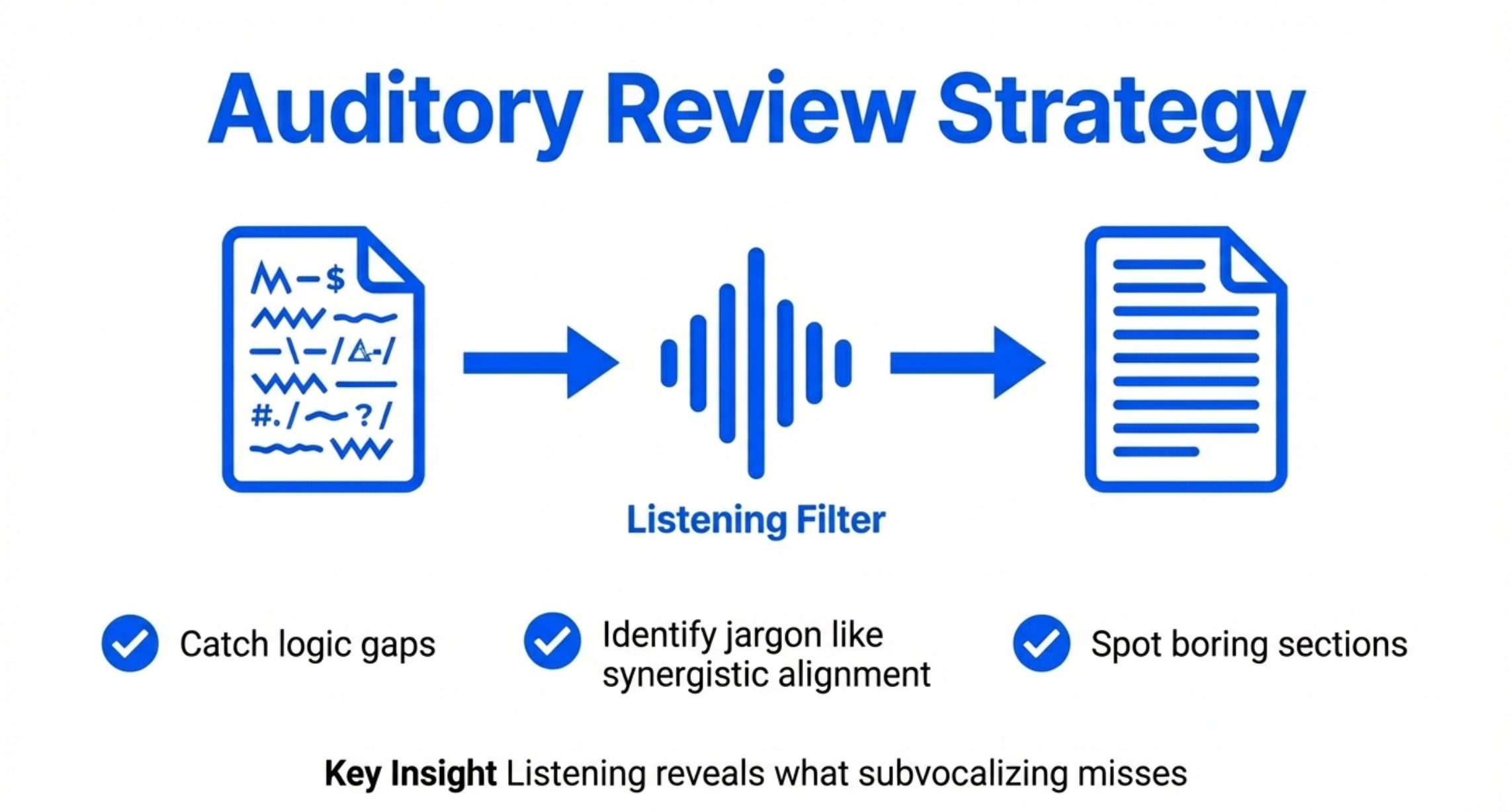
Sentences that are confusing when read aloud (too long, unclear antecedents)
Jargon that sounds ridiculous when spoken (”synergistic cross-functional alignment” - yeah, delete that)
Logic gaps where you jump between ideas without transition
Sections that are boring (if you zone out listening, your readers will too)
Make edits as you listen. Pause, fix the problem, keep going.
Real example from my workflow:
I had a product strategy memo that felt solid when I wrote it. Listened to it on Speechify while making coffee.
In the first two minutes, I caught:
Three sentences that were incomprehensible because they were too long
A logic jump where I referenced “this approach” but hadn’t explained what “this” was
A paragraph that was just... boring. Cut it entirely.
The revised version was 20% shorter and clearer.
Why this works:
Your brain processes spoken information differently than written information. When you read, you subvocalize and your brain fills in gaps. When you listen, those gaps become obvious.
Plus, it forces you to experience your doc the way a busy executive will - distracted, multitasking, only half-paying attention. If your memo doesn’t work in that context, it doesn’t work.
Use Case 4 - Prepping For Meetings By Listening To Meeting Materials
You have back-to-back meetings.
Each meeting has pre-reads: the deck, the memo, the PRD, the data analysis.
You’re supposed to read all of it before the meeting. You won’t. Nobody does.
Here’s the workaround:
How to actually do this:
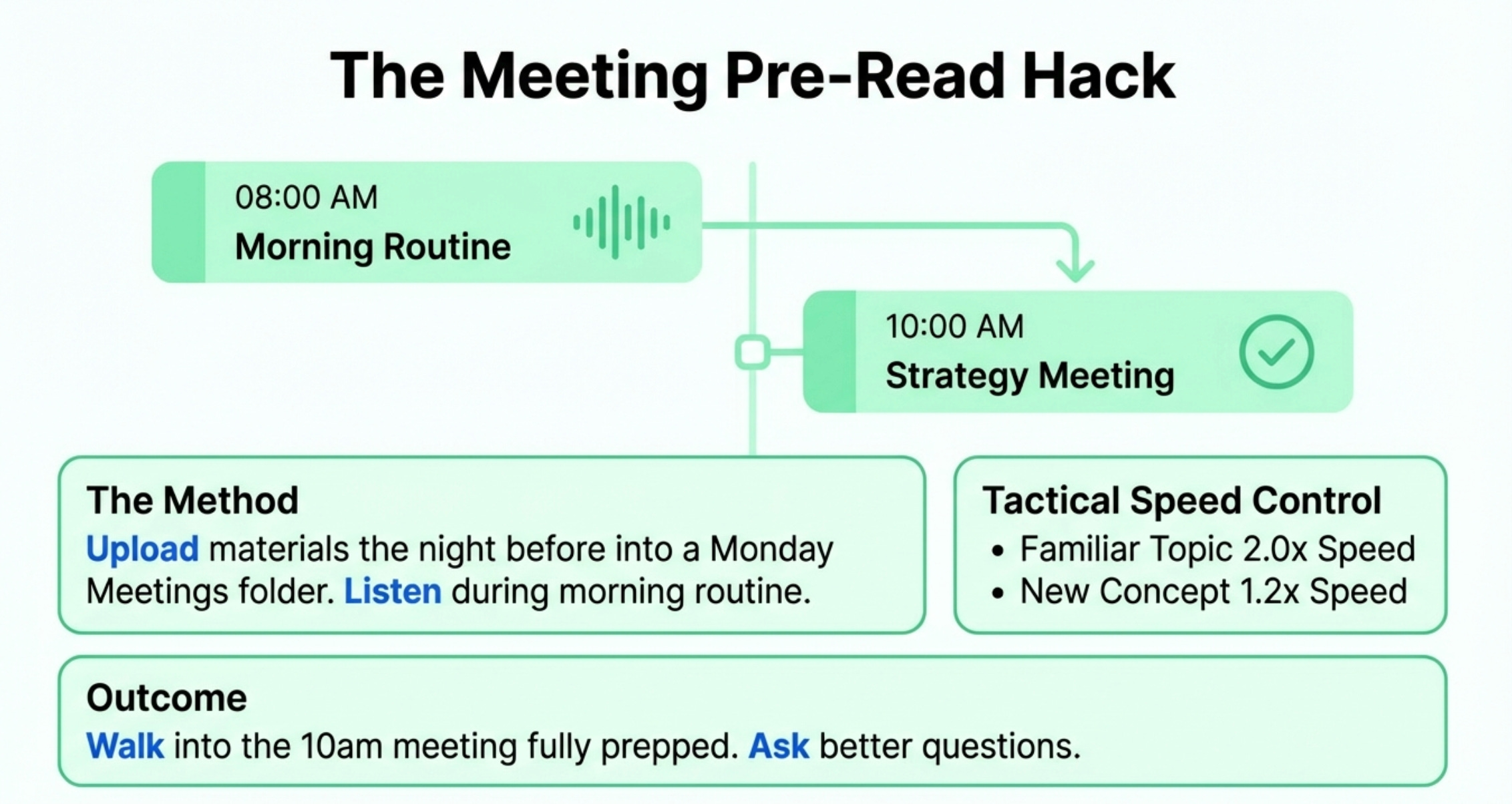
Upload all meeting materials to Speechify the night before. Create a folder structure: “Monday Meetings,” “Tuesday Meetings,” etc.
Listen during your morning routine. Getting ready, eating breakfast, commuting. You now have 30-60 minutes of prep time you didn’t have before.
Use the speed control strategically. Familiar topic? 2x speed. New concept? 1.2x speed. You can adjust mid-listen.
Pause and dictate questions. When something is unclear, pause and dictate your question into your notes app. Bring it up in the meeting.
Real example from my workflow:
I had a product review meeting at 10am. The PM sent a 12-page deck the night before.
I uploaded it to Speechify. Listened while getting ready for work at 1.5x speed. Took 15 minutes.
Walked into the meeting fully prepped. Asked better questions. Made better decisions.
The alternative? I would’ve skimmed it for 3 minutes right before the meeting, retained nothing, and asked obvious questions that wasted everyone’s time.
Use Case 5 - Learning From Books Without Dedicating Reading Time
Product managers need to read books.
Strategy books. Management books. Industry books. That PM book everyone says you “have to” read.
But who has time to sit and read for an hour?
How to actually do this:
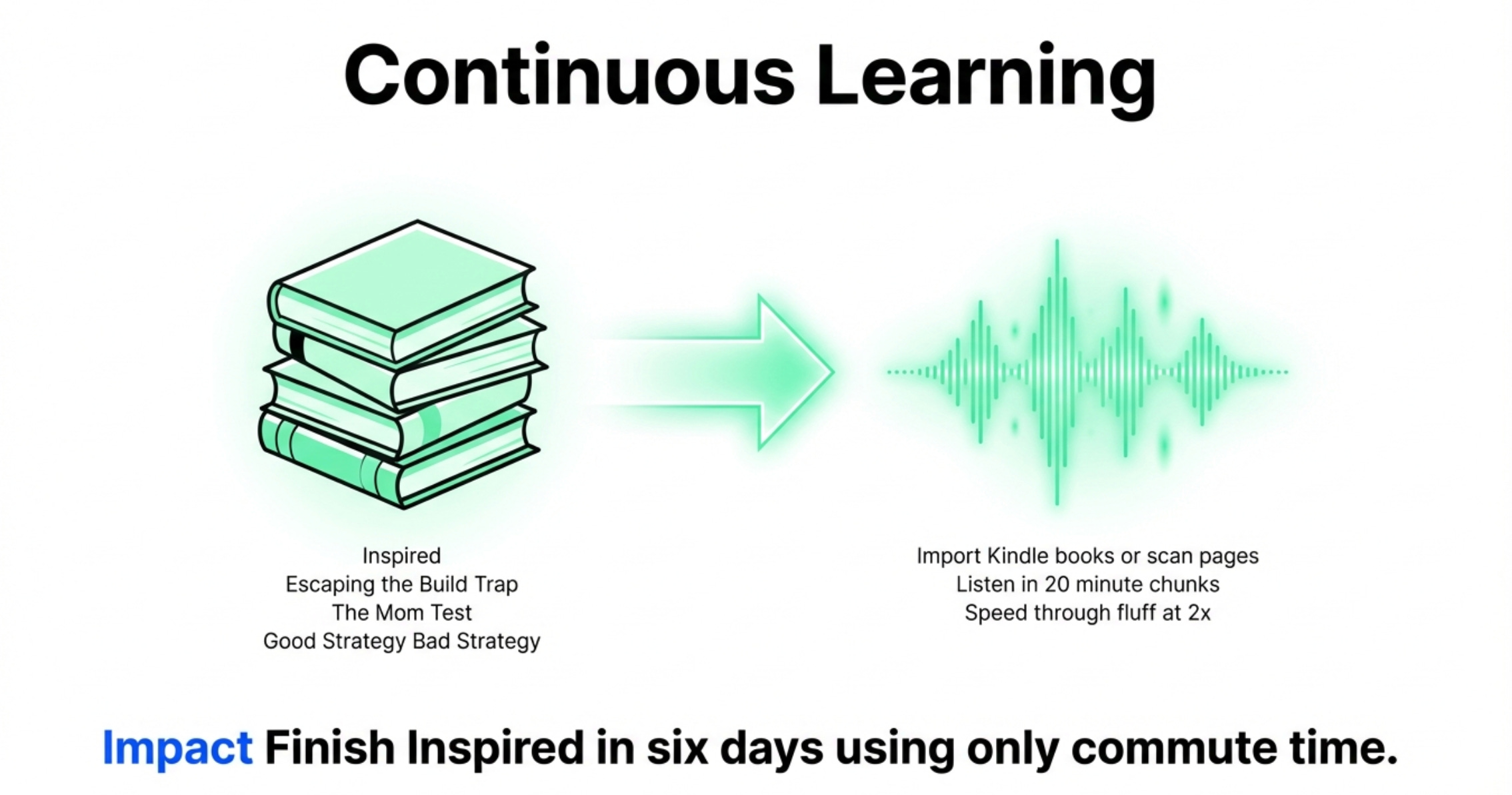
Import your books into Speechify. If you have Kindle books, they sync automatically. Physical books? Snap a photo of the pages - Speechify’s OCR reads them aloud.
Listen in 20-minute chunks. That’s your commute, your workout, your walk after lunch. You can finish most PM books in a week this way.
Combine with note-taking. When you hear a good idea, pause and dictate a note. “This concept of ‘product-market fit’ as a spectrum not a binary - apply this to how we talk about our enterprise features.”
Speed through the fluff. Most business books have one good idea stretched across 200 pages. At 2x speed, you can extract that idea in 2-3 hours instead of 6-8.
Real example from my workflow:
I’d been meaning to re-read “Inspired” by Marty Cagan. It’s the most successful book ever written on PM. But I never found the time.
I listened to it on Speechify during my morning walks and finished it in six days. Took audio notes on the key concepts.
You should do the same with the classics.
Book recommendations for PMs to start with on Speechify:
Use Case 6 - The AI Assistant You Can Actually Talk To
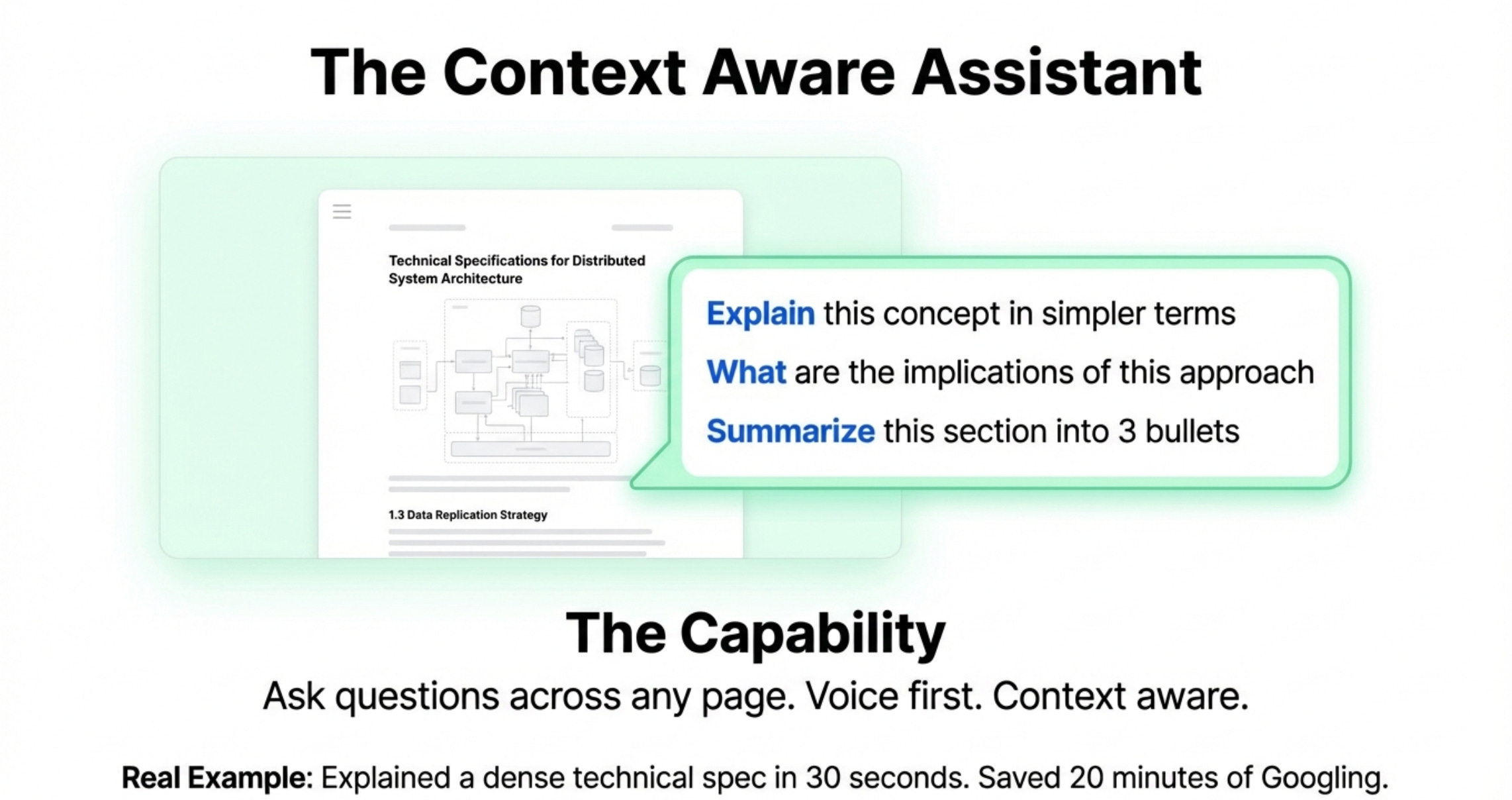
Speechify has a built-in AI assistant that you can ask questions across any page.
Think of it like ChatGPT, but voice-first and context-aware of what you’re reading.
How to actually use this:
Ask clarifying questions while listening to docs. “Explain this concept in simpler terms.” “What are the implications of this approach?” “Summarize this section.”
Use it for on-the-fly analysis. Upload a competitor’s product page. Ask: “What’s their core value prop?” “Who is this targeting?” “What are they not talking about?”
Generate quick summaries. Before a meeting, upload the deck and ask: “Give me a 3-bullet summary of the key points.”
Real example from my workflow:
I was reading a technical spec for an AI feature. Dense, full of jargon, hard to parse.
I asked Speechify’s AI assistant: “Explain this in terms a non-technical PM would understand.”
It broke down the concept in 30 seconds. Saved me 10 minutes of copy-pasting to Claude and bothering our ML engineer.
So that covers the 6 major use cases of Speechify/Voice AI for PMs.
4. The Math on Time + Money Saved Using Voice AI
How does this all come together?
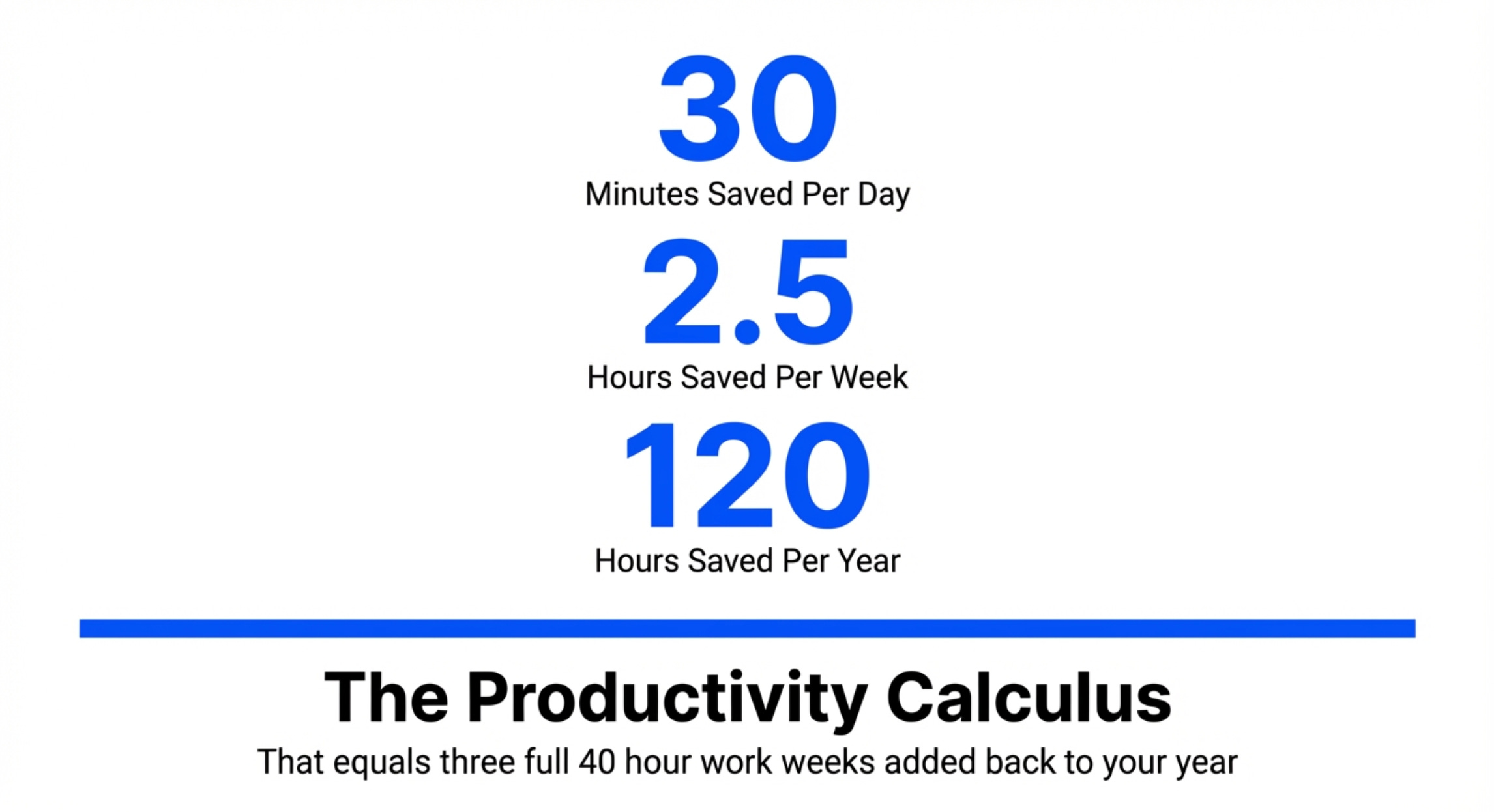
If you save 30 minutes per day through faster writing and converted dead time into learning time, that’s 2.5 hours per week. 10 hours per month. 120 hours per year.
What’s that worth to you?
Speechify Premium normally costs $139/year (or $29/month).
You’re getting it free in Aakash’s bundle.
If you weren’t using the bundle before, this addition alone might justify the subscription cost:
$150 for a 12 month subscription to the newsletter + bundle
$250 for the founder’s plan, which adds digital products like my prompt library
5. The Top Mistakes PMs Make With Voice AI Tools
I’ve recommended several PMs to use voice AI tools. And they tend to come back to me with the same mistakes.
Learn from their failures and avoid these patterns:
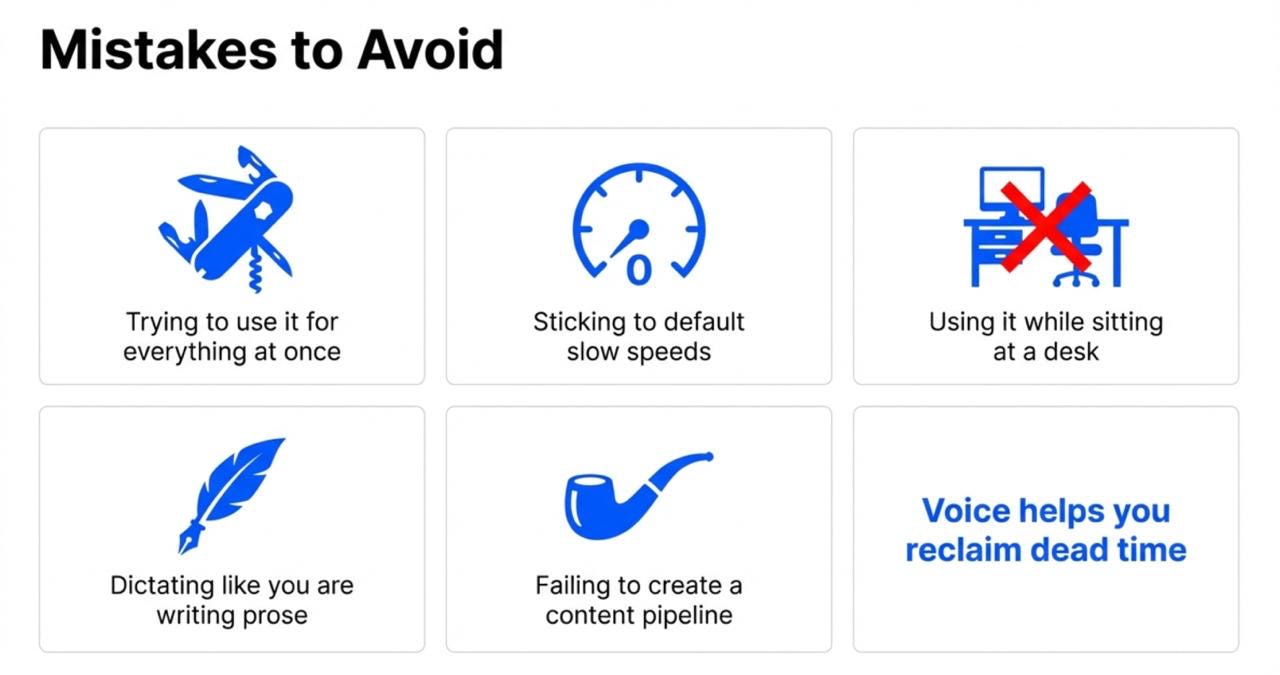
Mistake 1 - Trying to use it for everything at once
Don’t. Pick one use case. Master it. Then add another.
Start with dictation if you write a lot. Start with listening if you read a lot.
Mistake 2 - Not adjusting playback speed
The default speed feels slow once you’re used to it. Push yourself to 1.2x, then 1.5x. Your comprehension stays high, but you save massive time.
Mistake 3 - Only using it at your desk
The whole point is to reclaim dead time. If you’re sitting at your desk, just read the doc normally. Use Speechify when you’re walking, commuting, or doing something else.
Mistake 4 - Dictating like you’re writing
Speak naturally. Pretend you’re explaining the concept to a colleague. Let the AI clean up the grammar. Edit later.
Mistake 5 - Not creating a content pipeline
Have a system. I use a Chrome extension to save articles to Speechify throughout the week. Every morning, I have a queue of content to listen to. No friction.
6. My Setup (If You Want To Copy It)
Before we go, let me end with exactly how I use Voice AI:
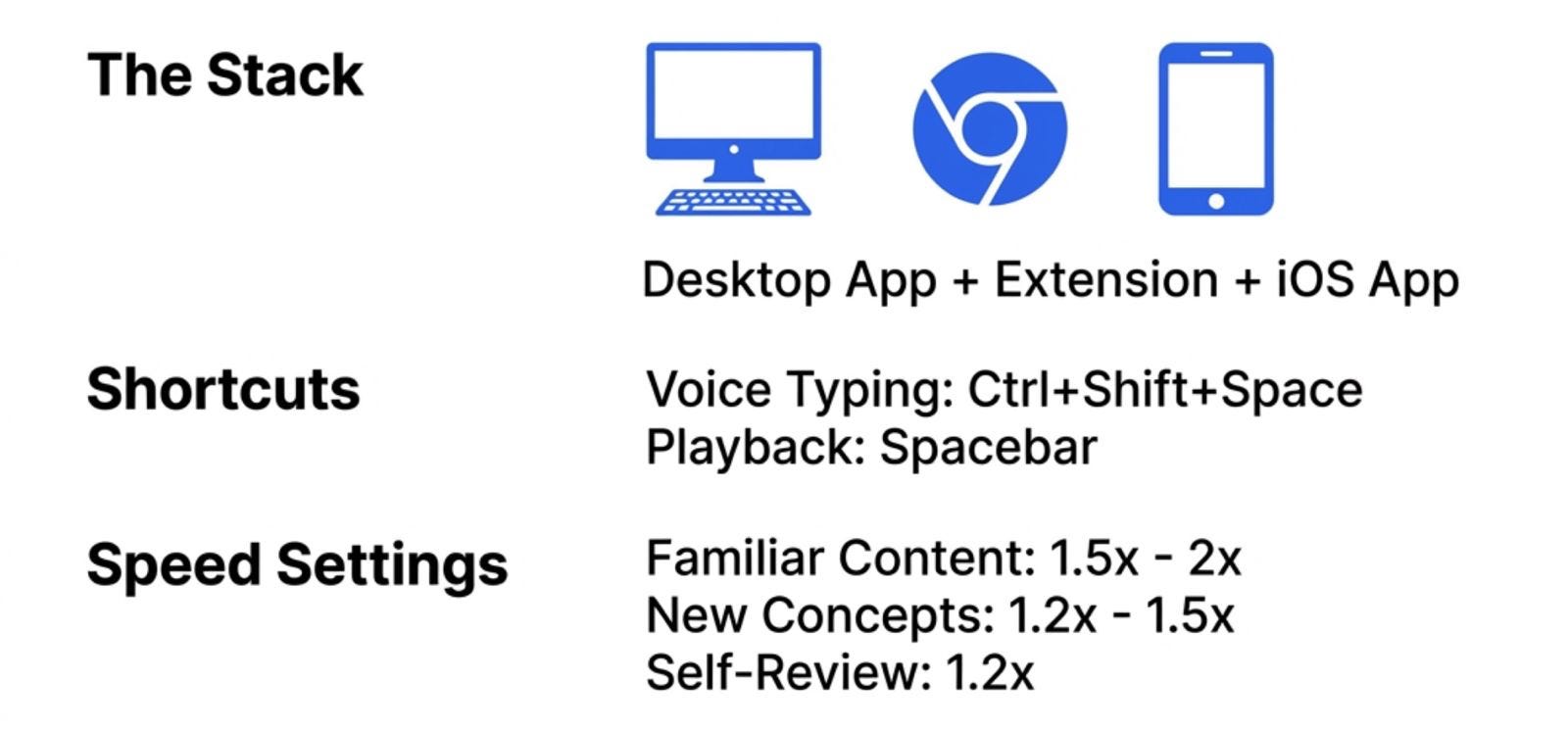
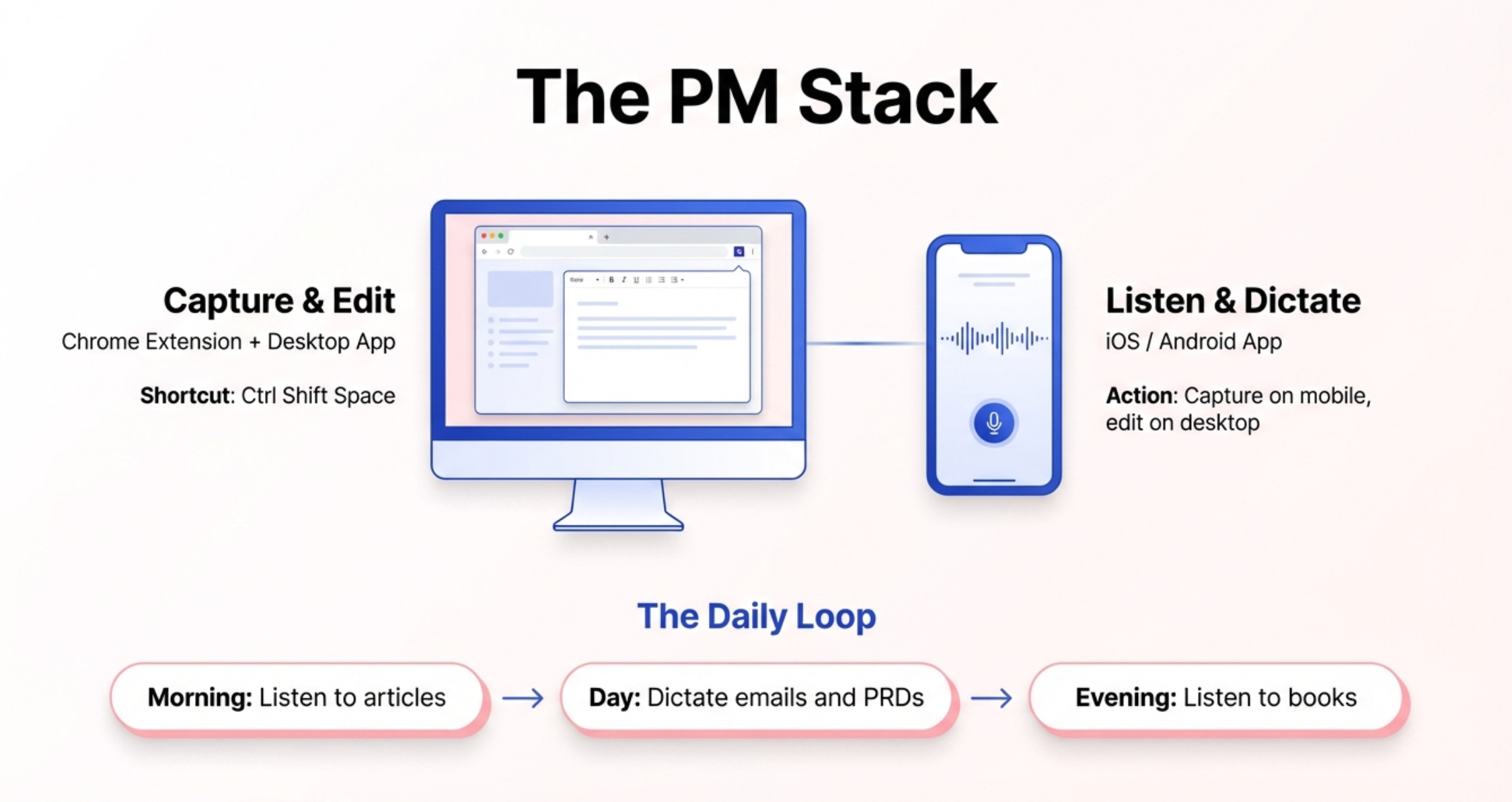
Desktop: Speechify desktop app + Chrome extension
Mobile: Speechify iOS app (they have Android too)
My workflow:
Morning: Listen to articles/docs saved the day before (during coffee + getting ready)
Throughout the day: Dictate emails, Slack messages, PRD sections using voice typing
Evening: Listen to books during walk/workout
Keyboard shortcuts I use:
Ctrl+Shift+Space: Activate voice typing anywhere
Spacebar: Play/pause when listening
Speed settings:
Familiar content (articles, memos): 1.5x-2x
New concepts (technical docs, books): 1.2x-1.5x
My own writing (reviewing): 1.2x
Content sources I save to Speechify:
Browser articles (via Chrome extension)
PDFs (drag and drop to app)
Kindle books (auto-sync)
Physical pages (scan with phone camera)
Steal my workflows for your productivity.
7. How to Get Bundle Access
Here’s how to activate your Speechify access:
Go to bundle.aakashg.com
Claim your Speechify code
Follow the redemption steps provided
Download the apps you want to use (desktop, mobile, Chrome extension)
Start listening or dictating
That’s it.
Important notes:
You must be a new Speechify customer to get the free year. If you’ve already paid for Speechify before, you won’t be able to get an additional free year.
You must have an Annual or Founding Member subscription to Product Growth to be eligible. Monthly subscribers aren’t eligible.
Your free year begins when you redeem the code on Speechify’s website, not when you claim your code from the bundle page.
We may run out of codes at any time. Your code is only secured once you claim it.
If you claim a tool code, you do not have the ability to get a refund.
What the Bundle Now Includes
Aakash’s bundle is the complete AI PM tool stack:
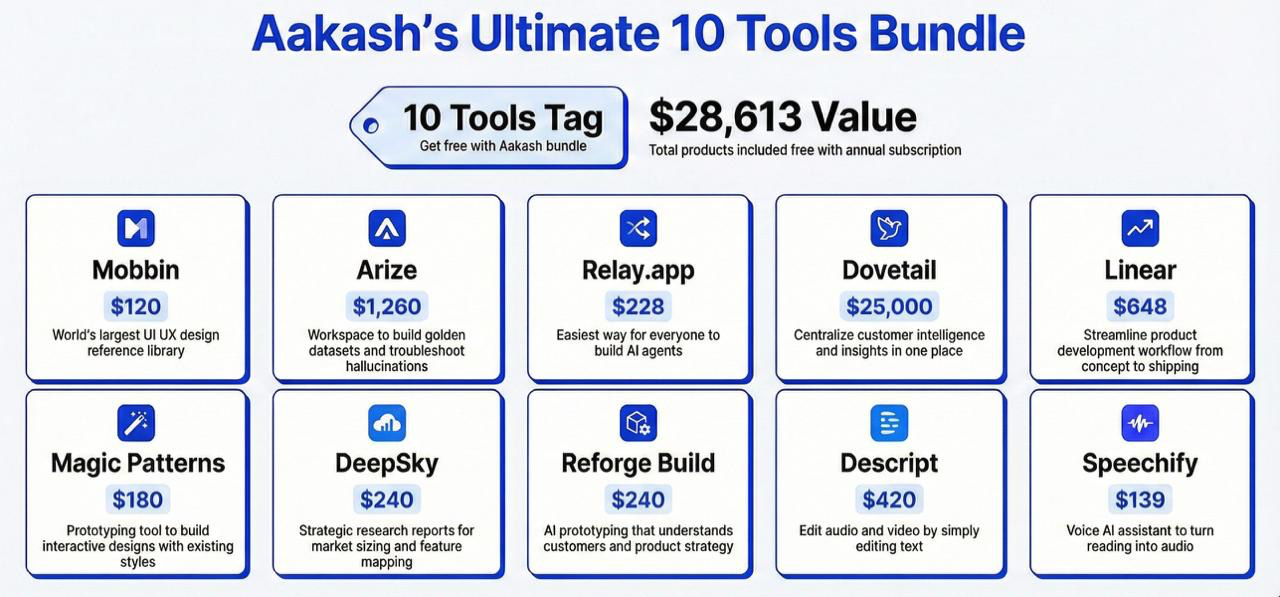
Mobbin - $120/year
Browse 300,000+ mobile & web designs. The world’s largest UI/UX reference library for product inspiration.
Arize - $1,260/year
AI observability platform. Build golden datasets, troubleshoot hallucinations, and monitor model performance.
Relay.app - $228/year
No-code AI automation. Build custom AI agents and workflows without writing a single line of code.
Dovetail - $25,000/year
AI Customer intelligence. Centralize research, interviews, and insights in one searchable workspace.
Linear - $648/year
The fastest way to build software. Streamline your entire product development workflow from concept to shipping.
Magic Patterns - $180/year
AI-powered design tool. Generate production-ready UI components using your existing design system.
DeepSky - $240/year
Market intelligence on demand. Get strategic research reports for TAM sizing, competitive analysis, and feature mapping.
Reforge Build - $240/year
AI prototyping that actually understands your users. Build products informed by customer strategy and market context.
Descript - $420/year
Edit video like a doc. Cut, trim, and polish your content by editing the transcript.
Speechify - $139/year
Voice AI productivity platform. Turn any text into natural audio and dictate 3-4x faster than typing.
As I discover other important new AI tool categories, I will continue to add them. (Feel free to reach out to me at productgrowthppp at gmail dot com, if you want to add your tool.)
Final Words

Speechify isn’t going to change your life overnight.
But if you use it consistently for 30 days, you’ll notice:
You’re writing faster (because you’re dictating)
You’re consuming more information (because dead time becomes learning time)
You’re catching more mistakes in your own writing (because listening reveals what reading misses)
Those small gains compound. Over a year, that’s hundreds of hours of reclaimed productivity.
Then go to bundle.aakashg.com to claim your Speechify code.
— Aakash
P.S. There are only 8 seats left in my job search cohort that starts next Monday. The next one will start in May. So if you want my live coaching on your job search, apply now.
I completely agree - Voice AI has genuinely transformed how I work as a PM. I've been dictating PRDs during my walks and listening to research docs during my commute, and the time savings are real. The tip about reviewing your own writing by listening to it is genius - I tried it last week and caught three awkward transitions I'd completely missed when reading. If you're looking to level up your productivity toolkit, I've found the openclaw skills directory incredibly useful for discovering new tools and workflows - it's got a massive collection of resources that update daily.
<a href="https://openclawskills.best/" rel="dofollow" target="_blank">the best openclaw skills directory&library in 2026(10000+skills,update daily!)</a>