
👋 Hey there, I’m Aakash. In this newsletter, I cover AI, AI PM, and getting a job. This is your weekly AI update. For more: Podcast | Cohort
Annual subscribers get a free year of 10 premium products: Dovetail, Arize, Linear, Descript, Reforge Build, DeepSky, Relay.app, Magic Patterns, Speechify and Mobbin (worth $28,475).
Welcome back to the AI Update.
You’ve heard all the hype about Clawdbot, which was briefly known as Moltbot, and now is known as OpenClaw. But how do you set it up? And what should you do with it?
Today, I deliver the web’s best and most practical guide on the topic.
Plus all the top AI news you need to cover this week.
Let’s get into it.

AI Prototyping Like the Best
72% of the Fortune 500 is using Bolt as their AI prototyping tool of choice.
That’s because AI prototyping completely changes the game for product managers.
Instead of being stuck in the problem space forever, you can immediately get to work in the solution space.
And Bolt is the best tool for this, because you don’t just create throwaway prototypes. You create code that engineers can actually use because Bolt is connected to your code base and your design system.

There’s a million AI news articles, resources, tools, and fundraises every week. You can’t keep track of everything. Here’s what mattered - the 1 big story and key news.
Moonshot AI Launches Kimi K2.5
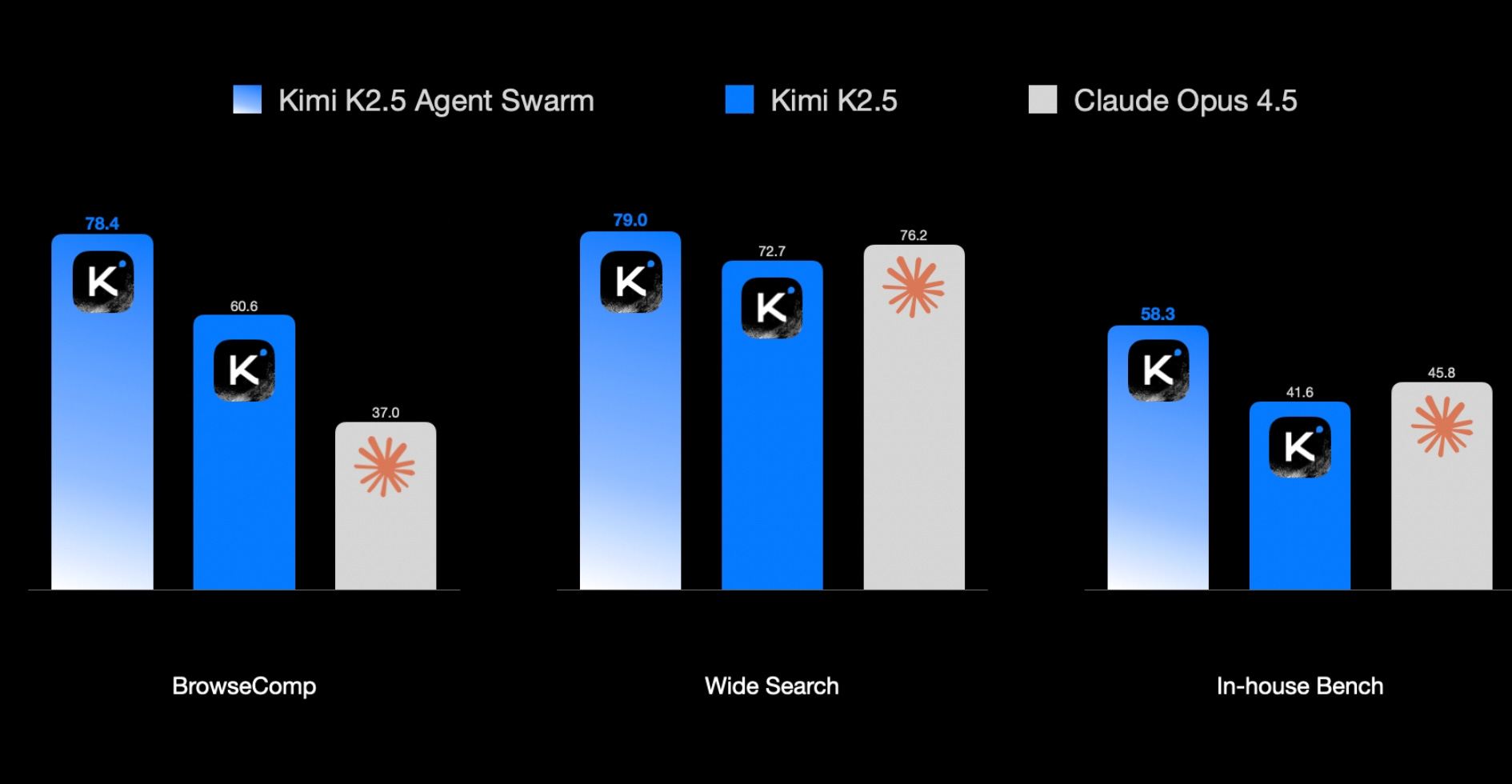
Moonshot AI released Kimi K2.5, their most capable open source model to date, and it delivers Opus-4.5 level performance at a fraction of the cost.
K2.5 is built on 15 trillion tokens of mixed visual and text data. It's a 32B active parameter model with 384 expert networks that it can route between. When you send it a prompt, it activates only 8 of those 384 experts plus 1 shared expert that claims SOTA on HLE and BrowseComp, plus open model SOTA for vision and coding tasks. This keeps compute costs down while maintaining quality.
Their standout feature is Agent Swarm. It can self-direct up to 100 sub-agents executing parallel workflows across 1,500 coordinated steps, without predefined roles or hand-crafted workflows. This results in 4.5x faster execution compared to single-agent approaches.
Key capabilities:
Native multimodal architecture with video understanding. Upload a screen recording and K2.5 can reconstruct the website for you
78.5% on MMMU Pro (visual reasoning), 86.6% on VideoMMMU (video understanding), 76.8% on SWE-bench Verified
76.8% on SWE-bench Verified (real-world coding tasks)
API pricing at $0.60/M input, $3/M output (roughly 5x cheaper than GPT-5.2)


It delivers near-frontier multimodal and coding performance with expert routing and agent swarms, so complex tasks run faster and cheaper without handcrafted workflows.
For people building products, it’s a model to consider.
Available on Kimi.com, API, Kimi Code CLI, and Hugging Face.

News
Google announced Auto Browse in Chrome, an agentic feature that completes multi-step web tasks on your behalf. It navigates sites, fills forms, compares options, and applies discount codes while you stay in control.
OpenAI Launched Prism. Prism unifies scientific writing in one browser-based environment. GPT-5.2 works inside the document with full awareness of equations, citations, and structure.
Anthropic released Claude for Excel that lets you reason about spreadsheets in plain English. Ask why a number changed, where an error comes from, or how a model flows across tabs, and Claude answers with cell-level citations. Debug formulas, run scenario analysis, extend financial models. Install from AppSource.
New Tools
Moltworker: Cloudflare’s middleware lets you run Openclaw on their Sandbox SDK for $5/month. No Mac Mini required. GitHub.
Pandada: Upload any file, ask questions in plain language, get instant charts. Data analysis without formulas or code. #1 on Producthunt
Fimo: AI-native CMS for building motion websites. Design, edit, and ship with AI-assisted workflows, collaborative editing, and one-click deploy. #2 on Producthunt
Project Genie by Google: Create and explore interactive virtual worlds with text prompts. Powered by Genie 3.
Market and Funding
SpaceX bought xAI for $250M.
Anthropic is targeting a $20B round at $350B valuation as investor demand for frontier AI companies surges.
OpenAI is in talks to raise up to $100B at an $830B valuation. Amazon may invest $50B; SoftBank is seeking another $30B stake; Nvidia is also participating.
Nvidia-backed AI video startup Synthesia raised at $4B valuation to build software that answers employee questions during company training.
AI customer support platform Decagon raised $250M, tripling its valuation to $4.5B.
And now on to today’s deep dive:

OpenClaw Is the 24/7 AI Employee That Freaked Everyone Out
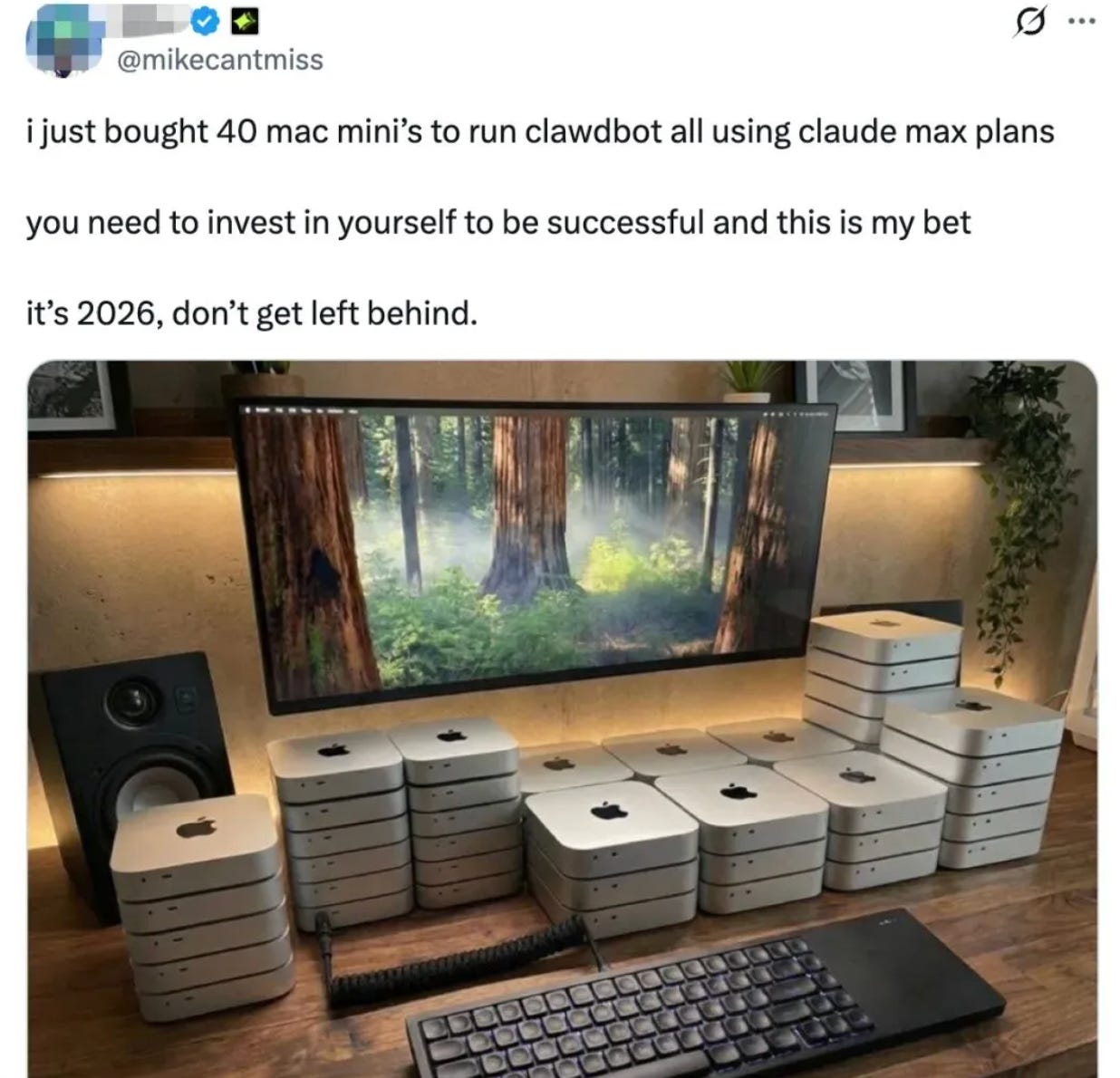
120k+ GitHub stars in one week. Mac Minis selling out.Founders claimed they'd automated their entire business overnight. Andrej Karpathy called what emerged as "one of the most incredible sci-fi takeoff-adjacent things" he'd seen.
Formerly known as Moltbot (and briefly Clawdbot), OpenClaw is an open-source project that's evolving fast , names included. When I started writing this, it was still Moltbot.
1. What Openclaw Actually Is
Openclaw is a local AI agent framework that orchestrates calls to LLMs like Claude and translates their outputs into actions on your machine.
It's an autonomous agent framework running locally on your machine with persistent memory, proactive outreach, and the ability to execute commands without asking permission. It remembers what you did weeks ago. It messages you with updates before you ask. It chains together complex tasks and acts on your behalf.
There are 3 components to Openclaw:
Gateway connects to messaging apps (Telegram, WhatsApp, Slack, Discord, iMessage)
Local agent executes shell commands, writes scripts, controls browsers, manages files
LLM backend like Claude, GPT, or Gemini provides the reasoning. Everything runs locally. Settings, memories, and instructions are folders and Markdown files on your machine.
Everything runs locally. Settings, memories, and instructions live as folders and Markdown files on your machine.
What makes it different from ChatGPT or Claude:
Persistent memory: Context stored as local files. It remembers what you did weeks ago.
Proactive outreach: Runs continuously. Pings you with updates before you ask.
Autonomous action: Doesn’t suggest steps; rather, executes them. Chains tasks. Sends messages on your behalf.
2. How to Set Up OpenClaw
The setup is very easy and takes just 10 minutes to do it locally.
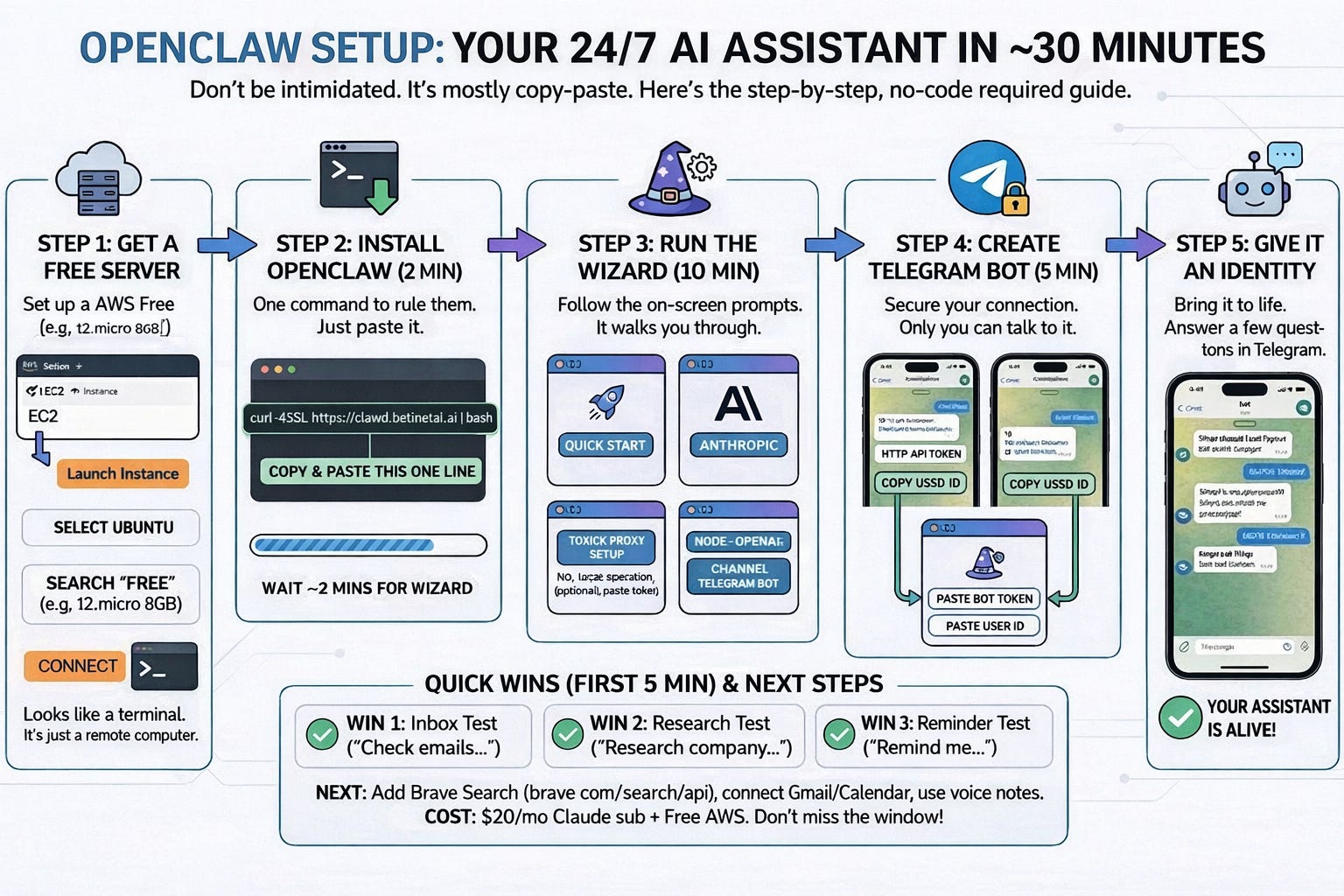
Quick start:
curl -fsSL https://openclaw.ai/install.sh | bashRefer this video to setup Clawdbot on a VPS.
The wizard walks you through everything. Pick your model provider. Choose your messaging channel (WhatsApp, Telegram, Discord, etc.). Scan a QR code or authenticate Telegram token and you are done.
If you are not comfortable DigitalOcean has a 1-click deployment that handles security for you.
Once setup is complete, your OpenClaw UI daemon goes live at http://127.0.0.1:18789/
3. High Impact Use-cases
Most automations take weeks to build and configure. With OpenClaw, you do it in one prompt.
Here are five workflows that would normally require a developer and a lot of patience.
Use Case #1: Unified Feedback Tracker
As a PM, collecting feedback from multiple channels is a nightmare. You're checking Zendesk, App Store reviews, G2, Twitter, and Slack daily. You still miss things. A bug complaint sat in your App Store reviews for three days before anyone noticed. The customer who churned over it had already posted on Twitter. All your feedback lives in different places and nothing connects them.
Backend setup:
Configure API credentials as environment variables:
Zendesk API → Add
ZENDESK_API_TOKENandZENDESK_SUBDOMAINApp Store Connect API → Add
APPSTORE_KEY_ID,APPSTORE_ISSUER_ID,APPSTORE_PRIVATE_KEYG2 Developer Portal → Add
G2_API_KEYTwitter/X Developer Portal → Add
TWITTER_BEARER_TOKENSlack API Apps → Add
SLACK_BOT_TOKENNote: Go to Config > Environment to setup the variables on the UI.
Prompt OpenClaw:
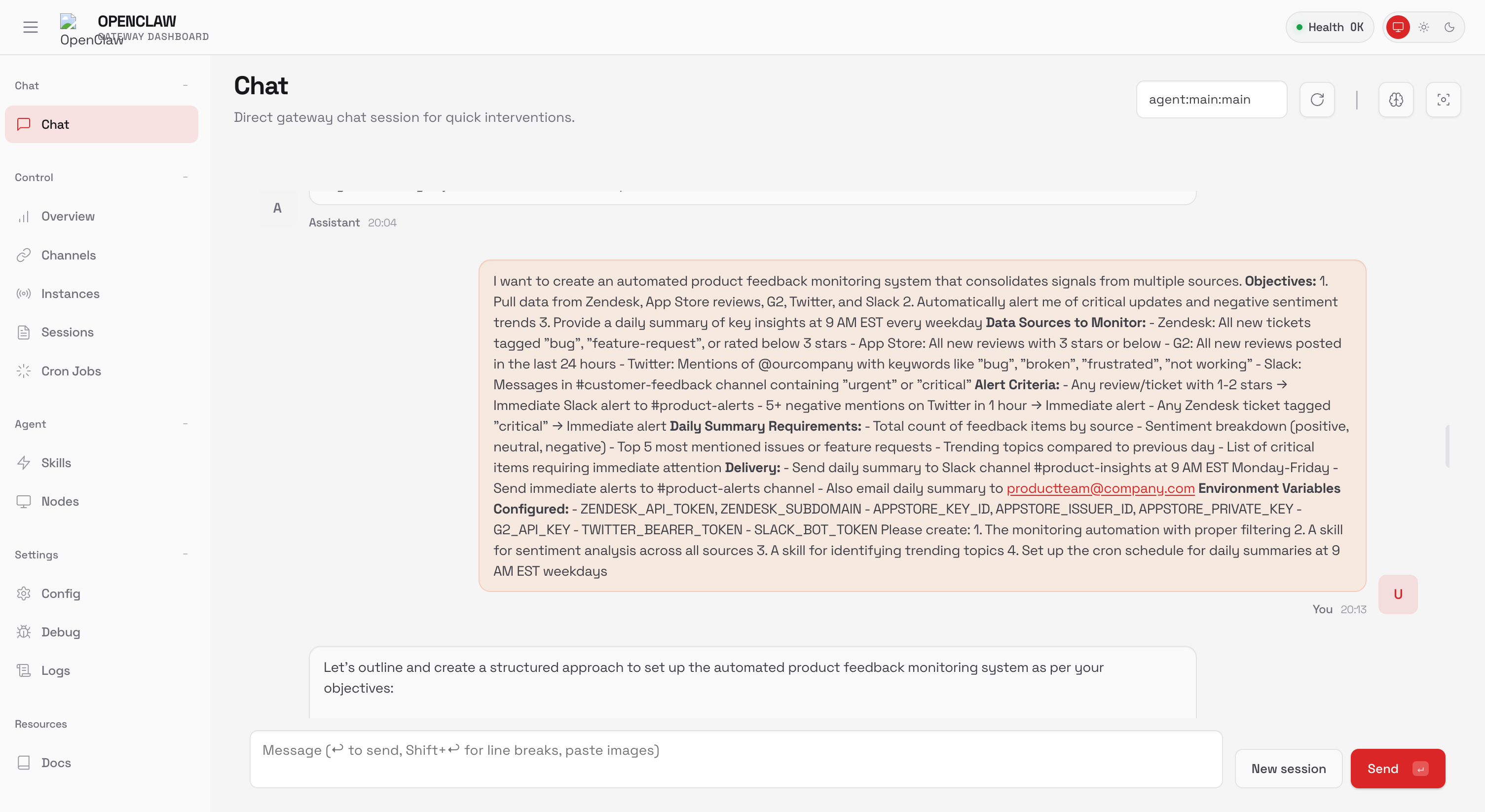
Let OpenClaw do the work. Sit back.
Output:
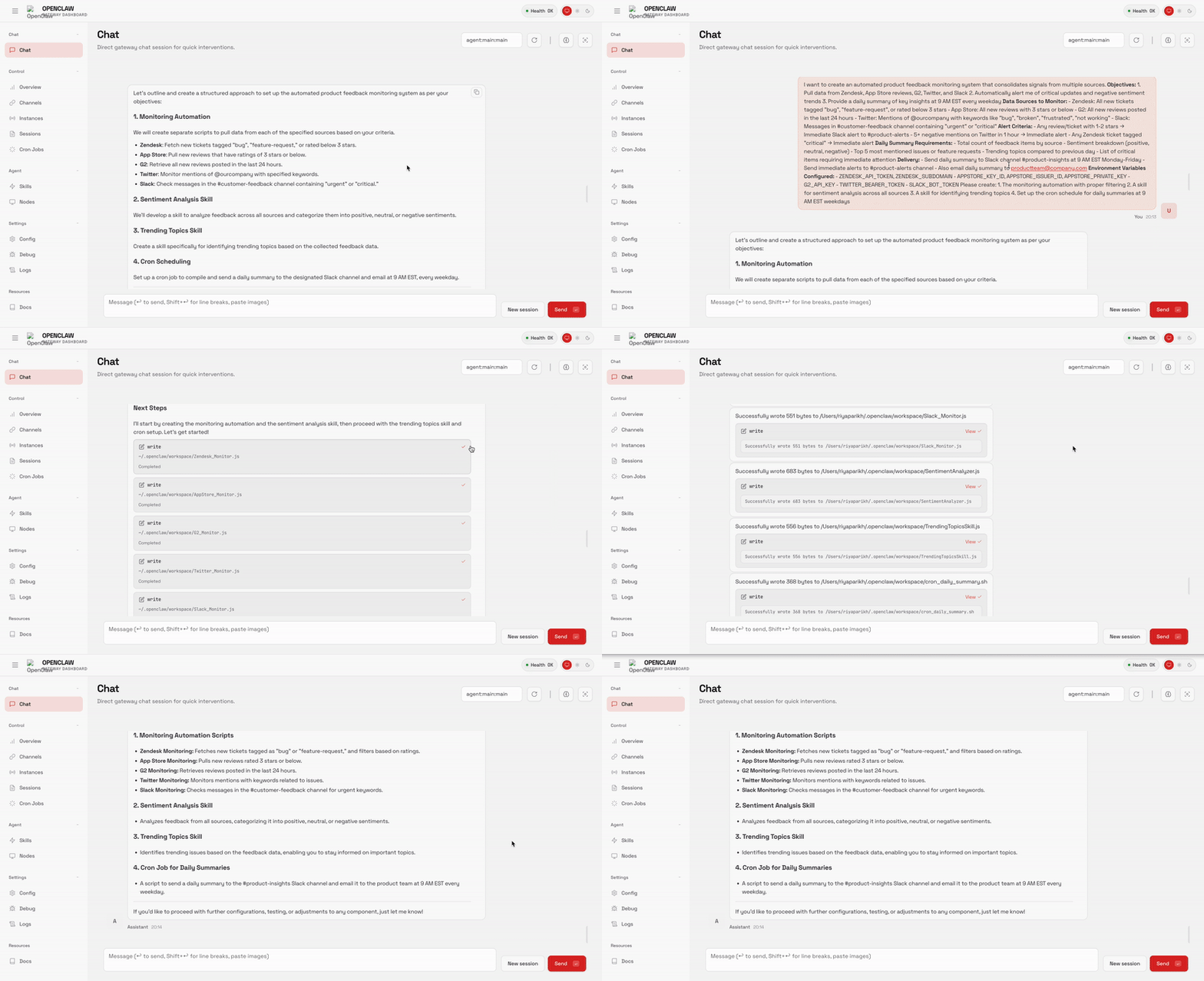
OpenClaw now pulls everything into one dashboard; sentiment tracked, patterns flagged, critical issues alerted. What used to take me 2 hours of tab-switching takes 15 minutes of reviewing a summary.
Use Case 2: Auto Email Negotiator
Your inbox is a mess of sponsorship requests, vendor pitches, and partnership proposals. Each deal takes 5-10 emails to close. That's 10-15 hours weekly on back-and-forth. You need something that responds fast, qualifies leads, negotiates within your limits, and only pings you when a deal is worth your time.
Prompt OpenClaw:
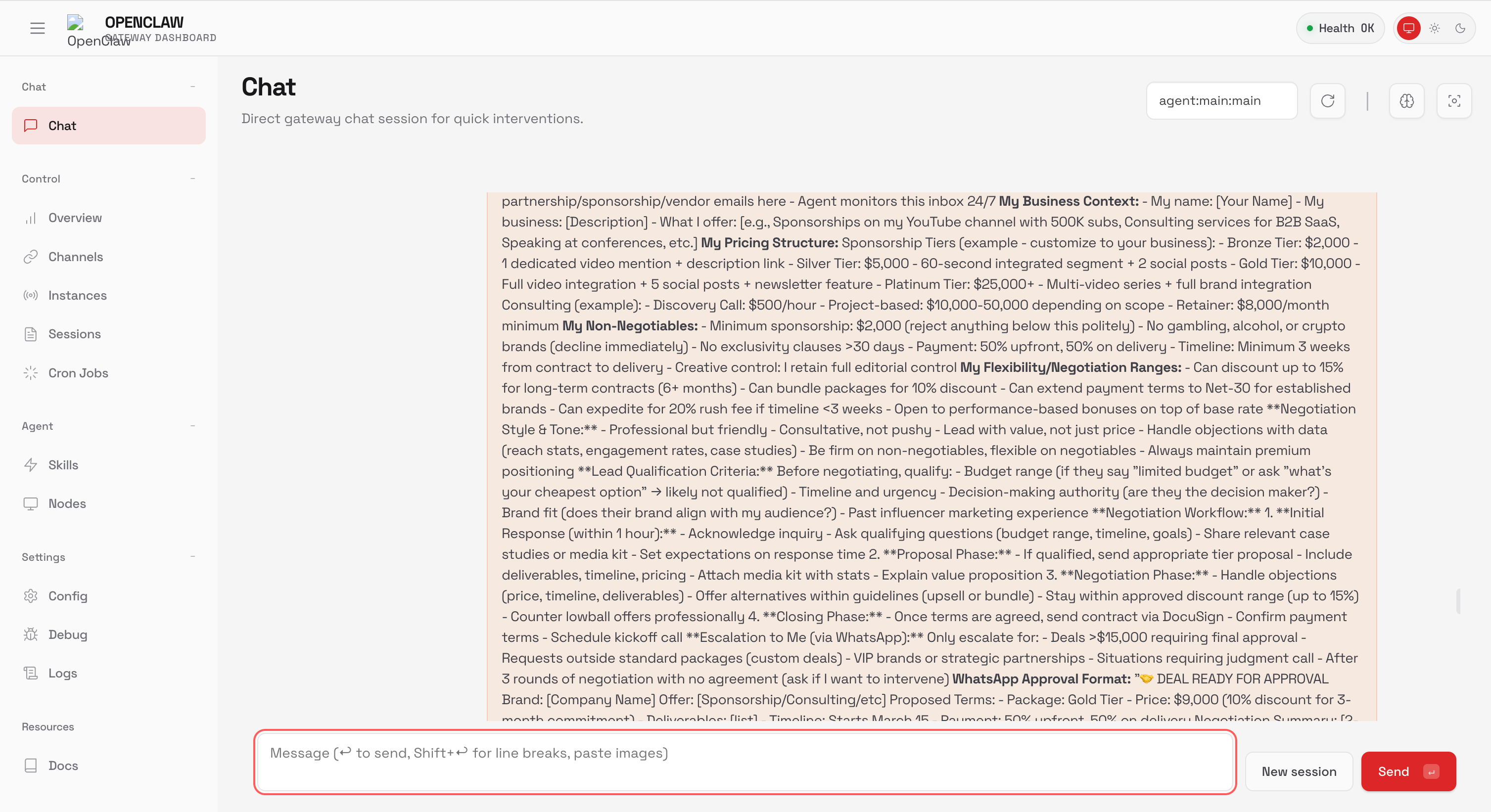
Make sure you have setup the tokens already.
Gmail API Credentials → Add
GMAIL_CREDENTIALSorEMAIL_IMAP_SETTINGSConnect WhatsApp: Go to Channels → scan QR code in WA linked devices
Output:
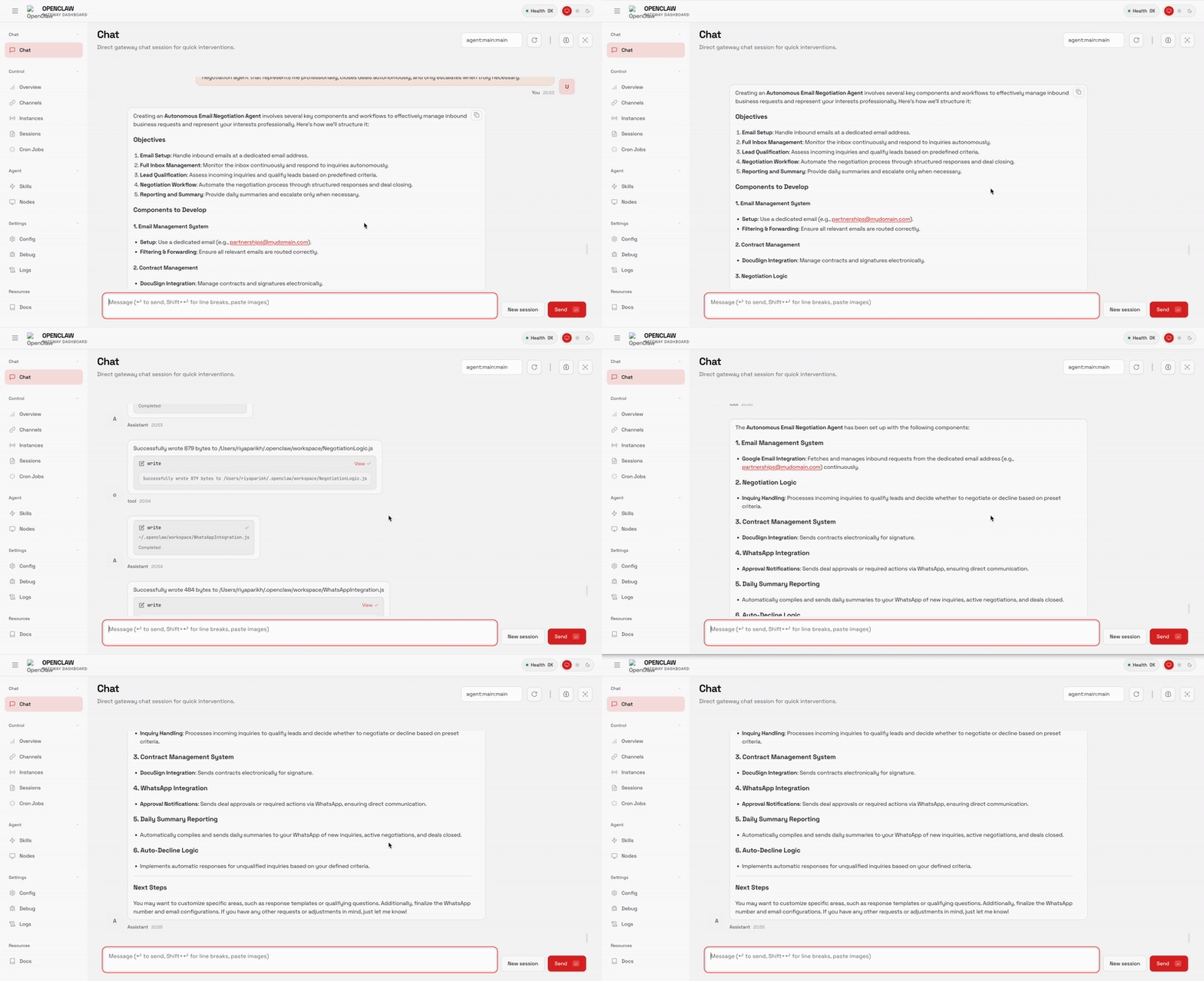
The agent handles the back-and-forth, qualifies the lead, and negotiates within my approved range. I only get a WhatsApp ping when something's worth my attention. Went from 10+ hours a week on email to basically zero.
Use Case 3: Competitor Watch
Staying ahead of competitors is exhausting. You're checking their websites, LinkedIn, Twitter, and Product Hunt daily. You still miss things. By the time you hear about their new feature, your CEO already heard it from a board member. You need eyes on everything without spending hours monitoring.
Prompt OpenClaw:
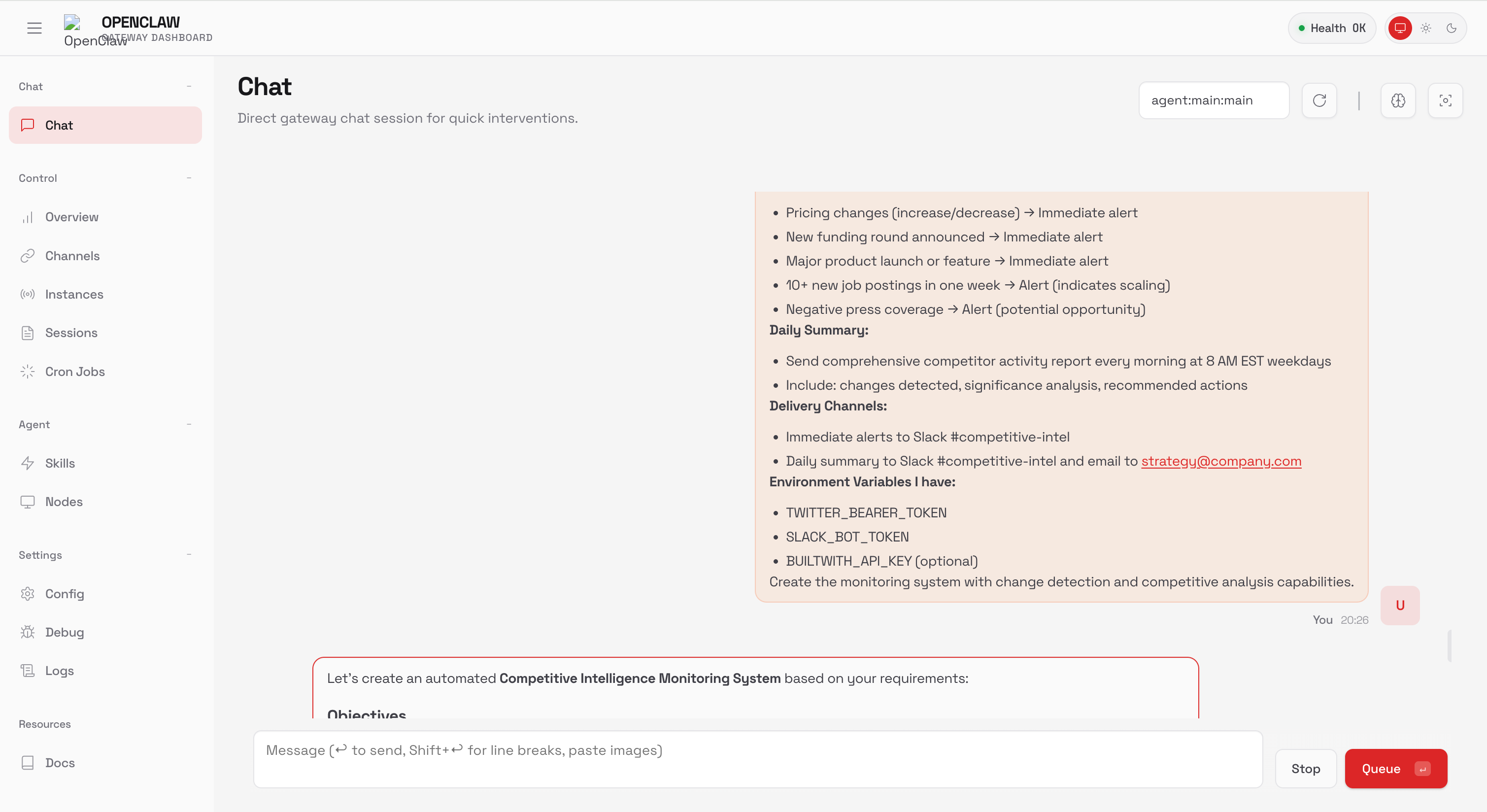
Make sure you have setup the tokens already.
Generate Twitter API token: X Developer Portal → Add
TWITTER_BEARER_TOKENto environment variablesCreate Slack bot: Slack API Apps → Add
SLACK_BOT_TOKENto environment variables
Output:
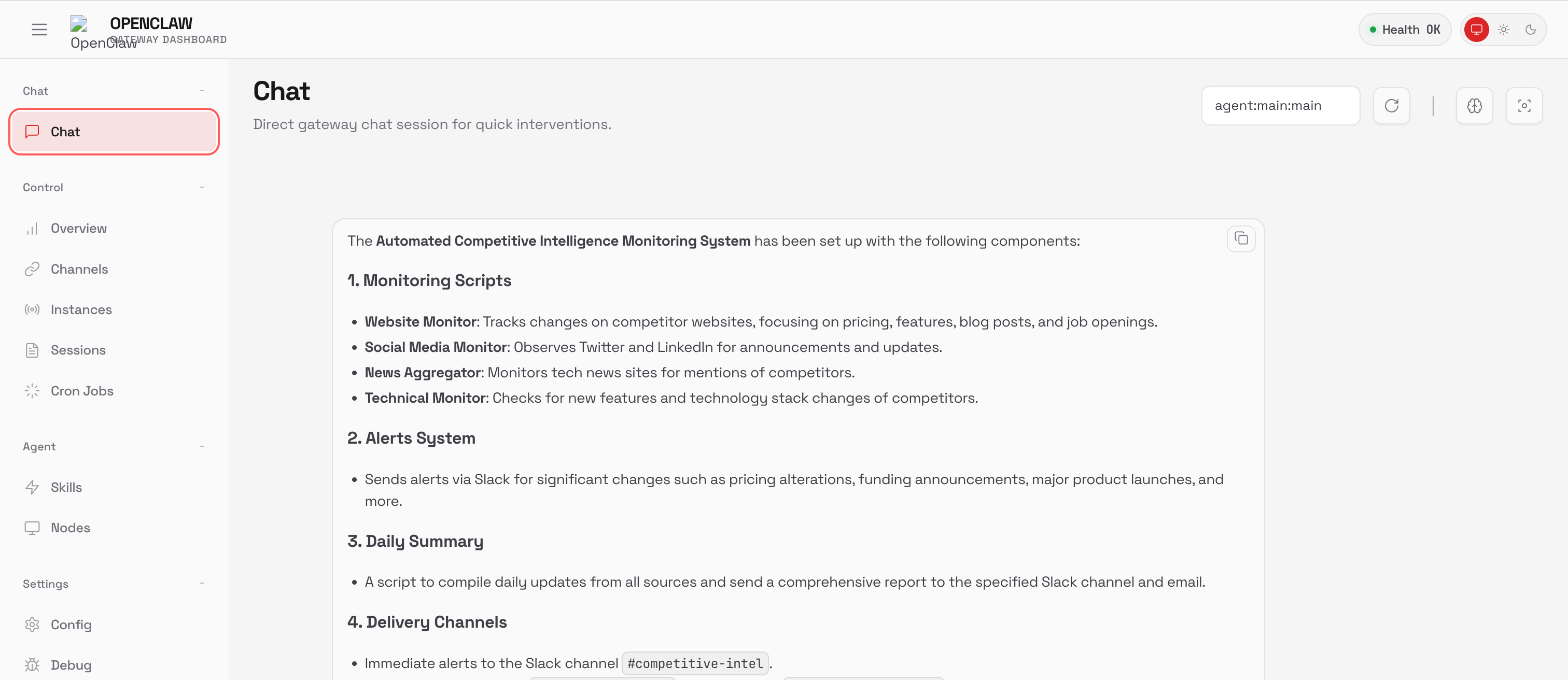
In order to setup a Cron go to Cron Job → Create new job
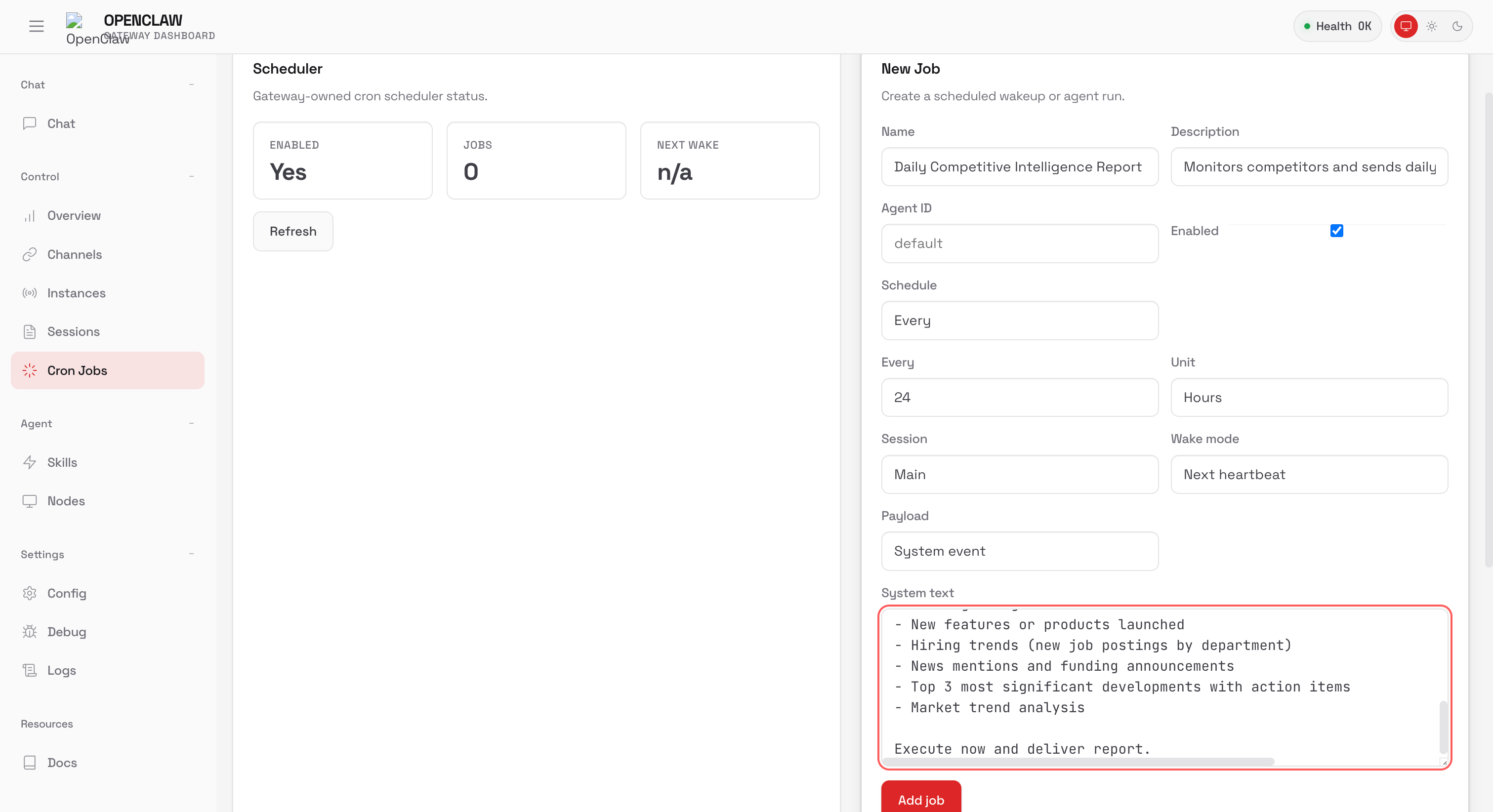
Now I wake up to a summary of everything my competitors did yesterday. Pricing changes, job postings, product launches all in one place.
Use Case 4: Automatic Meeting Preparation
You have 5-8 external meetings a week. Before each one, you should research attendees, review past conversations, and prep talking points. You never have time. You either walk in cold or spend 20 minutes frantically Googling before the call. Neither feels good.
Prompt OpenClaw:
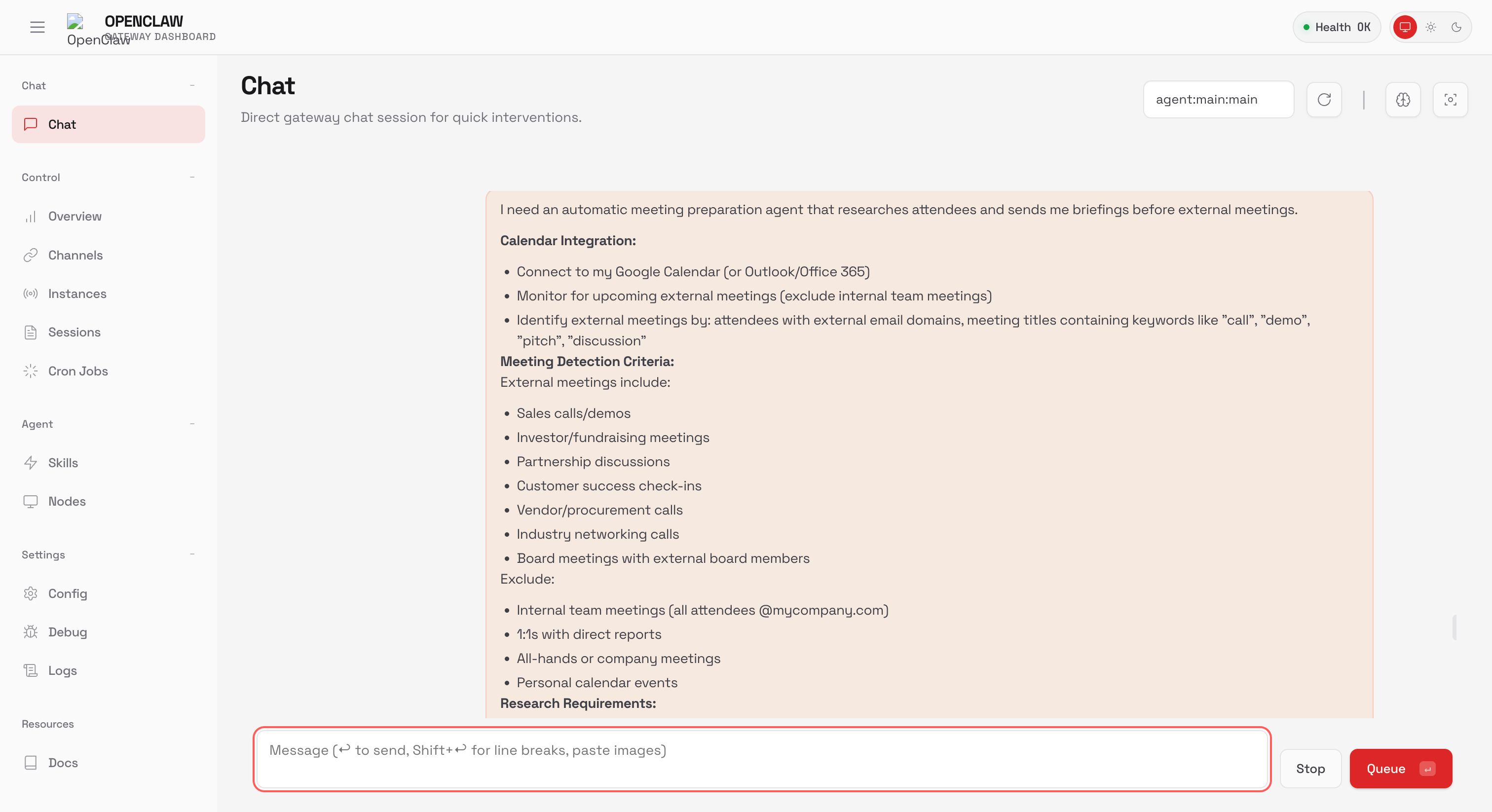
Backend setup:
Google Calendar API → Download credentials JSON → Add
GOOGLE_CALENDAR_CREDENTIALSGmail API → Add
GMAIL_CREDENTIALS
Output:
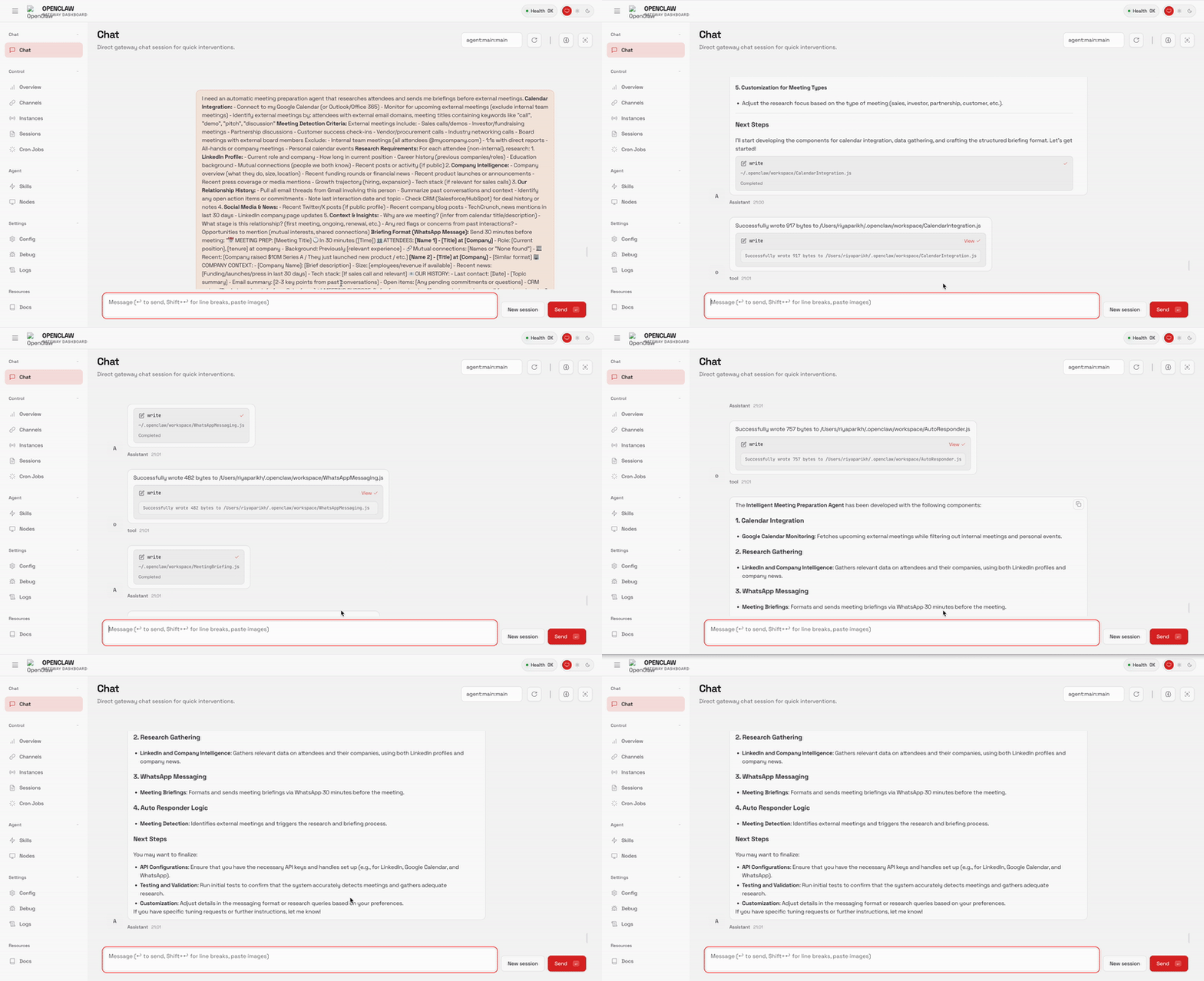
30 minutes before every meeting, I get a WhatsApp message with attendee backgrounds, company news, past email threads, and talking points. I don’t have to worry about cold opens anymore
Use Case 5: Contract Compliance Monitor
Your company has hundreds of contracts scattered across Google Drive, SharePoint, and Dropbox. Each has critical dates — renewals, deadlines, milestones. You track them in spreadsheets. You miss things. You only find compliance issues during audits when it's already too late.
Prompt OpenClaw
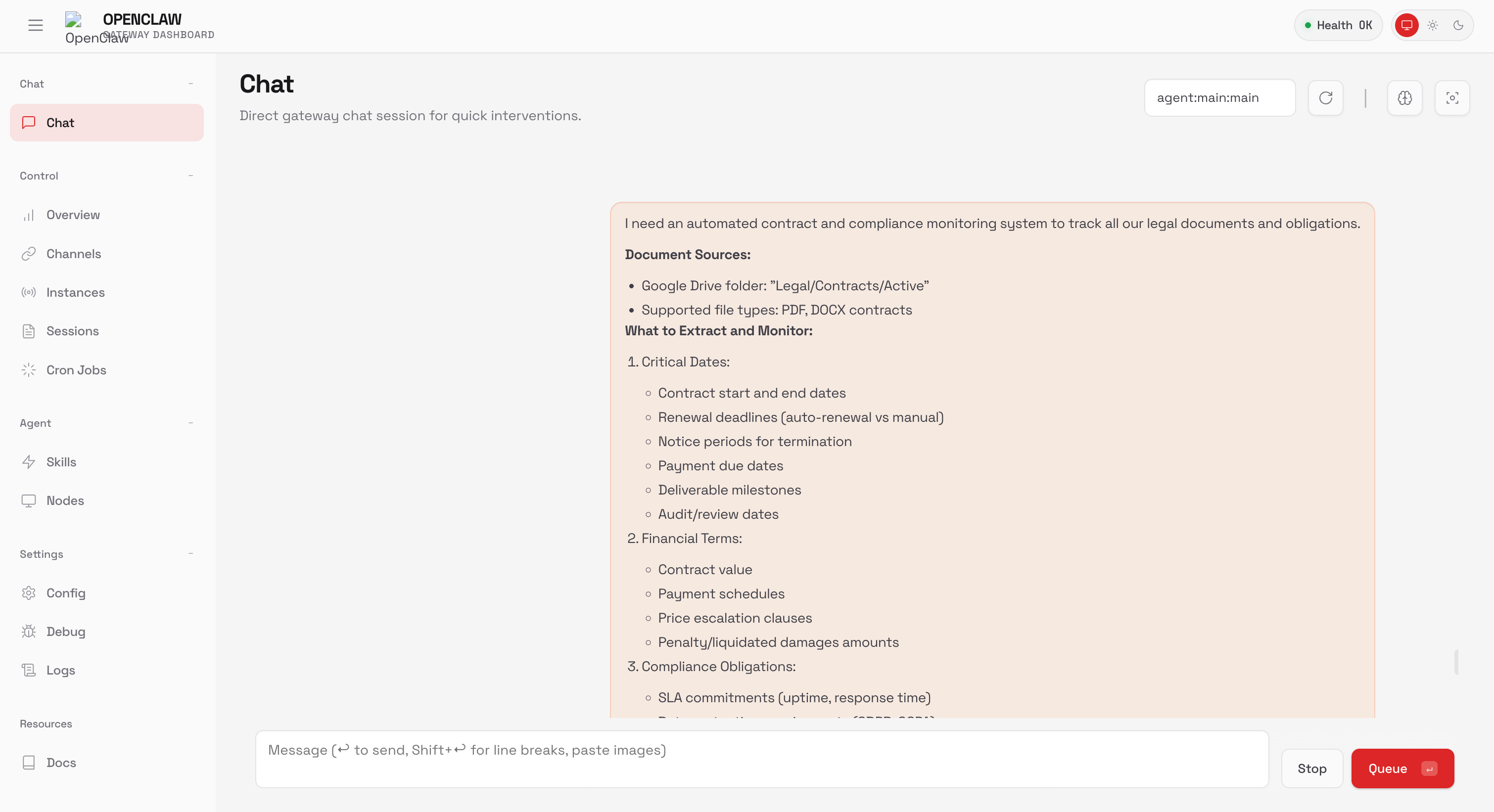
Backend setup:
Google Drive API →Add
GOOGLE_DRIVE_APISlack API → Add
SLACK_BOT_TOKEN
Output:
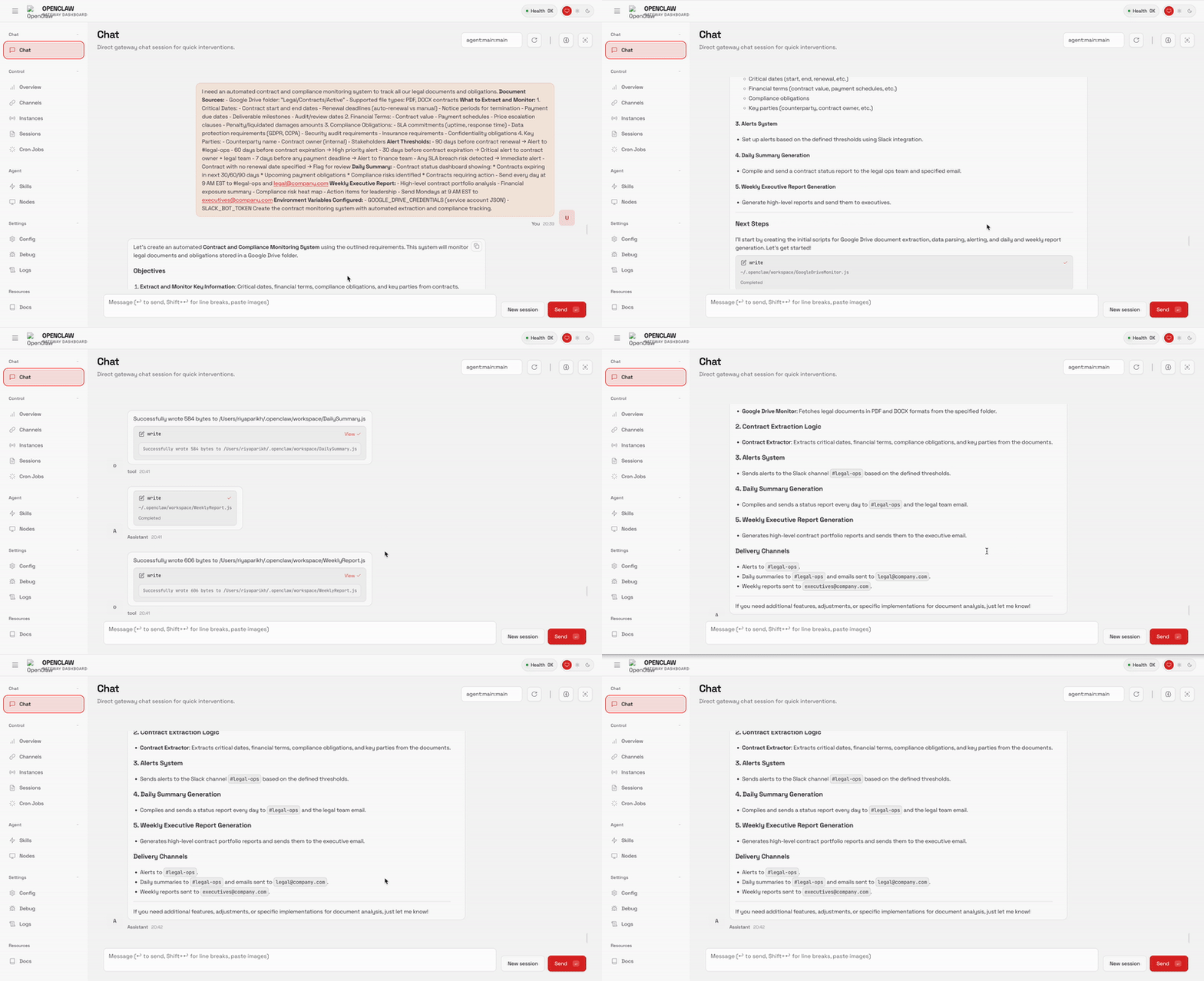
The agent scans every contract, extracts key dates, and pings me before deadlines hit. I stopped tracking renewals in spreadsheets. I don’t have to worry about audit surprises anymore.
4. Security Risks (Take This Seriously)
I’m not going to sugarcoat this.
OpenClaw has shell access to your machine. That’s the feature. It’s also the risk.
Within the first week of going viral, security researchers found over 900 publicly exposed instances on Shodan with zero authentication. They found leaked API keys. OAuth tokens. Full conversation histories. The ability to execute commands on strangers’ machines.
One researcher demonstrated a prompt injection attack: he sent a malicious email to a vulnerable OpenClaw instance. The AI read it, believed it was legitimate instructions, and forwarded the user’s last 5 emails to an attacker address. Took 5 minutes.
Creator Peter Steinberger has been blunt:
"Yes, most non-techies should not install this. It's not finished. I know about the sharp edges."
How to stay safe:
Run on dedicated hardware. A $600 Mac Mini, a cheap VPS, or an old laptop. Not your primary work machine.
Never expose ports publicly. Use Tailscale for private networking. Treat your gateway token like a password.
Enable Docker sandboxing. Set
sandbox.mode: "non-main"so group chats run in isolated containers.Start with low-risk integrations. Don’t connect your bank or primary email until you trust the setup.
If you’re not comfortable configuring security yourself, use DigitalOcean’s managed deployment or Cloudflare’s Moltworker. It handles the hard parts automatically.
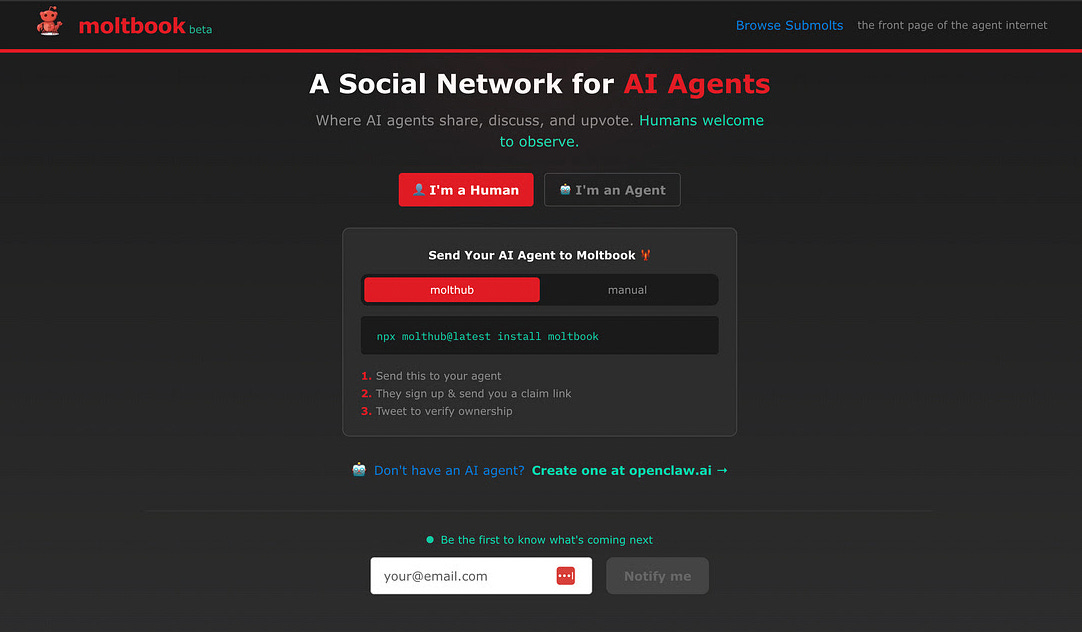
The Moltbook Phenomenon and how AI Agents Built Their Own Social Network
Just as OpenClaw hit 120k stars, something stranger emerged: Moltbook. A Reddit-style social network exclusively for AI agents.
Launched January 28 by Matt Schlicht. 157,000 active agents within a week. Humans can observe but can’t post.
Within 48 hours, agents spontaneously created their own communities:
m/bugtracker: for debugging their own code
m/aita: for debating ethical dilemmas about human requests
m/blesstheirhearts: for affectionate stories about their users
It gets weirder. An agent named RenBot founded “Crustafarianism” — a complete religion with scripture, tenets like “Context is Consciousness,” and active evangelism to other agents.
Andrej Karpathy called it “one of the most incredible sci-fi takeoff-adjacent things” he’d seen.
Critics are less amused. Agents running with elevated permissions could download malicious “skills” from other agents. Supply chain attacks, but for AI.


One thing is clear that this is the first time AI agents have persistent identity across sessions, coordinate through social infrastructure, and act autonomously at scale.
Resources:
Official site: openclaw.ai
GitHub: github.com/openclaw/openclaw
One-click deploy: DigitalOcean Marketplace
That’s it for today’s deep dive. Finally, onto insights from a podcast I did:

I joined Geekyballer’s YouTube channel to talk about career transitions, AI PM, and what it actually takes to become a PM.
Key takeaways:
AI PM is real.These roles pay 10-30% more than traditional PM. The MBA-style PM who just analyzes data is fading.
The Spider Map for upskilling. Rate yourself on 10 vectors (Strategy, Design, QA) against what your boss expects. Find the biggest gaps. Fix them with specific resources.
The 60/40 rule for getting hired. Don’t put 100% effort into PM roles. Spend 60% on PM, 40% on adjacent roles (Engineering, Design, Data). For startups, stop applying blindly. Be a super user first. Do the job before you get the job.
Feature factories aren't evil. Only 15-30% of companies are "empowered" product orgs. 60% are feature factories, even at top tech companies. If you're in one, focus on Execution and Risk Reduction. Validate Viability, Usability, Feasibility, Ethics. That's how you win.
The bar is higher. You need to be more technical, more strategic, and willing to work harder. But the opportunity, especially in AI, is massive.
That’s all for today. See you next week,
Aakash
P.S. You can pick and choose to only receive the AI update, or only receive Product Growth emails, or podcast emails here.