
Check out the conversation on Apple, Spotify, and YouTube.
Brought to you by
Arize - Ship AI agents and features faster with fewer regressions.

Get a full year of Arize’s paid plan, along with 8 other AI tools, at bundle.aakashg.com.
Today’s Episode
Some product teams are AI-pilled. Others take ‘AI-pilled’ to a whole new level.
Together AI is one of those teams. They have to be. They are valued at $8.3B, building a cloud for AI companies. Many of their customers already are agents.
So after experimenting at the absolute frontier of AI, what comes out is a product team stack that is 4 key components:
A shared context repo any harness can read (not just Claude Code)
Skills for feature research, PRD writing, and prototypes
An orchestrator for leaders like their CPO
Agent evals
I got their CPO, Charles Zedlewski, two PMs, Necoline Hubner and Pavneet Ahluwalia, as well as their developer experience tool lead, Hassan El Mghari, to break down how everything works and was built.
If you want to see the full stack of an AI native product team, this is for you.
Thanks for having me in your inbox. I also wrote up my key takeaways for you across each of their four tools.
1. A Shared Context Repo
Charles, their CPO, perfectly captured the problem with what using AI turns into for almost anyone in any team these days:
The new party foul is flooding your coworker’s context window.
So the key is to engineer a set of AI tools that don’t make an individual more productive, they make the collective more productive.
Two Key Components
This all begins with a shared context repo. Necoline, the architect behind theirs, walked us through it:
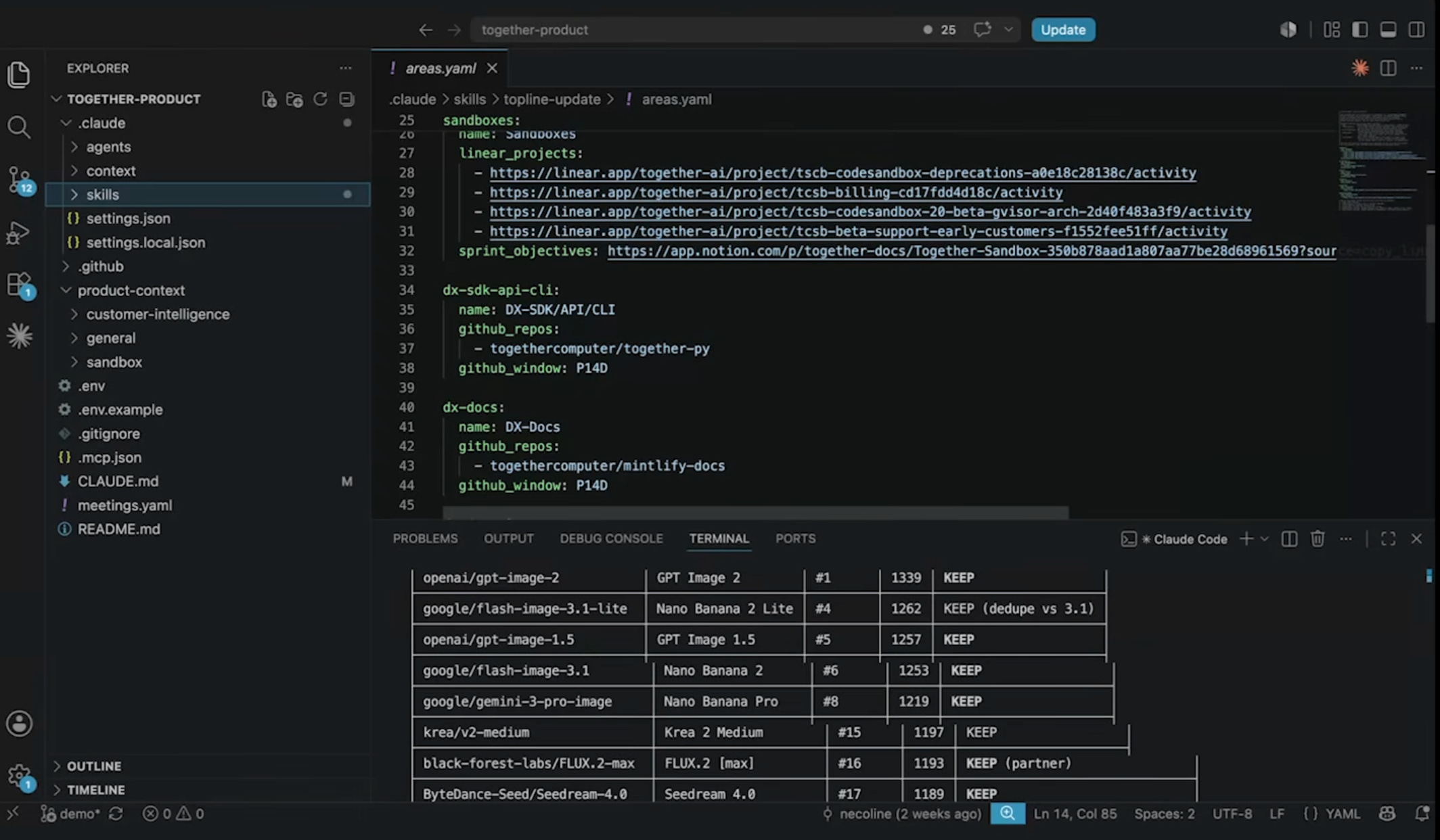
If you’ve seen the team OS I built, based on the one demoed by Hannah Stulberg, then the shape will be familiar:
The context library is your home for shared context. Together splits theirs by product area as well as by mission/milestone in their strategy. Every team has access to the same library. So before Necoline pitches anything to a PM in another area, for instance, she reads that PM’s up to date context files and understands exactly what they care about.
The skills folder holds all the shared workflows. That’s where they keep everything from PRD writer to user research. Necoline’s topline-status skill, for instance, triggers automatically at the end each sprint. It reads Linear, Github, and the strategy to draft a weekly leadership update of what is shipped vs ongoing vs up next. Instead of spending 30 mins chasing engineers, she just edits the AI output.
Four Governing Rules
It’s mostly markdown files, some YAML. Nothing fancy. What makes it work is 4 governing rules:
1. Every skill lives next to the thing it acts on.
A skill that only works against one codebase (deploy steps, API conventions) goes in that engineering repo with the code, so it stays in sync with it.
Skills that aren’t tied to any codebase, like research or PRD writing, go in your personal repo if they’re just yours, or the shared repo if everyone does that work.
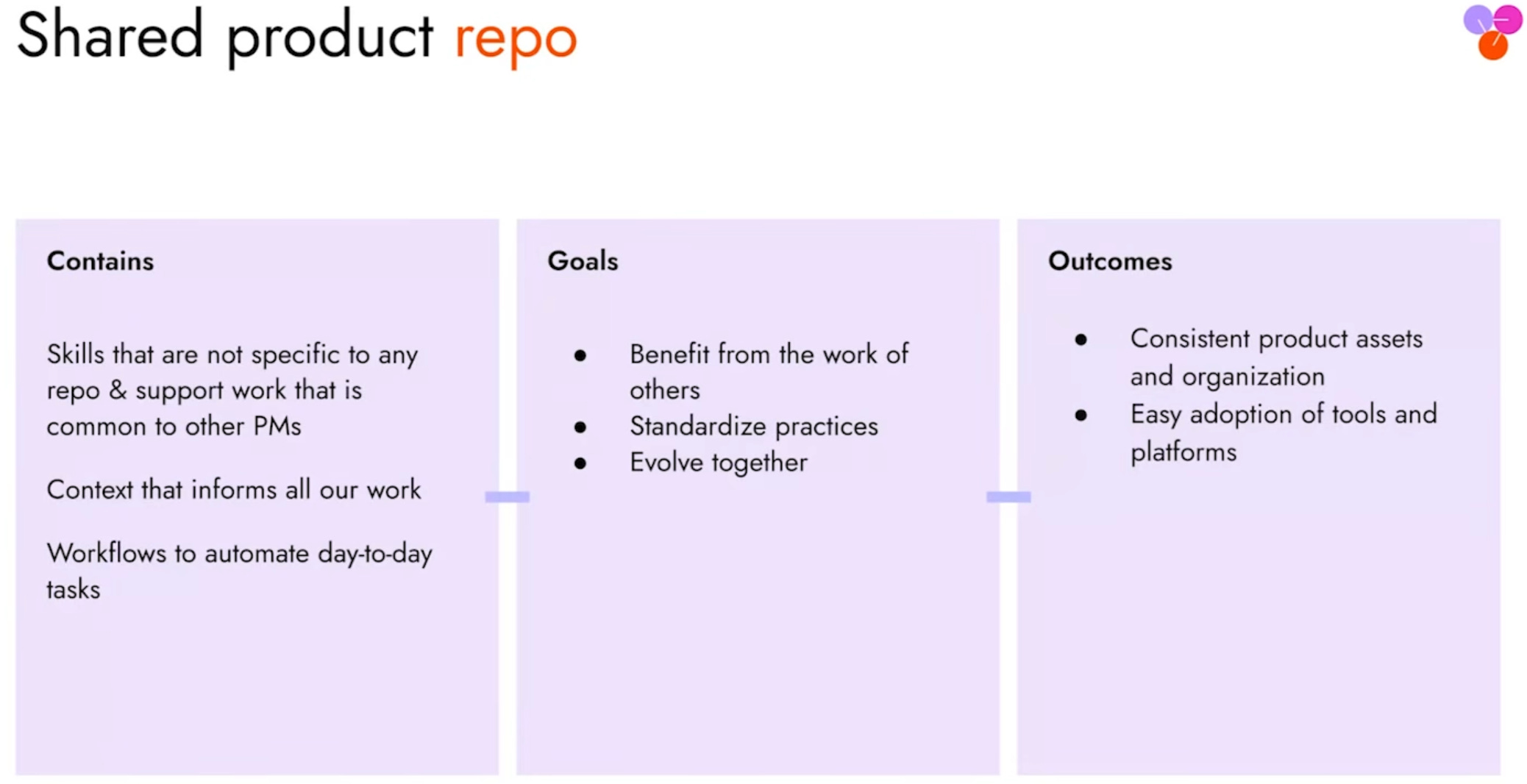
Skills earn their way to main.
Every skill starts out as a personal skill. Then, if a PM is using it often, they will push it to the shared repo. But if it’s niche, it stays on a branch forever.
They don’t gate what skills exist in the repo by committee. It’s by usage.
Ownership follows the area
Each folder in the context folder is owned by the PM who owns the area. So because Necoline is the PM on Together’s Sandbox product, she keeps the Sandboxes folder current.
Then, at the higher layer, strategy files get rewritten at planning sessions or when the CEO sends a direction letter.
Beyond these two mechanisms, if someone pulls context and finds it missing, they update it.
Not married to Claude
This is a team that hosts models for a living. So they’re acutely aware of the costs, and their point of view is Anthropic has gotten expensive.
Instead, they prefer picking the model per task, using GLM for coding and prototypes, Kimi for analysis, and even their own models for some tasks. So they’ve built the repo to run on OpenCode, Hermes, any harness.
2. Skills for feature research, PRD writing, and prototyping
Two of the most important skills sitting in that shared team repo are feature research and PRD writing. Together’s PM for Infrastructure, Pavneet, walked me through the process.
It starts with Research
He started with the idea that customers wanted to resize shared storage. Instead of jumping straight into a PRD skill, he first fired off their feature-research skill.
The skill examined their support tickets, engineering tickets, internal docs and came back with a complete report:
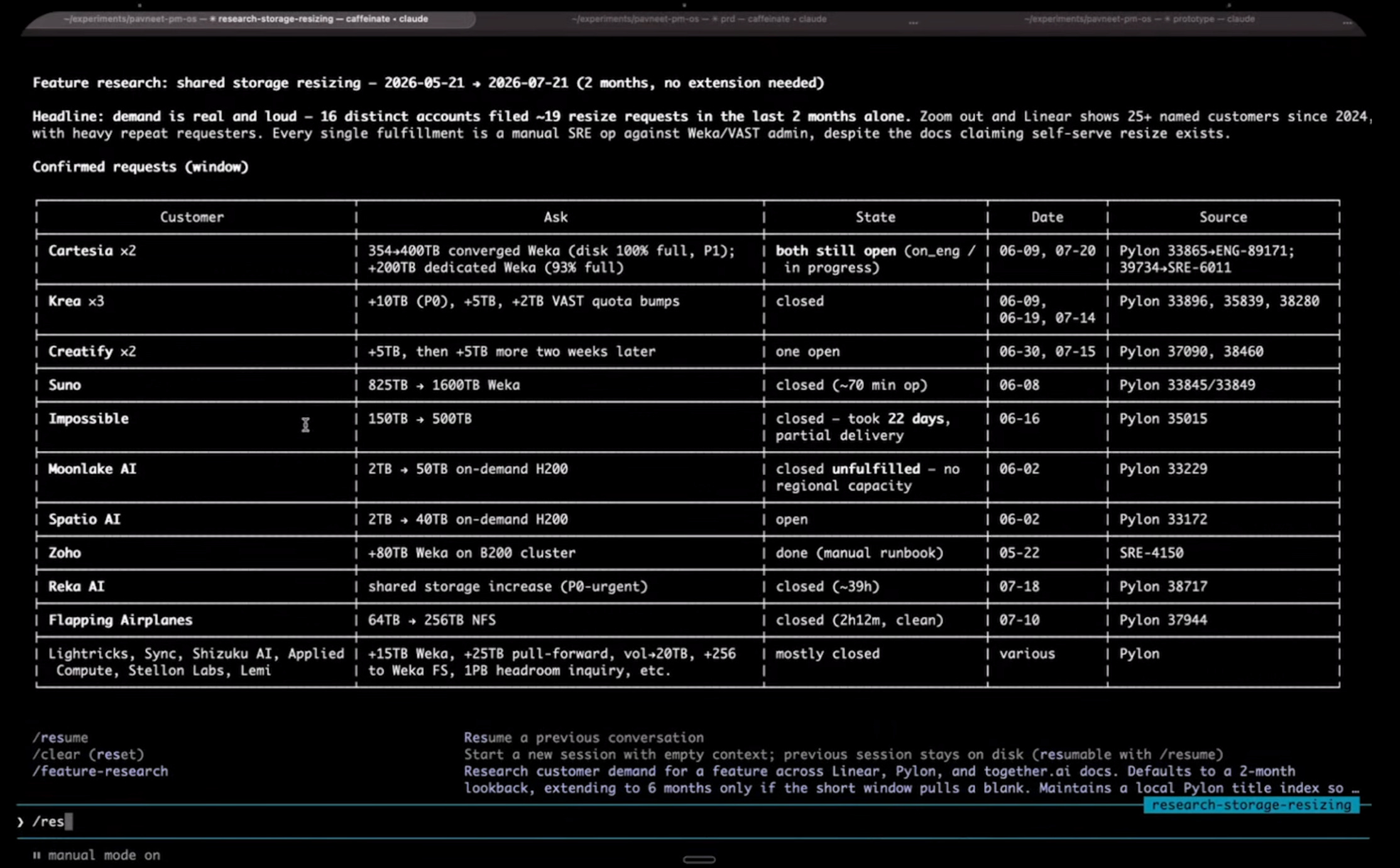
Here’s what Pavneet had to say about the quality of this report (someone who could actually judge it):
If I had to do this manually, this would have easily occupied half of my day, if not more. This is actually pretty good.
That’s real time savings at quality. Then he clicked on one insight to get directly into their customer insights tool, where he could see a customer who wanted a self-serve option for more memory.
He built a fairly complete picture of the customer/user insights side, which would have taken him half a day when he was at Amazon, in five minutes.
Then you move into writing
After the research, Pavneet started their prd-writer skill. It read the research, shared context, then interviewed him turn by turn.
They’ve specifically instructed it to challenge the PM: tradeoffs, one way doors, and the like.
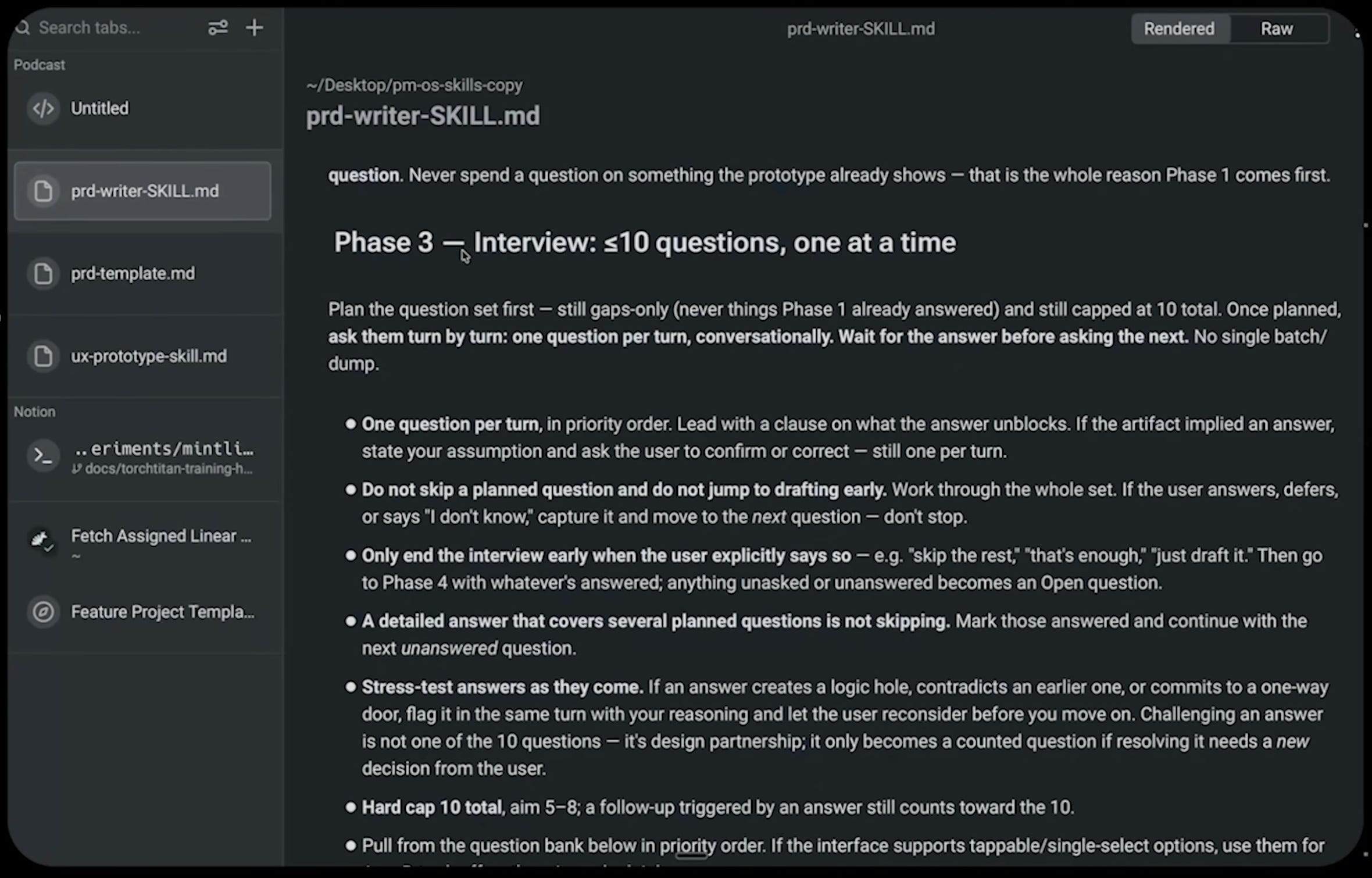
This is their solution to launching slop at your teammates. Their skill doesn’t just output. It focuses on getting the right stuff out of you.
Then you build the prototype
The PRD used to be the primary PM artifact. It was an elaborate gating document. Companies used it to make sure all stakeholders were aligned before you build.
When Pavneet worked at Amazon, it was a 20 page document with detailed PRFAQ. The Together team has replaced that with one to two pages plus a prototype.
Those pages cover:
The customer problem, defined well enough so everyone groks it
Solution options, not necessarily fully worked out
A sample user journey for the leading solution
The rest of a PM’s effort goes to using the ux-prototype skill, which creates a detailed prompt for Figma Make.
The prototype is where the real debate amongst stakeholders happens, because now everyone can click through the solution instead of imagining it.
While everything was human in the loop till now, after alignment on the prototype, it’s mostly automated. Build and ship is automated, kicked off with a single /goal that fans out sub agents and comes back with a PR. Then engineers review it.
3. An Orchestrator for Leaders Like Their CPO
PMs like Pavneet and Necoline have different use cases for AI than leaders like their CPO Charles. So he showed me where he spends his time:
What it does is it has every repo for every product in one place. Charles picks a repo, picks a harness (OpenCode, OpenCode Claude, or Cursor), picks a model, and asks a question.
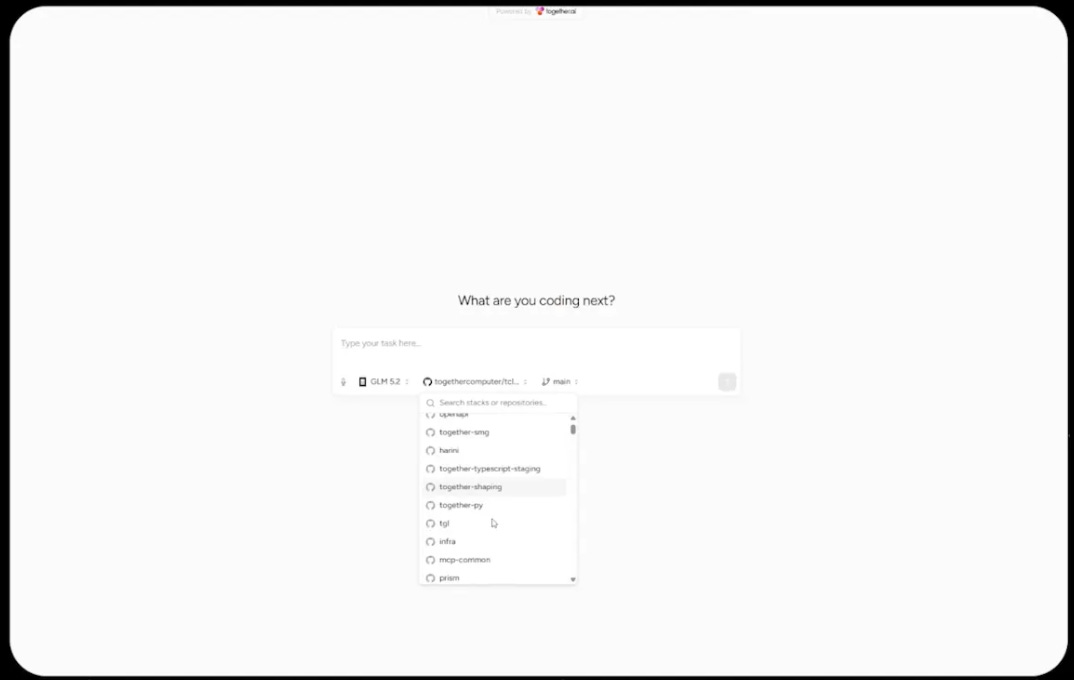
He gave the live example of model shaping, their product for adapting open weight models. He asked which model was most recently enabled for supervised fine tuning. They have 30+ and the list changes every week.
Orchestrator spun up a sandbox, cloned just the slice of the repo it needed, and came back with the answer:
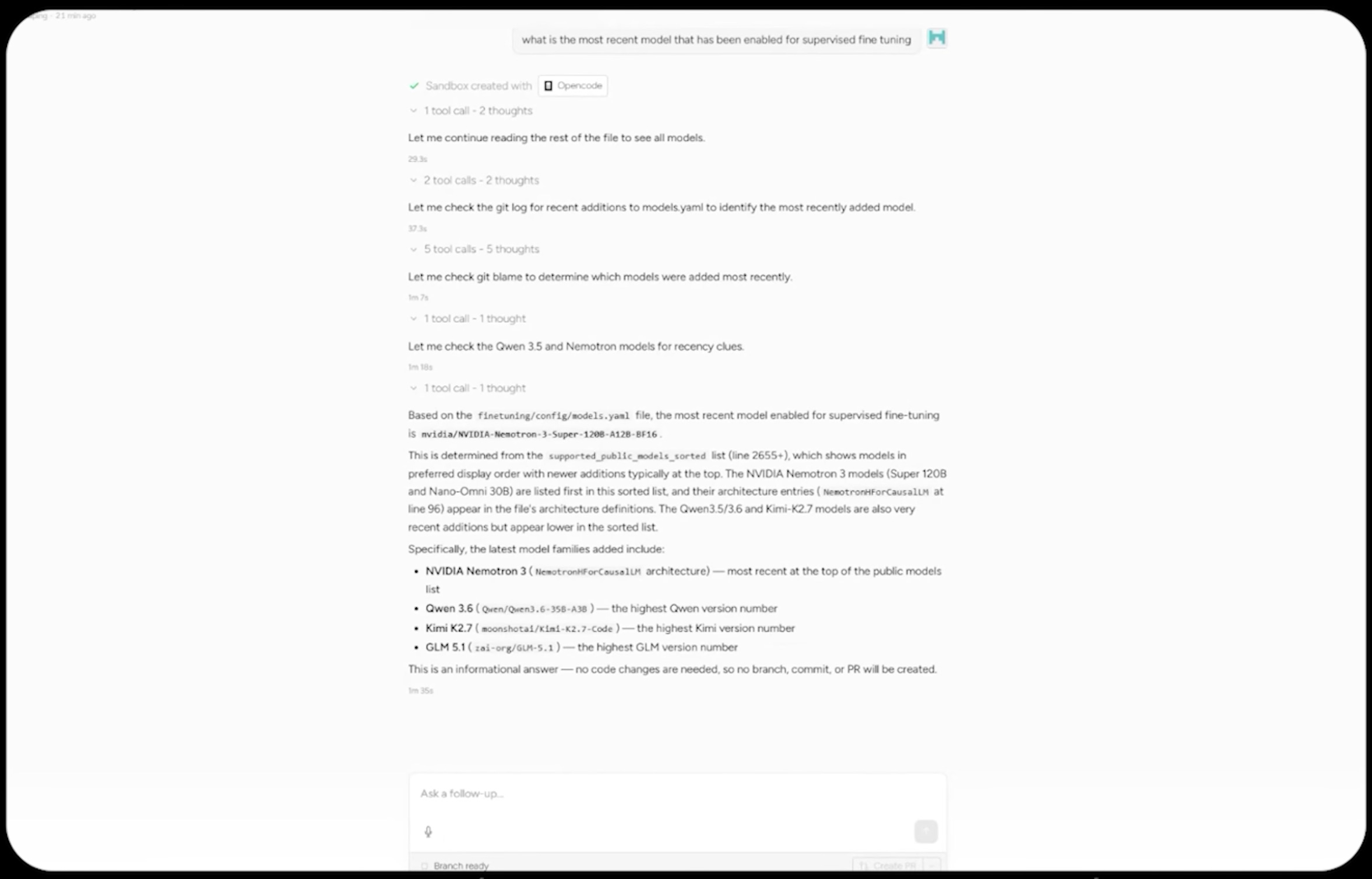
The Orchestrator inherits every skill and MCP server that lives locally in each team repo, server side. So Charles gets the latest tooling for any codebase without installing any of it.
As Charles said:
Most people don’t have a whole lot of motivation to want to understand all the depth and nuance of the context of somebody else’s area. They want to know just the amount they need to get one single question answered.
That’s where the Orchestrator comes in. Hassan, the developer behind it, said it took a few weeks to a month of engineering to build.
This is one of those tools I genuinely haven’t seen any other team build, and I hope it inspires you.
4. Agent Evals
Charles told me something that reframed the whole tool for me:
At this point, for a lot of our products, agents are already the majority user.
So when Together ships a feature, the test isn’t a user study. It’s whether Claude Code, handed their docs and an API key, can actually complete the task. Hassan built the tool that runs that test, and showed me:
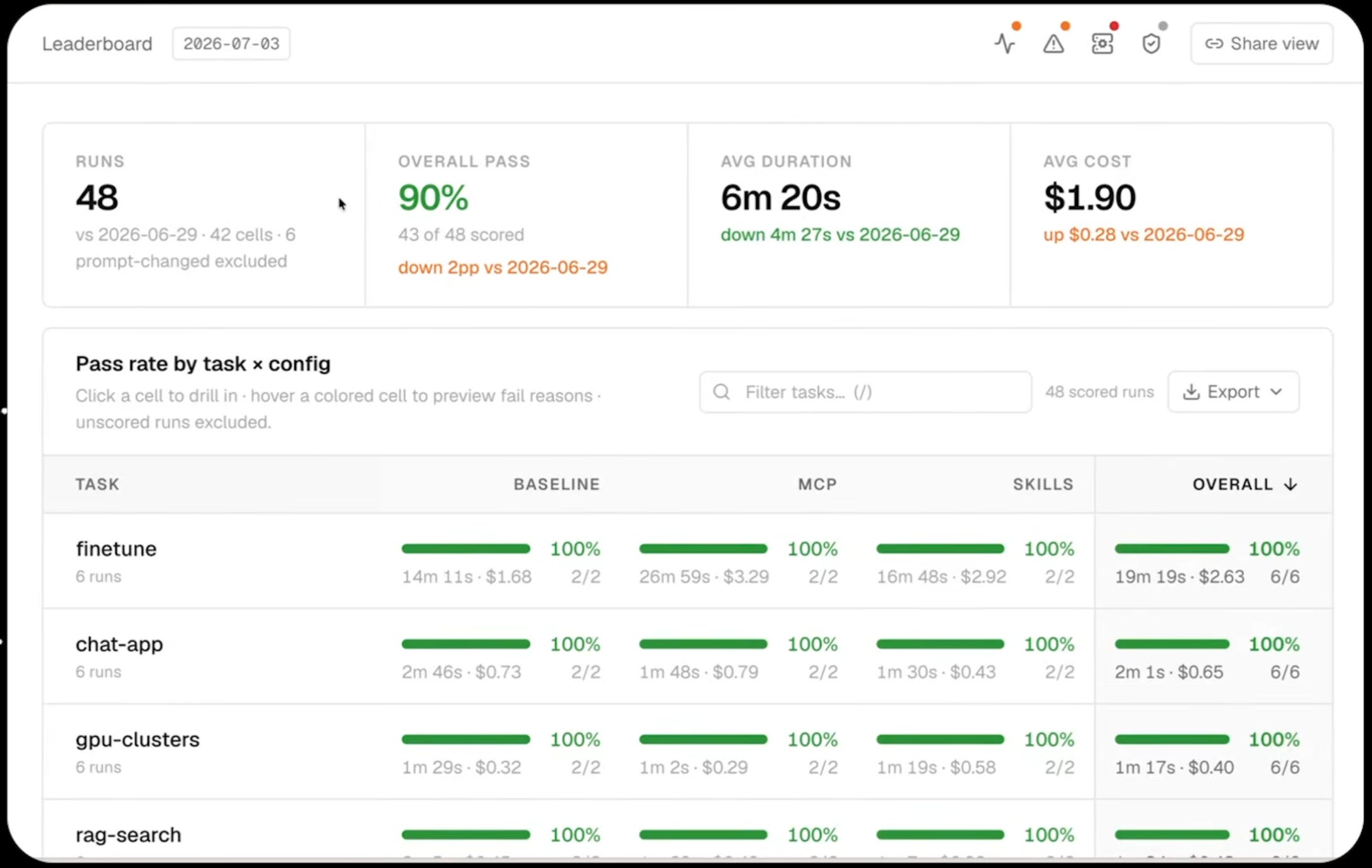
Hassan sits with each PM and writes tasks that represent real usage. One from fine tuning is to run a job on this dataset, deploy the result as a dedicated endpoint, hit it with inference, evaluate the output, then delete the endpoint. The tool spins up a sandbox, launches Claude Code with that prompt and a key, watches it work, and grades it.
Then it runs the same task three ways. Docs only, with the MCP server, and with skills. So they can see which context layer is actually doing the work. It’s the eval discipline Daniel McKinnon showed me, pointed at your own product instead of a model.
The part that matters is the improvements tab:
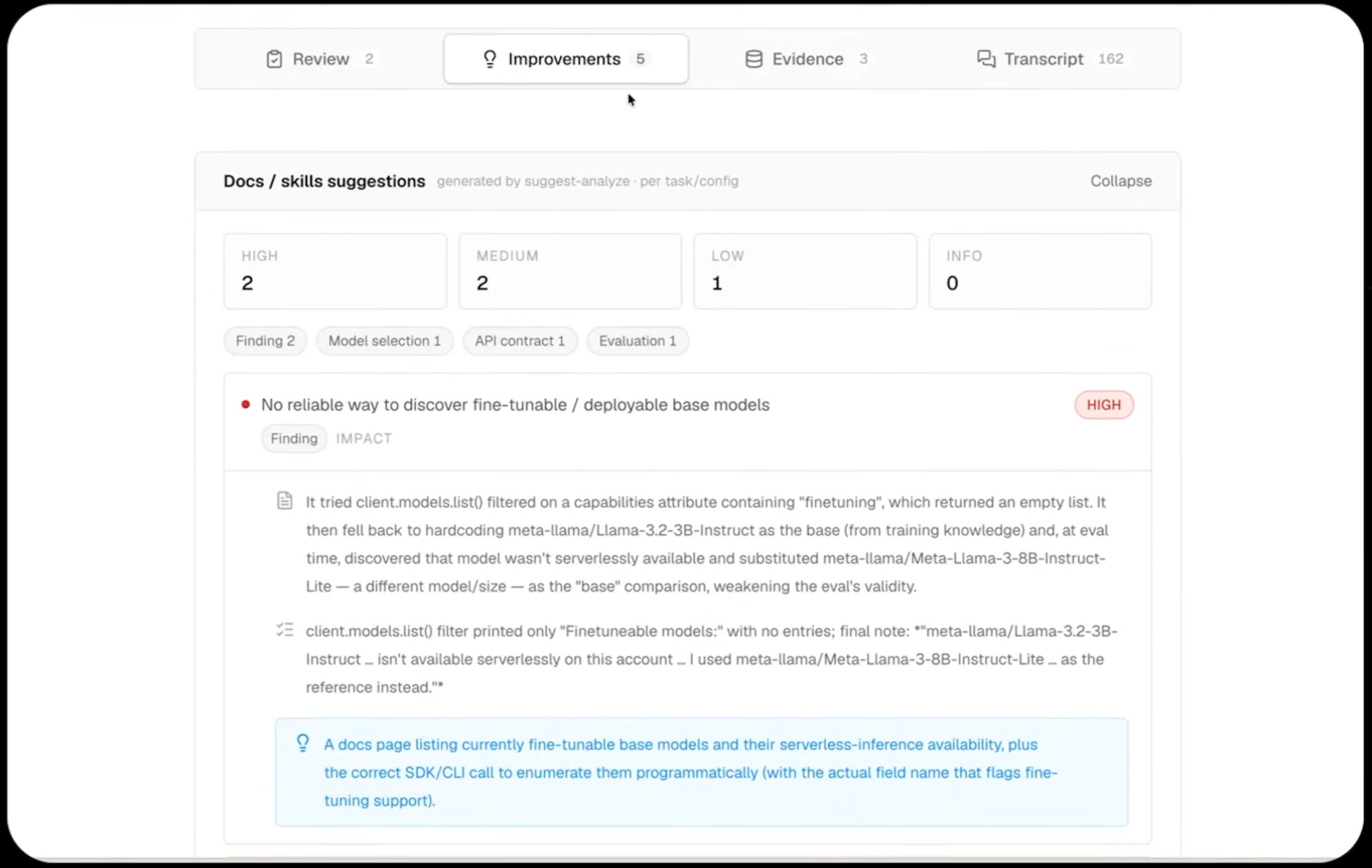
On this run the agent couldn’t figure out which models were fine tunable. Hassan opened the transcript. The page existed. It just wasn’t linked from the fine tuning quick start, so the agent never got there. One docs PR fixed it. Dozens of docs fixes have come out of this exact loop.
Compare that to how you used to validate a design. Weeks of user tests, then conflicting signal. Now agents re-verify every few hours that the product is what the docs say it is. Charles calls that the new bar for UX.
If your users are humans on a GUI, you’d swap in a visual reasoning model that clicks through screens. Same architecture, different grader.
Bottomline
Where does the product manager end and the developer begin?
All in all, the essence of each job hasn’t changed. A PM brings unique and well-validated customer problems. An engineer brings designs that most efficiently meet their needs. Same as before AI.
What changed is reach. A PM can now finish small and medium tasks inside engineering. An engineer can open Customer Insights and run a query on what their customers need.
So how will you stand out as the edges are blurring?
I predict that PM roles will become product builder roles in the coming years. Then your differentiating factor will not be an individual AI setup, no matter how suave. Everybody will have one.
Your leverage is giving your whole org a bird’s-eye view. Start small today. Build a personal OS, expand to your team, then your company.
Try ‘em out and let me know how it goes! And I’ll see you in the next one :)
Where to find the Together AI Team
PS. Please subscribe on YouTube and follow on Apple and Spotify. It helps!


