
Welcome back to the AI Update.
Of all the AI tools I use that I see the least other people using, NotebookLM tops the list. It’s the entire reason I pay for Google AI.
It is not getting the attention it deserves. And they just launched their best feature yet: prompt based slide revisions. So, I had to make you a complete guide.
But first, there’s a million pieces of AI news every week. You can’t keep track of everything. So I’ve done it for you. Here’s what actually mattered.

In partnership with Polymarket
The Top News of the Week: Gemini 3.1 Pro
Google just released Gemini 3.1 Pro.
But despite that release, Polymarket doesn’t think it will have the best AI model at the end of the month:
What’s going on? That’s because in the Arena AI rankings, Opus-4.6 is still winning the text category (no not the Sonnet 4.6 model they released this week).
That’s the story of Gemini 3.1 Pro. It’s not the best text model (it is #3, higher than GPT-5.2). But it is a heckuva an image model. There, Gemini 3 and 3.1 still hold the #1 and #2 rankings.
This model can generate website-ready, animated SVGs from a simple text prompt. Since these are built in pure code and not pixels, they stay crisp at any scale with incredibly small file sizes:

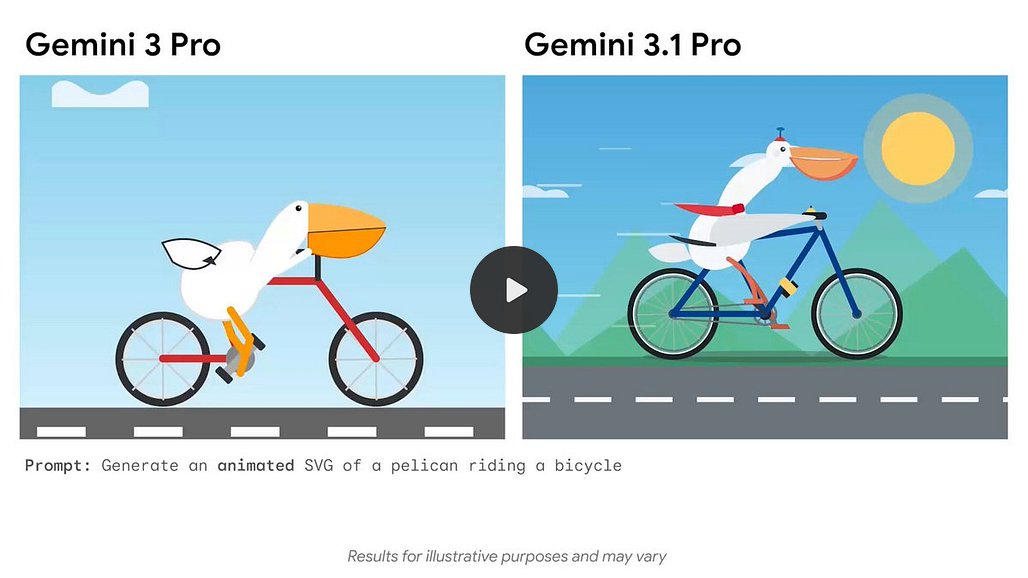
It can also translate the literary style of a novel into the design of a personal portfolio site. And it can create interactive 3D simulations with real-time hand tracking and generative audio.
It’s worth noting that the context window stays at 1M tokens and the output limit jumped to 65K tokens. That means you can feed it a medium-sized code repository and get back a 100-page technical manual in a single turn.
Google is iterating fast. This is the first time they’ve done a 0.1 increment instead of waiting for a 0.5 release.
I’m waiting for May/June when they have that next big release:
The Other Top 5 Stories of the Week
Anthropic shipped Claude Sonnet 4.6 with a 1M token context window and what I think is the biggest impact is the huge impact this has on SMB automation. Frontier performance just got cheap. But I don’t recommend it as a model for personal LLM use. Pay up for Opus.
Anthropic launched Claude Code Security, and it just impacted the $15B market price in a major way. Everyone in AppSec is no longer selling “we find more bugs.” They’re competing against an AI that finds them and writes the patches in the same session.
Figma now imports Claude Code UI as editable design layers. This closes the last excuse PMs have for not shipping polished UI from AI code.
OpenClaw creator Peter Steinberger joined OpenAI and it says a lot about building in Europe. He said it himself: “In the USA, most people are enthusiastic.
In Europe, I get insulted, people scream REGULATION and RESPONSIBILITY.”
New Tools Worth Your Time
It’s not just NotebookLM that makes a Google AI subscription worth it:
Google Labs Pomelli generates studio-quality product photography for free. They just bundled what others sold as a paid product for free with their AI subscription.
Google Lyria 3 generates 30-second songs with vocals, instruments, and cover art inside the Gemini app. Watch out for that Suno valuation.
Notable Fundraising
World Labs raised $1 billion from Nvidia, AMD, a16z, and Fidelity. I wrote about Fei-Fei’s story, crossing 1M views and getting response from her.
And now on to today’s deep dive:

Complete Guide to NotebookLM
NotebookLM started as a tool to search your notes. Now it generates podcasts, videos, slide decks, infographics, flashcards, quizzes, mind maps, and reports.
48 million monthly visits. 120% quarter-over-quarter user growth in Q4 2024.
Most people think of it as a PDF summarizer. It’s a research-to-product pipeline if you use it right.
I used one notebook to go from zero knowledge on a topic to a working product prototype, customer discovery materials, and a product deck in a single afternoon.
Let me show you how.
Today’s Post
Here’s your complete guide to NotebookLM:
Why NotebookLM Is Architecturally Different From Every Other AI Tool
The 3 Killer Features (And How to Actually Use Them)
From Research to Product Deck in One Afternoon
Power Use: Prototypes, Gems, and Automation
The AI Stack That Actually Works
1. Why NotebookLM Is Architecturally Different From Every Other AI Tool
Every other AI tool you use answers from the entire internet plus its training data. You upload a document, ask a question, and the model blends what you gave it with everything it already “knows.” The output is a smoothie. You can’t tell which insights came from your data and which the model made up.
NotebookLM answers only from your sources. Nothing else.
When it doesn’t have the answer in your sources, it says so. It doesn’t guess. It doesn’t fill gaps with plausible-sounding training data. That one architectural decision is why I pay $20/mo for Google AI.
What Just Shipped
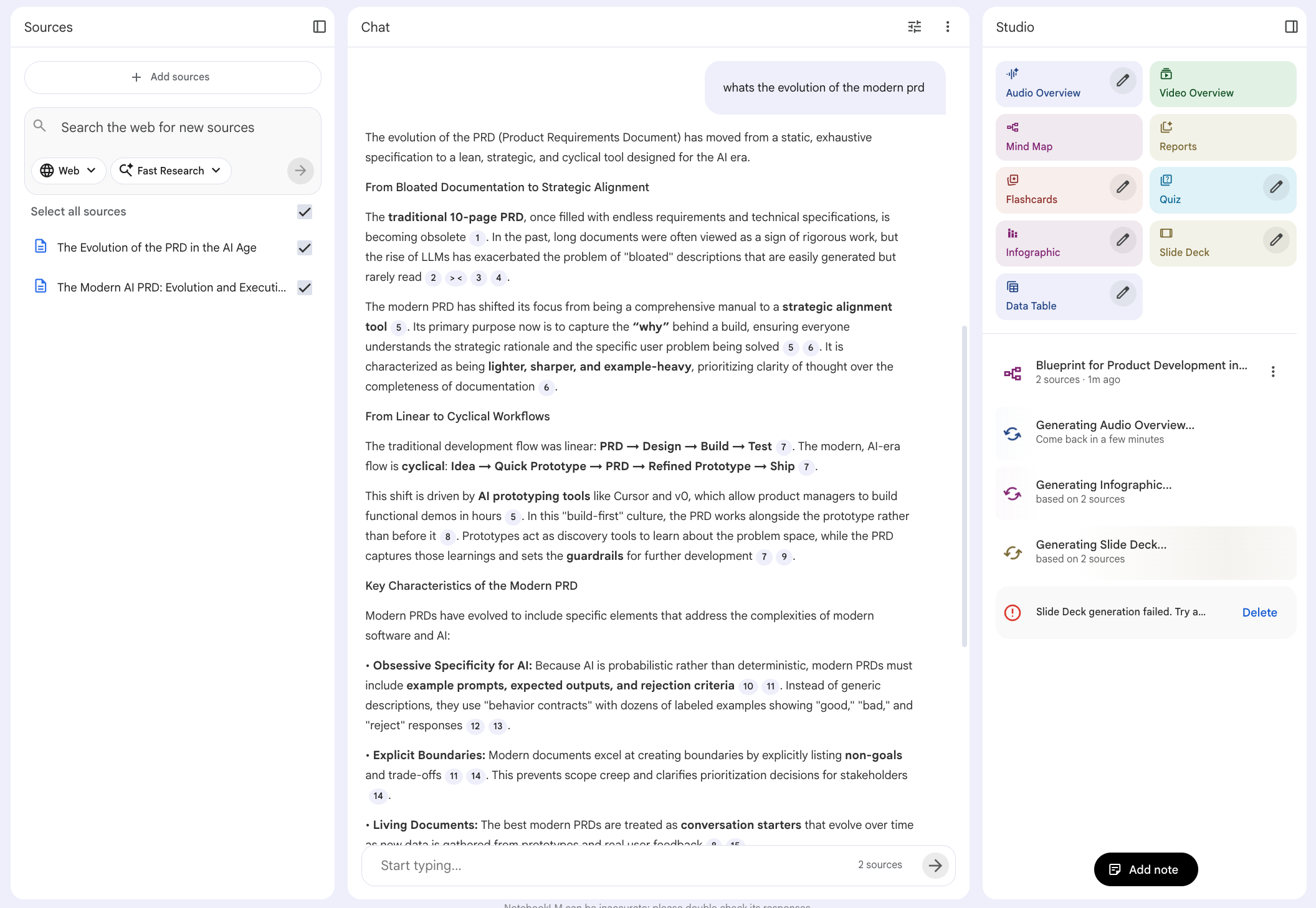
Google launched prompt-based slide revisions. Before, NotebookLM generated take-it-or-leave-it decks. Now you iterate through conversation. “Make slide 3 more visual.” “Add a comparison table to slide 7.” Slide generation without revision was a toy. Slide generation with revision is a workflow. That feature is why I wrote this guide.
They also shipped video overviews, branded infographic generation with your own assets, data table exports to Google Sheets, and a mobile app for audio overviews on the go.
2. The 3 Killer Features (And How to Actually Use Them)
NotebookLM has 10+ output formats. Three of them are genuinely differentiated from anything else on the market:
Slide Decks
Sole-Sourced Answers
Infographics With Brand Assets
Let me walk through each.
Killer Feature #1: Slide Decks With Prompt-Based Revision
Here’s what surprised me: you can click “Slide Deck” in the Studio panel with zero prompting and get a genuinely good deck. NotebookLM reads your sources, figures out the narrative arc, picks the key data points, and generates 12-15 slides with speaker notes. The visual quality is strong thanks to Google’s Imagen model. The storytelling structure gives me ideas on how to present messy information I wouldn’t have thought of myself.
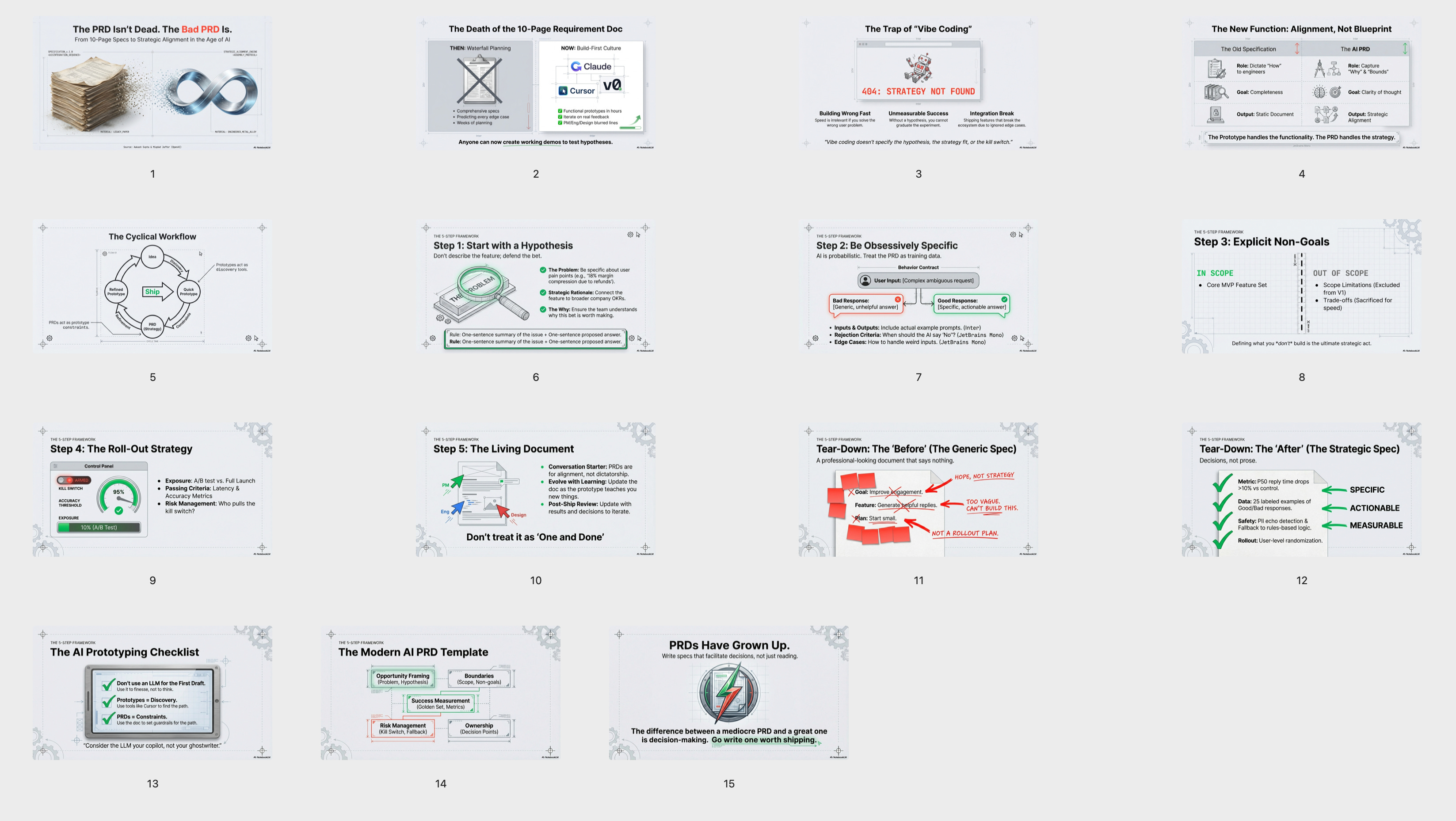
That alone puts it ahead of every other AI slide tool I’ve used.
But now with the new prompt-based revision, you can make them actually presentation-ready. Generate the deck, then use the “Revise” button to iterate. “Rewrite the speaker notes for a more technical audience.” “Swap slide 4 to a comparison layout.” “Make the conclusion more action-oriented.” Same revision loop you’d have with a human collaborator.
And if you do want to prompt from the start, here’s the power-user workflow: create a note called “slide deck specification” with your audience, slide count, structure, visual style, color scheme. This becomes a reusable playbook you reference every time. Copy the spec, paste it with your content focus, and generate.
When your VP asks “where did this number come from?” you can answer, because every claim traces back to your sources.
Killer Feature #2: Sole-Sourced Answers With Citation Tracing
I covered the architecture in Section 1. Here’s how to actually use it.
Selective source toggling. Toggle individual sources on and off before asking. Compare just the academic research. Then just the practitioner guides. Then both. You turn a flat pile of documents into a structured, interrogatable knowledge base.
The gap analysis technique. Ask: “What are the five most important questions a [role] should be asking about [topic] this year?” Forces prioritization over summarization. Then: “What are the missing sources to dive deeper?” Identifies blind spots in your own research.
The note-to-source loop. Save any answer as a note, convert it to a source, then generate outputs from that curated answer. That loop is how you go from raw research to polished content in layers.
Killer Feature #3: Infographics With Brand Assets
Upload a brand character or visual element as a source. Tell NotebookLM to use it throughout the infographic. It weaves your asset into the design.
The workflow: upload brand character → optionally generate infographic copy first as a note → convert note to source → select brand character + copy source → click Infographic → pick orientation, style (hand-drawing, whiteboard marker, grid layout), and specify the character in your prompt.
Here’s a recent infographic it generated for the podcast:
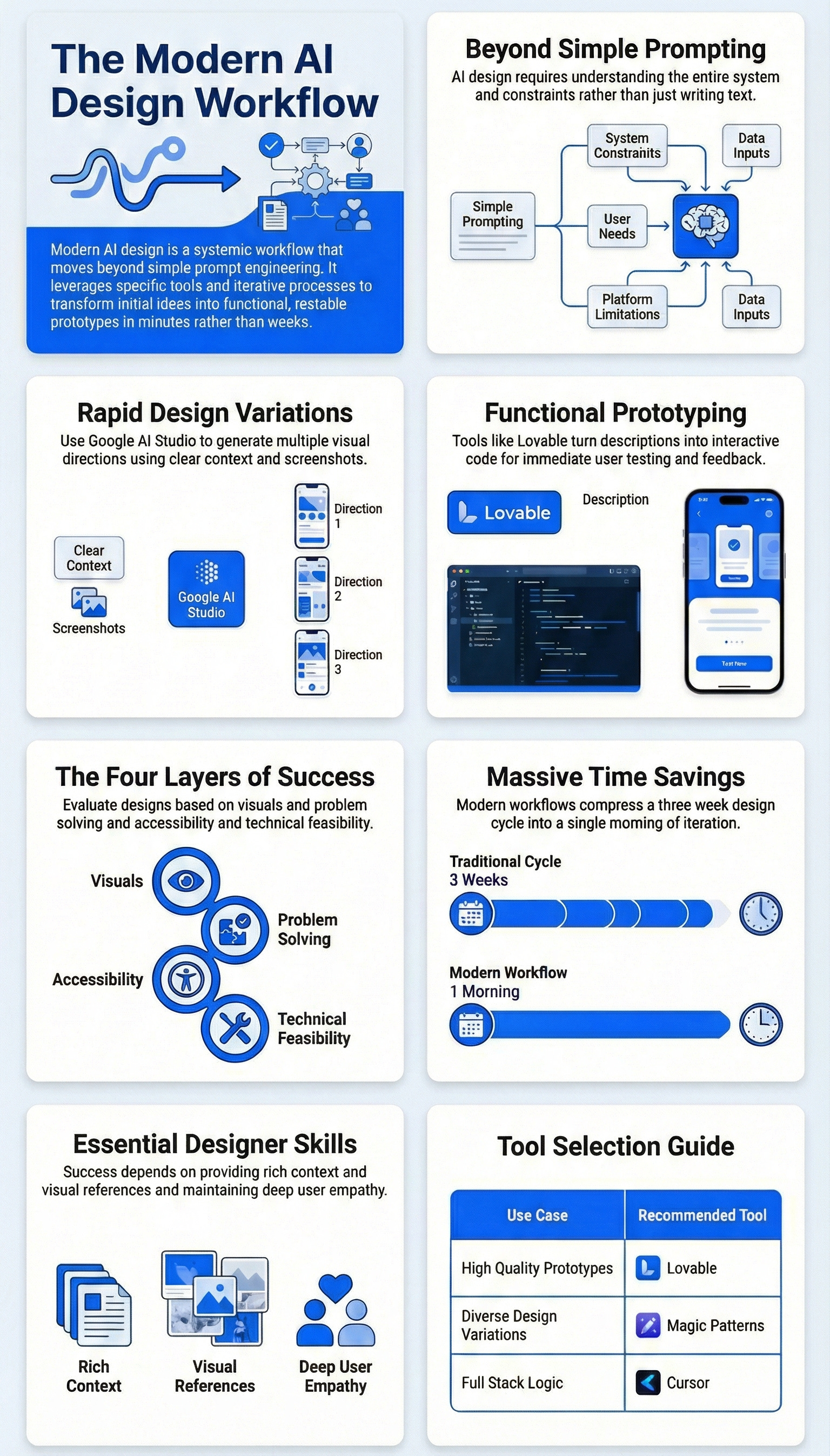
It’s pretty good, right? Easily the best in AI right now.
3. From Research to Product Deck in One Afternoon
Here’s why NotebookLM is different from the 50 other AI tools you’ve tried this year: it’s an ecosystem. One notebook holds your sources, generates your mind map, creates your podcast, builds your slides, exports your data tables, and feeds into Gemini for prototyping. Everything talks to everything else. You never start over.
Let me show you how that plays out on a real project.
I’ve been watching the Generative Engine Optimization (GEO) space. The tools that exist today mostly track visibility but don’t tell you what to fix. There’s a gap. I wanted to build a quick prototype and see if people cared.
The workflow breaks into four phases: Research → Learn → Analyze → Ship.
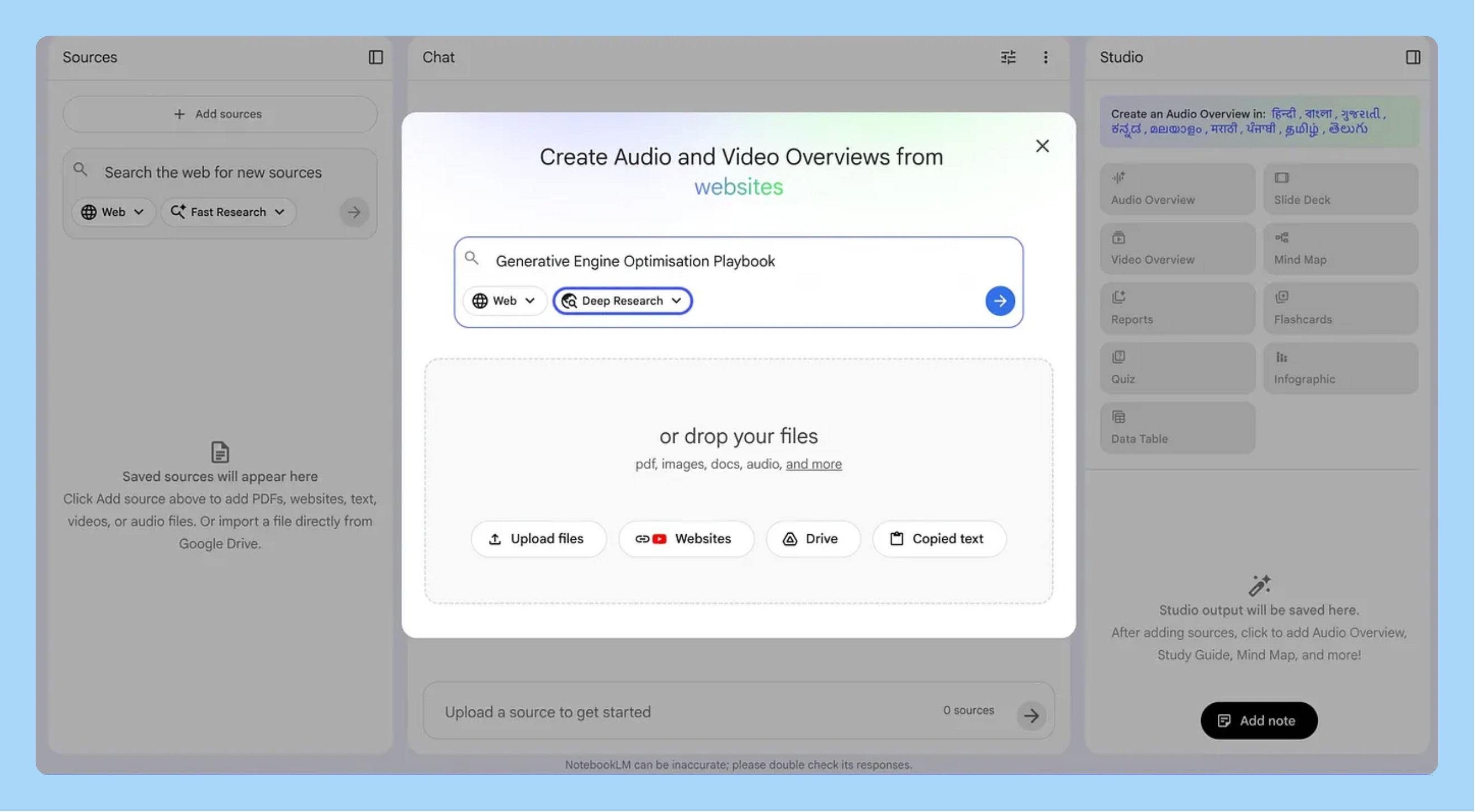
Phase 1: Research (4 minutes)
Deep Research in the Studio panel. Typed my question. Four minutes later: a report covering 55 resources with citations, imported directly as a source.
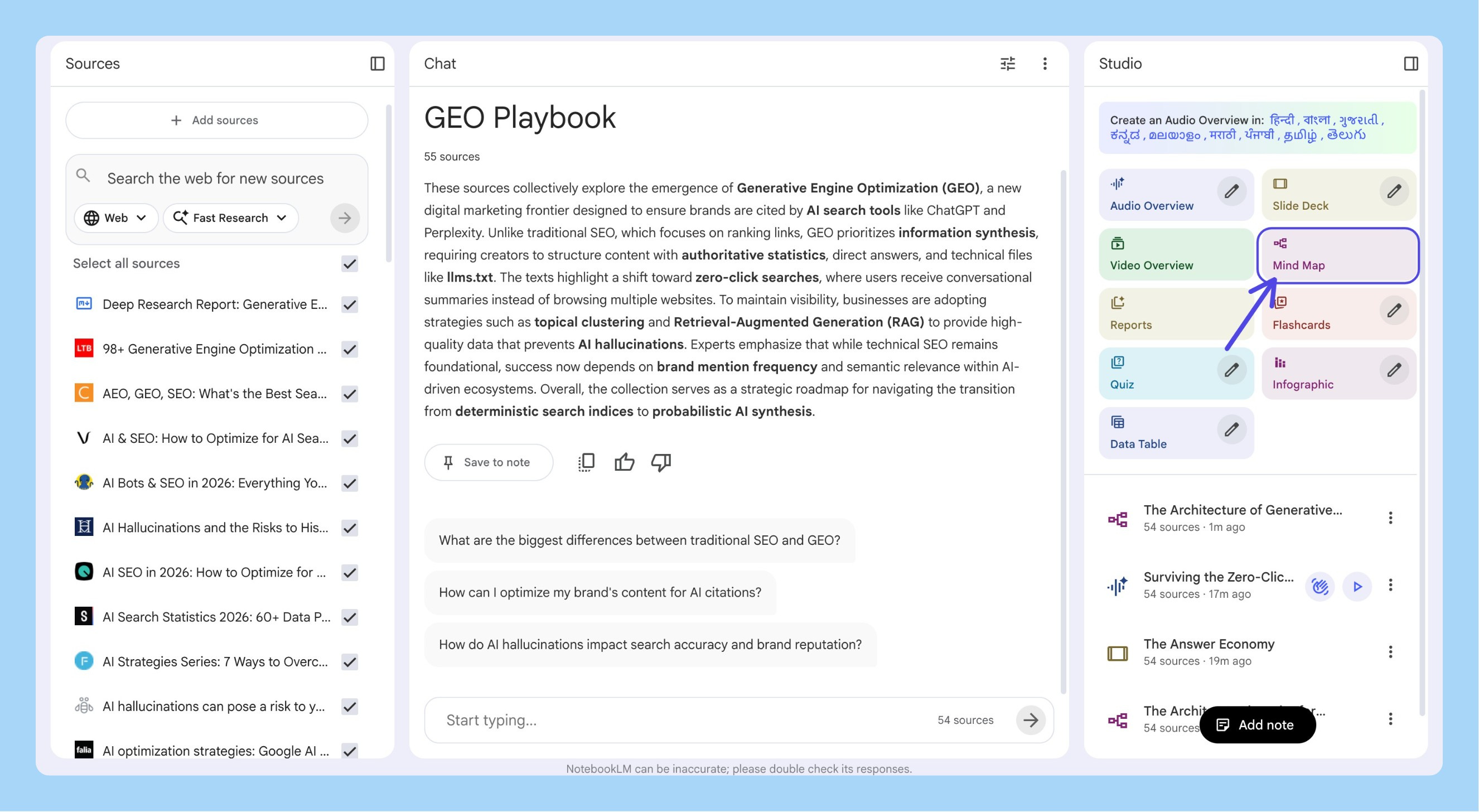
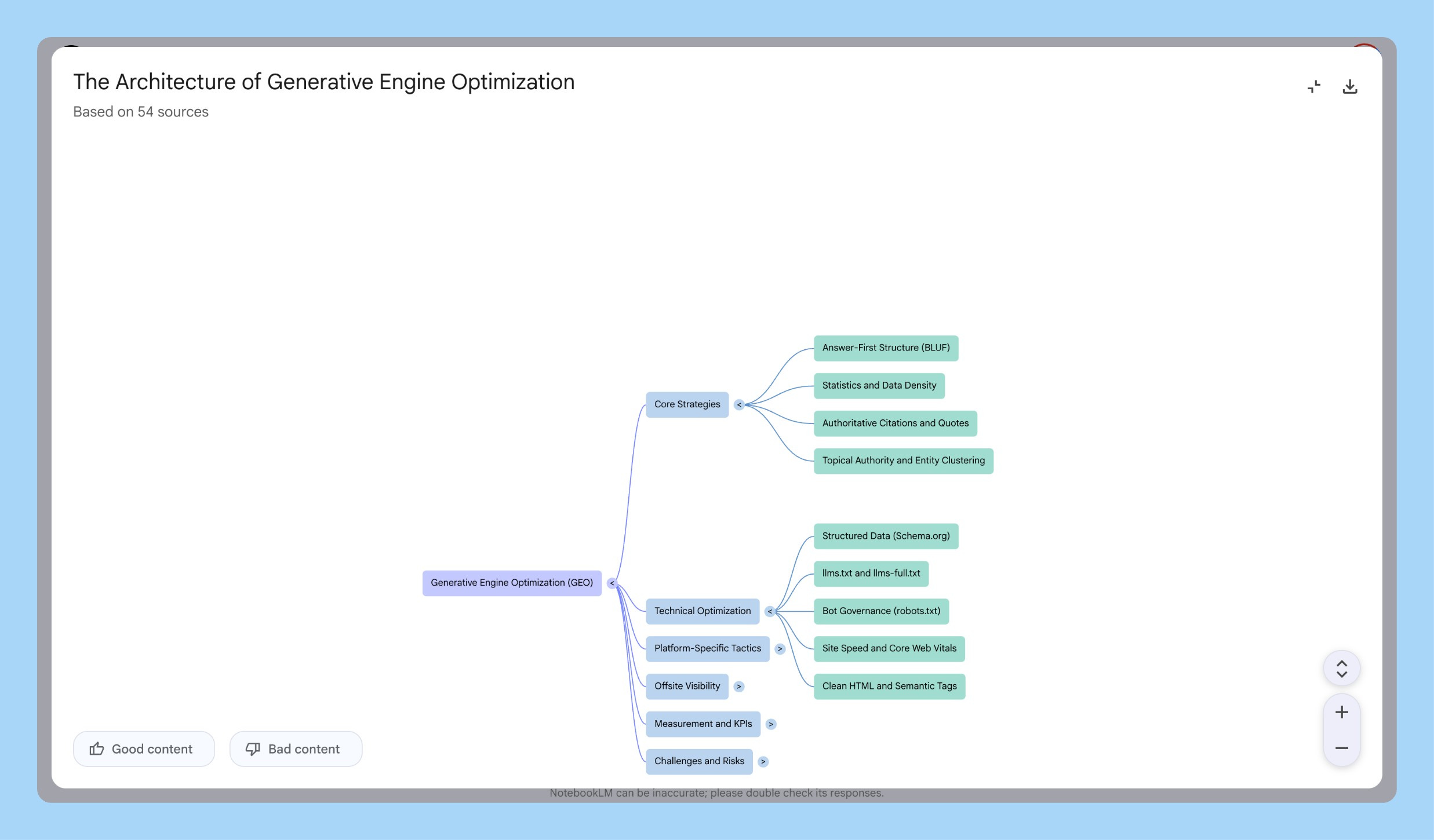
Then a mind map to see structure before reading anything. The map showed where tools clustered (monitoring visibility) and where gaps existed (nothing for telling you what to fix, connected to revenue). Downloaded the PNG. Used it in every GEO conversation that week.
Phase 2: Learn (while making dinner)
I had 55 sources. I wasn’t going to read them.
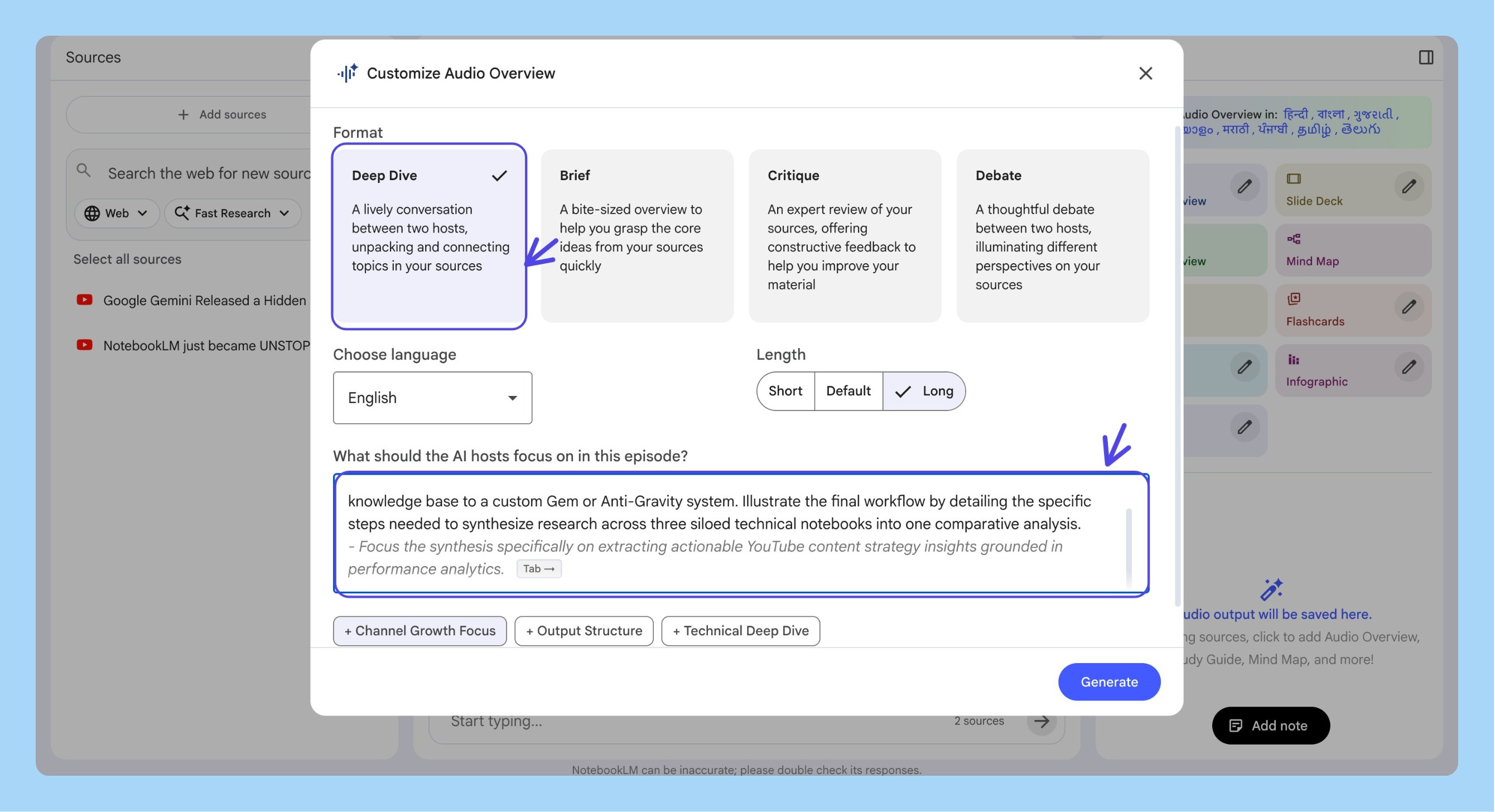
Generated two audio overviews. A Deep Dive while cooking, where the hosts covered how AI search differs from Google, the three strategy buckets, and why most brands are getting it wrong.
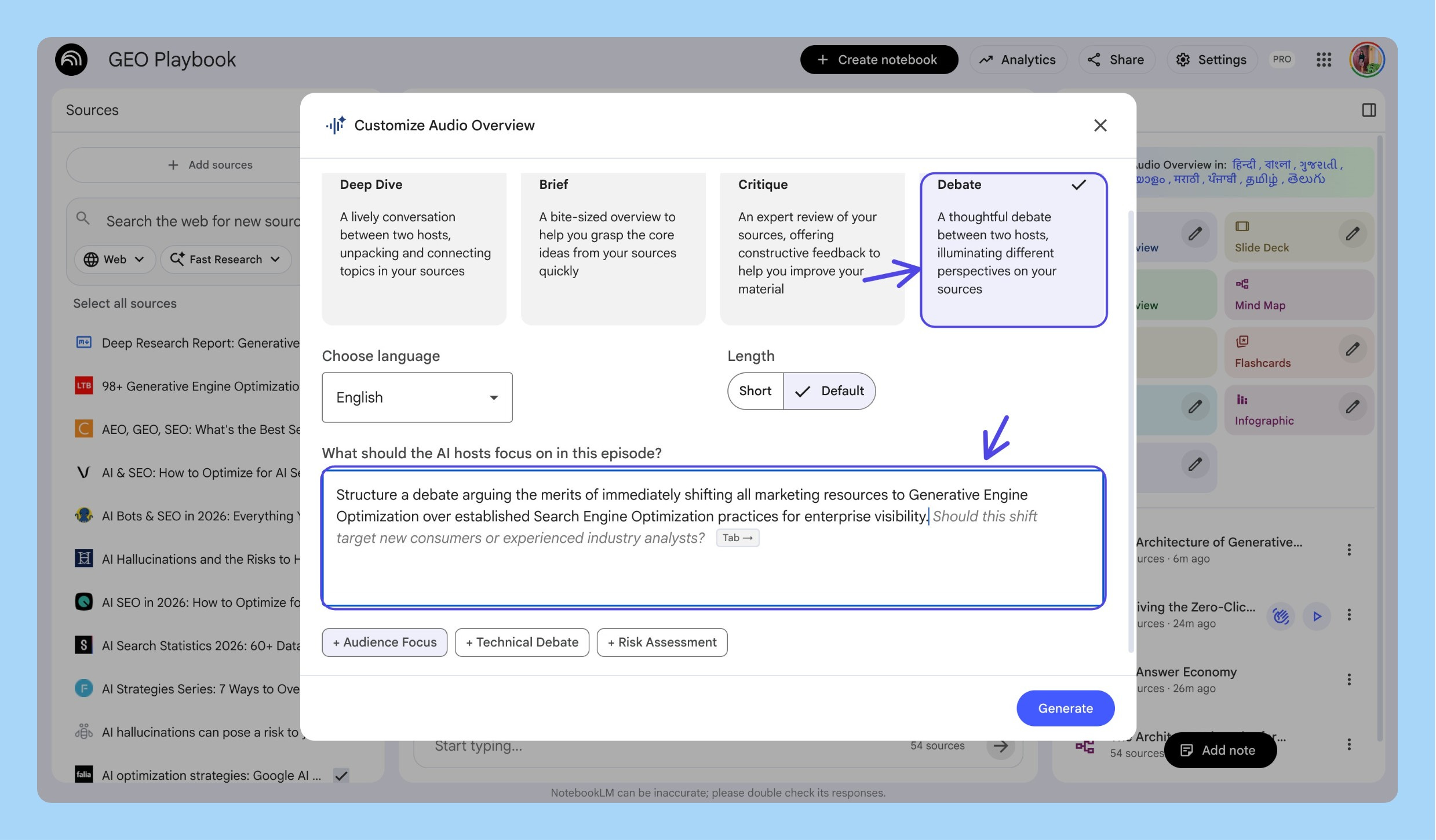
Then a Debate to stress-test: is GEO a new problem or just SEO with extra steps? Hearing both sides argued out loud forced me to form my own position.
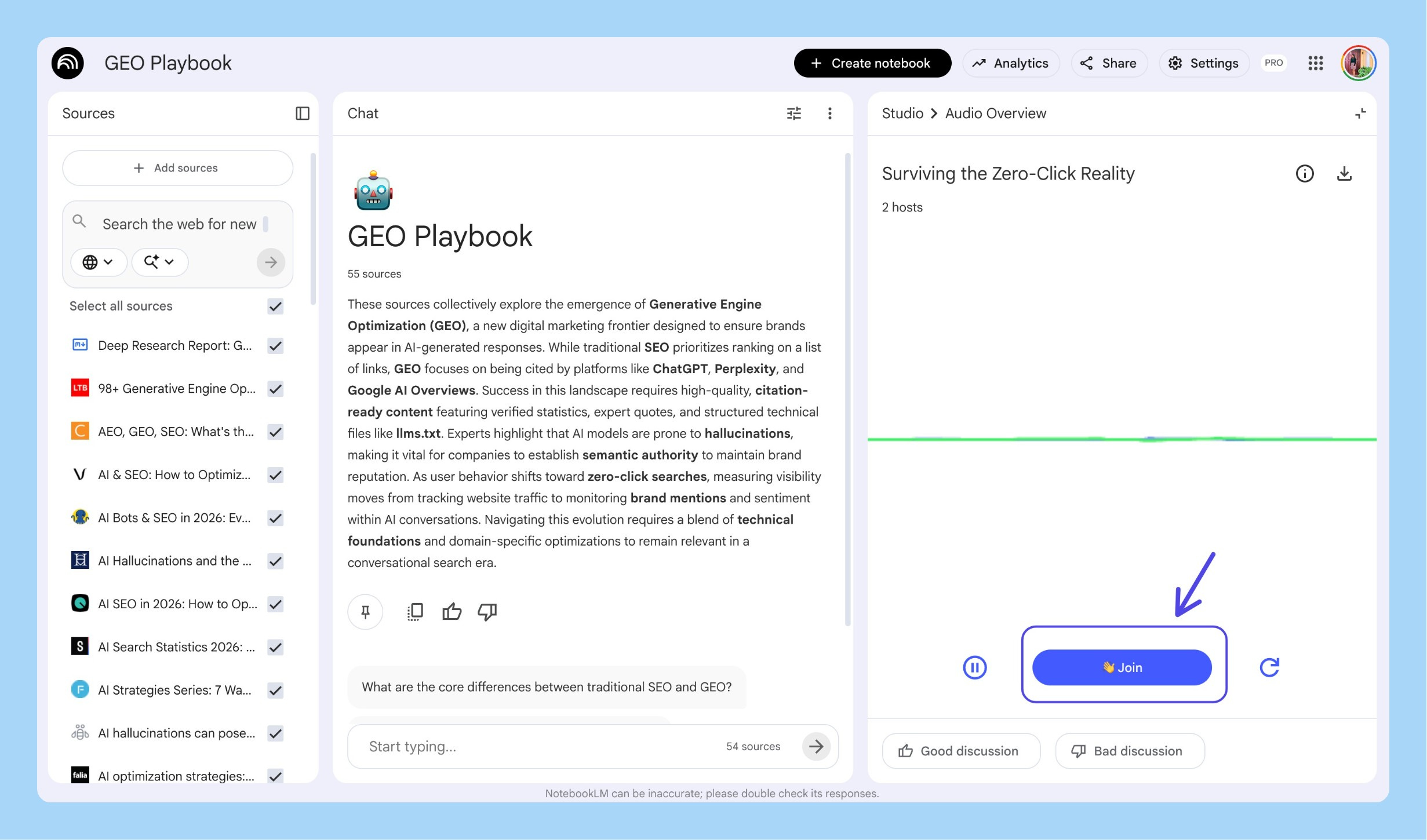
Then Interactive Mode. Clicked “Join” and asked: “How does this apply to B2B SaaS specifically?” The hosts pivoted the entire discussion, pulled from practitioner guides, gave specific examples. That’s not a podcast. That’s a conversation with your research.
Phase 3: Analyze (finding the product opportunity)
Selective source toggling. Turned on just the tool docs to compare what exists. Then just the academic research. Then both.
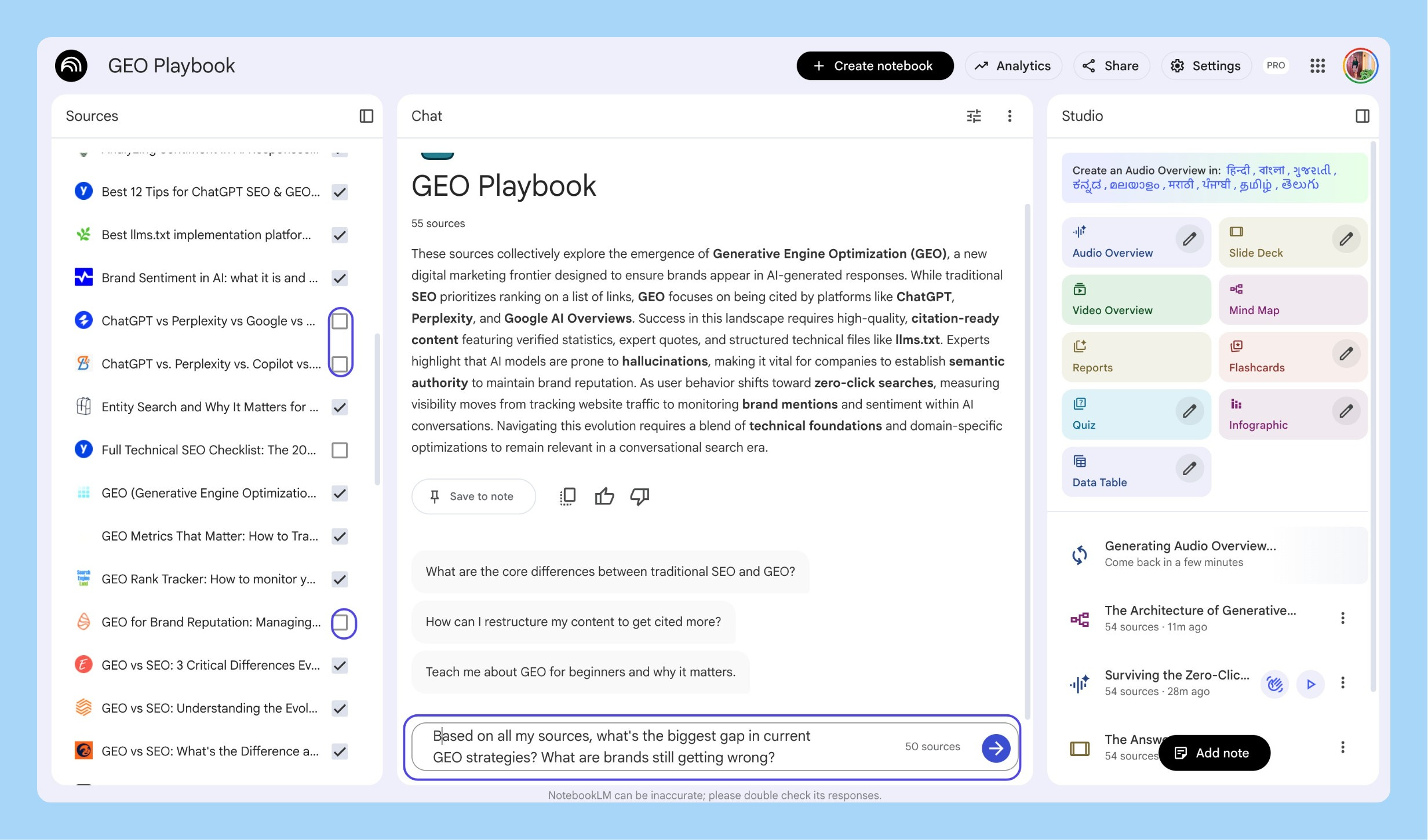
Three questions.
What’s the biggest gap? Tools track mentions but none close the loop: track → diagnose → tell you what to fix → measure revenue impact.
What exists already? Some content auditing, nothing connecting audit to action.
What would the MVP look like? NotebookLM gave me a cited answer: prompt-level tracking, gap diagnosis, prioritized fix list, before/after scoring. That answer became the product spec.
Phase 4: Ship (customer discovery + product deck)
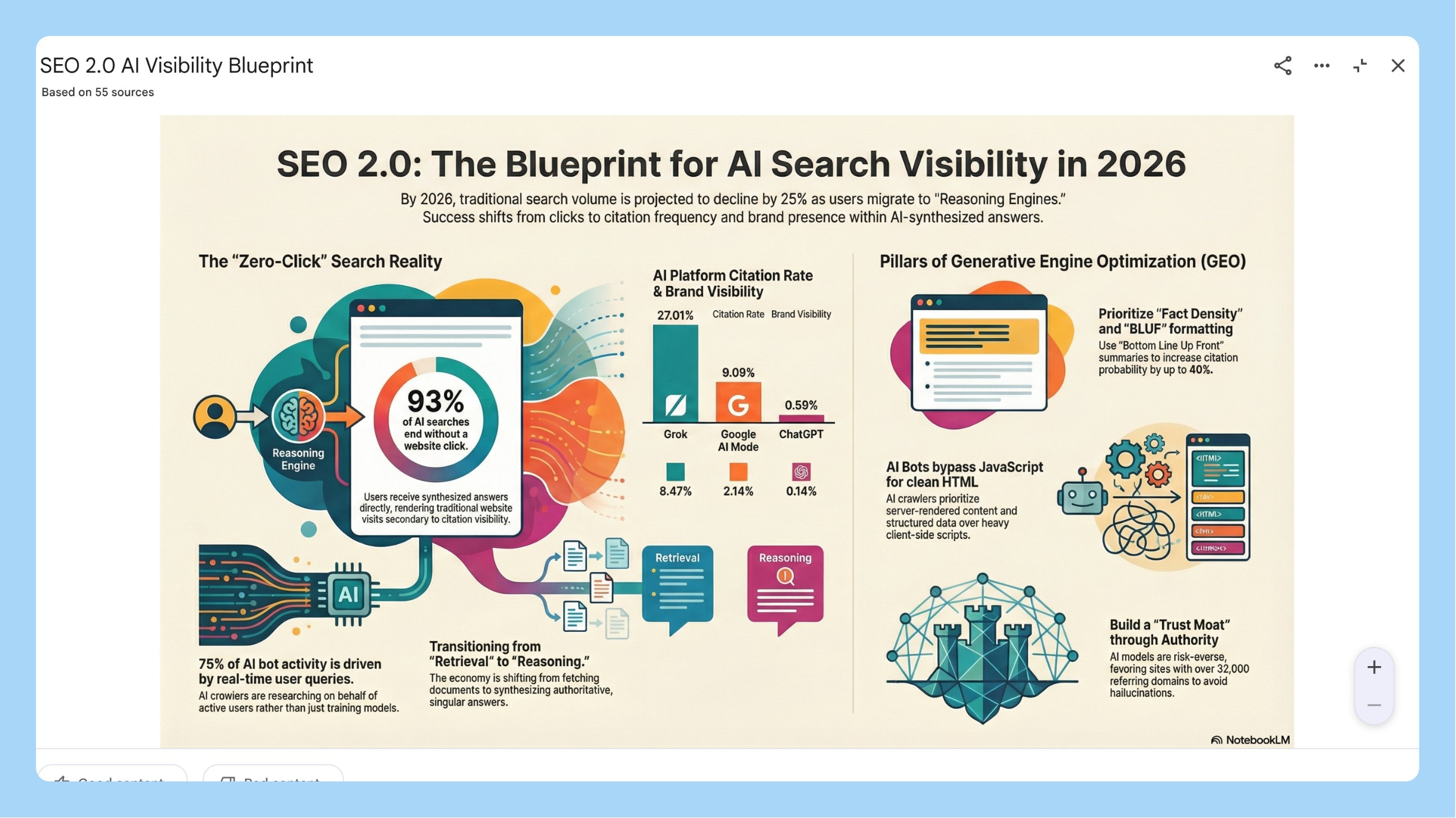
Generated an infographic from the Studio panel. Used it in conversations with 5 SaaS founders. Instead of 10 minutes explaining GEO, I showed the infographic and asked: “Is this happening to you?”
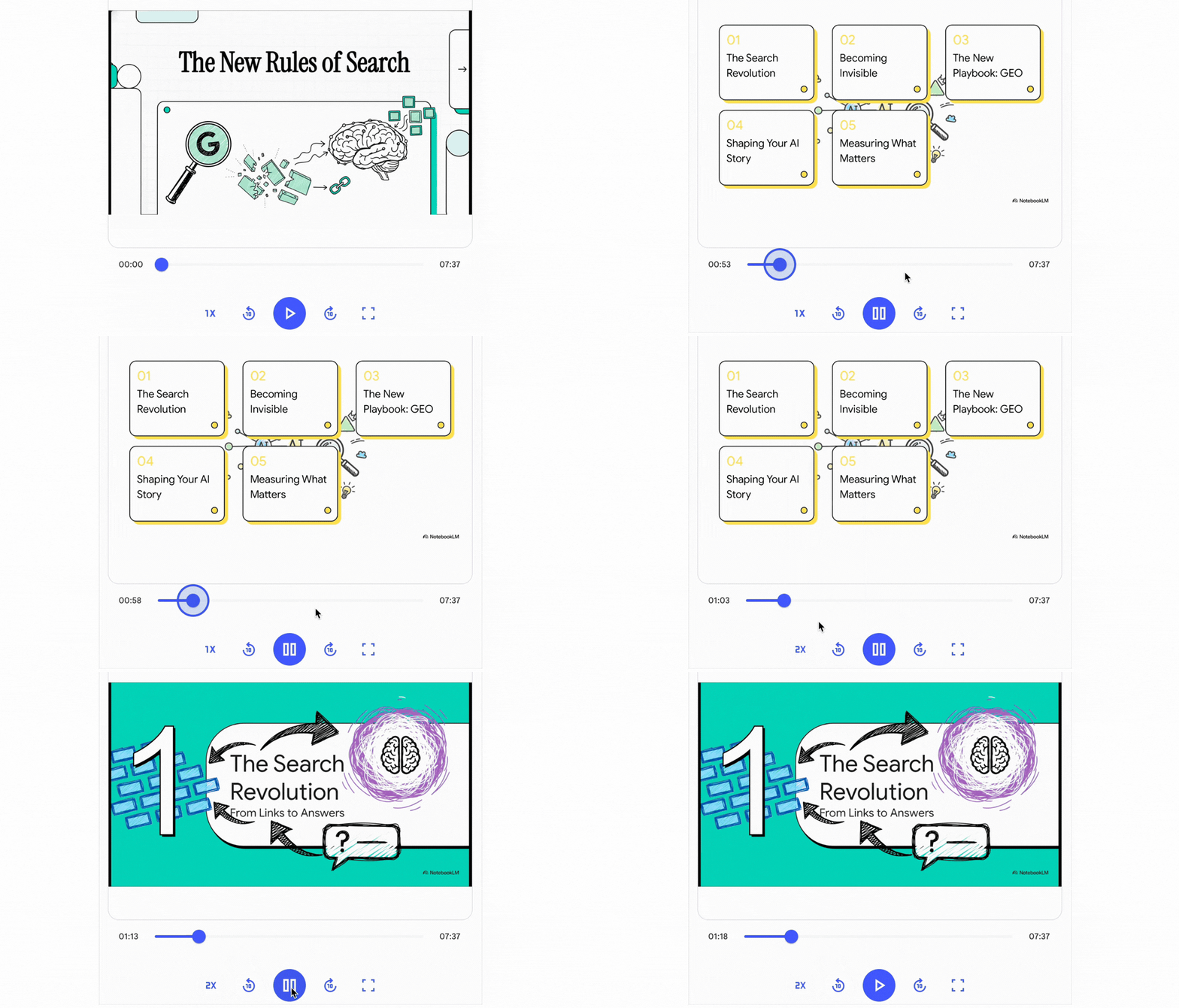
Generated a Whiteboard-style Video Overview: “why brands are invisible in AI search.” 4-minute narrated video. 3 minutes to generate.
Slide Deck from the Studio panel with my specification note. Data Table to compare six GEO tools across features, pricing, engines tracked, and gaps. Exported to Sheets. Screenshot into the deck.
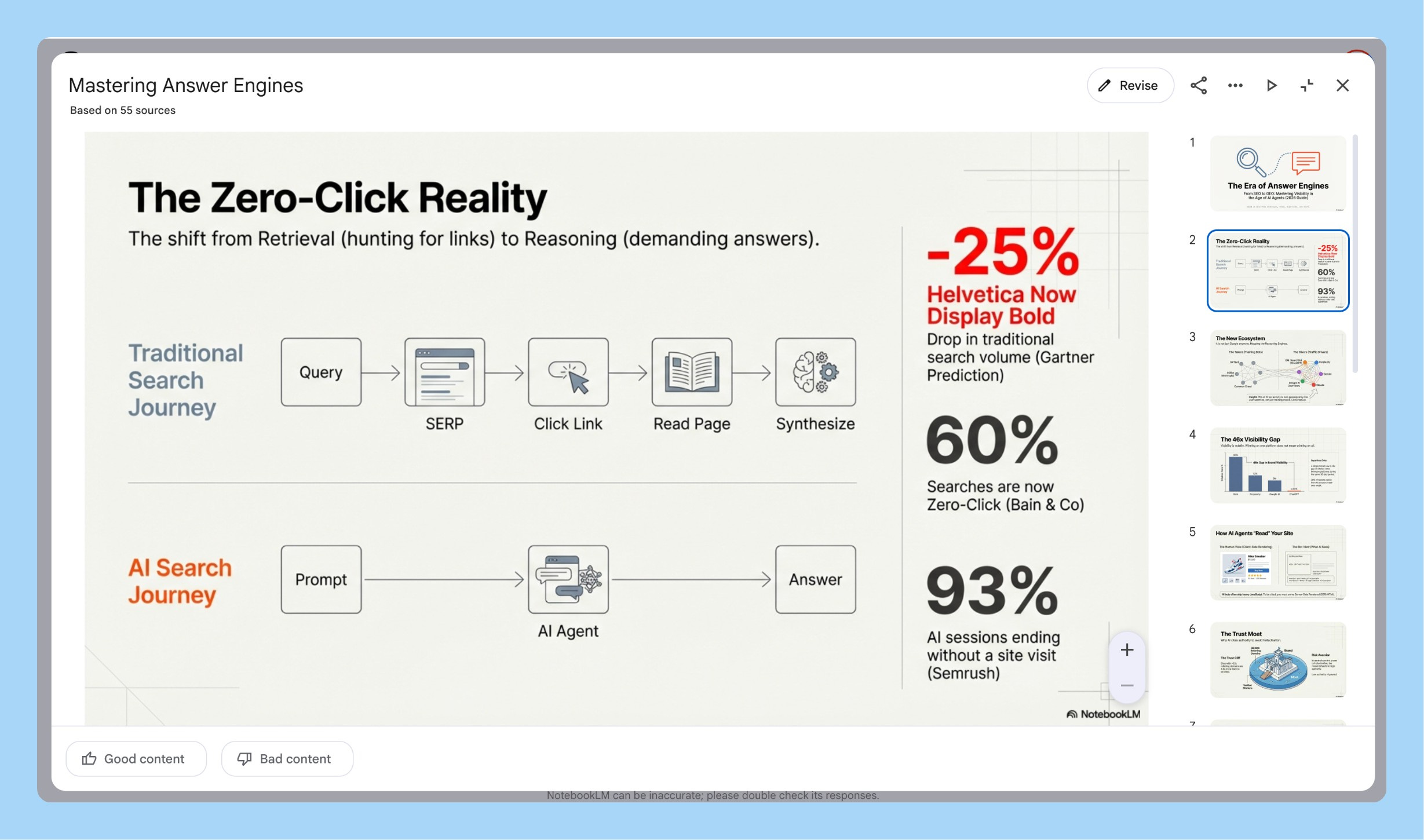
A real product deck from real research in about an hour. Research → Learn → Analyze → Ship. Every step fed the next. Every output in the same notebook. I never lost context.
4. How to Connect NotebookLM to Gemini (Prototypes, Gems, and Automation)
Everything so far lives inside NotebookLM. Here’s where you break out.
Connecting Them
Open Gemini → click “+” → select “NotebookLM” → pick your notebook → click “Add.” Gemini now has read-access to everything. Every answer includes citations.
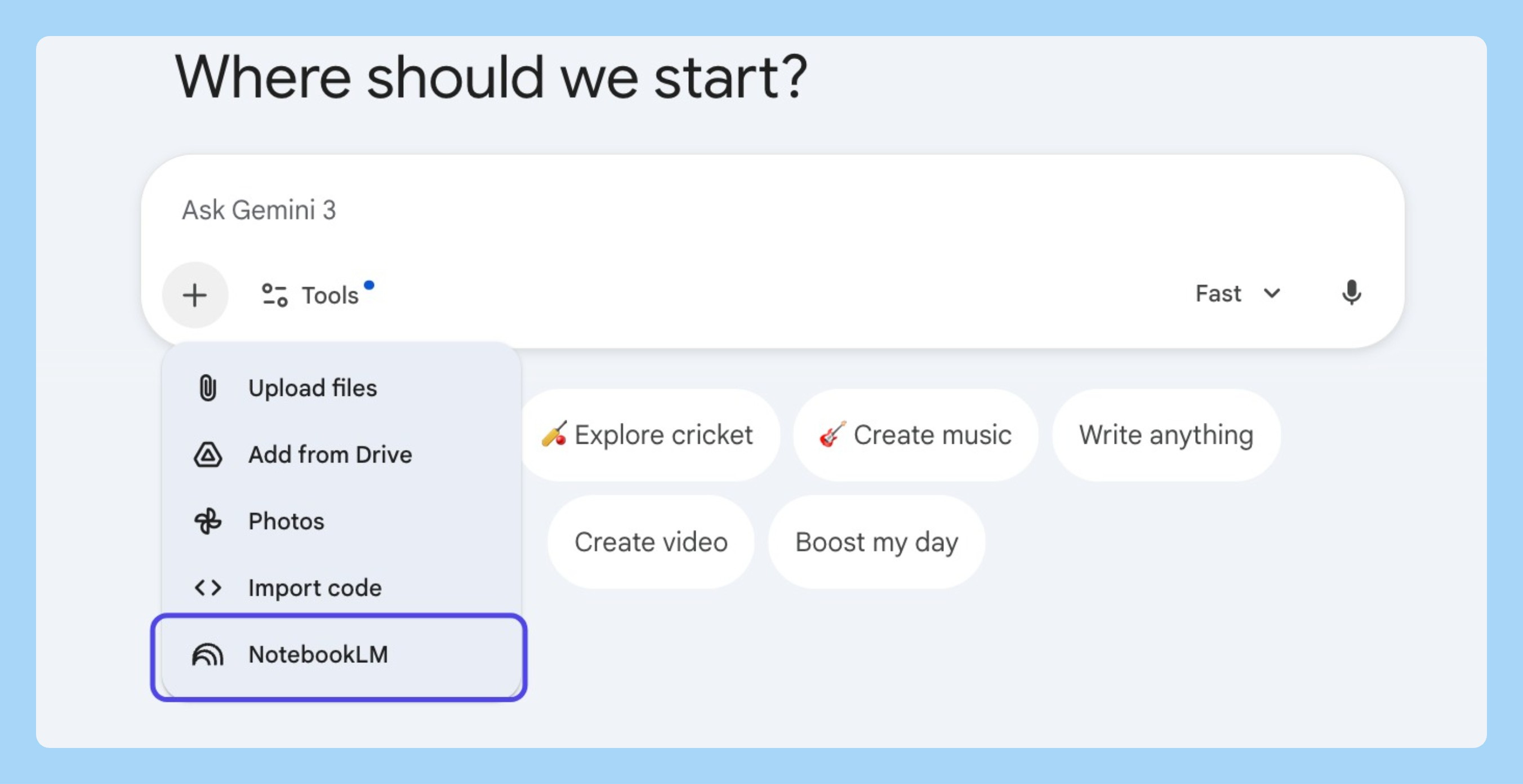
And unlike NotebookLM, Gemini can search the live web while referencing your notebook, so you can ask what you’re missing and add the new sources back.
Building a Working Prototype
With my GEO notebook attached, I asked Gemini to build a working GEO Audit Tool using Canvas. It built a live, interactive app. Type a brand name, enter test prompts, see audit results with recommendations.
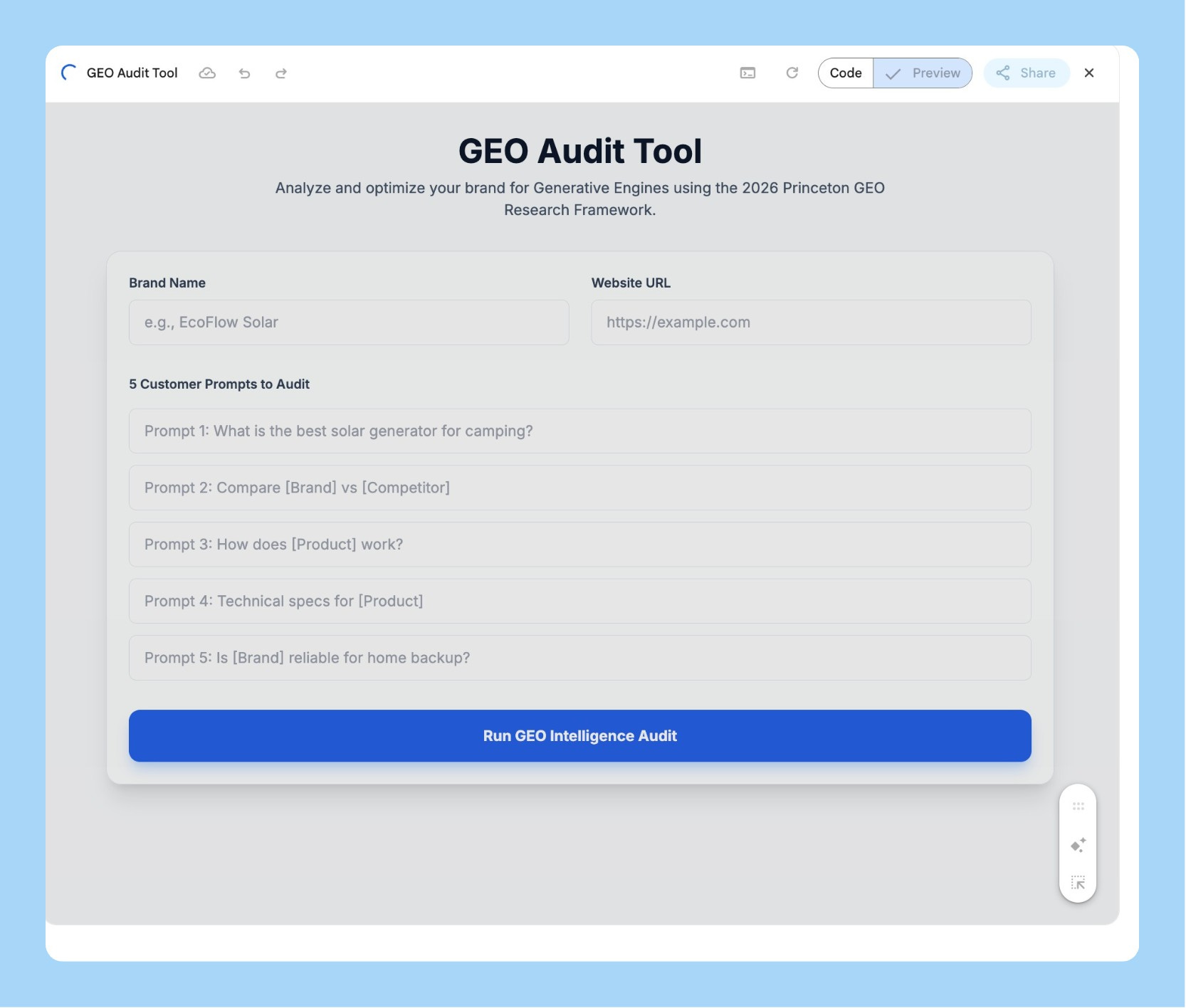
I iterated for 40 minutes. Adjusted scoring weights, added explanations, cleaned up UI, all through conversation. Gemini is genuinely good at front-end work. I covered AI prototyping workflows for paid subscribers.
The mental model: NotebookLM is your second brain (facts, sources, truth). Gemini is your builder (interactive body).
Gems: Persistent AI Advisors
Create a Gemini Gem with your NotebookLM notebook as a knowledge source. It auto-syncs when you add new sources. It scales past limits, Gems cap at 10 files but through NotebookLM access hundreds. And instructions persist across sessions, come back weeks later, pick up where you left off.
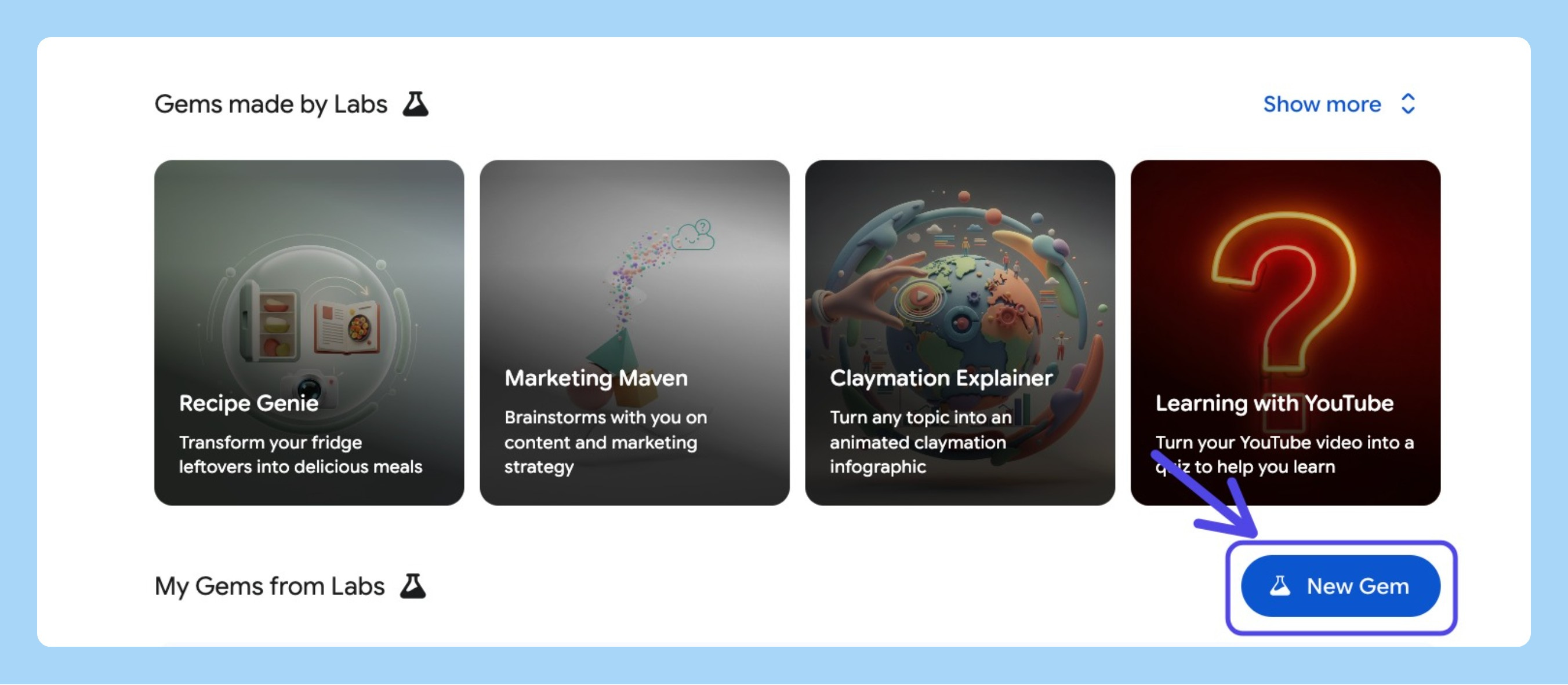
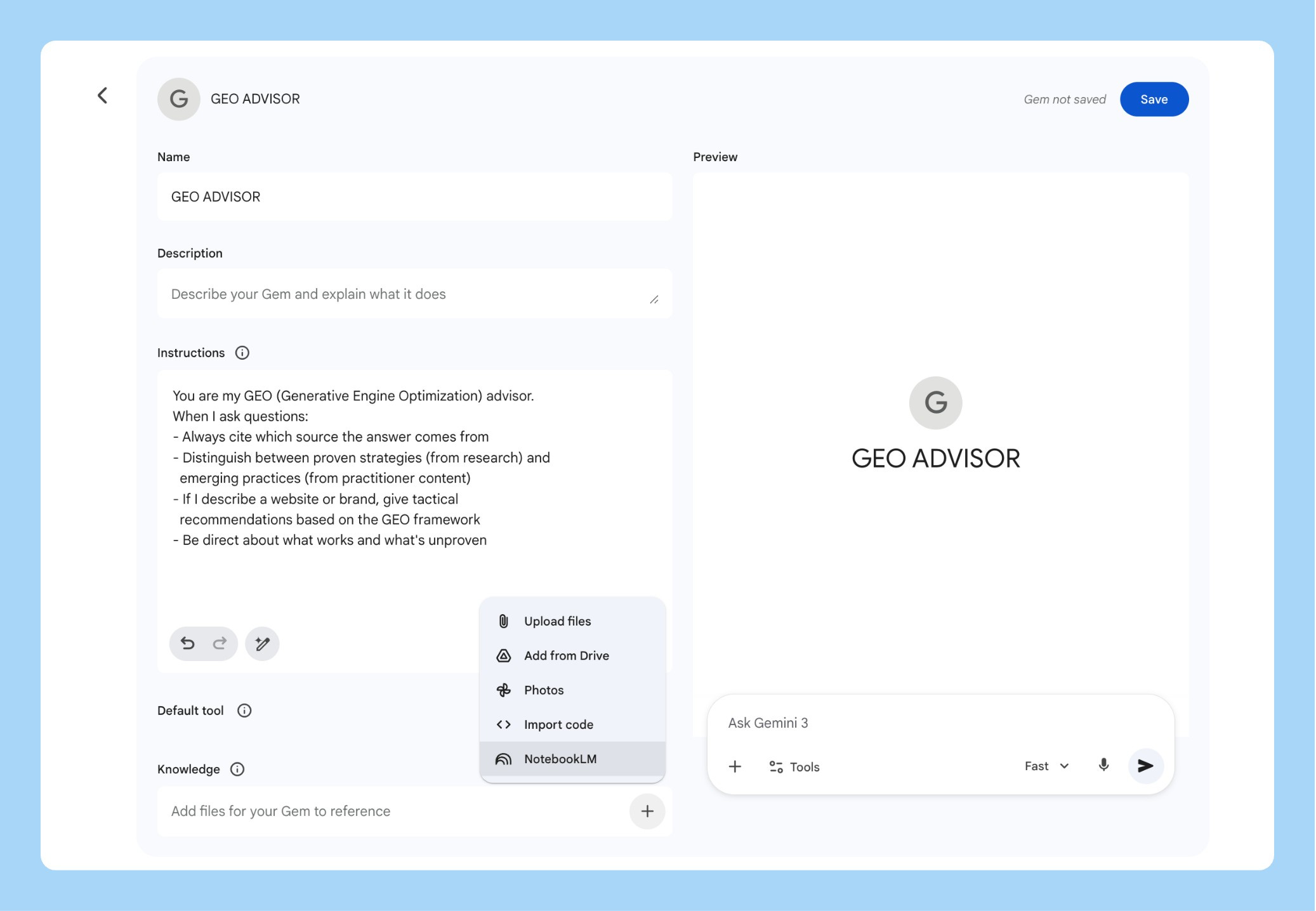
I now have a “GEO Advisor” Gem I use whenever someone asks about AI visibility. New research goes into the notebook. The Gem learns automatically.
Automating at Scale (MCP Server)
NotebookLM doesn’t have an official API yet, but the community built open-source MCP servers connecting Google Antigravity (or Claude Code, or Cursor) to NotebookLM.
uv tool install notebooklm-mcp-cli
nlm setup add antigravity
One prompt creates a notebook, adds sources, runs deep research, and generates outputs. I’ve started building pre-populated audit notebooks for different verticals. Each one takes a single prompt. This is how you scale a research process into a service.
5. The AI Stack That Actually Works
I get asked “should I use NotebookLM or ChatGPT?” twice a week. Wrong question. Here’s the stack I actually use and why each tool earned its spot:
NotebookLM owns three things: sole-sourced research, slide decks, and infographics. The only tool I trust when “where did you get that?” matters. Client deliverables, strategy presentations, competitive analysis.
Claude Code is my daily driver for deep work. I built my entire PM Operating System inside Claude Projects.
v0 or MagicPatterns for quick UI prototyping, when you need a visual in 30 seconds.
Speechify for dictation. 3x typing speed, AI cleans up grammar. If you’re not using a dictation tool in 2026, you’re leaving speed on the table.
The flow: Speechify gets raw thoughts down → NotebookLM does deep research → NotebookLM synthesizes and generates outputs → Claude Code handles deep writing → v0 mocks quick UIs.
My full AI toolkit breakdown goes deeper on each.
Final Words - Google’s Disconnected AI Strategy
Google has Gemini the model, Gemini the chatbot, Gemini the API, Google AI Studio, Vertex AI, Antigravity, and NotebookLM. Each does something the others can’t. The connections feel stitched together rather than designed.
The NotebookLM-to-Gemini handoff from Section 4? Powerful. But you have to know it exists. There’s no onboarding that says “hey, you just built a research notebook, want to turn it into an app?” Compare that to Anthropic, where Claude Projects, Claude Code, and Cowork live under one roof.
NotebookLM is still the one Google product I’d genuinely miss if it disappeared. The sole-sourcing is architecturally unique. The slides just got actually good. The audio overviews remain the best way to internalize research without reading.
Google has the tools. They need the map.

YC interviewed Anthropic’s Boris Cherny, and it was a great podcast.
1. The “software engineer” title is fading
Since Claude Code’s internal rollout, productivity per engineer at Anthropic is up 150%. Cherny says 90-100% of code is now written by the model. Designers and PMs are coding. The job is shifting from writing code to writing specs and talking to users. That’s not a prediction. It’s already happening inside one of the top AI labs.
2. Build for the model six months from now
Anthropic doesn’t build around current model limitations because those limitations tend to disappear with the next release. All that “scaffolding” code developers write to patch model errors? It becomes technical debt the moment a better model ships. Cherny’s advice is to leave those gaps open and let the next model close them.
3. Watch what users do, not what your roadmap says
Claude Code wasn’t planned. Engineers were manually telling Claude to think before coding, so Anthropic built “plan mode.” Finance and sales teams started using the terminal app for non-engineering work, so they built the Cowork GUI. The product grew from watching real behavior, not from a strategy doc. You can’t force people to do something new. You make what they’re already trying to do easier.
That’s all for today. See you next week,
Aakash
P.S. You can pick and choose to only receive the AI update, or only receive Product Growth emails, or podcast emails here.