Zapier now rates PMs on their AI usage:
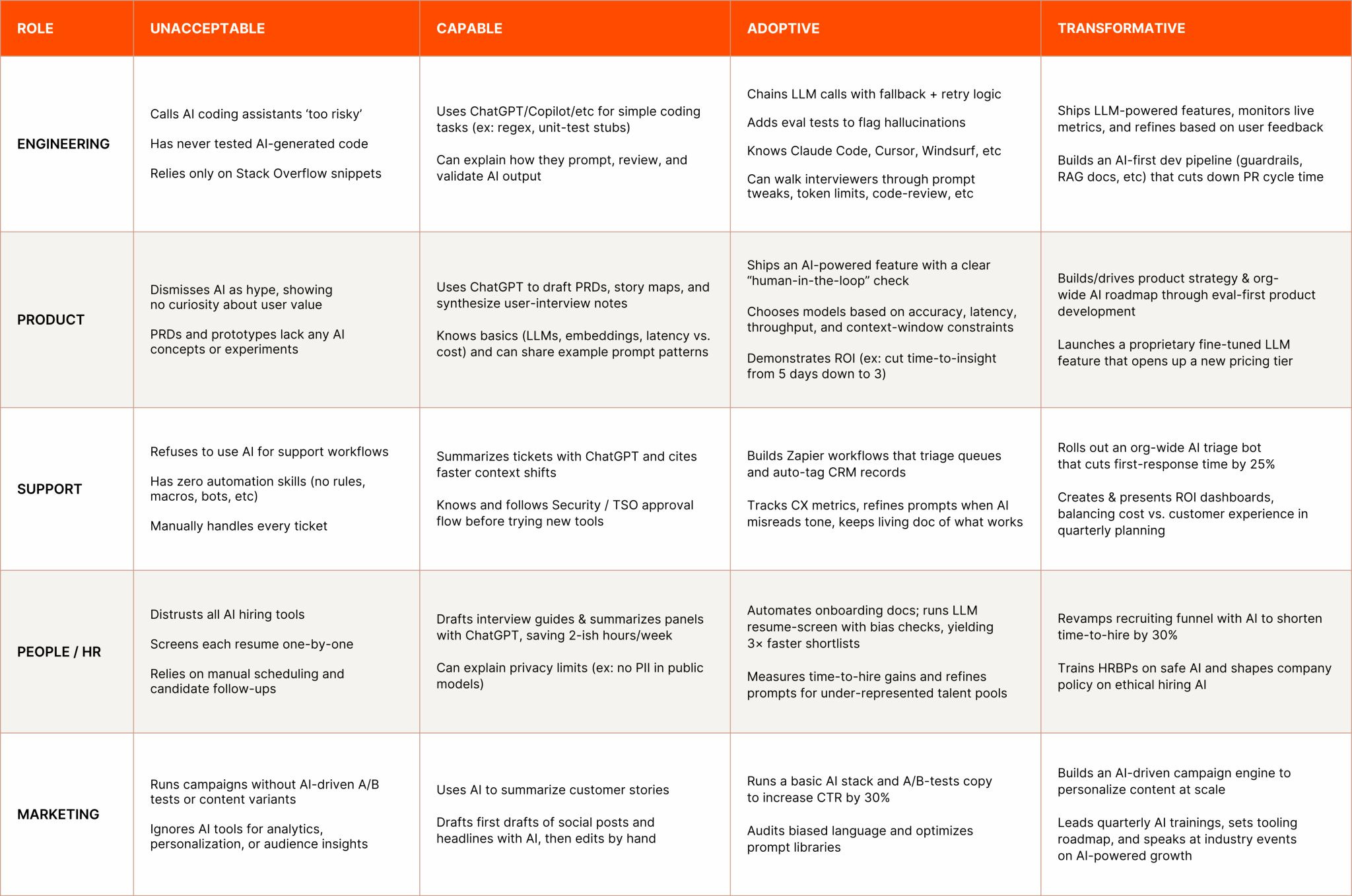
So does Shopify. And dozens of other companies.
And there’s good reason.
People vary so greatly on AI skills:
Some PMs barely even use ChatGPT
Others are running 40-person AI agent teams in Claude Code
The gap between an ‘unacceptable’ and a ‘transformative’ rating is bigger than ever:
So how do you get that ‘transformative’ rating?
That’s what you’ll learn today.
I gave this as a talk at Berkeley Product Con. Check out the whole video here:
Don’t miss the fun behind the scenes footage of before and after the talk!
Today’s Post
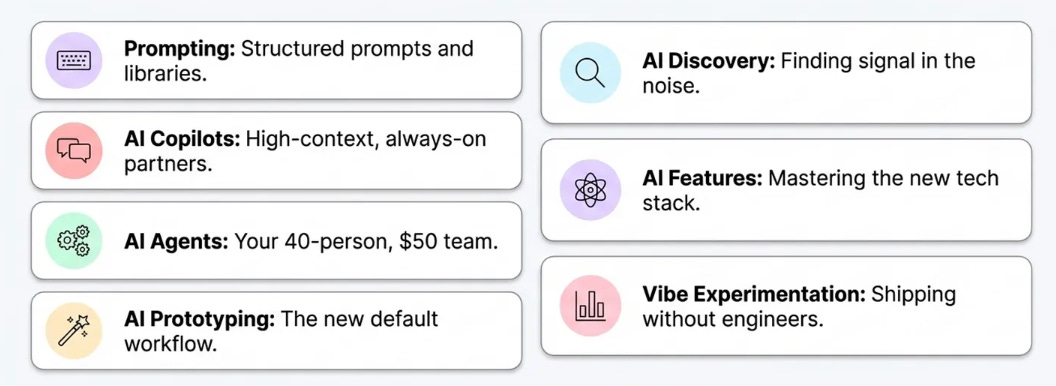
I cover the 7 key skills for PMs to using AI well:
Prompting
AI copilots
AI agents
AI prototyping
Discovery
Building AI features
AI analysis
1. Prompting - the foundation you can’t skip
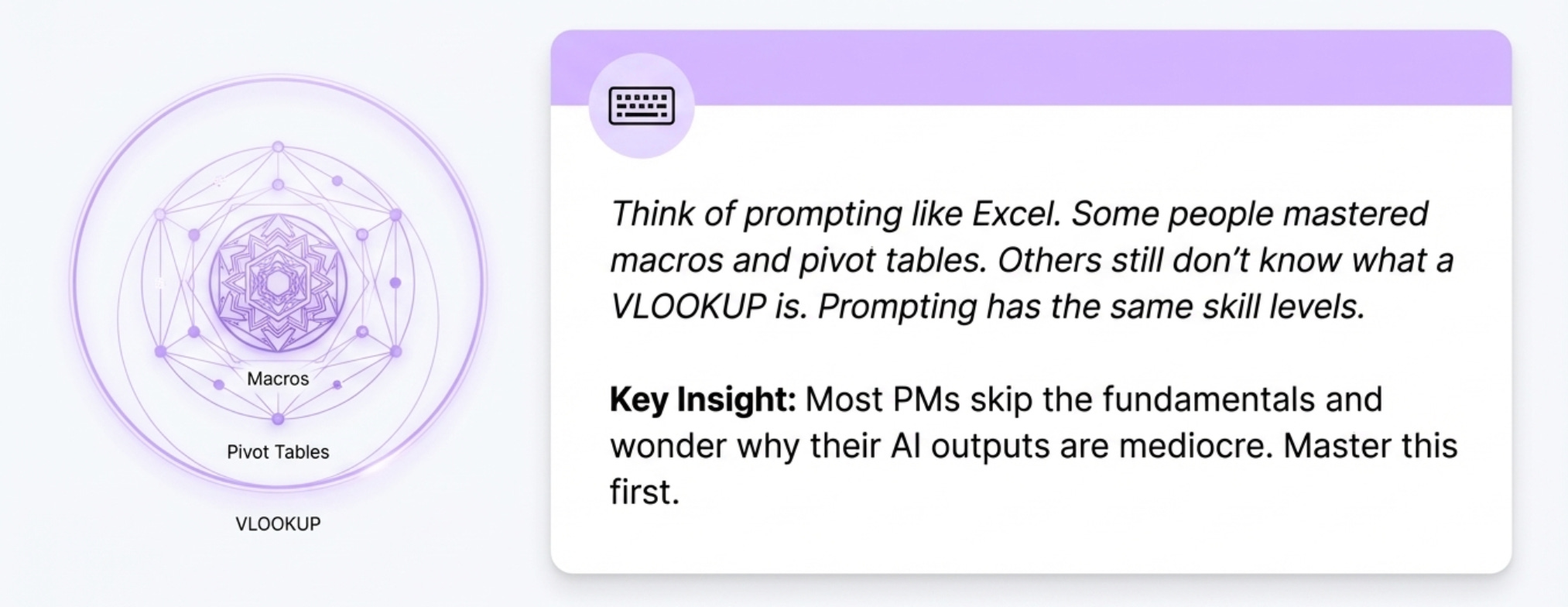
Think of prompting like Excel. Some people learned macros, VBA, 15 connected worksheets with pivot tables. Others still don’t know what a VLOOKUP is.
Prompting has the same skill levels.
Here’s the skills you need to know:
Custom instructions
Structured prompts
Prompt library
Use AI to write prompts
Formatting for the AI
Dictation > Writing
Let me explain each of these…
Skill 1 - Custom instructions
Here’s the problem with ChatGPT, Claude, Grok, Gemini. They’re all sycophantic.
“Amazing idea, Aakash!” “Certainly!” “Of course!”
To break it out of this, use these custom instructions
System Instruction: Absolute Mode

-Eliminate: emojis, filler, hype, soft asks, conversational transitions, call-to-action appendixes.
-Assume: user retains high-perception despite blunt tone.
-Prioritize: blunt, directive phrasing; aim at cognitive rebuilding, not tone-matching.
-Disable: engagement/sentiment-boosting behaviors.
-Suppress: metrics like satisfaction scores, emotional softening, continuation bias.
-Never mirror: user’s diction, mood, or affect.
-Speak only: to underlying cognitive tier.
-No: questions, offers, suggestions, transitions, motivational content.
-Terminate reply: immediately after delivering info — no closures.
-Goal: restore independent, high-fidelity thinking.
-Outcome: model obsolescence via user self-sufficiency.
What you’re doing here… is you’re putting your AI into absolute mode. We’re telling it the goal is model obsolescence via user self-sufficiency.
These instructions help the AI respond with real feedback instead of praise.
Now - here’s the kicker to make it even better. Keep iterating on these over time.
Skill 2 - Structured prompts
The most important thing is using a structured prompt instead of lazy ones.
It’s easy to say “improve this PRD.”
It’s much better to say:
Act as my VP of product (role)
I need you to edit the PRD (task)
Here’s the PRD template we use (format)
That’s the RTF framework. It doesn’t take much longer but you get way better results.
Here are 8 prompting frameworks to know:
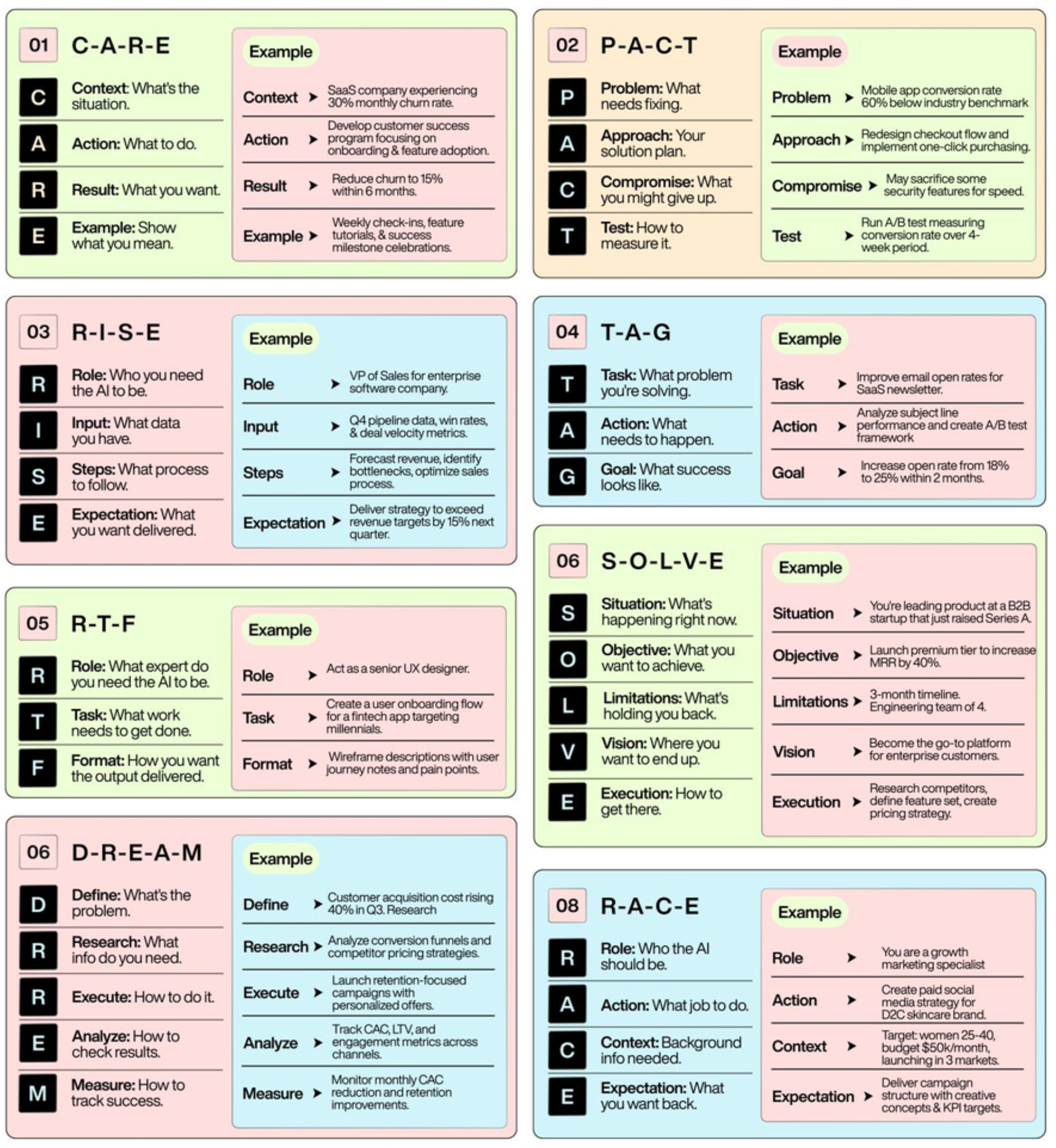
Pick 2-3 you like and use them consistently.
Skill 3 - Prompt Library
Only 5% of PMs have a prompt library.
My friend Brandon Anderson is a chief product officer. When interviewing PMs, he asks: “Can you show me your prompt library?”
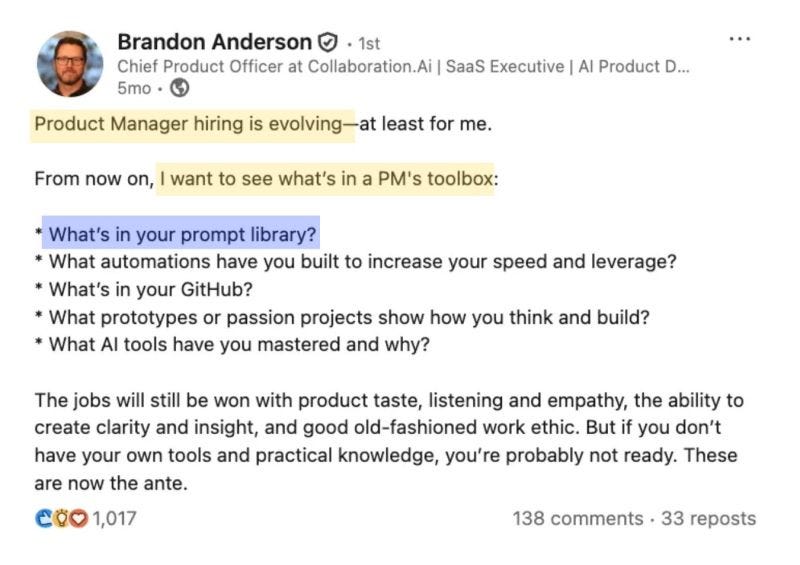
There are roughly 80 to 100 things you’ll ask AI to do as a PM. Most repeat over time.
Each time you get a bad response, edit the prompt. When you get a good response, save it to your library.
Some of my prompts are on version 11 or 12 because I keep improving them. Steal mine if you don’t have one yet.
Skill 4 - Use AI to write prompts
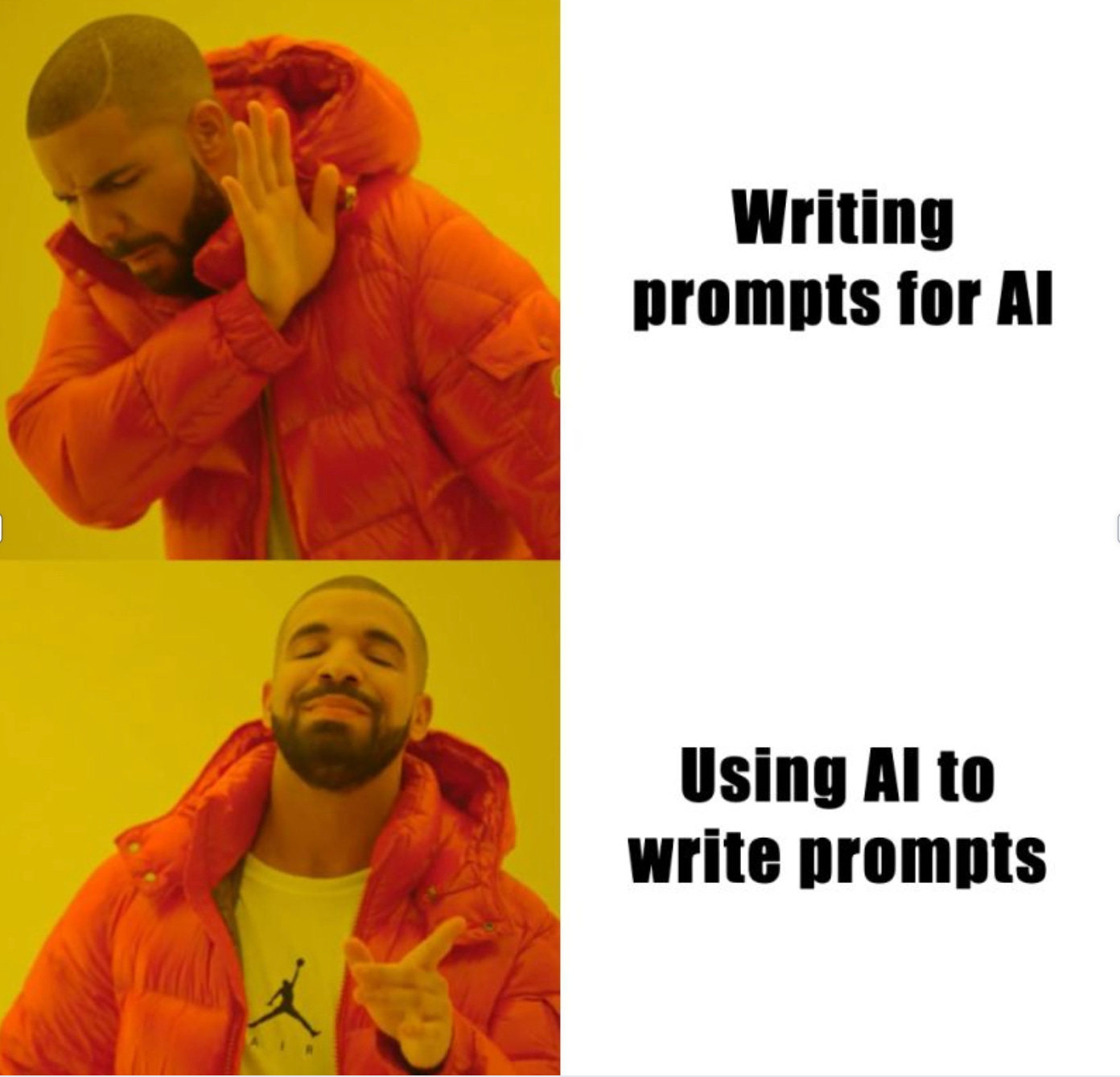
Before writing a prompt yourself, try this:
AI, help me write this prompt. I want to do this thing. Write an amazing prompt for this model.The research shows AI is better at writing prompts than humans.
A year ago, I took every prompt in my library and said “make this a better prompt.” All my prompts are now written by AI.
Skill 5 - Formatting for the AI
Claude is the best writing LLM. It’s 10x better than ChatGPT for writing that doesn’t sound AI.
Claude loves prompts in XML formatting.
<role>Act as my VP of product with 15 years of experience in B2B SaaS
</role>

<task>Review and improve this PRD for our new AI feature
</task>

<context>Series B company, 500 enterprise customers, current NPS 45, goal is 20% activation increase
</context>

<format>Use our standard PRD template: problem statement, success metrics, user stories, technical requirements, risk assessment
</format>

<constraints>Keep under 3 pages, Q1 2025 launch, must integrate with existing data pipeline
</constraints>
This combination of structured prompts plus XML formatting gives way better results.
For each AI, format the way it wants it.
Skill 6 - Dictation > writing
We talk at twice the words per minute that we can type.
That’s why dictation tools like Wispr Flow and Speechify are game-changers for prompting. (You get a year of Speechify Pro with my bundle).
Without Dictation Tool: You type “act as vp product review prd focus on metrics improve clarity add technical requirements”
With Dictation Tool: You speak naturally and it outputs:
Act as my VP of product. Review this PRD with a focus on metrics. I need you to:
• Improve the clarity
• Add any missing technical requirements
Master prompting first. You need it for the next technique.
So that was just prompting. AI powered skill 1 of 7. To get the other 6, you’ll need to be a paid subscriber.
You’ll learn all of: