
Welcome back to the AI Update.
Hope you had a wonderful Thanksgiving.
The last two weeks have been absolutely insane for AI.
We’ve seen 4 separate companies release models that take the spot of “best model on planet earth.”
What does this all mean? I’ll break it down in today’s news update.
Plus, in today’s deep dive, I’ll share 5 Nano Banana Pro prompts I’ve found most valuable in real-world testing.

Dazl: The New AI Prototyping Tool Purpose Built for PMs
I’m working with this startup Dazl to build the best AI prototyping tool ever. Check them out! Unlike other tools, they allow you to edit what you’re seeing:
Get 1 month free with code: DazlXPG

AI is now a 4-Horse Race, with one Conspicuous Absence
One chart from A16Z AI Partner Justine Moore explains everything you need to know about the model releases over the last 2 weeks:
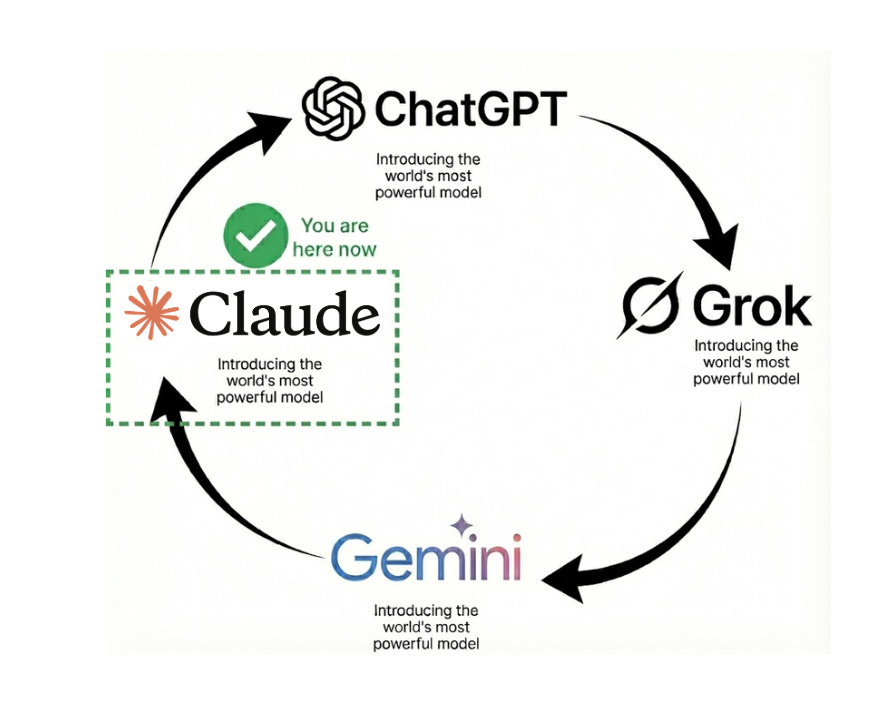
There are 4 companies in the race:
OpenAI - which released GPT-5.1 November 12th
xAI - which beat GPT-5.1 with Grok-4.1 5 days later
Google - which beat Grok-4.1 with Gemini Pro 3 1 day later
Anthropic - which beat Google with Claude Opus 4.5 6 days later
So as of writing, Anthropic has the best model. And next week, who knows? Probably OpenAI’s turn to get back to the top of the leaderboards.
What’s for certain: the pace of innovation remains as brisk as it was in 2023, and the competition is helping us consumers get the best out of these labs.
It’s also worth noticing who remains conspicuously absent from this race: Meta. Despite spending billions on all the best researchers, it has released absolutely nothing.
The last version of Llama was released in April. Something seriously wrong is going on over there.

There’s a billion AI news articles, resources, tools, and fundraises every week. Here’s what mattered:
News
The Google TPU threat to Nvidia became real propelling it past Microsoft’s market cap:
Meta is buying Google TPUs
Google also sold Anthropic 1M TPUs
China continues to lead the open source race, with Deepseek releasing a new IMO gold medalist model (that almost no one talked about)
Sierra, Brett Taylor (OpenAI Board Member)’s company, hit $100M ARR
Resources
Google Antigravity tutorial (their new Cursor competitor)
New Tools
Fundraising
xAi is closing on a $15B funding round valuing at $230B, a 460x multiple on its $500M in 2025 projected revenue
Robinhood CEO’s Harmonic raised $120M at $1.45B valuation for error-free AI
And now on to today’s deep dive:

5 highly effective Nano Banana Pro prompts you can use
Nano Banana Pro is the most amazing AI image model ever. It’s opening up brand new uses cases that you need to know.
But let me break a harsh truth: most people are lying about what Nano Banana Pro can do for you. It still sucks for professional headshots, for instance.
I’ve tested everything so you don’t have to. Here are 5 actually awesome prompts that can be useful to (and aren’t silly annotations that are useless):
1/ LinkedIn infographics
You can now turn complex thoughts into shareable infographics.
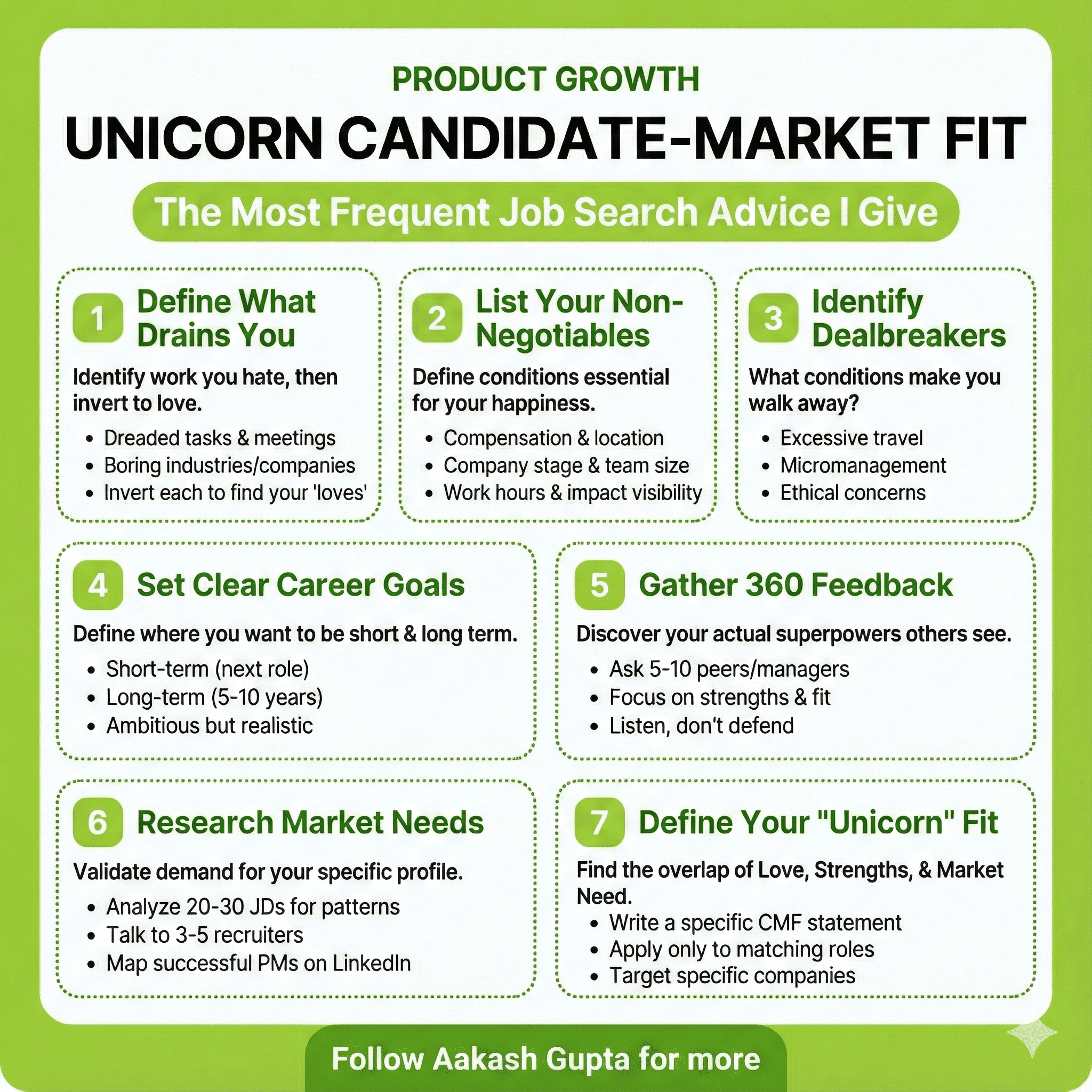
I created the above with this simple prompt:
Create a lime green and white infographic with:
• Top: Category label, bold title, subtitle in bubble
• Middle: 7 numbered steps in dotted boxes (3-row grid)
• Each step: Green number pill, bold header, explanation, bullets
• Bottom: Green banner with “Follow me for more”
Use #A4D65E green for headers/accents, white backgrounds, black text, rounded corners. Keep text concise and mobile-friendly
{blog-content}2/ Create technical diagrams
You can now create complex technical diagrams:
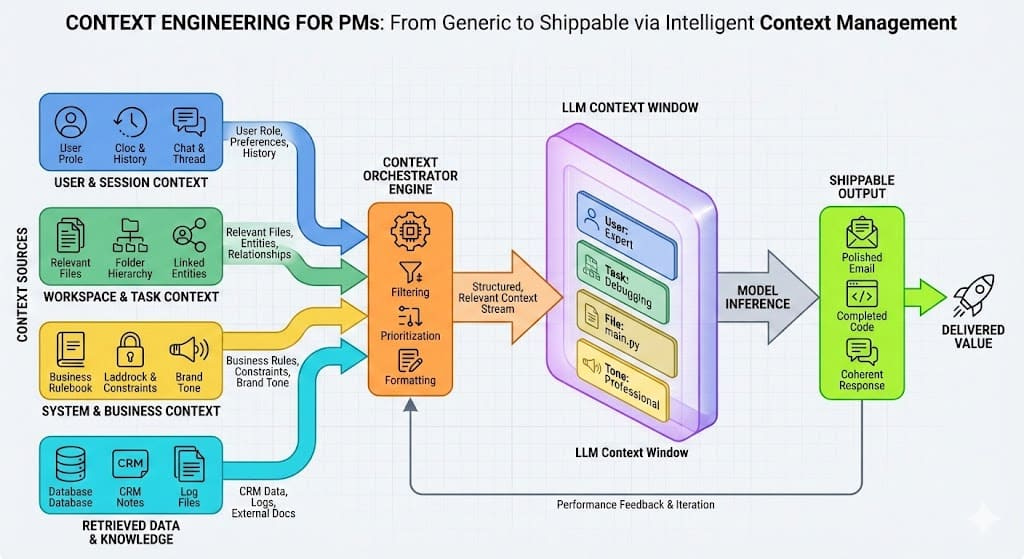
I did this from my post on context engineering for PMs:
Create a professional technical diagram illustrating [SYSTEM/PROCESS]. Use clean, modern styling with appropriate icons and labeled components. Include [KEY ELEMENTS] and show the relationships between them with directional arrows. Use a color scheme that distinguishes between [DIFFERENT SYSTEM PARTS]. Make the diagram clear enough for technical documentation but visually appealing enough for presentations.3/ Comparative product UI mockups
It can easily show you how different design approaches for a feature can look side-by-side, so you can make better decisions and have a solid foundation to work with.
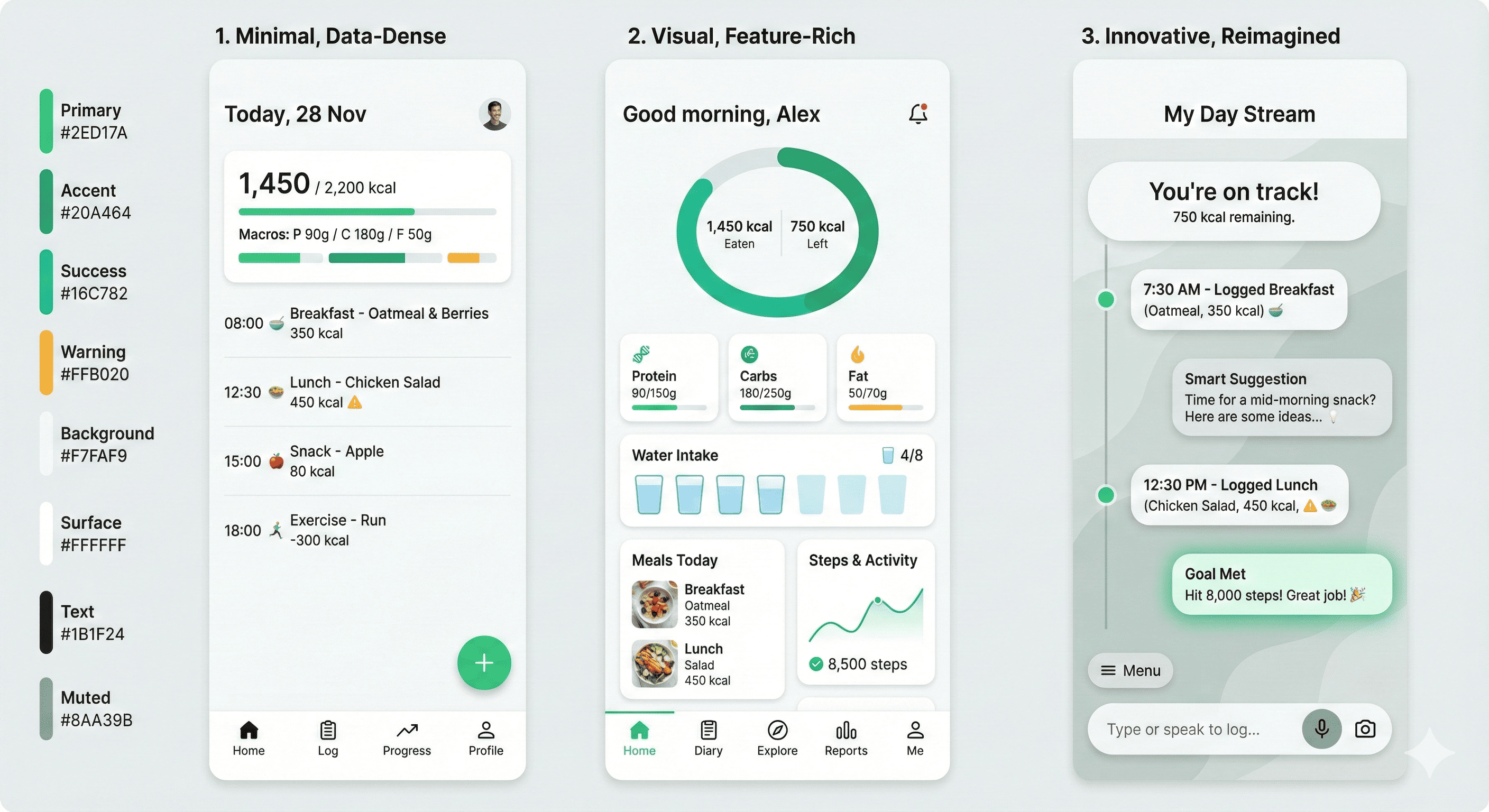
Steal this prompt:
Create a set of 3 UI mockups for {FEATURE/SCREEN} showing different design approaches. For the first, use a minimal, data-dense design prioritizing efficiency. For the second, create a more visual, feature-rich interface. For the third, design an innovative approach that reimagines how this interaction could work. Use a consistent color palette based on {BRAND COLORS}, and include realistic placeholder data. Make each mockup distinct but implementation-feasible.4/ Visualize data patterns and anomalies
AI can finally do charts!
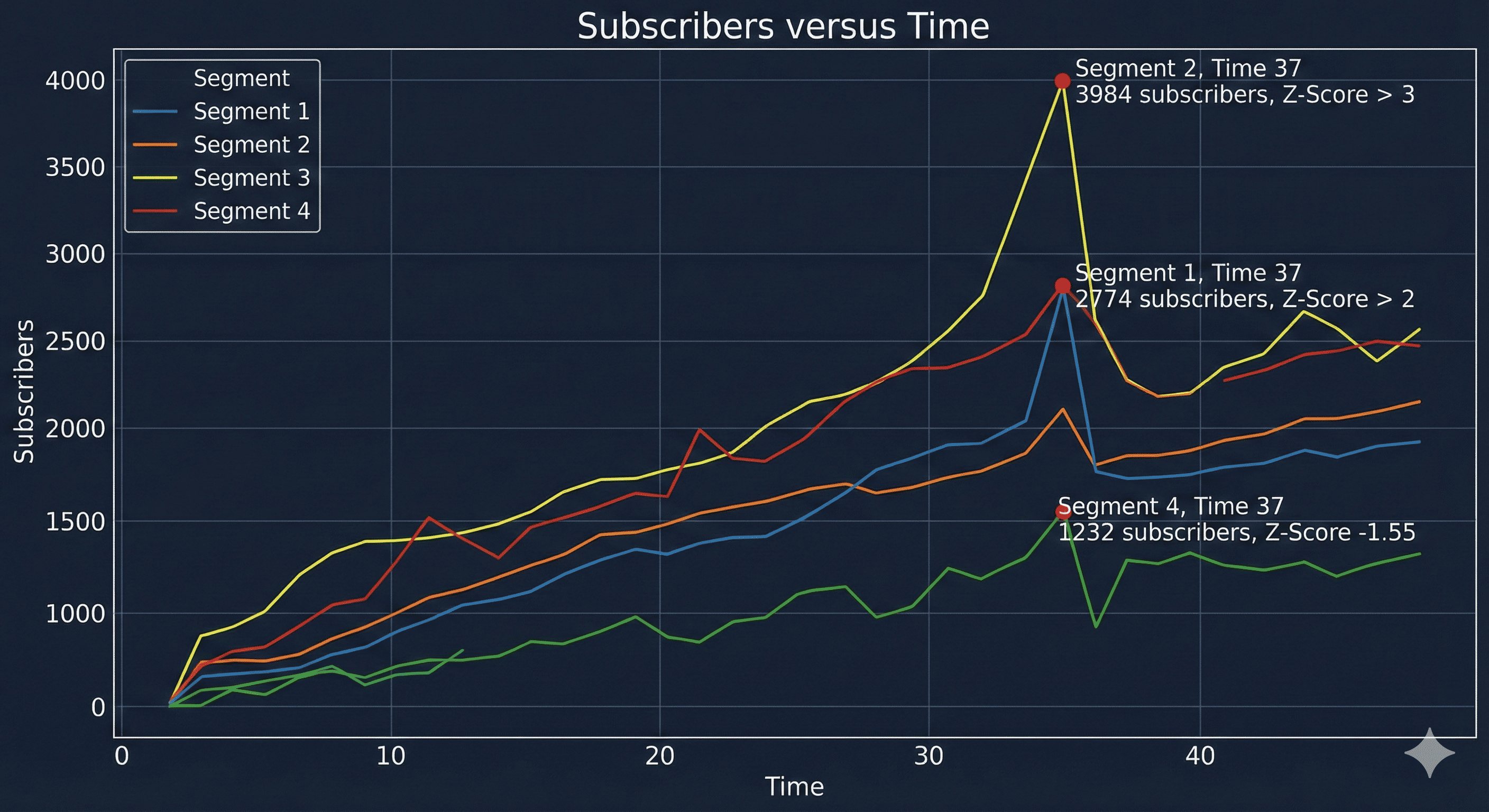
This is great for sharing or for visualizing large datasets sitting in your Excel sheets:
Create an advanced data visualization highlighting the patterns and anomalies in this [DATASET/METRICS]. Use visualization techniques that reveal [SPECIFIC RELATIONSHIP] while making [KEY ANOMALY TYPE] immediately apparent. Incorporate small multiples or comparative elements to show changes over [TIME PERIOD]. Use a color scheme that emphasizes statistical significance, with attention to accessibility. Include annotations pointing out the three most important insights.5/ Transform code into visual explanations
When you need to explain complex algorithms or code logic to stakeholders or in documentation without losing them in technical details, this comes in handy.
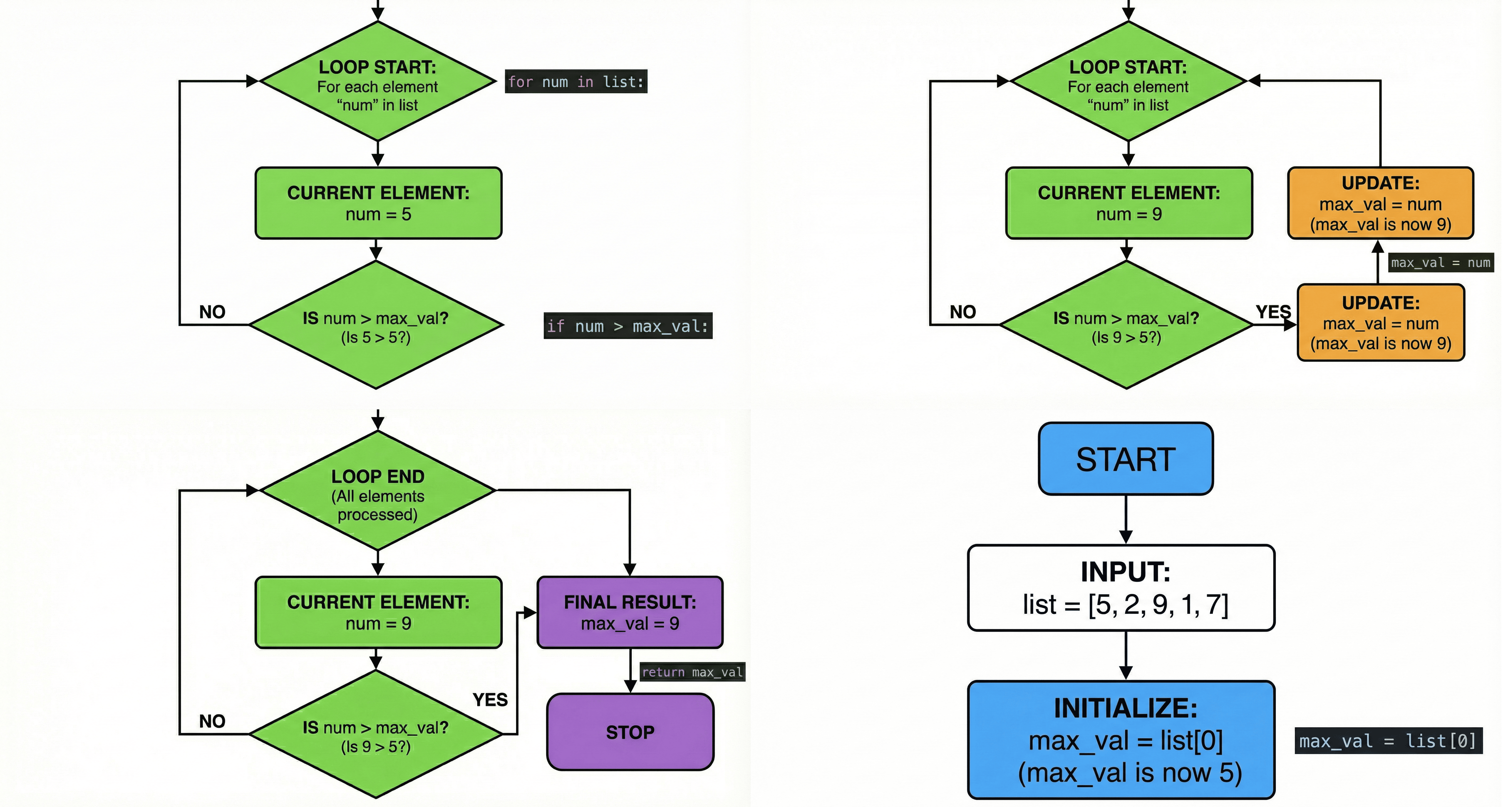
Steal my prompt:
Create a visual explanation of how this [ALGORITHM/CODE BLOCK] works. Use a step-by-step flowchart with clear annotations explaining each operation. Include small code snippets where relevant, but focus on making the logic visually intuitive. Use color coding to distinguish between [DIFFERENT OPERATIONS/PHASES]. Make the visualization detailed enough for engineers but clear enough for non-technical stakeholders.That’s all for today. See you next week,
Aakash
PS1. If you liked this, you’ll love my podcast with Google AI PM Director Jaclyn Konzelmann.
PS2. Yes, of course, I grinded from 10pm-12:30 AM to send this to you. No one works harder.
epic write up thank you this is awesome.
Thanks for putting in the extra time & effort to get this post out, Aakash- massive value here