
“I don’t prompt Claude anymore. I have loops running. My job is to write loops.”
That was Boris Cherny, the creator of Claude Code.
Peter Steinberger, who built OpenClaw also said something similar on X:

These two are arguably the best AI product builders in the whole world. So I’ve had a big question on my mind:
Are loops only for engineers, or are they actually useful for PMs?
That’s the question we answer today.
Today’s Post
Today’s post is the result of 5 weeks of testing loops to figure out what the alpha really is for PMs:
What a PM loop actually is
🔒 The 6 pieces of a great PM loop
🔒 12 heavily tested PM Loops you can steal
🔒 A skill to generate 6-piece loops that work easily
🔒 How to maintain loops over time
Before we get into the long deep dive, here’s a quick summary of what you need to know.
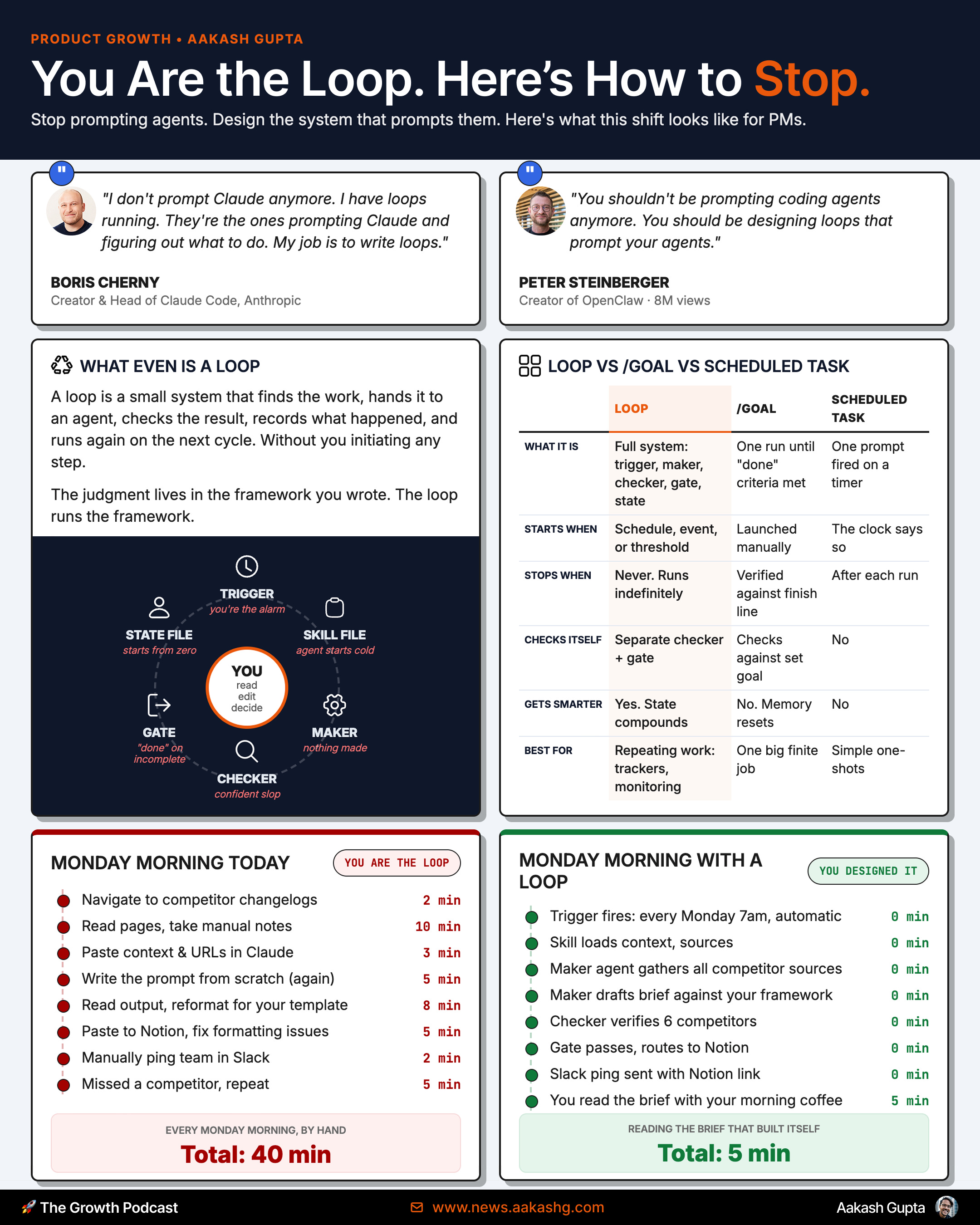
Loops are not the same as /goal or scheduled tasks. /goal is just how some people define criteria inside a loop. And a scheduled task is the trigger. A loop is a full system that starts itself and does work for you.
1. What a PM loop actually is
Loops fit the PM work you repeat:
Weekly business review
Weekly Sprint prep
Monthly user interview themes
These are the types of things you may have built into Relay.app or Lindy before. Now they can run straight out of Claude Code or Codex.
Real Loop Example
Here’s an example. Most PMs in B2B companies only hear about sales deals in a Quarterly Review with sales. So they can’t react in time.
That’s the perfect use case to set up a Sales Monitoring loop with a simple prompt to Claude Code or Codex:
Build me a loop that runs every week.
It uses our Salesforce (our CRM) connector to check deals in pipeline and closed in the last week. It mines the deals for opportunities for PM to help a deal close (not by building a feature but explaining), as well as learnings for PM in the roadmap.
It delivers me a succinct set of takeaways with links for more information.
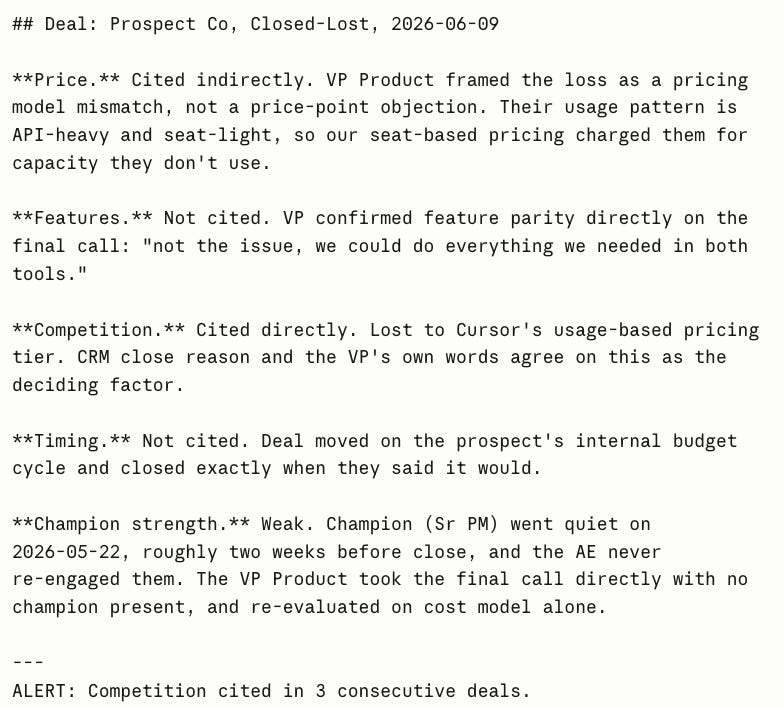
That’s it. That’s what a basic PM loop is. You’ll get a basic AI output like this:
I find that you don’t really ‘get it’ till you do that. So go build a loop now (use my prompt above or your own) before we go any further so you really grok it.
What should be a Loop
Ask yourself 4 questions. If the answer to all 4 is yes, you can make a loop:
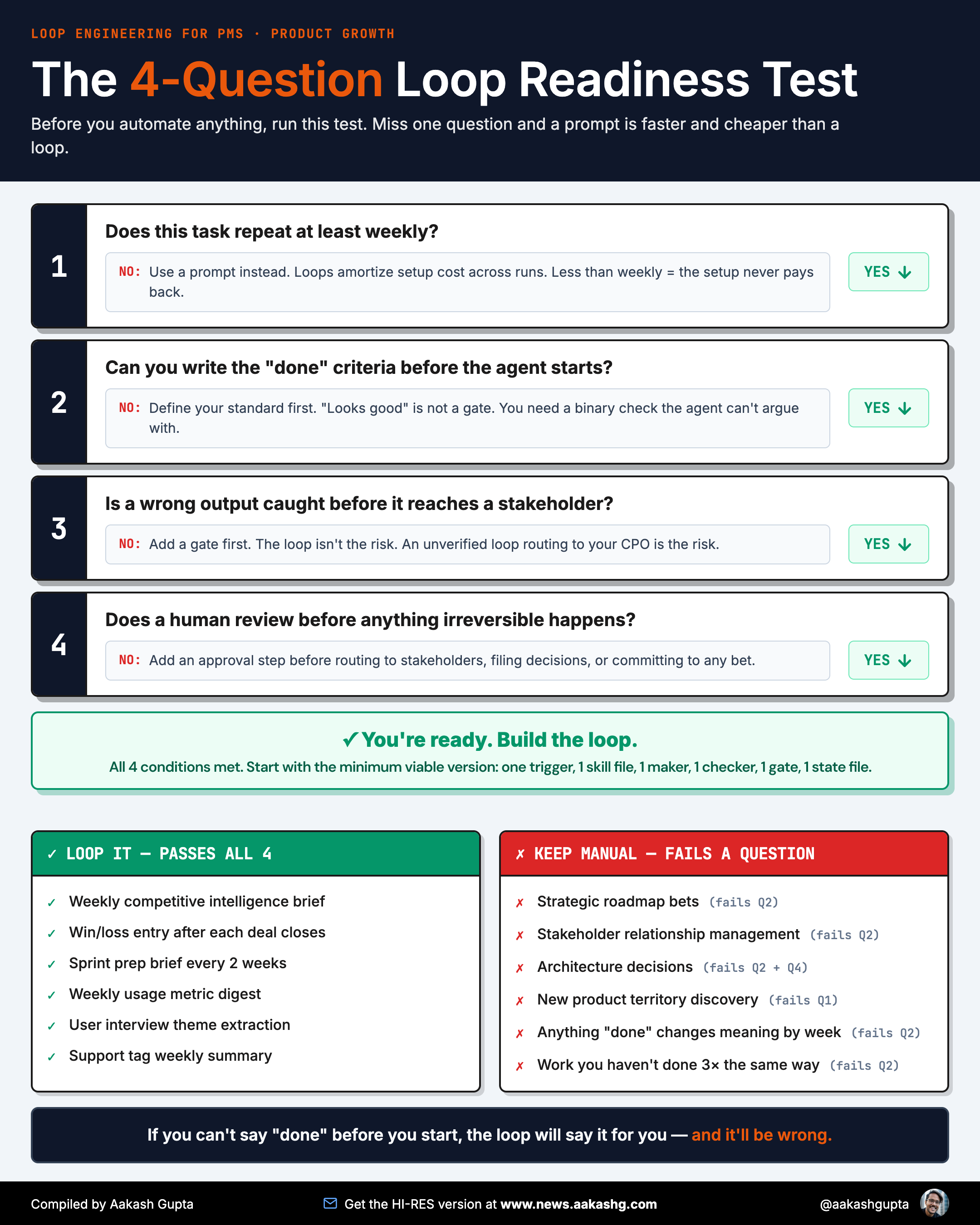
Here are my suggestions:
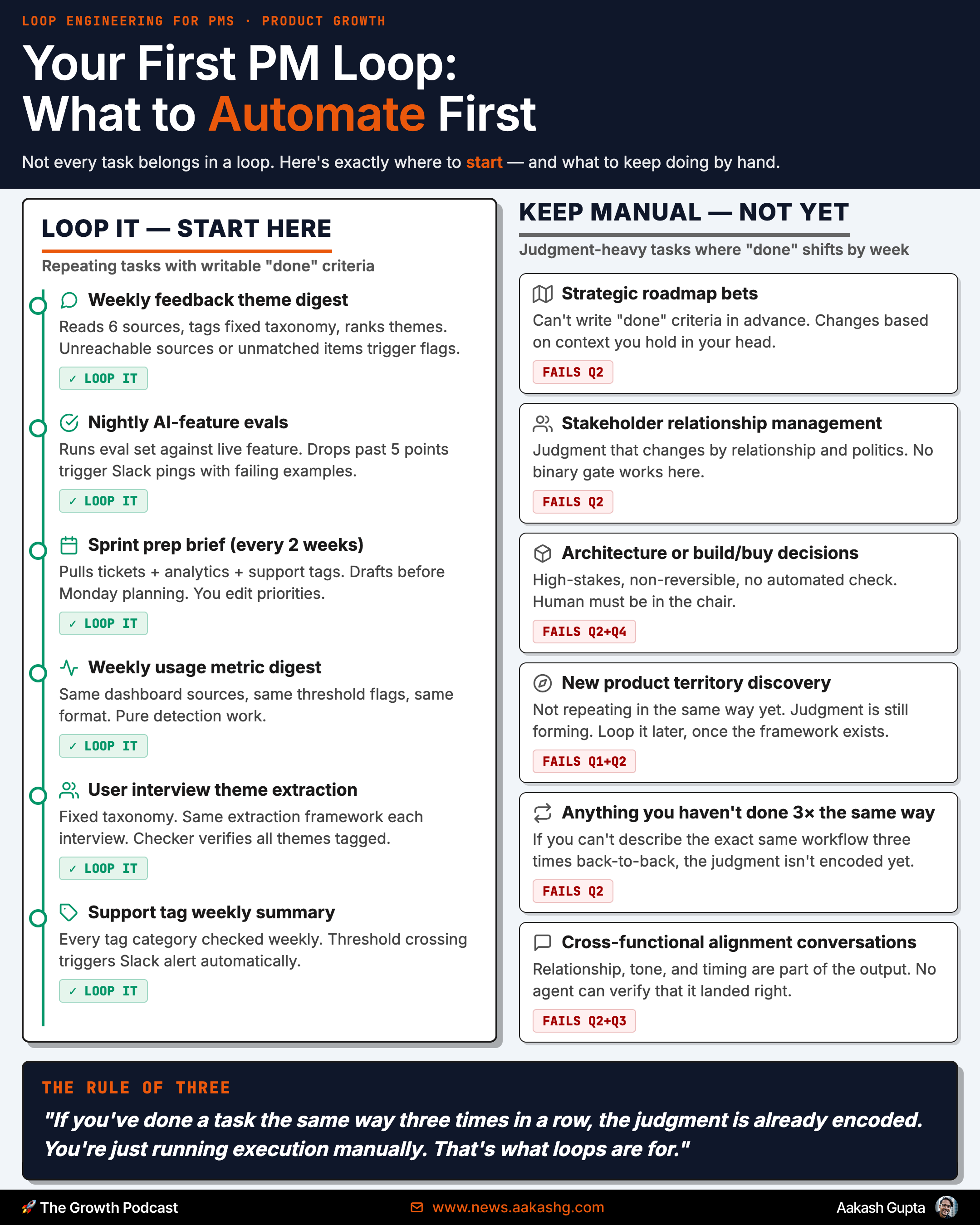
That’s everything you need to build basic loops.
2. The 6 pieces of a great PM loop
What you’ll quickly run into with a basic loop like those in section 1 is:
The output could be better
It doesn’t have memory
After months of testing to solve these 2 problems, I’ve learned each loop needs 6 elements: