
👋 Hey there, I’m Aakash. In this newsletter, I cover AI, AI PM, and getting a job. This is your weekly AI update. For more: Podcast | Cohort
Annual subscribers get a free year of 9 premium products: Dovetail, Arize, Linear, Descript, Reforge Build, DeepSky, Relay.app, Magic Patterns, and Mobbin (worth $28,336).
Welcome back to the AI Update.
Last week I covered Claude Code and the non-technical use cases I’m using it for.
But the tech world has gone absolutely wild with it since then.
Shopify CEO Tobi Lütke used it to build a custom viewer for his MRI scan. MagicPath CEO Pietro Schirano had it analyze his DNA. Others are using Claude Code to pull together email inboxes, text messages, calendars, and to-do lists into personalized daily briefs.
Claude Code is technically an AI coding tool. But it can do all sorts of computer work: process shopping returns, order DoorDash, compose music. People are managing personal finances with it. Growing plants with it.


With the right equipment, the bot can monitor soil moisture, leaf temperature, CO2, and more.
Some of these use cases require technical know-how. You can’t just fire up Claude Code and expect it to grow you a tomato plant.
And that was the problem.
Non-technical users saw what Claude Code could do. They wanted in. But they kept hitting a wall: the command line interface.
The underlying agent was incredible. The access point was not.
So Boris Cherny, head of Claude Code, built a fix in 10 days.


They called it Claude Cowork.

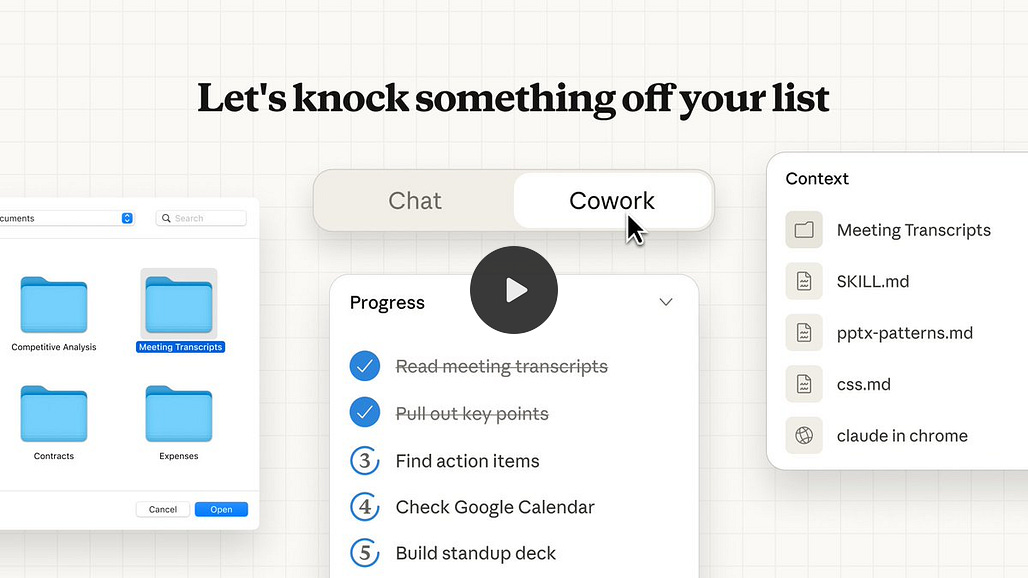
That’s today’s deep dive: I’ll show you what Cowork is, four use cases that helped me, and where it breaks (for now).
But first, here’s the main news you need to know from Google.

Bolt.new: AI Prototyping Like the Best
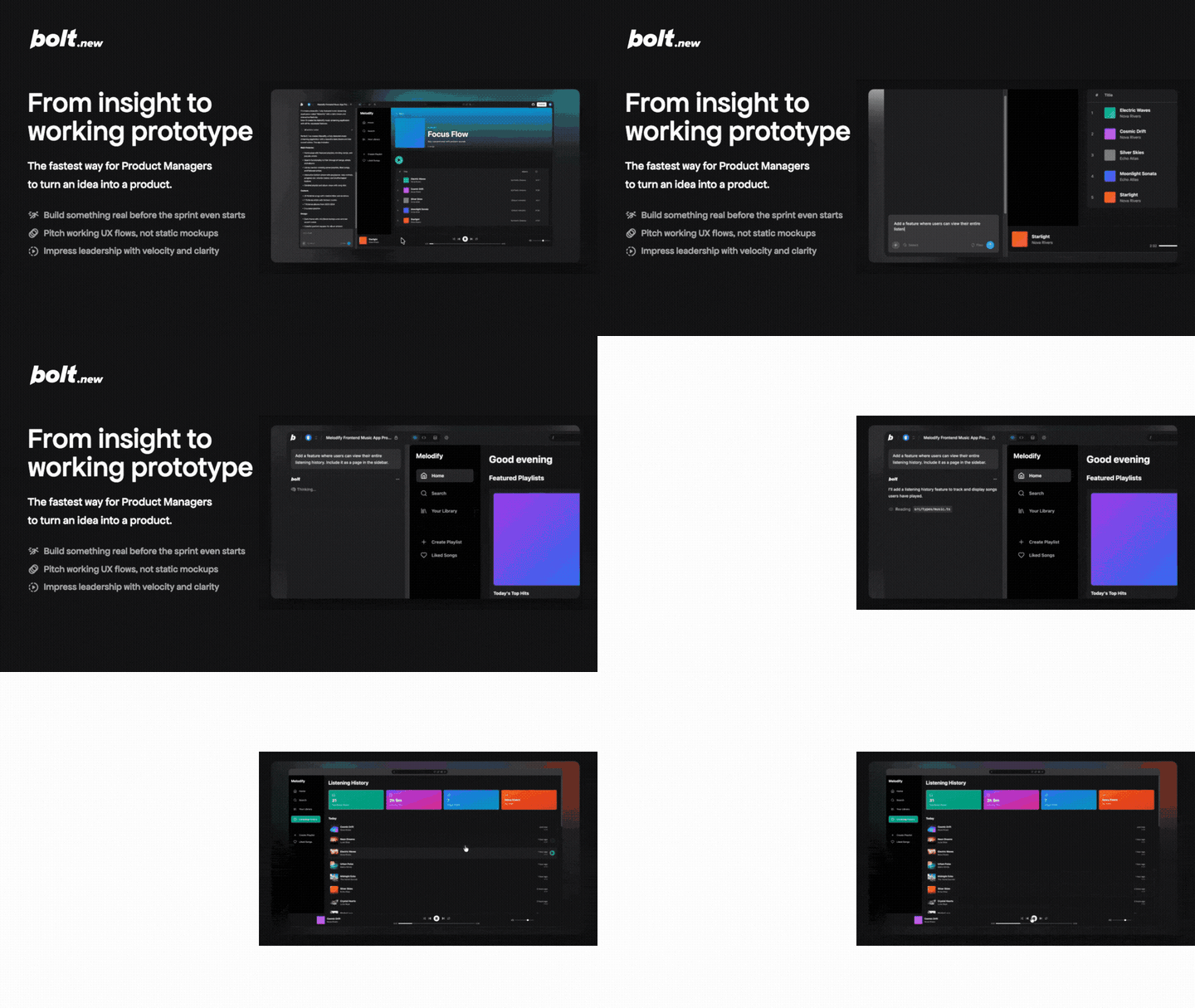
Did you now that I built my cohort’s site on bolt.new? That’s right, since I had their CEO Eric Simons on my podcast, I have become a super fan of the product.
For PMs, it represents the ultimate tool build high-fidelity prototypes fast. In multiple head-to-head battles, I have found it wins in ease of use.
I personally recommend this tool. If you’ve only used Lovable, use my link to try Bolt!

There’s a million AI news articles, resources, tools, and fundraises every week. Here’s what mattered - 1 big story plus key news.
Google Connects Gemini to Gmail, Photos, and Calendar (and Siri?)
Google just had the best week of its AI era.

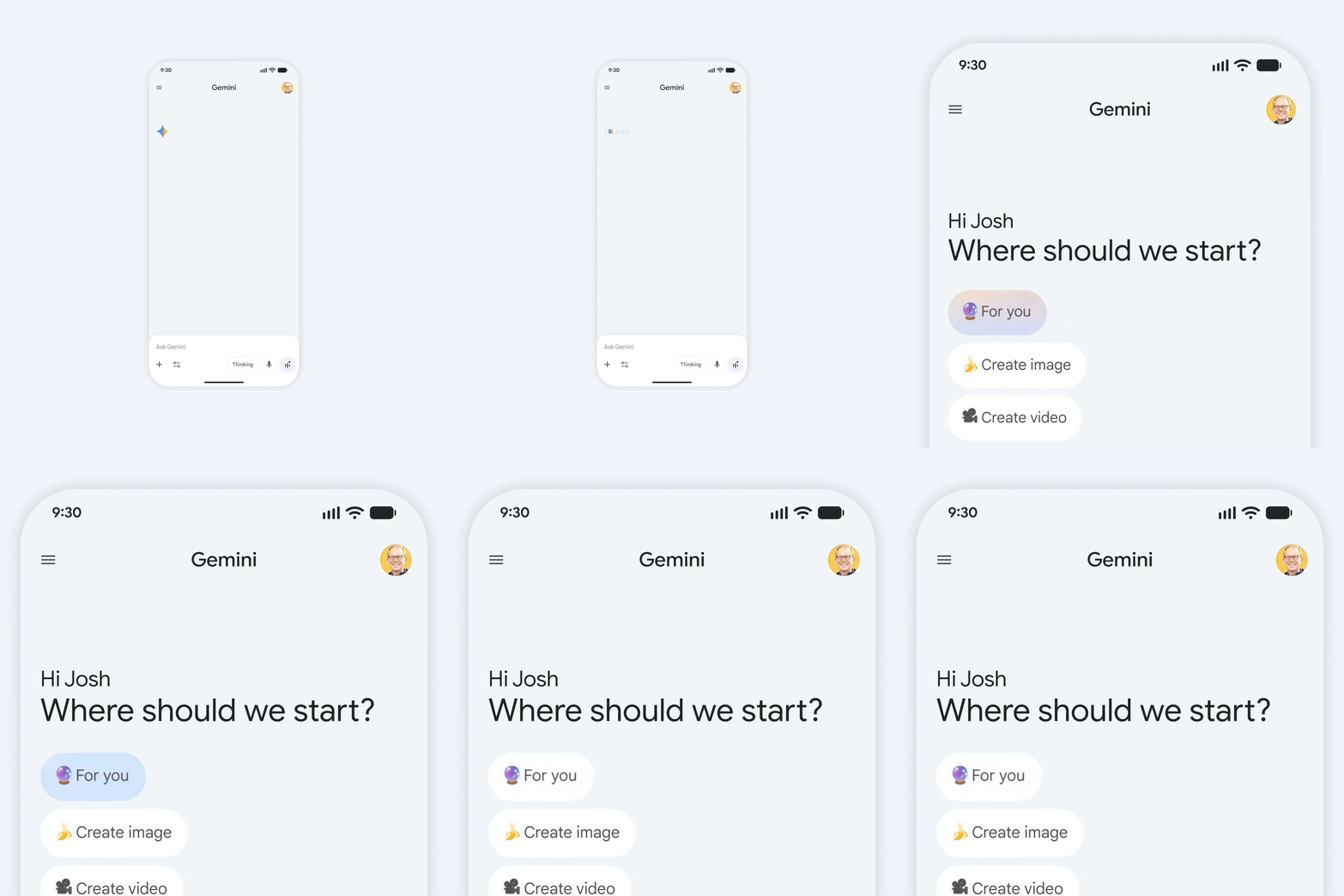
On Monday, Apple announced it’s picking Gemini to power the next-gen Siri upgrade coming this year. Two days later, Google dropped Personal Intelligence, a feature that lets Gemini tap into your Gmail, Photos, YouTube history, and Search data to give you answers no other AI can. The timing isn’t coincidental.
What does Personal Intelligence actually do?
Josh Woodward, VP of Google Labs and the Gemini app, shared a story that explains it better than any feature list.
He was at a tire shop, long line, no idea what tires fit his minivan. He asked Gemini. Any chatbot can look up tire specs. But Gemini went further: it saw his family’s road trip photos to Oklahoma in Google Photos and recommended all-weather tires based on how they actually drive the car. Then it pulled ratings and prices. When he got to the counter and needed his license plate, he asked Gemini again. It found the number from a photo in his library and identified the van’s trim by searching his Gmail.

Availability and privacy
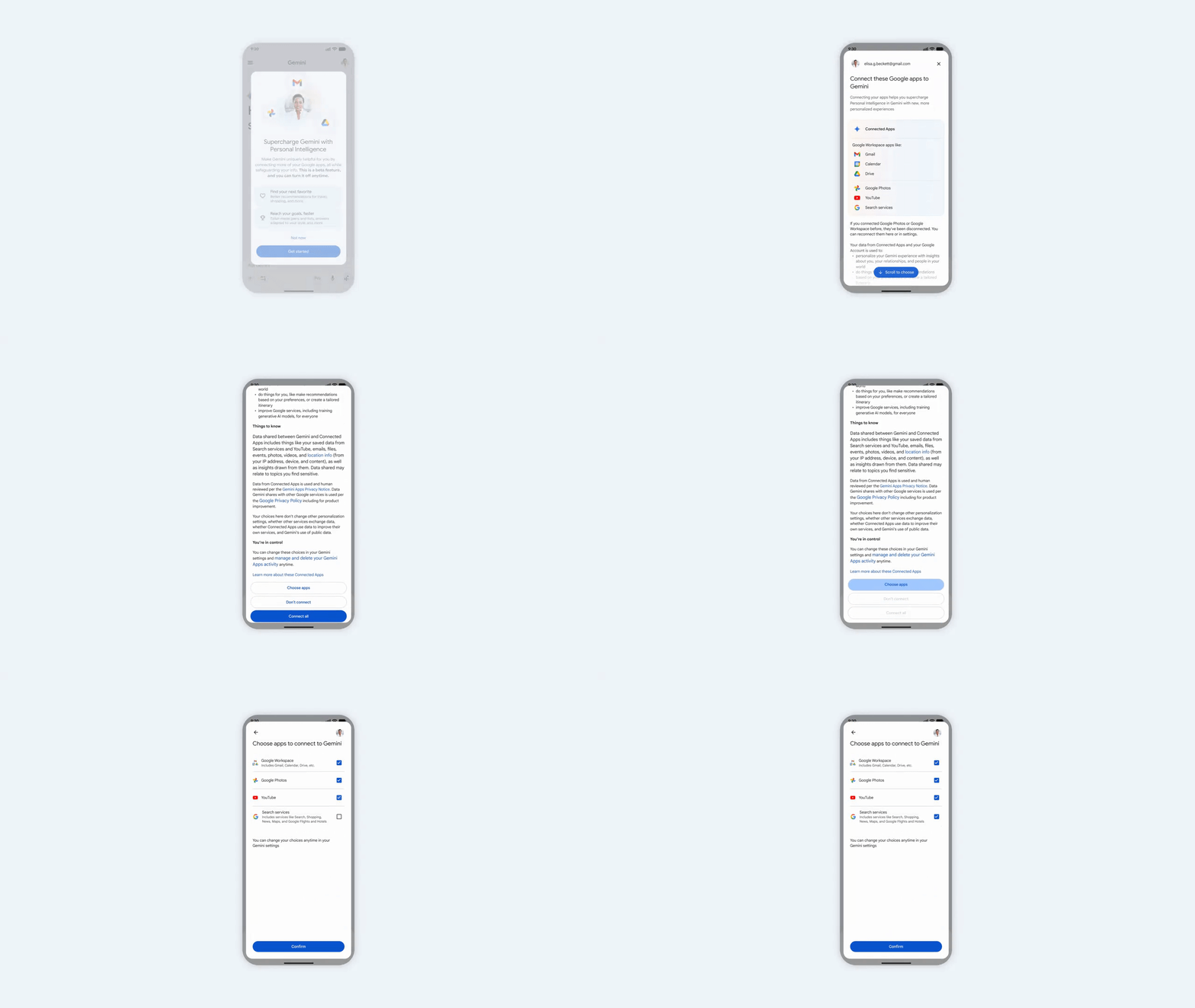
The feature launched January 14 as a beta for Google AI Pro and Ultra subscribers in the U.S. It’s opt-in. Every app connection is off by default. You choose what to link and can disconnect anytime.
Google says it doesn’t train directly on your Gmail inbox or Photos library. It trains on your prompts and Gemini’s responses after filtering out personal data.
Why this matters for Apple
Apple choosing Gemini over OpenAI for Siri makes more sense now. Apple doesn’t want to build foundation models. Google does. And Google’s pitch isn’t just “our models are good.” It’s “our models plus our ecosystem are unbeatable.”
OpenAI can answer questions about the world. Google can answer questions about you.

News
Anthropic launched Claude for Healthcare with HIPAA-ready workflows for payers, providers, and patients. Pro and Max subscribers can now link lab results via HealthEx, Apple Health, and Android Health Connect. Opus 4.5 with extended thinking scores 92.3% on MedAgentBench, up from 69.6% on Sonnet 3.5.
Openwork launched as an open-source (MIT-licensed) computer-use agent. 4x faster than Claude for Chrome/Cowork, more token-efficient. Bring your own model and API key. More secure because it runs outside your main browser.
1X showed off a “video-to-action” world-model for its NEO robot. Instead of outputting actions directly, the system plans by generating a short future video first. Lets it reuse video prediction models trained on human footage with way less robot data. Latency is about 11 seconds for 5 seconds of video plus 1 second for actions.
Thinking Machines imploded this week. CTO Barret Zoph was terminated for unethical conduct, then immediately returned to OpenAI with Luke Metz and Sam Schoenholz. Fidji Simo announced the move herself. Mira Murati’s company named Soumith Chintala as the new CTO.
DeepSeek dropped the architectural roadmap for V4. The Engram paper introduces conditional memory: instead of recalculating common facts every time, the model looks them up. Results at 27B parameters show reasoning up 5.0 points on BBH, long-context retrieval jumping from 84.2 to 97.0.
Resources
How taxonomies and LLMs beat embeddings for precise matching
Building effective agent design
A software library with no code
How to build AI evals in 2026
Marc Andreessen on AI pricing models
New Tools
remio: Auto-captures everything you browse and lets you search it with AI later - hit #1 on PH
Atlas.co: Figma for maps. Build and collaborate on interactive GIS maps in your browser - hit #1 on PH
Market
Skild AI raised $1.4 billion at $14 billion+ valuation, 3x from seven months ago. SoftBank led with participation from Nvidia, Macquarie, and Bezos Expeditions.
A16Z raised $15 billion in new funds, its largest haul ever. They participated in 165+ post-seed deals in 2025 including Anysphere (Cursor), Kalshi, Harvey, Safe Superintelligence, Substack, and ElevenLabs.
LMArena secured $150 million Series A at unicorn status to scale its AI model evaluation platform.
And now on to today’s deep dive:

Cowork: Claude Code for the rest of your work
Claude Code runs in your terminal. Anthropic built it for developers. But non-technical users kept showing up anyway, fighting through the command line to organize files, research trips, recover photos. The underlying agent was that useful.
Cowork wraps the same tech in a UI anyone can use.
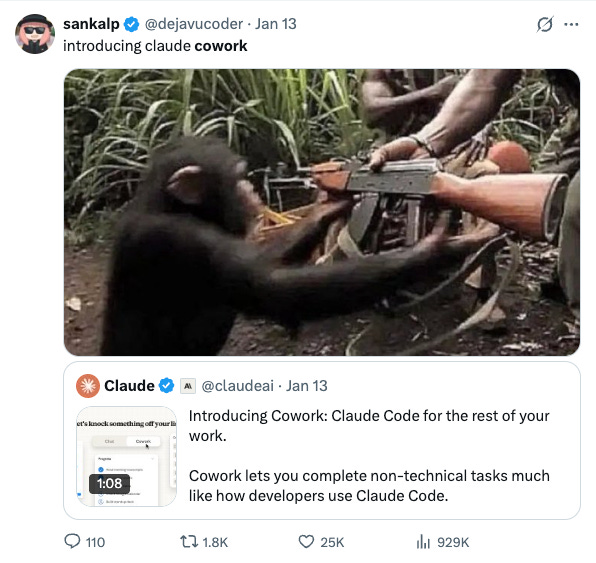
Same Claude Agent SDK. Same Opus 4.5 model. Same file system access. Just different packaging.
Simon Willison reverse engineered the app and found something insane.
Anthropic is booting a custom Linux root filesystem inside a virtualization layer on your Mac. That’s production-grade infrastructure to organize your desktop files with Cowork.
What is Claude Cowork
Claude Cowork is Claude Code for non-technical work.
It’s a Mac app that runs locally. Gives Claude access to your filesystem, your browser, external services through connectors. You describe a task, walk away, come back when it’s done.
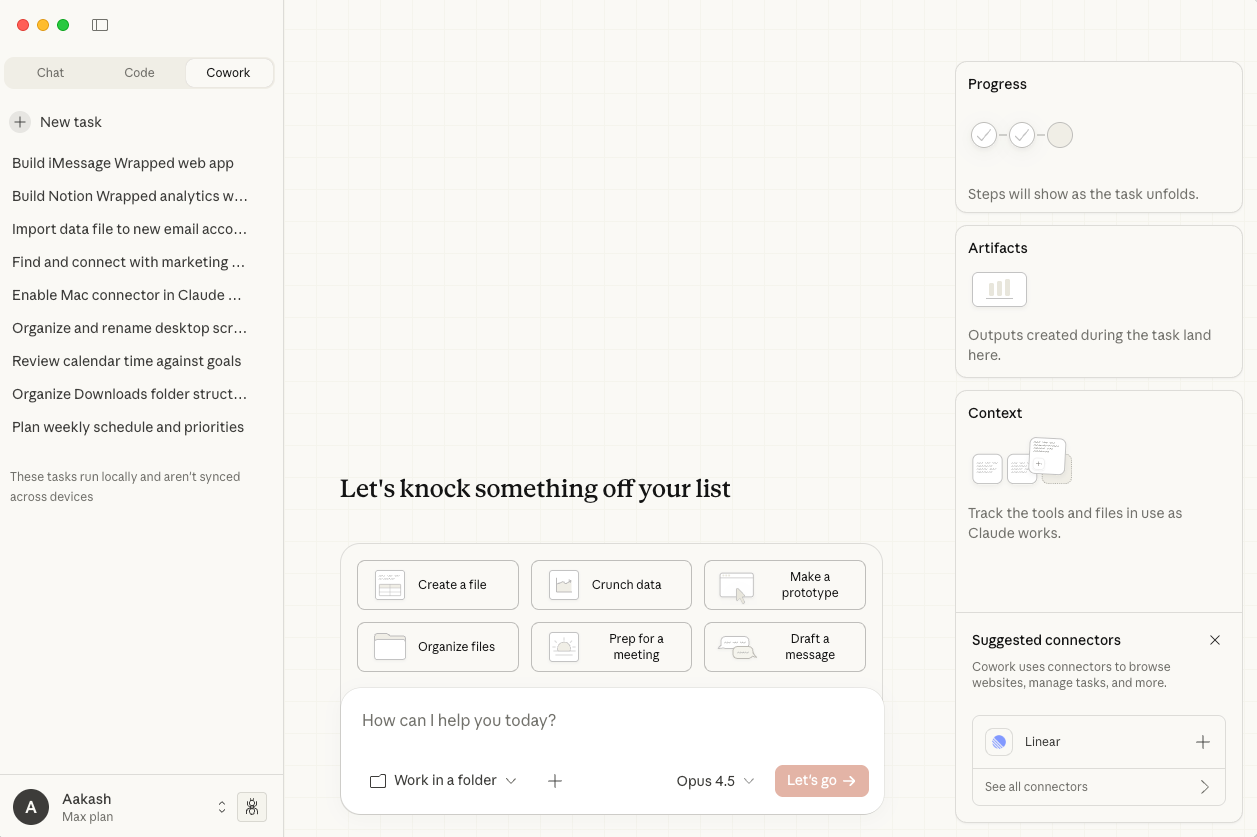
The interface treats every chat as a task. Three panels on the right:
Steps (watch it think through problems and run scripts),
Artifacts (documents and spreadsheets it creates), and
Context (what files and connectors it’s pulling from).
It ships with starter tasks. Create documents, crunch data, make prototypes, organize files, prep for meetings, draft messages.
Setup takes two minutes. Mac only for now. You need Claude Max ($100/month or $200/month) and the desktop app. Open it, find Cowork in the sidebar, grant folder access. Done.
My 4 use cases
1/ Mining my podcast archive
I’ve got years of podcast transcripts sitting in my Obsidian folder. Hundreds of conversations with PMs, founders, operators. Somewhere in all that are patterns I’ve never noticed. I just never had time to look.
I dropped the whole folder into Cowork. Asked it to find where guests directly contradicted each other.
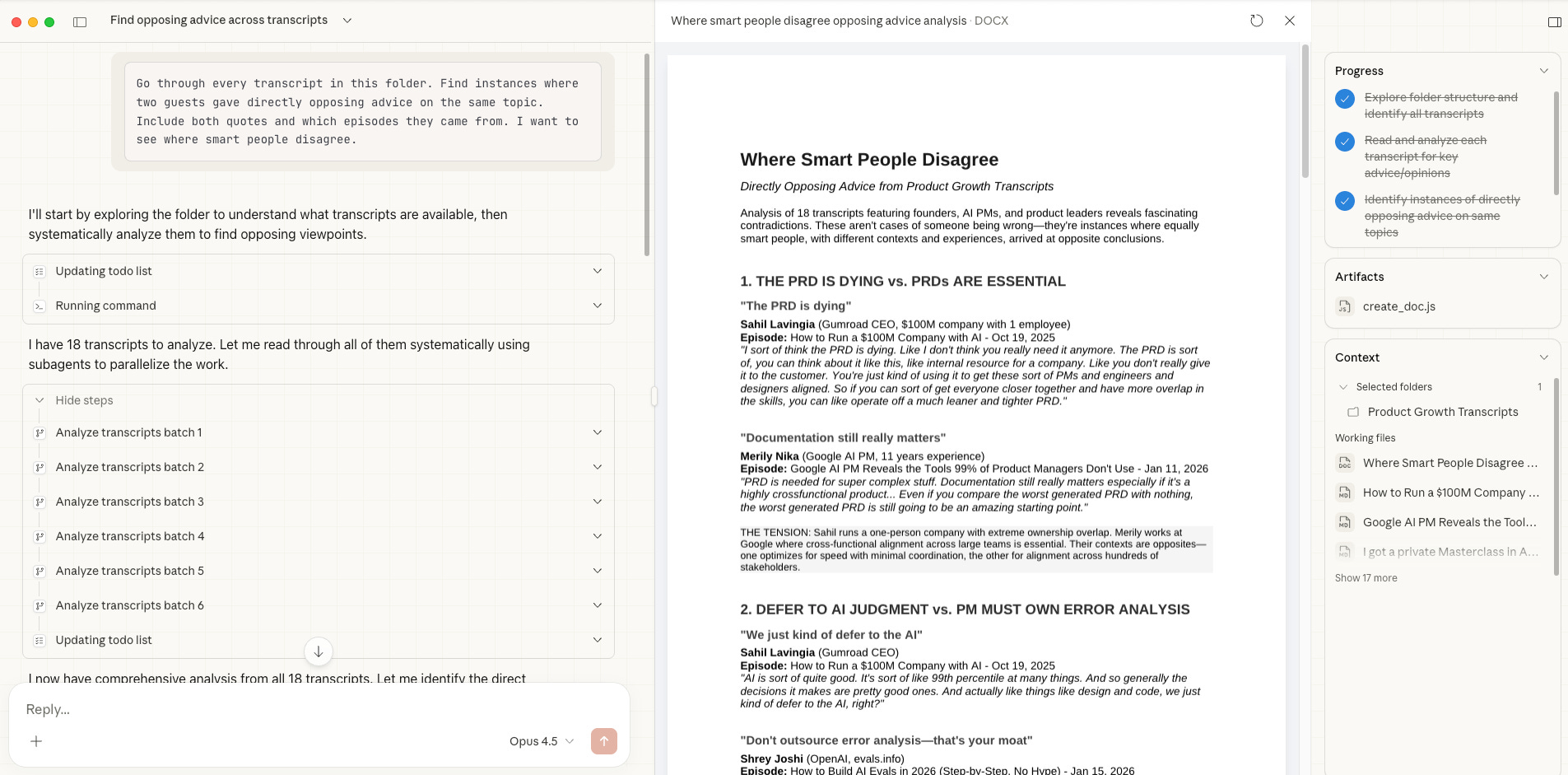
Go through every transcript in this folder. Find instances where two guests gave directly opposing advice on the same topic. Include both quotes and which episodes they came from. I want to see where smart people disagree.It spun up multiple agents in parallel, each one working through a batch of transcripts. Fifteen minutes later I had a list of genuine debates I’d hosted without realizing it.
Here’s one that stopped me: Sahil Lavingia says “we just kind of defer to the AI” because it’s “99th percentile at many things.” Two months later, Shreya Shankar told me the opposite: “Don’t outsource error analysis—that’s your moat.”
Both are right. Sahil runs a $100M company solo. Shreya builds evaluation systems where quality is the product.
I found eight contradictions like this. PRDs are dying vs. PRDs are essential. Prototype immediately vs. build context first. Be strategic about your career vs. don’t be strategic at all.
A few more prompts worth trying:
Find the 20 strongest opening lines or provocative claims from guests. Only include ones that could stand alone as a LinkedIn hook.Find moments where a topic came up but got cut short or glossed over. These are potential episodes I never made.Which guest gave advice that directly contradicts what I said as the host? Include both quotes.Cowork did it while I made coffee.
2/ Podcast guest prep
Every guest has been on other podcasts. They’ve answered the same “tell me about your background” question fifteen times.
The good interviewers find the angle nobody else found.
That takes research. Scrolling through their LinkedIn posts. Finding their other podcast appearances. Reading their blog. Cross-referencing against what I’ve already covered so I don’t retread old ground.
Two hours of prep, minimum. For every single episode.
So, I gave Cowork my next guest’s name and asked it to build me a prep doc.
I'm interviewing [Guest Name], [their role] at [Company], next week.

Find their last 20-30 LinkedIn posts and pull out their strongest opinions.

Search for other podcast appearances and note what questions they've already answered.

Look for any controversial takes or public disagreements. Cross-reference with my existing episodes in [Obsidian folder] to find topics I haven't covered yet.

Output a prep doc with: talking points no one else has hit, questions to avoid (already answered elsewhere), and 3 angles that would be new for both of us.
It came back with a doc that would’ve taken me a full afternoon. Found a Twitter thread where my guest disagreed with a well-known founder. Nobody had asked them about it on a podcast. That became my opening question.
3/ AI trends monitoring
The AI news cycle is brutal. By the time something hits the newsletters, the conversation already happened on X.
If you want to keep up, you need to be in that conversation while it’s happening.
But checking trending topics every few hours? That’s a job.
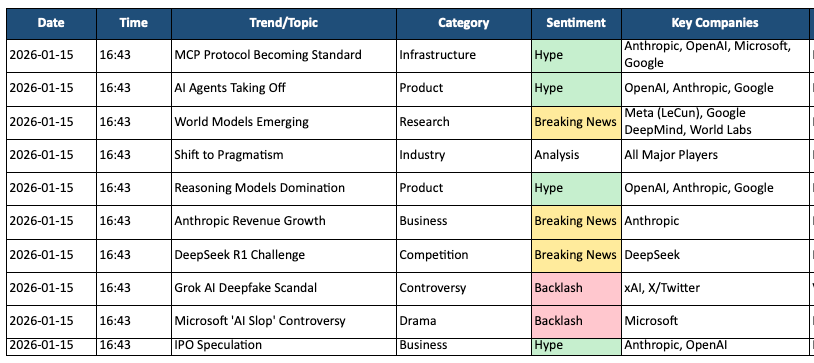
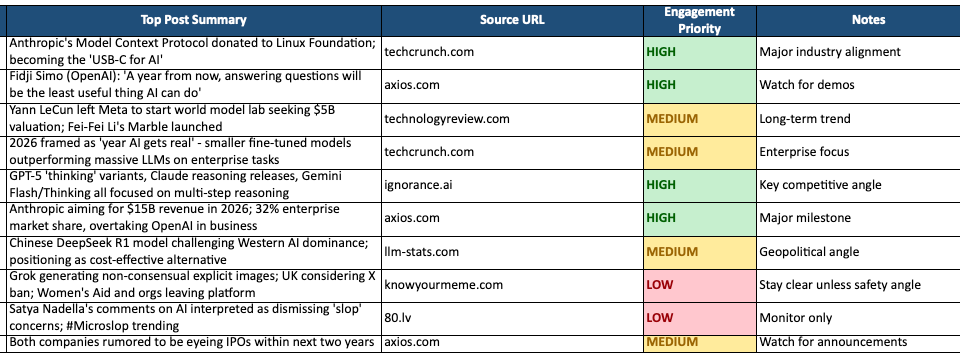
I set up Cowork to check X’s search page every six hours. Log what it finds.
Go to https://x.com/explore every 6 hours.

Scan for topics related to AI, machine learning, LLMs, or specific companies (OpenAI, Anthropic, Google DeepMind, Meta AI).
For each relevant trend, grab the top 3-5 posts driving the conversation.

Note the sentiment: is this hype, backlash, breaking news, or drama?

Log everything to a spreadsheet. At end of day, summarize which trends are worth engaging with and which I missed.
Now I have a spreadsheet showing what spiked, when, and whether I caught it in time.
4/ Slides from podcast episodes
I have a speaking gig coming up. Normally I’d spend two hours pulling quotes from old episodes, formatting slides, fixing alignment. You know how it goes.
From this file: $10M ARR in 60 days with context engineering - Nov 22, 2025

Pull the 10 most quotable insights, things that would work as standalone slides.

Create a Keynote presentation with one insight per slide. Keep the formatting clean: large text, minimal design.
It opened Keynote directly through AppleScript. Built the slides. Formatted everything. When I asked it to make the text bigger on slide 4, it made the edit in the actual file.
Not “here’s some text you can copy into Keynote.” It controlled the app. The Google Slides version:
That said, the tool is still in research preview. Not everything works.
Google Docs. Cowork tried making edits in suggesting mode.
Flaky connectors. Google Calendar failed three times before I gave up. Cowork fell back to Chrome. Worked, but slower.
Bot detection. Some sites block automated browsing.
My takeaway: local files work great. Browser stuff is hit or miss.
If you’re just starting out, I’d say start with something small. A task you hate. Something repetitive that requires judgment. Give it to Cowork. See what comes back.
Worst case, you lose 20 minutes. Best case, you never do that task yourself again.

That’s it for today’s deep dive. Finally, onto insights from a webinar I did:

How to Do Product-Led Growth
I sat down with Randy Silver at Mind the Product’s rally conference to talk product-led growth.
Four things I covered:
1/ PLG isn’t about PMs taking control
People assume product-led growth means product managers run the show. Blake Bartlett coined the term in 2016. He wasn’t a PM. He was a VC at OpenView comparing two types of companies hitting $100M ARR. One had 200 salespeople and 50 marketers. The other had a lean team of five or six.
The efficient company made the product do the heavy lifting. Acquisition, conversion, activation, monetization, expansion. All through the product itself.
Slapping on freemium won’t get you there. Your VP of Marketing needs to shift from traditional channels. Your CRO needs to build a product-led sales motion. Everyone has to reorganize around this model or you’ll fail within a year.
2/ Find where you’re broken, don’t go deeper than two layers
I break PLG into seven layers: go-to-market, information for decision, free-to-paid conversion, activation, retention, monetization, expansion.
The framework matters less than where you apply it.
Go top-down. Find the layer where your benchmarks look broken compared to competitors. Work one or two layers below it. But if you’re broken at layer two, don’t waste time optimizing monetization at layer six. You don’t have the volume for meaningful experiments.
3/ The 2018 playbook doesn’t work anymore
Every layer has evolved. Some examples:
Slack (2018) ran TV ads, billboards, bus wraps. Traditional brand marketing. Canva (2024) wins on SEO. Search “Instagram post template” and they rank first. One click, no credit card, you’re in the product. Sixty seconds later you’ve customized a template.
Dropbox used user-to-user referrals. Refer a friend, get 8GB free. Great for users, not accounts. Modern companies use template galleries instead. A PM finds their use case, an engineer finds theirs. Everyone gets value faster.
Evernote had the “smile chart.” Retention dropped to 10% then climbed back after three years because of cross-device sync. Figma skips that entirely. They embed in teams, not individual users. That real-time cursor runs at 30fps like a video game. When a PM leaves, the team stays locked in.
Hybrid pricing is now standard. Seat-based plus usage-based. In 2018, zero percent of SaaS companies did this. By 2024, 55% do. At Apollo, where I was VP of Product, we expanded revenue mid-contract because clients kept buying more contact data.
4/ The best PMs don’t accept their assigned area
My advice for ICs: don’t trust your manager to prioritize correctly.
PM leaders turn over fast. Your tenure is probably longer than theirs. If you’re assigned to monetization but activation is broken, make the case to fix activation first.
Your CEO will thank you. That’s thinking like an owner.
And if you can’t shift your area? Shift teams. Go where execs are investing. Those teams never get laid off.
That’s all for today. See you next week,
Aakash
P.S. You can pick and choose to only receive the AI update, or only receive Product Growth emails, or podcast emails here.