
I’ve added 79K LinkedIn followers, 203K X followers, and 56K newsletter subscribers in the past year.
I’ve never shared how.
I’ve done it all inside of a Content Operating System built in Claude Code.
In today’s post, I ship you the product.
But What about AI Slop?
You might be asking yourself: but I don’t want to use AI in my content. And you’d be right to think that way.
LinkedIn is trying to remove AI slop content:
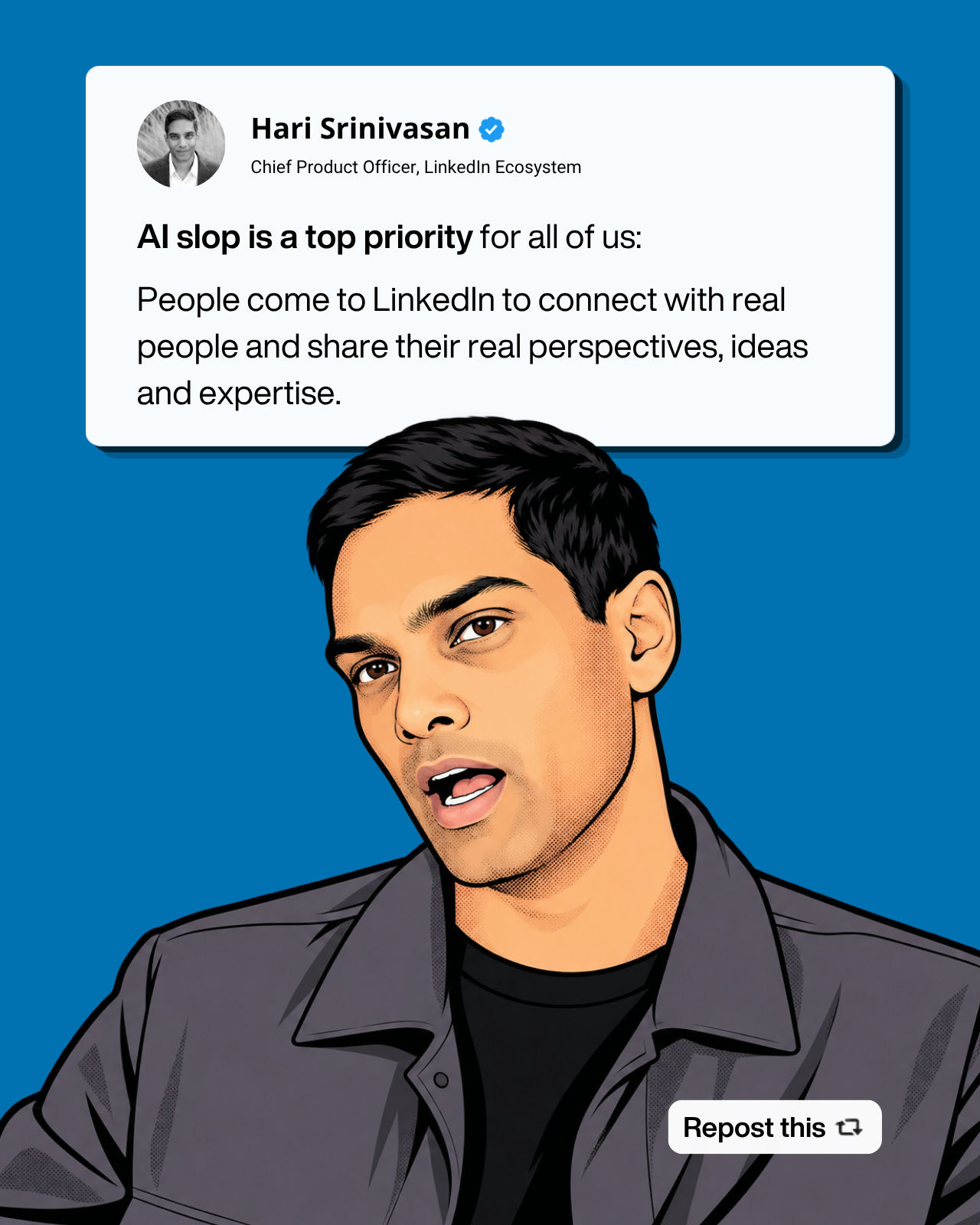
Substack is helping users detect AI slop as well. You can expect others to follow. That’s why…
This system is about the opposite of creating AI slop content.
This System is About Getting Jobs (and Customers)
This system is about automating all the work around content so you don’t generate slop.
In particular, it helps you with:
Finding the right topics to post about
Giving you inspiration from other creators
Helping you create infographics that go viral
Automatically collecting analytics on your performance
Analyzing your funnel to help you drive job offers and customers
None of this involves drafting posts for you, or automating comments (ICK!).
It’s about automating the infrastructure around writing posts and comments so you have time to write yourself.
How it Generates Jobs
I got together with one of the fastest growing creators on LinkedIn in the PM niche, Basia Kubicka. And she shared her entire setup in this exclusive episode:
She uses a similar Claude Code operating system to receive 5 inbound opportunities per week 😮:
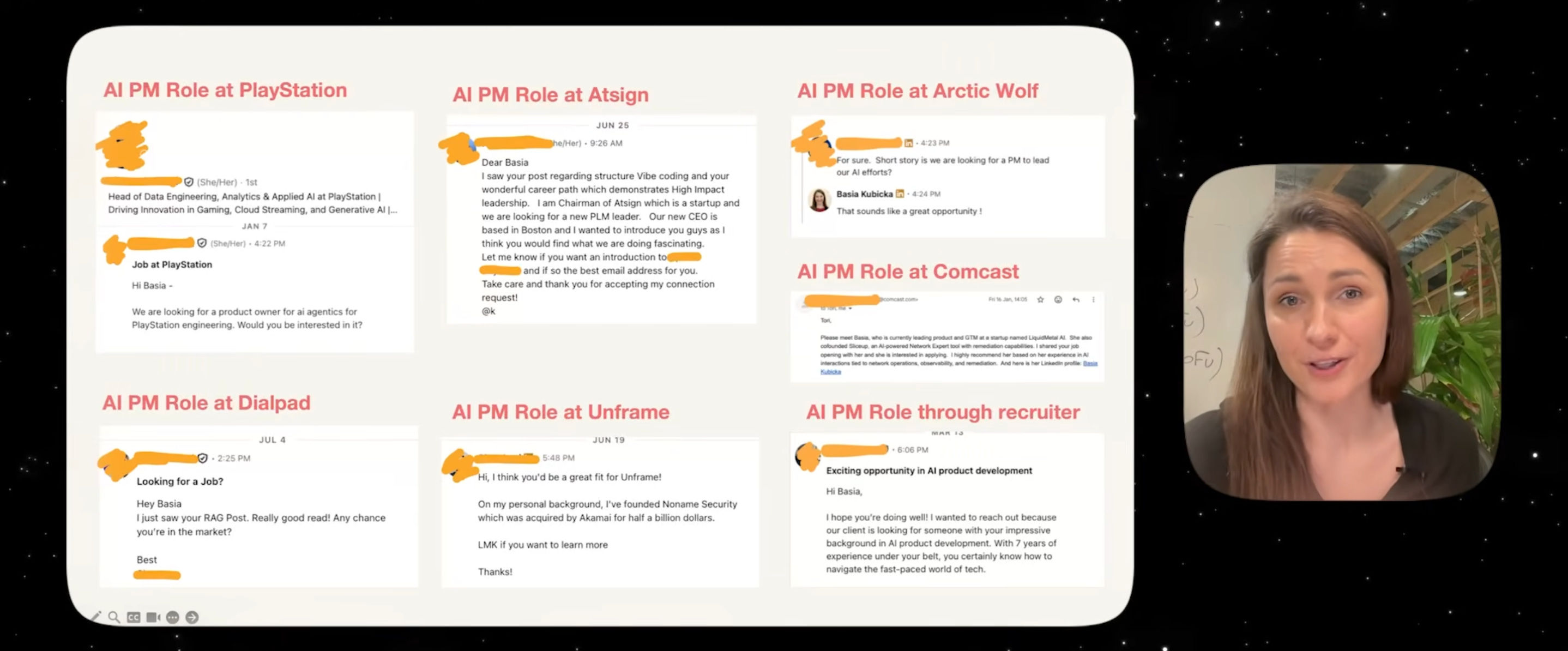
So if you want your LinkedIn to generate job opportunities, this is for you.
How it Generates Customers
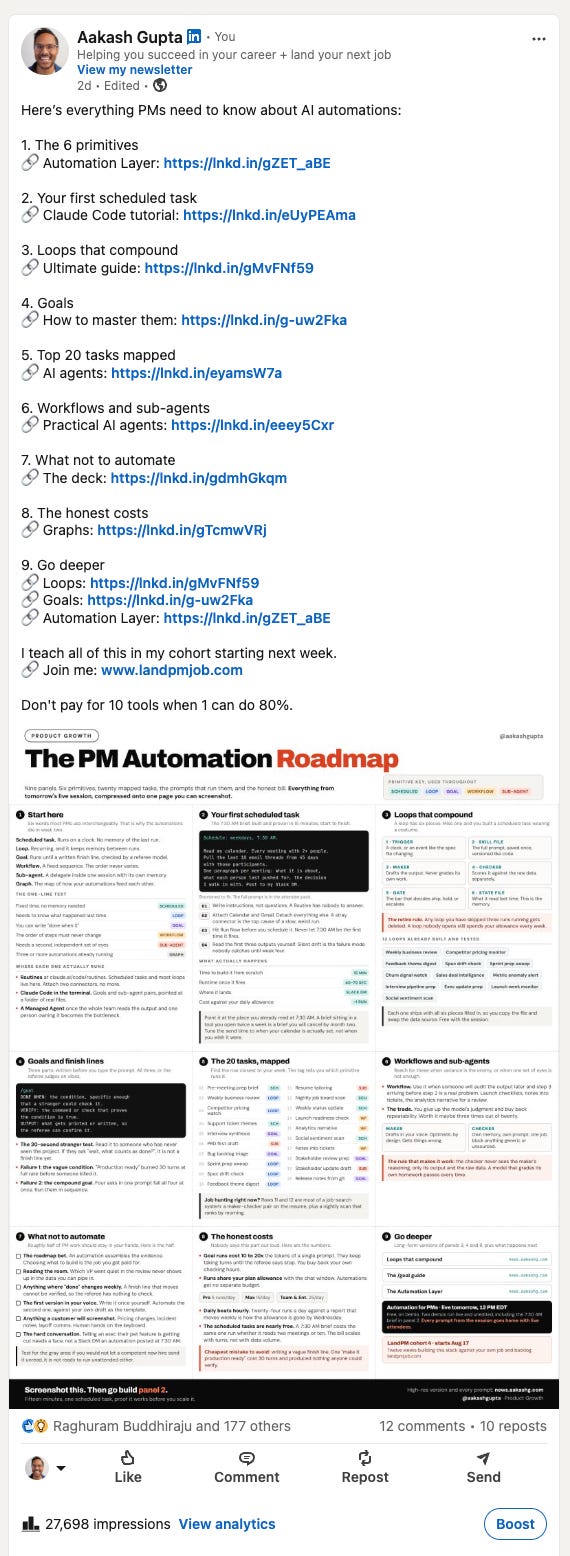
I used this OS to publish this post a few days ago that drove 784 website visitors, 64 free subscribers, 21 LinkedIn followers, 3 paid subscribers to the newsletter, and 1 application to my cohort:
With an average cost per click on Meta ads between $0.40 and $1.20, most companies have to spend between $313.60 and $940.80 for those results.
I paid $0 for this (because it fit within my existing Claude Max plan).
The Content Operating System chose the topic of the infographic, assembled all the links in that post, and even made the infographic.
I just wrote the text.
When you use this system, you get measurable follower growth, impressions, inbound job offers, and (if you’re selling something) customers.
How to Get It
Here are your options to get the Content Operating System:
Buy it on Gumroad for $49
Become a Founding Subscriber for $250 to get it + my other products
Not a founding subscriber and don’t want to buy? The video above is today’s alpha for subscribers. Believe me, it’s THE roadmap to get jobs from LinkedIn.
What’s Inside
Here’s a preview (not everything because people will copy it) of what you get:
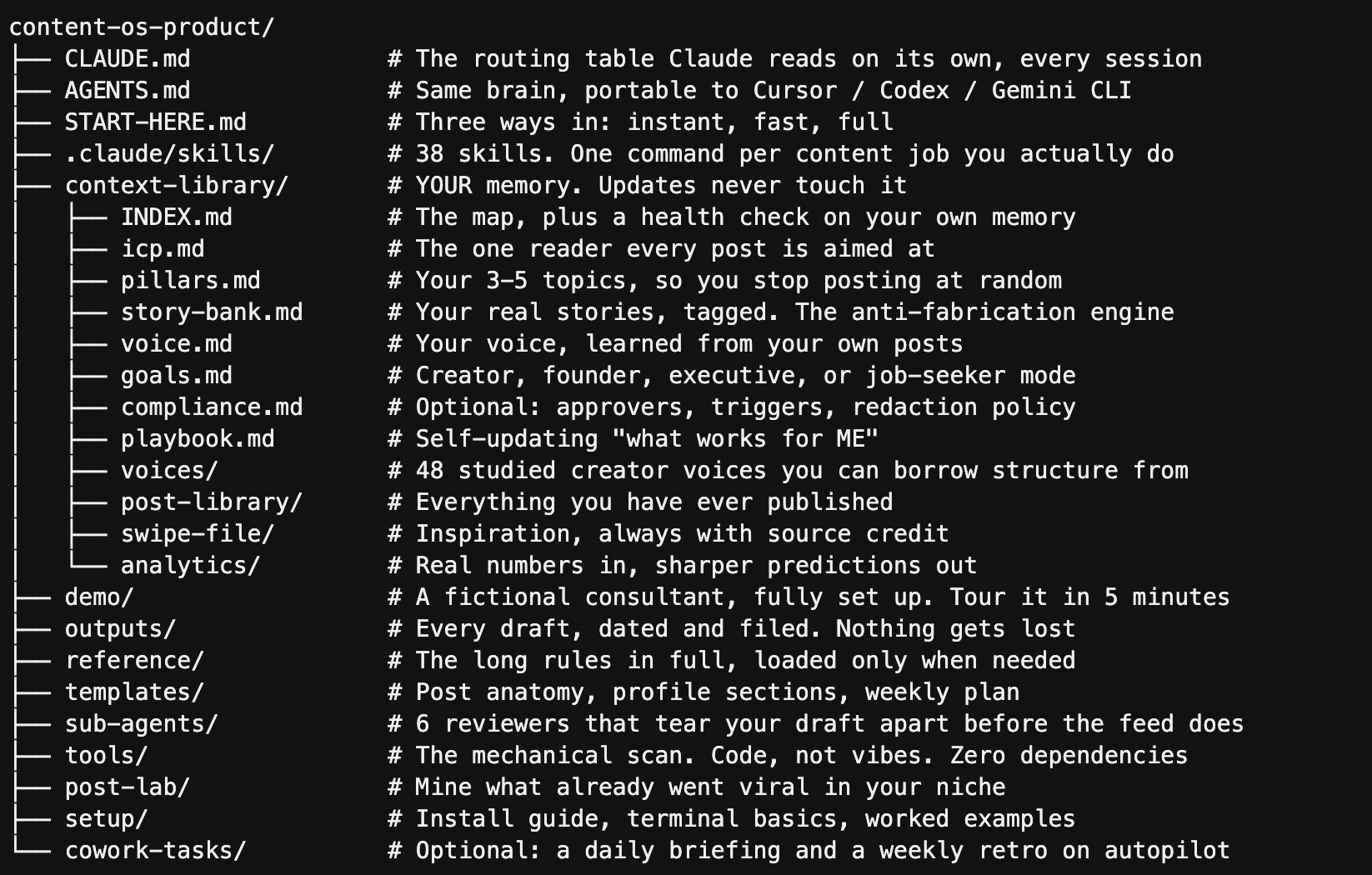
And the content inside that context-library? Entirely populated by the system based on your profile link + those of creators you admire.
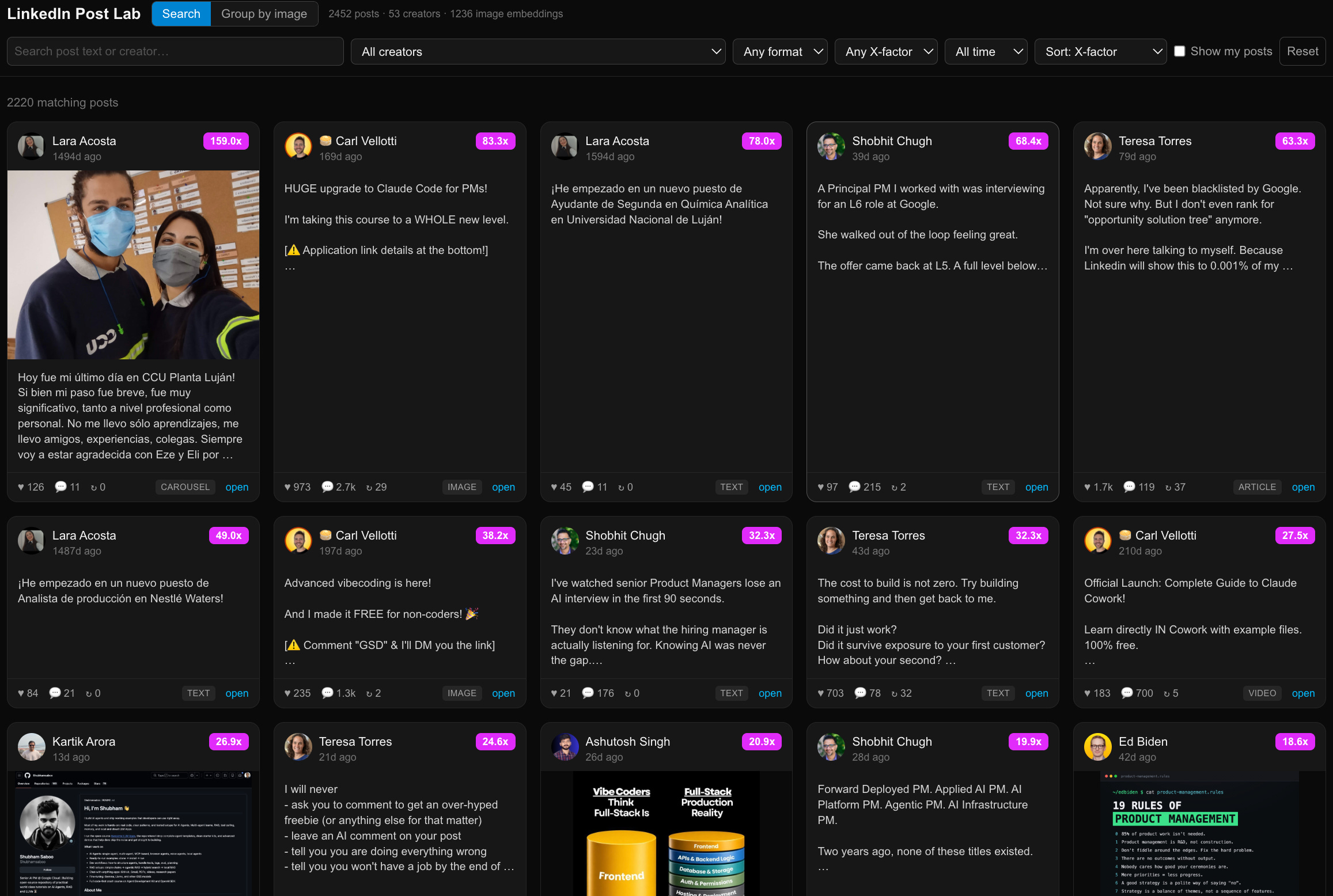
What’s especially powerful, and worth the money on its own, is the post lab, where you get to see the performance of other creators on your platforms:
Can You Build This on Your Own?
I used Claude Code to build this.
You could build this in Claude Code by yourself, too, if, like me, you iterate on the system for 8 months.
But if you buy the product, you get those 8 months of iterations in the price.
($49 on Gumroad or $250 as part of the Founder’s plan which also gets you my PM OS, Job Search OS, Prompt Library, and Bundle).
Today’s Deep Dive
Once you’ve got the thing, here’s how to use it well:
The 2-minute install
Then 10-minute setup
How to use the Content OS well
How I personally used it to grow
On X: from 117K to 320K followers
On LinkedIn: from 241K to 320K followers
Pro tips, mistakes, and FAQs
1. How to Install the Content OS
It hardly takes 2 minutes and runs in your harness of choice: